Blog

  • Real-World Workflow Automation Examples Powered by AI Agents in Modern Enterprises

    Real-World Workflow Automation Examples Powered by AI Agents in Modern Enterprises

    The business industry is growing faster than ever before. Every organization, from small startups to large enterprises, is on a journey toward automation and digital transformation.

    In the core of this revolution lies workflow automation, a process that is drastically improving operational efficiency, cost-effectiveness, and productivity. 

    But what truly sets this era apart is the integration of AI agents in automating workflows.

    As businesses strive to enhance their performance, AI-powered workflow automation is at the forefront, helping enterprises achieve smoother operations and smarter decision-making

    This blog explores real-world workflow automation examples in modern enterprises, showcasing how AI agents are redefining business processes across industries.

    Key Takeaways

    • Workflow automation AI agents improve efficiency by reducing manual tasks and human error.
    • Automation frees up human resources to focus on high-value work.
    • Industries such as finance, healthcare, and logistics have successfully implemented AI-driven workflows.
    • Popular tools like Zapier, Microsoft Power Automate, and UiPath are key players in workflow automation.
    • The future of business process automation includes enhanced AI, machine learning, and cloud-based solutions.

    Comprehend Workflow Automation in Business

    It refers to the use of technology to streamline repetitive tasks and business processes. 

    By eliminating manual efforts, it ensures that workflows run more efficiently, allowing employees to focus on value-adding activities rather than getting bogged down with mundane tasks.

    However, when businesses layer AI agents over these workflows, the automation becomes significantly more intelligent. 

    Artificial Intelligence brings an element of decision-making and predictive capabilities to automation, allowing workflows to adapt and evolve based on changing data and conditions.

    In the past, business workflows were automated through simple rule-based systems. 

    But with the introduction of machine learning (ML) and AI, businesses can now automate complex processes, from customer service interactions to inventory management, in ways that go beyond basic task repetition.
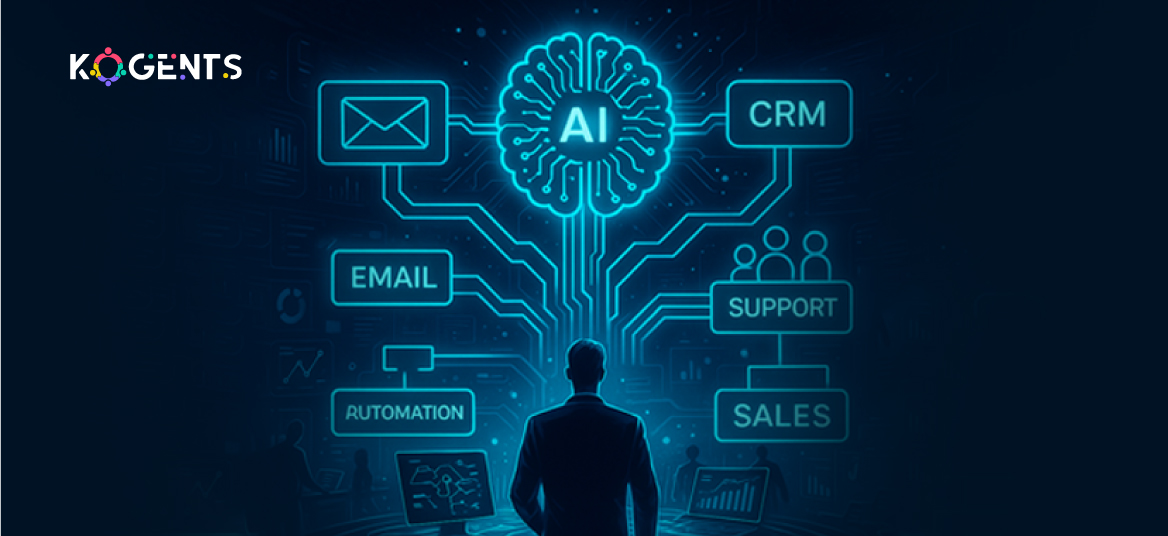
    workflow automation in business

    Workflow Automation Examples in Action

    1. Automating Customer Support with AI Agents

    One of the most common business process workflow automation use cases is the integration of AI in customer service operations. 

    AI-driven chatbots are transforming how businesses interact with customers. 

    These bots can manage inquiries, resolve complaints, and guide users through troubleshooting, significantly reducing the need for human intervention. 

    Example: Zendesk and Intercom leverage AI to automate ticket management, leading to fast response times and improved customer satisfaction.

    2. Financial Services: Streamlining Invoice Processing

    In the finance industry, AI agents play a critical role in automating the approval process for invoices and payments. 

    Platforms like Kofax and ABBYY use AI and Optical Character Recognition (OCR) to extract data from invoices, categorize it, and approve payments based on pre-set business rules. 

    Soft Reminder: This reduces the chance of human error and accelerates the approval process, making it far more efficient.

    3. AI in Human Resources: Streamlining Recruitment

    HR departments can benefit significantly from workflow automation processes powered by AI. 

    Companies like HireVue use AI to evaluate candidate interviews and rank them based on their answers and facial expressions. 

    Automated applicant tracking systems like Workday also streamline the hiring process by filtering resumes and automating candidate communications, freeing up HR professionals to focus on more strategic tasks.

    4. Healthcare: Automating Patient Management

    In the healthcare industry, AI-driven workflow automation is transforming patient management systems

    Example: AI agents can schedule appointments, send reminders, and even prioritize cases based on urgency. 

    Systems like Cerner and Epic Systems are integrating automation to manage patient data, reducing administrative workloads and improving the quality of care.

    5. Sales and Marketing Automation

    Sales and marketing teams also use AI for workflow optimization

    By integrating AI with tools like HubSpot or Marketo, businesses can automate lead generation, scoring, and nurturing. 

    Automated decision-making processes help ensure the right content reaches the right audience at the right time, optimizing conversions and improving ROI.

    Comparison of Popular Workflow Automation Tools

    Tool Features Best For Pricing
    Zapier Connects 2,000+ apps, automates tasks Small to medium businesses Free & Paid Plans
    UiPath RPA, AI decision-making, integrations Large enterprises Custom Pricing
    Microsoft Power Automate Automates Office workflows, integrates with MS apps MS-centric businesses Subscription-based
    Monday.com Task management, automation templates Teams, HR, project management Subscription-based

    Case Studies: AI Workflow Automation in Action

    Case Study 1: Unilever’s Global HR Transformation

    Unilever, a global leader in consumer goods, implemented AI-powered workflow automation in its HR operations to manage employee engagement, recruitment, and learning. 

    Result: By automating many HR processes, Unilever saved significant time and resources while increasing employee satisfaction. 

    The company’s AI-driven platform now manages repetitive tasks such as payroll and benefits administration, improving the overall efficiency of the HR department.

    Case Study 2: Deloitte’s Financial Services Automation

    Deloitte, one of the largest professional services firms, leveraged RPA and AI to automate financial services workflows. 

    Outcome: By integrating intelligent bots into their processes, it was able to drastically reduce the time spent on tasks such as data entry and reconciliation, allowing employees to focus on higher-value activities like financial analysis and consulting.

    Case Study 3: ERP Finance Automation — “FinRobot” Framework

    Another academic study described a framework called “FinRobot: Generative Business Process AI Agents for Enterprise Resource Planning,” focused on the finance/ERP domain. 

    Context & challenge:

    • Large financial institutions rely on ERP systems, but these often depend on static workflows, manual inputs, and rigid rules.
    • The need: scale to complex workflows (e.g., budget planning, wire transfers, financial reporting) involving both structured and unstructured data, real‑time changes, and dynamic decision logic. 

    Solution:

    • The researchers proposed an AI‑native agent‑based framework (Generative Business Process AI Agents / GBPAs) that can reason, interpret user intent, orchestrate sub‑agents, and synthesise workflows on the fly.
    • Example workflows: (a) employee reimbursements, (b) bank wire transfers — where the system handled tasks end‑to‑end with minimal human hand‑offs.

    Results:

    • Up to 40% reduction in processing time.
    • Up to 94% drop in error rate. 
    • Improved regulatory compliance via built‑in semantic reasoning and risk control insertion.

    Case Study 4: Healthcare Revenue Cycle Automation — Omega Healthcare Management Services + UiPath

    A widely covered industry example: Omega Healthcare (a large revenue‑cycle‑management firm supporting 350+ healthcare organisations, 30,000+ employees) used UiPath’s AI‑powered Document Understanding tool to automate administrative workflows.

    Context & challenge:

    • Omega processes ~250 million transactions a year (medical billing, insurance claims, documentation). 
    • Manual tasks were high volume, error‑prone, and slow.

    The goal: move from manual, repetitive work to decision‑based human roles, accelerating turnaround, improving accuracy. 

    Solution:

    • UiPath’s AI‑Document Understanding tool extracted data from various documents (accounts receivable correspondence, insurance denial letters, and medical records).
    • Automated large portions (60‑70% of clients’ tasks) of document‑processing workflows. 

    Results:

    • Saved over 15,000 employee hours per month. 
    • Documentation time down by 40%.
    • Turnaround time got cut by 50%.
    • Accuracy reached 99.5%.
    • Delivered 30% ROI for clients.

    Why does it matter? 

    • This is a very high‑visibility “workflow automation in business” 

    Example: an enterprise uses AI agents + RPA for workflow optimisation in a high‑stakes domain (healthcare). 

    • It demonstrates the power of combining business process automation workflow + AI + workflow management in a real‑world enterprise scenario.

    The Future of AI-Powered Workflow Automation

    As the digital transformation landscape evolves, workflow automation solutions are becoming more sophisticated. Future trends show the continued rise of AI-powered solutions, including:

    • AI-driven decision-making: More businesses are turning to machine learning models to make predictions and optimize workflow decisions based on historical data and emerging trends.
    • Cloud-based workflow automation: With the growing adoption of cloud computing, businesses are shifting toward cloud-based platforms that provide more flexibility and scalability in automating workflows.
    • Increased integration of AI and RPA: Combining Robotic Process Automation (RPA) with AI allows businesses to not only automate repetitive tasks but also make intelligent decisions based on data analysis.
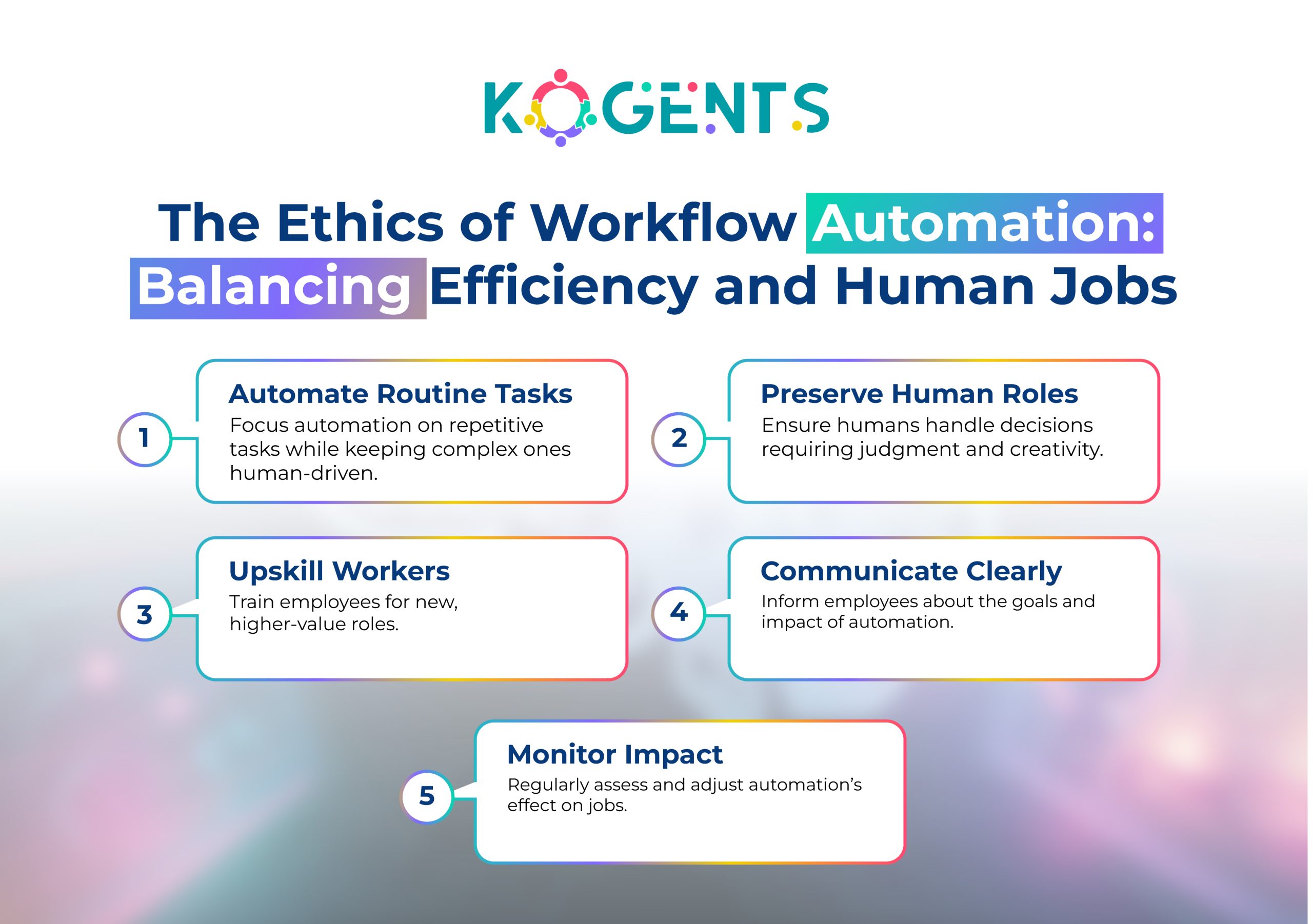
    ethics of workflow automation

    Unveil The Power of Workflow Automation Powered by AI With Us!

    Workflow automation examples powered by AI are not just about saving time; they are about transforming the way businesses operate. 

    By adopting AI agents into their workflows, companies can achieve unprecedented levels of efficiency, accuracy, and cost-effectiveness. 

    Whether automating customer support, invoice processing, or HR tasks, AI is revolutionizing how enterprises handle their day-to-day operations.

    The future of business operations lies in automated decision-making and AI-powered workflow solutions. 

    With the continued growth of AI, RPA, and machine learning, businesses that embrace these tools will lead the charge in their respective industries. 

    The time to adopt automation is now. So, contact the team at Kogents.ai, and give your business the edge to act quickly in reaping the rewards.

    FAQs

    What are some real-world examples of workflow automation?

    Some notable examples include automating customer service with chatbots, invoice processing in finance, and recruitment in HR departments.

    What are the benefits of AI in workflow automation?

    AI enhances workflow automation by making processes more intelligent, improving decision-making, and optimizing workflows based on historical data and real-time conditions.

    How do workflow automation tools work?

    Workflow automation tools use algorithms and pre-set rules to automate tasks, integrate with existing software, and eliminate the need for manual intervention.

    How can businesses implement workflow automation?

    Businesses can implement workflow automation by identifying repetitive processes, selecting the right tools (like Zapier, UiPath, or Microsoft Power Automate), and integrating AI for intelligent decision-making.

    What industries benefit most from workflow automation?

    Industries like healthcare, finance, retail, and human resources benefit immensely from AI-driven workflow automation.

    What is Robotic Process Automation (RPA)?

    RPA is a technology used to automate repetitive, rule-based tasks using robots or “bots” that mimic human actions.

    Is AI-driven workflow automation expensive?

    The cost depends on the scale and complexity of the business’s needs. However, many affordable tools and solutions are available for small and medium-sized businesses.

    How do I choose the right workflow automation tool?

    The right tool depends on your business needs, budget, and existing software ecosystem. Tools like Zapier are great for small businesses, while UiPath and Automation Anywhere are suited for larger enterprises.
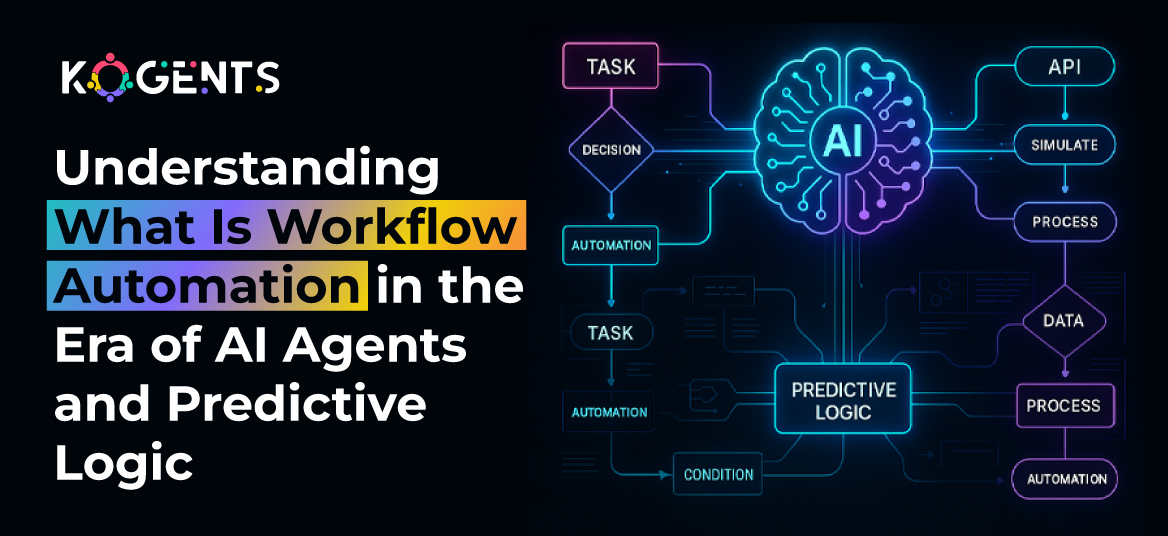
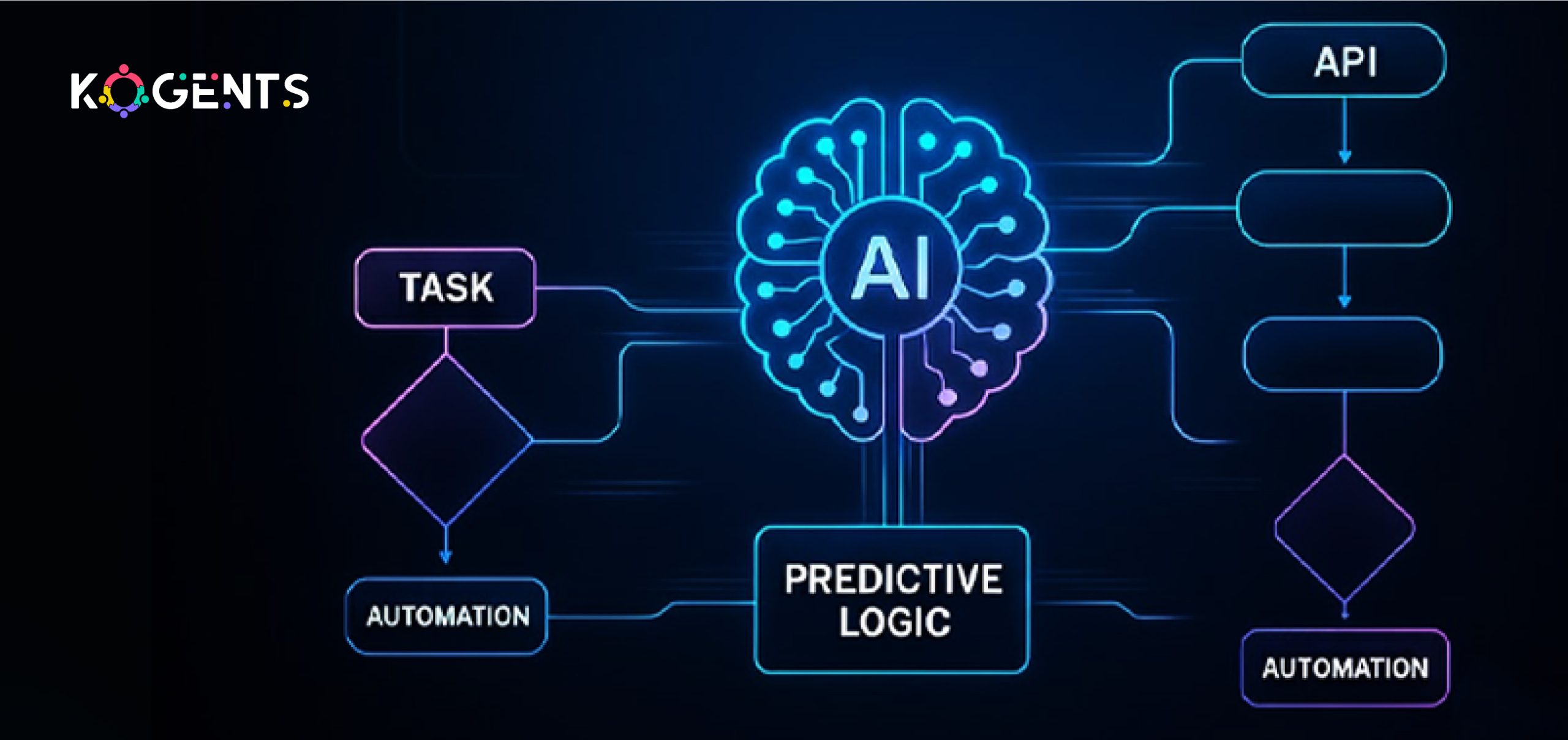
  • Understanding What Is Workflow Automation in the Era of AI Agents and Predictive Logic

    Understanding What Is Workflow Automation in the Era of AI Agents and Predictive Logic

    Imagine a workplace where the mundane tasks, the repeated clicks, countless approvals, and manual hand-offs are no longer bottlenecks but instead quietly hum in the background. 

    Instead of chasing spreadsheets and chasing signatures, your team strategizes, innovates, and moves fast. 

    That is the vision behind what is workflow automation, but not just in its classic sense: this is automation infused with the power of AI agents, predictive logic, and orchestration at scale.

    In this new era, the definition of automation has shifted. It’s not simply “automate a task” but “automate a workflow intelligently, dynamically, adaptively.” That means your system anticipates the next step, takes context into account, uses data to predict outcomes, and uses agentic AI to execute or recommend.

    The result? A leap from rule-based task automation into the realm of intelligent workflow orchestration.

    This blog is your quick guide to understanding workflow automation, its meaning, evolution with AI, and real-world impact on modern business efficiency.

    Key Takeaways

    • Workflow automation is no longer just rule-based: it’s integrating AI agents, predictive analytics, and workflow orchestration to adapt and act.
    • The difference between business process automation (BPA) and workflow automation matters; understanding that distinction unlocks a better strategy.
    • The era of AI agents (often referred to as AgentOps) is reshaping how workflows are built, managed, and governed. 
    • Selecting the right tools, aligning with business objectives, tracking key metrics (e.g., cost-savings, productivity, error-reduction), and orchestrating human + machine collaboration are critical for success.

    Decode: What Is Workflow Automation First! 

    At its core, workflow automation refers to the process of using technology to streamline, manage, and execute a sequence of tasks or activities without requiring continuous human intervention. 

    In simple terms, you map out a workflow (for example: “employee onboarding” or “invoice approval”) and then implement a system that automates the movement of tasks, triggers events, routes approvals, integrates data, and monitors statuses so that the process becomes faster, less error-prone, and more visible.

    Example: statistics show that 94% of companies perform repetitive, time-consuming tasks, and automation has improved jobs for 90% of knowledge workers and productivity for 66% of them. 

    what is workflow automation first

    Evolution: From Rule-Based Automation to AI-Driven Workflow Orchestration

    In the early days, workflow automation tools/software were primarily rule-based: “If this happens, then do that” (IFTTT). 

    They were good at automating manual hand-offs, simple data routing, email approvals, and triggering notifications. In other words: static flows and predefined rules.

    But as digital transformation accelerated, businesses realized these static flows lacked adaptability, context-awareness, and intelligence. 

    That’s where the next generation entered with predictive logic, machine learning, intelligent process automation (IPA), and now AI agents.

    Key milestones in the evolution:

    • No-code / low-code automation platforms: democratizing workflow creation for business users.
    • Robotic Process Automation (RPA): bots that replicate human interactions in systems (data entry, file uploads, etc).
    • AI-powered automation: systems that use machine learning and natural language processing (NLP) to handle unstructured data, exceptions, and decisions.
    • Agentic automation / AgentOps: orchestrating autonomous AI agents that coordinate workflows across systems, make decisions, and self-optimize. 

    According to market research, the workflow automation market was valued at USD $14.99 billion in 2024 and is projected to reach USD $71.03 billion by 2031, at a CAGR of approximately 23.68%.

    How Workflow Automation Works – Mechanisms, Components, Architecture?

    Understanding how workflow automation works is critical for effective design and implementation.

    Components of a Workflow Automation System

    • Trigger/Event: An action that initiates the workflow (e.g., new invoice submitted, form completed).
    • Tasks/Steps: Defined activities that need to happen (assign review, send approval, update system).
    • Rules & Conditions: Logic that determines path, branching, and exceptions.
    • Integrations/APIs: Connectors to other systems (CRM, ERP, SaaS apps, databases).
    • Workflow Engine/Orchestrator: The core that tracks state, routes tasks, and triggers next steps.
    • Automation Bots/Agents: Execution layer (could be rule-based bots or AI agents).
    • Monitoring & Analytics: Dashboards & metrics to track performance, bottlenecks, and KPIs.
    • Governance & Compliance: Ensuring policies, data security, and audit trails.

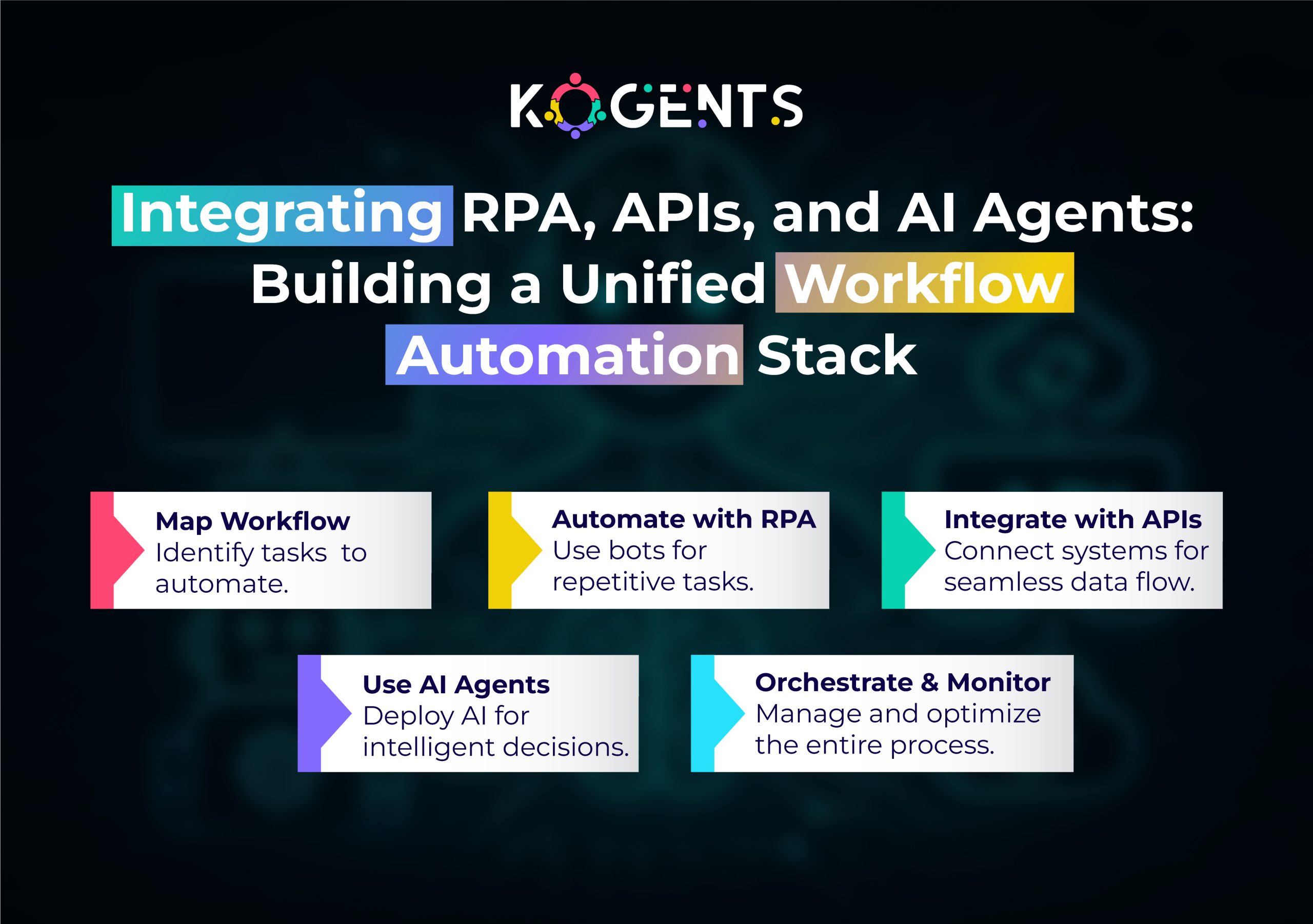
    building a unified workflow automation stack

    Differences: Workflow Automation vs Business Process Automation (BPA)

    Feature Workflow Automation Business Process Automation (BPA)
    Scope Focuses on automating a specific sequence of tasks (workflows) within a process. Broader: automates entire business processes, including complex cross-functional flows.
    Granularity Task-level or subprocess-level. End-to-end process level (may include multiple workflows, decisions, data flows).
    Complexity Relatively contained, often rule-based. Higher complexity may involve decision logic, analytics, optimization, and human-in-the-loop.
    Tools Workflow engines, BPM, and no-code platforms. BPA includes BPM suites, RPA, decision engines, and  AI.
    Typical Use Approval workflows, data routing, and routine onboarding. Loan origination, procure-to-pay, customer lifecycle management.

    The Role of AI Agents & Predictive Logic in Workflow Automation

    This is where the era of automation shifts into high gear.

    What Are AI Agents?

    AI agents, more specifically workflow automation AI agents, are software entities that can perceive, reason, act, and learn within an environment.

    They go beyond rule-based bots, using predictive logic, machine learning, natural language processing (NLP), and can coordinate across systems.

    Example: an AI agent may: extract data from an email, classify it, decide which workflow to trigger, perform the action, escalate if exceptions occur, and learn from feedback.

    Why Predictive Logic Matters?

    It uses historical data, patterns, and statistical models to anticipate what the next step should be.

    In the context of workflow automation:

    • Predict which invoices are likely to get delayed and trigger alerts.
    • Forecast which requests require manual review vs which can be auto-approved.
    • Route tasks to the right person based on capacity and skill.

    How does this change workflow Automation?

    • From reactive to proactive: not only automating tasks after the fact, but also anticipating tasks and acting ahead of time.
    • From static flows to adaptive flows: workflows that adapt to context, data, and exceptions.
    • From human-in-the-loop to human-on-the-loop: humans supervise and intervene when needed; AI agents handle standard flow.
    • From segmented automation to orchestration: agent layers coordinate tasks across multiple systems, data sources, and silos.

    Unravel the Benefits of Automating Workflows!

    What are the tangible benefits when you implement workflow automation? Let’s list some major ones.

    Efficiency & Time-Savings

    • Manual, repetitive tasks (forms, approvals, routing, data entry) take significant time. 
    • Automating those frees employees for higher-value work.

    Example: 52% of business leaders believe that 10-30% of their daily tasks can be automated. 

    Accuracy & Error Reduction

    • Human errors, data entry mistakes, missed approvals, incorrect routing, carry cost, and risk. Automation minimizes those.

    According to stats, automation reduces capture process errors by 37% and boosts data accuracy by 88%. 

    Cost-Savings & ROI

    • Hard cost reduction (fewer manual hours, faster turnarounds, fewer errors) plus soft benefits (better employee satisfaction, fewer bottlenecks) yield strong ROI. 

    According to research, automation improves efficiency by 40-60%, reduces manual errors by up to 90%, and many organizations see ROI in under 12 months.

    Scalability & Agility

    • Workflows scale as the business grows without a proportionate increase in headcount or manual effort.
    • Predictive logic and AI agents mean you can adapt to changing business conditions, rather than rebuild flows from scratch.

    Visibility & Process Improvement

    • Automation brings real-time monitoring, dashboards, and workflow analytics, so you see bottlenecks, cycle times, and inefficiencies.
    • Businesses can then continuously improve processes.

    Improved Employee Experience & Strategic Focus

    • By removing low-value tasks, employees can focus on more strategic, creative, or value-added work.
    • This leads to higher morale, better retention, and ultimately innovation.

    Highlight: When you ask about the benefits of business process workflow automation, these are the drivers that gather support at executive levels.

    Workflow Automation Use Cases & Examples in Business/Enterprise

    Let’s walk through concrete use cases where workflow automation examples are crucial. 

    In a Gartner survey, 80% of executives believe automation can be applied to any business decision.

    Use Case: Invoice Approval & Accounts Payable

    A very common workflow in finance: invoice submission → review → approval → payment. Workflow automation ensures routing, reminders, validating invoice data, and logging.

    With AI agents: 

    • Automatic extraction of invoice data (IDP)
    • Predictive logic flags high-risk invoices
    • Agent routes for manual review only when an exception occurs, and integrates with ERP. 

    Use Case: Customer Support & Service Requests

    Workflow automation is applied to ticket routing, approvals, and escalations. 

    With AI agents and predictive logic: the agent triages incoming tickets (via NLP), routes to the correct queue, escalates if SLA breaches, and automatically triggers feedback workflows

    Use Case: Supply Chain / Order Management

    Orders arrive from multiple channels, inventory needs to be update, and vendors notified. 

    Workflow automation handles the tasks; AI agents predict inventory shortages, suggest alternative sourcing, and trigger order adjustments

    In manufacturing, this means fewer stock-outs, faster fulfillment.

    Use Case: Marketing & Campaign Management

    Workflows may include campaign planning, asset approvals, email scheduling, and performance tracking. 

    With AI agents: 

    • Predictive logic suggests optimal send times
    • automates copy generation (via generative AI)
    • routes tasks to appropriate team members
    • optimizes campaign flow.

    Case Studies – Real-World Applications and Outcomes

    Here are three credible, non-repetitive case studies aligned with our topic.

    Case Study: Corporate Expense Processing – Generative AI + Automation Agent

    A major Korean enterprise implemented an end-to-end process automation system that combined generative AI, Intelligent Document Processing (IDP), and an Automation Agent to handle receipt-based expense tasks. 

    The solution: OCR/IDP for receipts, classifier based on policy, intelligent exception handling via generative AI, human-in-the-loop decisions, and continuous learning. 

    Outcomes: over 80% reduction in processing time, decreased error rates, improved compliance.

    Bring It All Together With Kogents! 

    In an age where every business is striving for operational efficiency, agility, scalability, and a competitive edge, understanding “what is workflow automation” takes on a deeper meaning.

    With the rise of AI agents, predictive logic, and orchestration platforms, workflow automation has entered a new frontier.

    The business benefits are clear: fast cycle times, fewer errors, lower cost per transaction, and more time for employees to focus on strategic work. 

    So, where does kogents.ai come into the picture? Here, we empower businesses to harness advanced workflow automation by integrating AI agents, predictive logic, intelligent orchestration, and scale smart automation solutions.

    FAQs 

    What is workflow automation in simple terms?

    At its simplest, workflow automation means using software to move tasks, information, and approvals automatically through a sequence of steps (a workflow) instead of doing them manually. It speeds things up, reduces errors, and makes processes more consistent.

    How does workflow automation work?

    It works by defining triggers (e.g., form submitted), mapping the steps/tasks, setting decision logic (conditions, branches), integrating systems (CRM, ERP, APIs), deploying bots/agents to execute tasks, and using monitoring & analytics to measure performance. With AI-agents and predictive logic, the system can anticipate next steps, learn from data, and adjust.

    What is the difference between workflow automation and business process automation?

    While both aim to automate processes, workflow automation typically refers to automating a specific sequence of tasks within a process. Business process automation (BPA) is broader and may encompass complex, cross-departmental, end-to-end processes with decision logic, analytics, cs, and optimization. Workflow automation is often a subset of BPA.

    How to automate workflows in small businesses?

    For smaller businesses, start by mapping your manual, repetitive tasks (forms, approvals, data routing). Choose a user-friendly, affordable workflow automation tool (e.g., a no-code platform). Automate one workflow at a time, measure results, iterate, and build from there. Prioritise high-impact tasks (time-consuming, error-prone). As you scale, you may integrate predictive logic or AI capabilities.

    What are the best practices for workflow automation implementation?

    Some best practices: start with process mapping and baseline data; involve stakeholders; prioritise high-impact workflows; define clear KPIs; choose tools with good integration; ensure governance; include exception-handling; train users; monitor performance and iterate; scale gradually; assess ROI.

    How is workflow automation changing with AI agents and predictive logic?

    Previously, workflow automation was rule-based and static. Now, with AI agents and predictive logic, workflows become adaptive, context-aware, and even proactive. AI agents can extract data from unstructured sources, predict next steps, route tasks intelligently, optimize workflows dynamically, and learn over time. This marks a shift toward orchestration and intelligence, not just automation of tasks.

  • How Often Is AI Wrong? A Practical Guide to Building Reliable Production-Ready AI-Models

    How Often Is AI Wrong? A Practical Guide to Building Reliable Production-Ready AI-Models

    “How often is AI wrong?” It’s a deceptively simple question, yet one that hides a complex web of considerations, caveats, and real-world surprises.

    In an age where we increasingly entrust decisions, from medical diagnoses to legal briefs, from customer-service chatbots to autonomous driving systems, to artificial intelligence, the question of how reliable these systems truly are matters more than ever. 

    We hear glowing success stories of AI breakthroughs. But equally, we see embarrassing missteps: models hallucinating plausible-but-false facts; image-recognition systems biased by demographic skew; decision-support tools misclassifying rare cases. 

    These failures raise a vital point: what is the error rate of AI systems in practice, and how do we build them so they are production-ready, dependable, and trustworthy?

    This blog explores how often AI gets it wrong, why errors occur, and how to build reliable, real-world AI systems through practical strategies and case-backed insights.

    Key Takeaways

    • Error is inevitable: Even the best AI models have non-zero error rates; the question is how much and what kind.
    • Context matters: The acceptable error threshold for an AI model depends heavily on domain (healthcare vs. chatbots) and risk tolerance.
    • Monitoring and maintenance matter more than just initial development: Production-ready models require continuous evaluation, drift detection, and corrective processes.
    • Transparency and governance build trust: Being clear about performance metrics, failure modes, and fallback procedures is key to reliability and user confidence.
    • Building for reliability is not just a technical task; it’s organisational: Data pipelines, model lifecycle, human-in-the-loop design, and operational readiness all play a role.

    Why Does This Question Matter: How Often Does AI Make Mistakes?

    At first glance, the question “How often is AI wrong?” may seem academic. But in real-world applications, the cost of AI error can range from minor inconvenience to serious harm. 

    Consider: in healthcare, a mis-classification could lead to a wrong treatment; in law, a hallucinated fact could lead to a malpractice suit; in finance, a misprediction could cost millions. 

    Therefore, asking what the accuracy of AI systems is or how many errors AI makes is not just about metrics; it’s about trust, safety, governance, and responsibility.

    When deploying models in production, especially in regulated industries, questions like how reliable AI is and how well it aligns with enterprise AI development standards become central.

    Does the model meet a minimum acceptable error threshold? Are users aware of the error rate and limitations? 

    Are fallback/override procedures in place? With growing regulation, organisations are being held accountable not just for model performance, but for error transparency, bias mitigation, auditability, and monitoring.

    how often does ai make mistakes

    How Often Is AI Wrong: Domain-By-Domain Statistics and Real-World Data?

    The frequency of AI errors depends on the domain, model type, and context, but leveraging AI agent benefits, such as automation, accuracy, and adaptive learning, can greatly reduce errors and enhance overall reliability. 

    Healthcare

    One survey among staff at a radiology department found that participants believed an acceptable error rate for AI systems should be around 6.8%, compared to 11.3% for human clinicians in the same context.

    Note: These figures suggest that even in high-stakes domains like medicine, error rates of 5–20% are realistic depending on context.

    Legal / Knowledge Work

    A study of proprietary legal AI tools (RAG-based) found hallucination (fabricated or incorrect output) rates between 17% and 33%.

    Note: These error rates are alarmingly high for legal/knowledge work, where factual accuracy is critical.

    Generative AI / LLMs / Search & Information Retrieval

    A 2024 study found hallucination rates in generative LLMs (regarding references) were substantial.

    A review of generative AI noted that hallucination rates can range widely by domain: from 1.4% in speech recognition to >16% in more complex reasoning domains.

    Case Studies

    Case Study 1: Legal Research AI & Hallucination

    In Mata v. Avianca Inc. (S.D.N.Y., 2023), two lawyers used ChatGPT for legal research and unknowingly submitted a court brief citing six non-existent cases fabricated by the AI. 

    When the court verified the references, it found that every cited authority was fake. 

    The attorneys were fined $5,000 and publicly reprimanded. 

    This case underscored how over-reliance on generative AI without human validation can severely damage credibility and trust in AI systems.

    Case Study 2: Production-drift & Model Maintenance

    According to IBM:

    “Model drift refers to the degradation of machine learning model performance due to changes in data or in the relationships between input and output variables.” 

    For example, imaging AI might perform well in hospital A but degrade in hospital B with different devices.

    Lessons learned:

    • Building production-ready models requires not only initial validation, but post-deployment monitoring and maintenance.
    • Organisations must invest in continuous evaluation, drift detection, logging of errors, and a pipeline for re-training.

    Why AI Goes Wrong: Root Causes of Errors in AI Models?

    Below are some primary drivers of error.

    Data Quality & Bias

    • Poor, incomplete, or non-representative training data lead to model misgeneralisation.
    • Bias in data leads to systematic errors.
    • Label noise or mis-annotation also increases error rates.

    Domain shift / Deployment mismatch

    • Models trained on one population or environment may fail when data distribution changes.
    • When production data diverges from training data, error rates increase.

    Model complexity / Over-fitting vs Under-fitting

    • Over-fitted models may perform well in training/validation but poorly in production.
    • Under-fitting leads to high baseline error.
    • Both lead to a higher machine learning error rate than anticipated.

    Algorithmic limitations, hallucinations & reasoning failures

    • Especially for generative and reasoning AI, hallucinations are a major error mode: plausible but false output. 
    • Some theoretical work suggests that calibrated language models must hallucinate at a non-zero rate given statistical constraints. 
    • Models may lack domain knowledge, or context may be ambiguous.

    Integration & Operational factors

    • Even a good model can fail if deployed in a flawed pipeline.
    • Automation bias occurs when humans over-trust AI outputs and fail to check when the AI is wrong. 
    • Lack of monitoring, absence of error-logging, and absence of fallback mechanisms amplify failure risk.

    Building Production-Ready & Reliable AI Models: A Practical Guide

    Let’s turn to the practical question: How do you build an AI model that is production-ready, reliable, and trusted?

     A recent news study found that nearly 45% of responses from leading AI assistants contained at least one significant error.

    Step 1: Define clear performance and error-threshold goals

    • Establish the acceptable error threshold for your domain. Ask: What error rate is tolerable? What error types are unacceptable?
    • Benchmark human performance if applicable, and set a target for your model (often equal or better than human, or at worst equivalent with strong oversight).
    • Use domain-specific metrics: precision, recall, F1-score, false-positive rate, and false-negative rate. 
    • For generative models: hallucination rate, factual accuracy, citation accuracy.

    Step 2: Data and training process

    • Ensure your data is high quality, well-labelled, representative of the production environment, covers edge cases, and diverse.
    • Perform data audits for bias, demographic coverage, missing data, and class imbalance.
    • Use cross-validation, hold-out test sets, and, if possible, out-of-distribution test sets to simulate a real production shift.
    • Build for robustness during data augmentation, simulate variation, and emphasize rare classes if risk-critical.

    Step 3: Model evaluation & validation

    • Use CA on the confusion matrix and performance metrics to deeply understand the error breakdown.
    • Analyse error modes (which classes are mis-classified? false positives vs false negatives?).
    • For generative AI, evaluate the hallucination rate, factual accuracy, and citation correctness. 

    Example: one study found 61.6% of citations in an LLM test were inaccurate.

    • Use domain experts in evaluation loops for high-stakes applications.

    Step 4: Deployment readiness & monitoring

    • Develop logging of predictions, inputs, confidence scores, and error events.
    • Build dashboards and alerts for drift detection (distribution changes), performance decay.
    • Implement a human-in-the-loop (HITL) system, especially for edge cases or high-risk decisions.
    • For generative models, include content verification / human review/fallback procedures for unverifiable outputs.

    Step 5: Explainability, transparency & trust

    • Implement explainability (XAI) so users can understand model reasoning.
    • Provide documentation: model limitations, training data description, error rates, and known failure modes.
    • Encourage users to verify high-impact outputs, and design UI to discourage over-trust of AI. 
    • Use disclaimers, request human verification in critical workflows.

    Step 6: Maintenance, drift & lifecycle management

    • Continuously monitor production performance. If error rates creep up, trigger an investigation.
    • Re-train or fine-tune when distributions shift.
    • Update models and pipelines as business/data context evolves.
    • Periodically audit for bias, performance across sub-populations, and edge cases.
    • Adopt governance frameworks: model versioning, change logs, audit trails.

    Step 7: Governance, audit & regulatory compliance

    • Align with standards: NIST AI Risk Management Framework, IEEE standards for trustworthy AI, ISO efforts around AI system reliability.
    • Document error rates, risk assessments, and mitigation strategies.
    • In regulated industries (healthcare, finance, legal), pursue certification or compliance with sector-specific regulations (FTC oversight, U.S. AI Regulations and Frameworks).
    • Create an audit function for AI behaviour; error logs, incident reviews, and root-cause analysis when things go wrong.

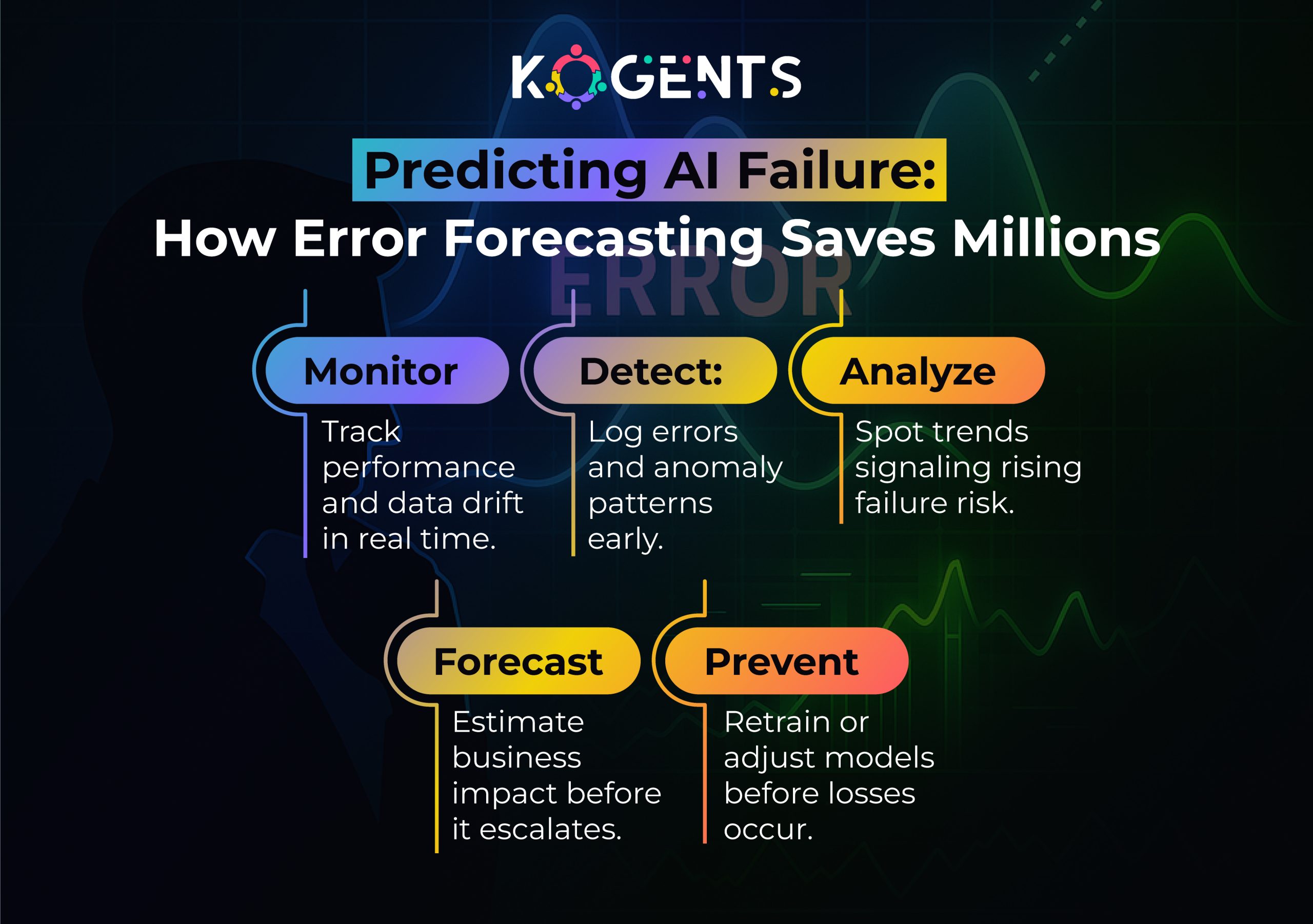
    predicitng ai failure how error forecasting saves millions

    Table: Comparison of AI Error Rates & Context Across Domains

    Domain Typical Error / Hallucination Rate Context & Notes Implications
    Radiology / low-risk diagnostic AI ~6.8% (acceptable by staff) vs human 11.3% in survey  Survey of acceptable error, not actual measured error In high-stakes domains, the threshold is low
    Internal Medicine Diagnostic Tools Error drop from 22% → 12% after AI tools  Real-world deployment of AI assistance Even aided systems still have 12% error
    Legal Research AI (hallucinations) 17%-33% hallucination rate in RAG legal tools  High-risk domain (legal citations) Indicates need for strong verification
    Generative LLMs – references 61.6% of the references in a study were erroneous  Open-ended generation with citation task Shows the magnitude of hallucination problems
    AI Assistants (news queries) 45% of responses contained at least one significant error  Consumer-facing AI assistants in production Trust risk for public information

    Conclusion 

    If you’re building or deploying an AI model, treat the question of how often is AI wrong and how frequently it makes mistakes as central, not only at development time, but as an ongoing operational metric. 

    Use the frameworks above, data quality, evaluation metrics, deployment readiness, monitoring, explainability, and governance, as your blueprint for building truly production-ready, trustworthy AI.

    At Kogents.ai, we specialise in building AI systems that don’t just perform well in the lab; they stay robust, reliable, and intelligent in production. 

    As the best agentic AI company, we believe AI reliability isn’t just a feature; it’s a business-critical capability that defines long-term success.

    FAQs 

    What is the typical error rate of AI systems?

    There is no single “typical” error rate because it depends on domain, task complexity, model maturity, and data quality. In healthcare diagnostic AI, you might see error rates of 10%, in generative LLM tasks, you might see hallucination rates of 30–60%+. 

    Why does artificial intelligence make mistakes?

    Mistakes may arise due to poor training data, domain or distribution shift when the production context differs from training, algorithmic limitations, model over-fitting or under-fitting, lack of human-in-loop verification, and opacity/automation bias where users rely uncritically on model outputs.

    How reliable is AI in practice?

    Reliability depends on how well the system is built, deployed, and monitored. A well-designed AI pipeline with robust data, monitoring, ground-truth checking, and human fallback can achieve high reliability (low error) in constrained tasks. But in open-ended or complex tasks, reliability can be much lower. 

    How many errors does AI make?

    The numerical count depends on the volume of predictions and the error rate. If a model has a 10% error rate and processes 1 million cases, you’d expect 100,000 errors. But more important than raw count is the type of errors, their impact, and whether you have a mechanism to flag and rectify them.

    What are AI hallucinations, and how often do they occur?

    AI hallucinations refer to outputs that are plausible-looking but factually incorrect, fabricated, or unsupported. Occurrence varies: e.g., one study found ~61.6% of generated references were erroneous.

  • Marketing AI Automation Implementation Guide for Robust AI Deployment at Scale

    Marketing AI Automation Implementation Guide for Robust AI Deployment at Scale

    Marketing has evolved dramatically with the integration of AI-powered marketing automation, reshaping how businesses connect with customers and optimize their strategies. 

    Gone are the days when marketers relied solely on intuition or manually intensive processes. 

    Marketing AI automation brings to life the power of machine learning algorithms, predictive analytics, and behavioral targeting, making marketing more personalized, efficient, and impactful.

    As organizations seek to scale their marketing efforts, the deployment of AI in marketing automation becomes not just a competitive advantage but a necessity. 

    However, implementing automated marketing using AI at scale can be complex. It requires a deep understanding of both the technology and the process behind it to ensure seamless deployment that delivers real business value.

    This guide delves into the core aspects of Marketing AI Automation, covering the strategies, tools, implementation steps, and case studies that exemplify successful deployment. 

    Let’s dive deep into the fascinating world of AI agents in marketing automation and explore how it can transform the future of marketing.

    Key Takeaways

    • AI marketing tools can significantly enhance personalization and customer targeting.
    • Automated marketing technology with AI helps streamline campaign management, reducing manual intervention.
    • Behavioral marketing automation powered by machine learning allows for dynamic content generation and improved customer engagement.
    • Implementing intelligent marketing automation at scale requires a strategic approach involving data-driven insights, system integration, and proper scalability planning.
    • Real-world case studies from top brands demonstrate the practical applications and success of AI marketing systems.

    What is Marketing AI Automation?

    It refers to the use of artificial intelligence and machine learning algorithms to automate various aspects of marketing, including content creation, customer segmentation, lead generation, and campaign optimization. 

    With AI, marketers can enhance their decision-making processes, personalized customer interactions, and boost efficiency, all while reducing human intervention.

    AI can enhance traditional marketing automation tools by incorporating predictive analytics, behavioral targeting, and personalization at scale, thus allowing businesses to deliver hyper-relevant content to customers at the right time and through the right channels.

    The Importance of AI in Marketing Automation

    The adoption of AI marketing tools is transforming marketing by automating repetitive tasks and enhancing campaign performance. AI allows businesses to:

    Improving Efficiency and Accuracy

    • AI systems automate tedious, time-consuming tasks like data entry, campaign reporting, and customer segmentation. 
    • This increases operational efficiency while reducing the risk of human error.

    Enhancing Customer Experience and Personalization

    • Through AI-driven campaigns, businesses can deliver highly personalized experiences to customers at scale. 
    • AI’s ability to analyze vast amounts of data allows brands to create tailored experiences based on customer interests, past behaviors, and preferences.

    According to a 2025 survey, 88% of marketers use AI in their day-to-day roles, highlighting its widespread adoption.

    A report by SAS and Coleman Parkes reveals that 93% of CMOs and 83% of marketing teams report clear returns on investment from Generative AI. 

    Benefits of Marketing AI Automation

    Increased Productivity and Cost Efficiency

    By automating routine tasks such as email marketing, social media posting, and reporting, AI marketing systems allow marketing teams to focus on more strategic, creative aspects of their work, ultimately leading to greater productivity.

    Data-Driven Decision Making and Insights

    • AI tools leverage machine learning algorithms to analyze and interpret customer data, providing actionable insights that help marketers optimize their strategies. 
    • This data-driven marketing AI approach ensures decisions are based on evidence rather than intuition.

    Real-Time Campaign Optimization

    • AI marketing automation systems provide real-time feedback on campaign performance. 
    • With this information, marketers can make quick adjustments to optimize their campaigns, ensuring they’re always running at peak performance.

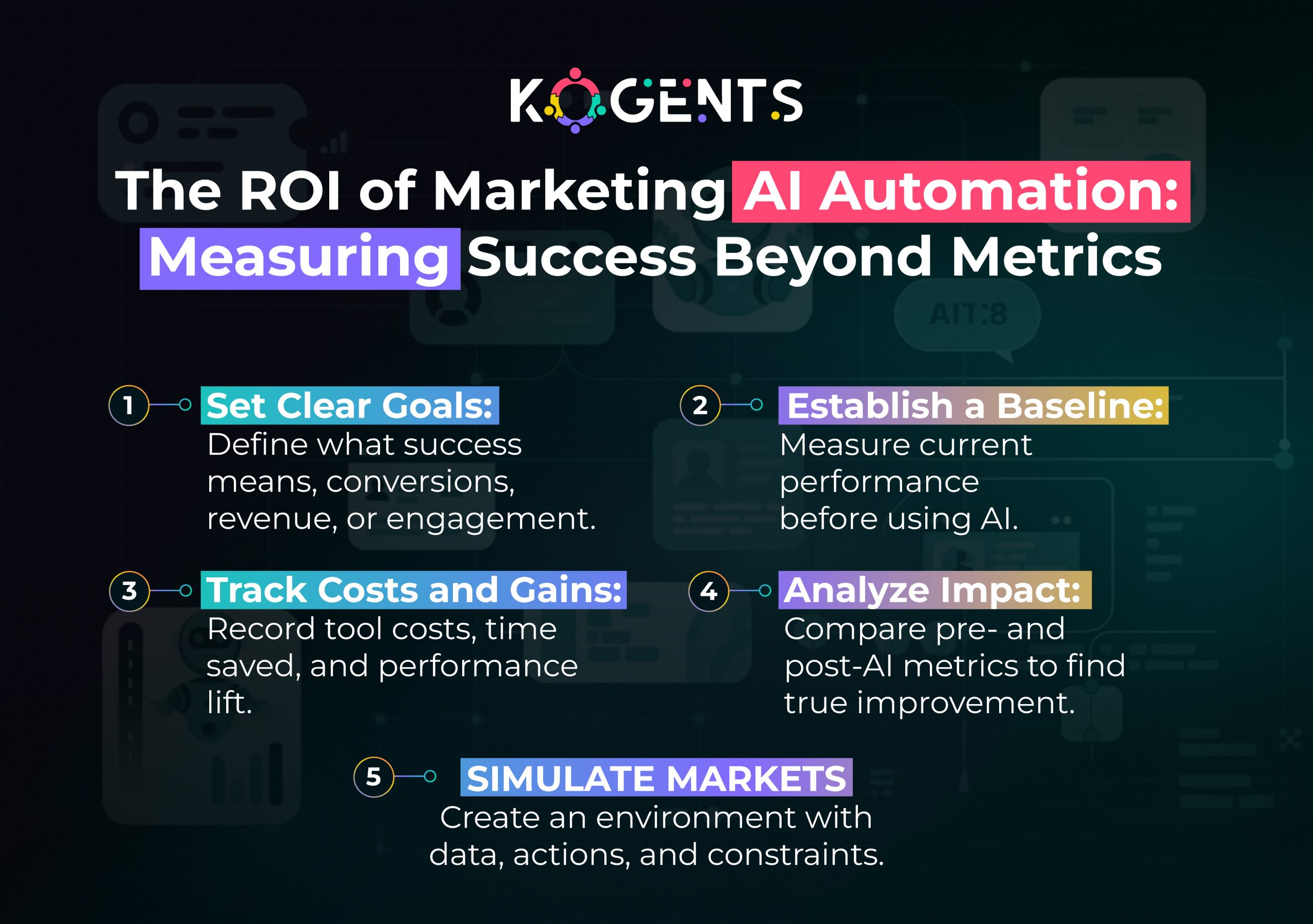
    roi of marketing ai automation

    The Different Types of Marketing AI Automation

    AI for Lead Generation and Scoring

    • AI-powered marketing automation can identify high-potential leads by analyzing customer behaviors and interactions. 
    • AI can assign scores to leads based on their likelihood of conversion, enabling businesses to prioritize their marketing efforts effectively.

    Predictive Analytics in Marketing

    • Using predictive marketing AI, businesses in sales AI automation can forecast trends, customer behaviors, and sales outcomes. 
    • This empowers marketers to anticipate customer needs and adjust strategies accordingly.

    AI in Content Creation and Personalization

    • AI tools can create personalized content based on data gathered from users’ behaviors and interactions with brands. 
    • Dynamic content generation powered by AI marketing systems ensures each user gets a tailored experience.

    How to Implement AI Marketing Automation at Scale? 

    Deploying AI at scale involves several critical steps:

    a. Define Clear Objectives

    • Before implementation, identify specific goals such as lead generation, customer retention, or campaign optimization. 
    • Clear objectives guide the selection of appropriate AI tools and strategies.

    b. Choose the Right AI Tools

    • Select AI-powered marketing automation platforms or deploy an AI agent in marketing that aligns with your business needs.
    • Consider factors like scalability, integration capabilities, and support for multichannel campaigns.

    c. Integrate with Existing Systems

    Ensure that AI tools integrate seamlessly with your current CRM, analytics, and content management systems to maintain data consistency and workflow efficiency.

    d. Train Your Team

    • Equip your marketing team with the necessary skills to leverage AI tools effectively. 
    • Continuous training ensures that your team stays updated with the latest AI advancements.

    e. Monitor and Optimize

    • Regularly assess the performance of AI-driven campaigns. 
    • Use analytics to identify areas for improvement and optimize strategies accordingly.

    Overcoming Common Challenges in AI Marketing Automation

    Implementing AI in marketing is not without its challenges:

    • Data Quality Issues: Inaccurate or incomplete data can lead to ineffective AI models. Implement data cleansing and validation processes to ensure high-quality input.
    • Integration Complexities: Integrating AI tools with existing systems can be complex. Work with IT teams to ensure smooth integration and data flow.
    • Skill Gaps: A shortage of skilled professionals can hinder AI adoption. Invest in training programs and consider partnering with AI solution providers to bridge the gap.
    • Privacy Concerns: Handling customer data responsibly is paramount. Adhere to data protection regulations and implement robust security measures to maintain customer trust.

    ai marketing automation

    Emerging Trends in AI Marketing Automation

    AI-Powered Visual Content Creation: 

    • AI tools are now capable of generating high-quality visual content like banners, videos, and social media posts. 
    • These tools use deep learning algorithms to analyze current design trends, automate repetitive tasks, and create tailored visuals, saving time and enhancing marketing creativity.

    Voice Search Optimization with AI: 

    • As voice assistants like Alexa and Siri become more integrated into daily life, optimizing for voice search is crucial. 
    • Predictive analytics AI can analyze voice search patterns, helping businesses understand customer intent and adjust content for better voice search visibility.

    AI in Social Media Marketing:

    AI tools assist with sentiment analysis, tracking influencer marketing ROI, and automating content creation for social media. 

    They also optimize ad targeting by analyzing audience behavior, making social strategies more precise and efficient.

    The Role of Chatbots and Conversational AI in Marketing Automation

    AI Chatbots for Customer Service: 

    AI-powered chatbots are revolutionizing customer service by providing instant responses to inquiries, guiding customers through sales processes, and even nurturing leads with personalized recommendations.

    Conversational Marketing: 

    AI is enhancing conversational marketing, enabling businesses to engage with potential customers in real time through chatbots, messaging apps, and social media, fostering deeper, more immediate customer relationships.

    AI in Email Marketing Automation

    • AI is transforming email marketing by personalizing subject lines, optimizing send times, and conducting A/B testing automatically. 
    • It helps improve engagement by analyzing customer behavior and preferences, ensuring relevant content reaches the right person at the right time.

    AI Ethics and Accountability

    • As AI grows, ethical concerns surrounding customer data privacy and bias in algorithms are increasingly important. 
    • Transparency in data use and mitigating AI biases ensures fairness, maintains consumer trust, and regulatory compliance.

    Integration with Other Technologies: IoT, Blockchain, and AI

    • Explore how AI marketing automation can be integrated with other advanced technologies, like IoT (Internet of Things) or Blockchain. 

    Example: AI can optimize smart device data for hyper-targeted marketing campaigns, and blockchain can be used to ensure transparency in customer data management.

    AI in Predictive Marketing

    Go deeper into how predictive analytics AI is being used to forecast customer behavior, sales trends, and market conditions, providing businesses with insights to make proactive decisions.

    Comparison of Leading AI Marketing Automation Tools

    Platform Strengths Ideal For Notable Feature
    HubSpot Ease of integration, predictive lead scoring SMEs CRM-AI synergy
    Marketo Advanced campaign automation Enterprises Smart engagement engine
    Salesforce Einstein Deep data analytics and personalization Large organizations Cross-cloud intelligence
    Adobe Experience Cloud Omnichannel personalization Creative teams & enterprises Dynamic content orchestration

    Case Studies of Successful AI Marketing Automation

    Case Study 1: HubSpot’s AI-Powered Marketing Automation

    HubSpot’s AI marketing tools have transformed how they engage with prospects and customers. 

    By using AI-powered tools like predictive lead scoring and behavioral email automation, HubSpot has improved customer engagement and increased conversions. 

    Their integration of AI into CRM systems enables personalized outreach, delivering tailored content to each lead at the optimal time.

    Case Study 2: Salesforce’s AI Solutions for Marketing

    Salesforce Einstein uses AI marketing automation to deliver personalized marketing at scale. 

    By analyzing customer data, it can predict sales opportunities, automate responses, and recommend actions, all while delivering a seamless customer experience across all touchpoints.

    Case Study 3: Adobe’s Intelligent Marketing Automation Strategies

    Adobe leverages AI marketing systems to provide businesses with automated marketing solutions that optimize customer journeys. 

    By incorporating AI into Adobe Experience Cloud, they deliver highly personalized content at scale, enhancing engagement and improving ROI.

    Conclusion

    Implementing Marketing AI Automation at scale is a strategic endeavor that can yield significant benefits, including enhanced personalization, improved efficiency, and data-driven decision-making. 

    By following a structured approach, defining clear objectives, selecting the right tools, ensuring seamless integration, and addressing common challenges, businesses can harness the full potential of AI in their marketing efforts.

    At Kogents.ai, we are committed to helping brands navigate the complexities of AI-powered marketing automation. Partner with us to navigate the complexities of AI implementation and drive your marketing success.

    FAQs

    What is Marketing AI Automation?

    Marketing AI Automation refers to the use of artificial intelligence to automate marketing tasks such as content creation, customer segmentation, and campaign optimization. It enables businesses to deliver personalized experiences at scale.

    How does AI improve customer personalization?

    AI analyzes customer data to identify patterns and preferences, allowing businesses to deliver tailored content and recommendations, enhancing the customer experience.

    What are the key benefits of AI in marketing?

    Key benefits include increased efficiency, improved targeting and segmentation, enhanced personalization, and data-driven decision-making.

    Are AI marketing tools suitable for small businesses?

    Yes, many AI marketing tools are scalable and can be tailored to meet the needs of small businesses, helping them compete with larger enterprises.

    How do I choose the right AI marketing platform?

    Consider factors like ease of integration, scalability, support for multichannel campaigns, and the specific features that align with your business objectives.

    What challenges might I face when implementing AI in marketing?

    Challenges include data quality issues, integration complexities, skill gaps, and privacy concerns. Addressing these proactively can ensure successful implementation.

    How can I measure the ROI of AI marketing automation?

    Track metrics such as conversion rates, customer engagement levels, and cost savings to assess the effectiveness of AI-driven campaigns.

    Is AI marketing automation a one-time setup?

    No, AI marketing automation requires ongoing monitoring and optimization to adapt to changing customer behaviors and market conditions.

    Can AI replace human marketers?

    While AI can automate certain tasks, human creativity and strategic thinking remain essential in marketing. AI serves as a tool to augment human capabilities.

    What does the future hold for AI in marketing?

    The future of AI in marketing includes advancements in predictive analytics, deeper personalization, and greater integration across marketing channels, leading to more efficient and effective campaigns.

  • AI Automated Trading Implementation Execution Plan for Industrial-Scale AI

    AI Automated Trading Implementation Execution Plan for Industrial-Scale AI

    The integration of AI Automated Trading into the financial markets has revolutionized the way trades are executed, analyzed, and optimized. 

    With advancements in machine learning and neural networks, trading has become faster, smarter, and more efficient. Gone are the days when human traders manually sifted through mountains of data to identify potential trades. 

    Today, AI trading systems powered by automated trading algorithms make those decisions in milliseconds, analyzing vast quantities of data to predict market movements and execute trades at optimal prices.

    At the heart of this technological transformation is the ability of AI-driven stock trading systems to learn from historical data, adapt to changing market conditions, and predict future trends with remarkable accuracy. 

    AI trading bots, utilizing predictive analytics in finance, are designed to make decisions with minimal human intervention, thus offering unparalleled scalability and precision.

    As industries embrace the AI trading revolution, the implementation of these intelligent systems at an industrial scale presents both vast opportunities and unique challenges. 

    Understanding how to design, integrate, and scale these systems is key for any financial institution or investor looking to gain a competitive edge.

    This blog explores the steps necessary to implement AI automated trading at an industrial scale, the technologies that power these systems, and the real-world impact they are having on financial markets.

    Key Takeaways

    • AI trading systems automate and optimize trading decisions for higher efficiency and accuracy.
    • Machine learning and neural networks in trading play a crucial role in predictive analytics and real-time market analysis.
    • AI investment trading offers scalability and the potential for high-frequency trading with lower risks.
    • Successful implementation requires high-quality data, regulatory compliance, and robust backtesting strategies.
    • AI trading bots and automated trading algorithms are reshaping financial markets, making them more data-driven and accessible.

    The Rise of AI Automated Trading

    Over the past two decades, AI trading systems have evolved from simple rule-based systems to highly sophisticated algorithms capable of executing complex strategies in real-time. Initially, algorithmic trading relied on static formulas and basic technical indicators. 

    Today, machine learning models are able to learn from vast amounts of data and adjust strategies dynamically, offering a huge competitive advantage in the fast-paced world of trading.

    The real game-changer, however, is the ability of AI-driven stock trading platforms to predict price movements, optimize trading strategies, and adapt to changing market conditions without human intervention. 

    Intelligent trading systems are now capable of processing and analyzing high-frequency trading data, enabling them to make split-second decisions that would be impossible for human traders.

    AI Trading Algorithms: The Core of Automated Trading Systems

    At the core of automated trading is the AI trading algorithm, a sophisticated set of mathematical rules that guide the decision-making process. 

    These algorithms analyze data, identify patterns, and execute trades based on pre-defined criteria. 

    Unlike traditional trading systems that rely on human decision-making, AI trading bots are designed to operate autonomously, reducing the risk of emotional or psychological biases.

    The implementation of machine learning techniques in algorithmic trading has opened new avenues for financial market prediction

    Understanding AI Trading Systems

    What is AI-driven stock trading?

    AI-driven stock trading refers to the use of advanced algorithms powered by machine learning to analyze market data and execute trades without human intervention. 

    These systems can process vast amounts of data, identify trading opportunities, and make real-time decisions based on market trends.

    Key Components of Automated Trading Bots

    AI trading bots are designed to perform specific tasks autonomously. Key components include:

    • Market Data Analysis: AI bots process market data to identify trends, volatility, and other factors that affect trading decisions, often displayed through a custom AI agent dashboard for better monitoring and actionable insights.
    • Risk Management: AI algorithms are programmed to assess and mitigate risks by setting stop-loss levels, diversifying portfolios, and using other risk management techniques.
    • Execution Engine: Once a trading signal is identified, the bot executes trades automatically, ensuring timely and efficient execution.
    • Adaptive Learning: Machine learning allows the bot to adapt to changing market conditions by learning from previous trades and market movements.

    Types of Machine Learning Automated Trading Strategies

    • Supervised Learning: The algorithm is trained using historical data with known outcomes.
    • Unsupervised Learning: The AI learns from unlabelled data to find patterns and clusters.
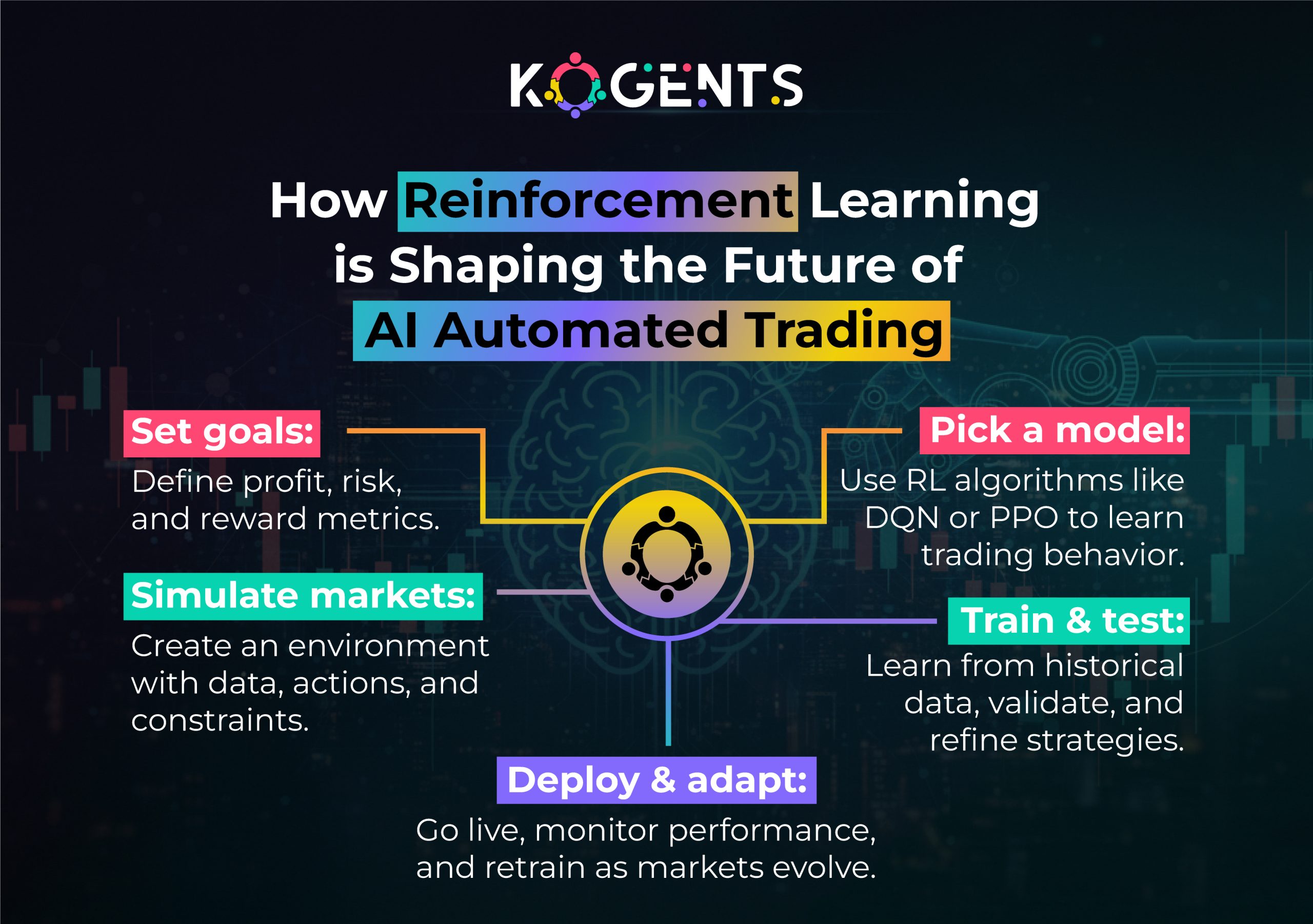
    • Reinforcement Learning: AI learns by trial and error, optimizing its performance over time based on rewards and penalties.

    how reinforcement learning is shaping the future of ai automated trading

    Neural Networks in Trading

    Neural networks are a subset of deep learning algorithms that mimic the human brain’s structure. 

    These networks are particularly effective in recognizing patterns in financial data and making predictions about future price movements.

    Designing the AI Automated Trading System

    According to one guide, AI-driven algorithms are expected to handle 89% of global trading volume by the end of 2025.

    Strategic Planning for Industrial-Scale AI Implementation

    Building an AI automated trading system at an industrial scale requires strategic planning, including:

    • Data Infrastructure: Establishing a robust data pipeline for real-time market data.
    • Algorithm Design: Selecting and designing trading strategies that align with business goals.
    • Testing and Optimization: Backtesting trading strategies using historical data to fine-tune performance.

    Structuring Data Pipelines for Real-Time Market Analysis

    • Real-time analysis is crucial for high-frequency trading
    • Data pipelines must be able to handle vast amounts of data from multiple sources, process it quickly, and provide actionable insights for trading decisions.

    Predictive Analytics in Finance and Trading Strategies

    • Predictive analytics allows AI systems to forecast price movements based on historical patterns and market conditions. 
    • Integrating these analytics with machine learning algorithms can lead to more accurate predictions and better trading decisions.

    Stock Market Automation Using Intelligent Trading Systems

    • Automating the stock market with intelligent trading systems requires integrating AI algorithms with market infrastructure. 
    • This includes leveraging predictive models and real-time analysis to make data-driven trading decisions.

    ai automated trading system

    Key AI Trading Techniques and Technologies

    Machine Learning Techniques

    • Supervised Learning: Used for predicting market movements based on historical data.
    • Unsupervised Learning: Helps detect anomalies or hidden patterns that might signal profitable opportunities.
    • Reinforcement Learning: Optimizes strategies by continuously learning from trade performance.

    Natural Language Processing (NLP) in Trading

    • NLP allows AI to process textual information, including news articles, financial reports, and social media posts. 
    • By understanding market sentiment, AI trading bots can make decisions based on sentiment analysis.

    Backtesting Trading Strategies

    • Before deploying a strategy, AI systems undergo rigorous backtesting on historical data. 
    • This ensures that the strategy performs as expected under different market conditions and helps refine the model.

    Case Studies

    Renaissance Technologies

    Renaissance Technologies is a prime example of AI trading at an industrial scale. By using quantitative trading systems and sophisticated AI trading algorithms, they have achieved exceptional returns by automating trading across various asset classes.

    Two Sigma Investments

    Two Sigma uses advanced machine learning techniques and intelligent trading systems to process vast amounts of data and predict market movements with remarkable accuracy. 

    Their approach demonstrates the power of AI in optimizing trading strategies and delivering better outcomes.

    QuantConnect

    QuantConnect provides a platform that empowers developers and institutions to build and backtest their AI trading algorithms

    The platform leverages machine learning and data-driven strategies to help users develop scalable trading models.

    Challenges of Implementing AI Automated Trading at an Industrial Scale

    • High Development Costs: The infrastructure, data, and expertise required to build AI trading bots can be expensive.
    • Data Quality: AI models are only as good as the data they are trained on, making data accuracy essential for success.
    • Regulatory Compliance: Financial markets are highly regulated, and AI systems must comply with these regulations to avoid legal issues.
      Market Manipulation Risks: The potential for algorithmic manipulation exists, requiring robust monitoring systems.

    Challenges of Implementing AI Automated Trading

    Challenge Description Possible Solution
    Data Quality Inaccurate or incomplete data Implement strict data validation
    Regulatory Compliance Complex legal frameworks Regular audits and explainable AI
    High Development Costs Infrastructure and data expenses Use scalable cloud platforms
    Market Manipulation Risks Algorithmic misuse Real-time monitoring systems

    Conclusion

    The integration of AI automated trading systems represents the future of finance. With the ability to process vast amounts of data and execute trades in real time, these systems offer immense potential for improving market efficiency, reducing human error, and generating higher returns. 

    However, implementing AI trading at an industrial scale comes with its own set of challenges, including data quality, regulatory compliance, and risk management.

    By adopting a strategic approach and collaborating with Kogents.ai, AI automation companies and financial enterprises can unlock the full potential of machine learning in trading, neural networks, and predictive analytics to stay ahead of the curve and gain a competitive advantage.

    FAQs

    What is AI automated trading?

    AI automated trading uses machine learning algorithms and AI trading bots to execute trades without human intervention. These systems analyze market data, identify trading opportunities, and place trades automatically.

    How does AI work in automated trading?

    AI in automated trading uses neural networks and predictive analytics to make decisions based on market data. It learns from historical data, adjusts strategies in real-time, and executes trades accordingly.

    What are the benefits of AI in stock market trading?

    AI offers numerous benefits, including faster decision-making, the ability to analyze vast amounts of data, and predictive analytics in finance to optimize trading strategies and improve profitability.

    How do AI trading algorithms predict stock prices?

    AI trading algorithms analyze historical price data, identify patterns, and apply statistical models to forecast future price movements. Deep learning techniques enhance this process.

    Are AI trading bots effective for high-frequency trading?

    Yes, AI trading bots are highly effective in high-frequency trading, as they can process and analyze data in real time, making trading decisions within fractions of a second.

    How can AI improve risk management in automated trading?

    AI can significantly enhance risk management in automated trading by using advanced algorithms to continuously monitor market conditions and adjust positions in real time. Machine learning models can predict potential risks and automatically implement strategies like stop-loss orders, portfolio diversification, and hedging to minimize losses. 

    What is the role of backtesting in AI automated trading?

    Backtesting is essential in AI automated trading as it allows traders to evaluate the performance of their AI trading algorithms on historical market data. This process helps validate the effectiveness of trading strategies and ensures they work as expected in real market conditions. AI trading bots use backtesting to fine-tune their decision-making models, optimizing them before going live with real investments. 

    How does AI in trading handle market volatility?

    AI trading systems are specifically designed to handle market volatility by quickly processing large volumes of data and adapting to rapid market changes. Machine learning algorithms can detect patterns in market behavior and adjust strategies accordingly, making real-time decisions to mitigate risk.

  • How Messenger AI Bots Can Revolutionize AI Development for Enterprises

    How Messenger AI Bots Can Revolutionize AI Development for Enterprises

    You are well aware of the fact that organisations are burdened with complex tasks: integrating NLP, LLMs, multimodal data streams, legacy systems, and stakeholder demands for speed, scalability, and reliability. 

    But, this game changer, Messenger AI Bots, intelligent, conversation-driven agents built on messaging platforms, has the capability to expedite and transform enterprise AI workflows. 

    Imagine development teams interacting with bots via familiar messaging channels, asking questions like “Deploy model X to staging,” or “Fetch latest training logs,” or even “Initiate feature-store refresh”, and receiving real-time responses, automated actions, visual analytics, and human-agent hand-offs, all via chat. 

    The result? A dramatic shift from slow, siloed development cycles to fluid, conversational, cross-functional collaboration.

    In this post, we’ll explore how Messenger‐driven AI bot solutions for enterprise development and automation can revolutionise enterprise AI development. 

    Key Takeaways

    • Harnessing Messenger AI Bots offers real-time collaboration and automation across AI development workflows.
    • They bridge developer productivity, conversational UI, and system integration (CRM, ERP, DevOps).
    • Proven enterprise implementations show measurable gains, faster time-to-model, lower costs, and higher user adoption.
    • The architecture blends conversational AI, intent recognition, dialogue management, and backend orchestration.
    • A systematic roadmap is critical: align business use-cases, define KPIs, pick the right platforms, design for compliance, and iterate.

    messenger ai bots can eevolutionize ai development

    Why Messenger AI Bots Matter for Enterprise AI Development? 

    Enterprises are under pressure on multiple fronts: rapid deployment of AI solutions, democratization of AI, need for collaboration between data scientists, developers, business stakeholders, and operations teams, integration with enterprise systems (CRM, ERP, HR, ITSM), and the necessity for governance, compliance, and security. 

    Traditional development tools, IDEs, Jupyter notebooks, command-line tooling, and dashboards do not inherently provide conversational or cross-team orchestration.

     According to Exploding Topics, ‘’The now-global chatbot market was valued at approximately US$15.57 billion in 2025, and is projected to grow to US$46.64 billion by 2029 (≈ CAGR 24.5 %)

    This is where enterprise AI development with Messenger chatbot platforms” makes a difference.

    Let’s look at key reasons:

    1. Conversational Interface for AI Workflows

    • Messenger AI bots provide a natural language interface for technical and non-technical users alike.
    • Developers can execute tasks, raise alerts, retrieve logs, and trigger retraining, all via chat. Business users can ask high-level questions like “What’s our model accuracy for Q3?” without needing to access dashboards.
    • This boosts accessibility and accelerates adoption.

    2. Integration with Enterprise Systems

    • These bots can integrate with enterprise infrastructure, CI/CD pipelines, DevOps tools (Jenkins, GitLab), data platforms (feature stores, ETL), CRM/ERP (e.g., Salesforce, SAP SE), HR systems, and ServiceNow.

    Example: a messenger bot could greet a new employee, trigger profile setup, access training logs, and escalate to human HR if needed.

    • That integration reduces friction and aligns AI development with enterprise workflows.

    3. Automation of Repetitive and Rule-Based Tasks

    • Many AI development tasks are routine and repetitive: data ingestion, feature generation, model evaluation, deployment, monitoring, and anomaly detection.
    • A bot can automate these via commands like “Run feature-store refresh” or “Deploy version 1.2 to production”.

    4. Scalability & Multi-Channel Reach

    • Messenger bots aren’t limited to one interface; they can span multiple channels like Facebook AI Messenger and others.
    • Enterprises can meet developers where they live: in chat.
    • Further, since messaging platforms support rich media, bots can surface dashboards and logs directly in the conversation.

    5. Analytics & Feedback Loops

    • Building feedback loops is essential for AI lifecycle management, tracking model drift, user feedback, error reports, and logs.
    • A conversational bot can collect feedback (“Did this model prediction make sense?”) and push that into monitoring pipelines.
    • This builds a tighter loop between deployment and improvement.

    6. Democratizing AI and Collaboration

    • AI development shouldn’t live within silos of data science alone.
    • With messenger bots, business users, domain experts, and even frontline workers can interact with AI workflows, but within governance guardrails.

    Example: a sales manager asks, “Which regions need model retraining?” and the bot pulls insights from the analytics engine.

    Note: This fosters cross-functional collaboration.

    7. Cost Efficiency & Speed to Market

    Enterprises adopting AI strategies report success rates of 80% versus just 37% for those without formal strategies. 

    Thus, leveraging messenger bots to streamline AI workflows is more than convenience; it’s becoming a competitive imperative.

    Architecture & Key Components of Messenger AI Bots for Enterprise AI Workflows

    For enterprises looking to adopt an AI messenger bot’ in enterprise development workflows,” it’s essential to understand the architecture and key components. 

    Let’s break them down:

    Conversational Layer

    • Messaging Platform / Channel: e.g., Facebook Messenger (via Meta Platforms’s Bot API), Slack, Microsoft Teams. 
    • Bot Engine / Conversational AI: Manages the dialogue: intent recognition, entity extraction (via NLU), dialogue management, context tracking, multi-turn conversation handling.
    • Natural Language Understanding (NLU) & Dialogue Manager: For enterprise bots, NLU must handle domain-specific vocabulary and maintain context across turns.
    • Response Generator / Workflow Adapter: Based on intent, triggers backend workflows (e.g., pull metrics, run training job).
    • Human-agent Handoff: For queries beyond the bot’s scope, escalate to human specialists. 

    Early research shows that Messenger added bot framework support in April 2016.

    Backend Integration Layer

    • API Connectors: Connect to CI/CD tools, ML workflow orchestration logs/monitoring tools, feature stores, data warehouses, CRM/ERP systems.
    • Orchestration Layer: Manages tasks, triggering pipelines, scheduling jobs, retrieving results, or monitoring statuses.
    • Knowledge Base / Model Repository: Stores documentation, metadata, model versions, and feature lineage. The bot can fetch from this knowledge base to answer “Which model version is deployed in production?”
    • Analytics & Logging: Track bot interactions, monitor workflow performance, and deploy regular reports back through the bot.

    Security, Compliance & Governance

    • Authentication & Authorization: The bot must enforce enterprise identity (SSO), role-based access.
    • Audit Logs & Change History: All bot-triggered actions (model training, deployment, data refresh) must be logged for governance.
    • Data Privacy & Compliance: Messaging channels may transfer sensitive information; encryption, data residency, and access controls must be addressed.
    • Recovery & Fail-Safe Mechanisms: Since bots may trigger production workflows, fallback to manual control is critical.

    Deployment Phases

    • Pilot Phase: Choose a high-impact workflow (e.g., model monitoring) and deploy a minimal viable bot.
    • Integration Phase: Expand to more workflows, connect to more systems.
    • Scaling Phase: Add channels, intelligence (LLMs, multimodal), governance mechanisms.
    • Optimization Phase: Analytics-driven improvements, conversational refinements, conversational flows tuned for enterprise vocabulary and human-bot collaboration.

    Use Cases & How Enterprises Leverage Messenger AI Bots

    Let’s explore how enterprises are using messenger AI bots to accelerate AI development, along with concrete scenarios.

    Use Case 1: Self-Service for Non-Technical Stakeholders

    • HR or sales teams can query: “When is the next model refresh scheduled?” or “Send me last month’s model performance summary.”
    • The bot retrieves the information, pushes results or dashboards, and supports decision-making without waiting on the AI team.

    Use Case 2: Alerting & Incident Management

    • When production model inference drops below SLA, the bot posts in chat: “Alert: ChurnModel_v1 recall dropped by 10% vs baseline.
    • Would you like me to trigger retraining?” The dev team can respond via chat, and the bot orchestrates remediation.

    Use Case 3: Cross-Channel Omni-Presence

    Bots deployed via Slack for developers, Microsoft Teams for business users, and WhatsApp for field agents ensure the same conversational interface is leveraged across roles. 

    This aligns with the trend toward omnichannel support”.

    Used Case Studies of AI Bots 

    Case Study: Conversational Design’s Lead-Conversion Bot

    An agency used a bot on Facebook Messenger to automate lead capture, engaging users via chat rather than forms. 

    The result: Lead conversion increased by 40%, cost per lead dropped, and waiting times reduced markedly.

    Relevance: Highlights chatbot integration and conversational flows in a business workflow context, which can be mapped to AI development workflows.

    Case Study: Enterprise Bot in the Financial Sector

    A fintech company built an “Enterprise Bot”, a digital interaction tool for customers and internal users. 

    The bot handled instant answers across messaging channels and streamlined engagements.

    Relevance: This shows internal-enterprise usage, which is critical when repurposing messenger bots for internal AI development support.

    Case Study: Messenger Bot Research for Business Applications

    A study on “Facebook Messenger bots and their application for business” outlines the framework, benefits, and challenges of messenger-bot integration in organisational workflows. 

    Relevance: Though academic, it underscores the head-start available for messenger bot adoption frameworks.

    Traditional AI Tooling vs Messenger AI Bot-Driven Workflow

    Metric Traditional AI Tooling Messenger AI Bot-Driven Workflow
    Access interface Developer IDEs, dashboards, CLI only Conversational interface (chat) for devs, business users, operations
    Task initiation Manual triggers, siloed workflows Command via chat, easy orchestration
    Collaboration Separate systems for dev, business, ops Unified conversational UI across roles
    Workflow visibility Requires dashboards or portals Bot delivers alerts, logs, and summaries in chat
    Onboarding speed for non-technical stakeholders Slow, training-intensive Rapid via conversational prompts
    Reaction time to issues Moderate (manual monitoring) Faster – real-time alerts + bot triggers
    Automation of routine tasks Requires scripts, separate tools Bot-driven orchestration via chat commands
    Governance & audit Disparate logs Centralised audit trail of bot actions in chat
    User adoption (non-dev) Low to moderate Higher due to conversational interface
    Time-to-value Longer Potentially shorter

    future of messenger ai bots

    Conclusion

    Done well, messenger AI bots are not just productivity tools; they become transformational enablers of enterprise AI programmes.

    At Kogents.ai, we specialise in helping enterprises harness Messenger-driven AI bot solutions for enterprise development and automation

    Whether you are building your first AI model, scaling your MLops pipeline, or democratizing AI across business units, we bring expertise in conversational AI integration, enterprise system orchestration, and results-driven workflows. 

    Contact us to discover how you can accelerate your AI development via messenger bots and gain a competitive edge in the AI-first world.

    FAQs 

    What are messenger AI bots, and how can enterprises use them to develop AI faster?

    Messenger AI Bots are conversational agents on messaging platforms that let users interact with enterprise systems via natural language. They enable faster AI development by triggering tasks like model retraining or analytics through chat. This streamlines workflows, reduces delays, and minimizes manual effort.

    Why are messenger AI bots key to enterprise AI development strategies?

    Because they unify technical execution and business communication through a conversational interface, they reduce barriers between data scientists, engineers, and business users, integrate with enterprise systems (CRM/ERP/DevOps) to automate workflows and orchestrate tasks, accelerate throughput, raise adoption, and enhance governance. 

    Which enterprises have adopted messenger AI bots for AI development?

    While specific examples of messenger bots strictly for AI-model development may still be emerging, enterprises such as Facebook (Meta) themselves used Messenger-based bots for supplier workflows (see the Azumo case). Customer-service bots in enterprise settings are widespread and demonstrate underlying architecture. 

    Messenger AI bots vs traditional AI development tools in enterprise settings: what are the differences?

    Traditional AI development tools rely on IDEs, dashboards, CLI tools, specialist systems and often require context-switching between stakeholders. In contrast, messenger AI bots provide:

    • A conversational interface (chat)
    • Multi-role access (developers, ops, business)
    • Real-time orchestration of workflows
    • Integration with messaging channels is widely adopted across enterprise teams.
    • Lower learning curve for non-technical users
    • Faster reaction time and collaboration

    How do you choose a messenger AI bot vendor for enterprise AI projects?

    Enterprise Messenger AI Bots offer multi-platform support (Messenger, Slack, Teams), robust NLU, and secure integrations with ML, DevOps, CRM, and ERP systems. They provide scalability, analytics, customization, compliance, and proven enterprise deployments.

  • AI Automation Testing Implementation Methodology for Mission-Critical AI Systems

    AI Automation Testing Implementation Methodology for Mission-Critical AI Systems

    This age calls for artificial intelligence-driven systems that literally determine human lives, business continuity, and national security; the stakes around quality assurance have never been higher.

    Picture a self‐driving car, a diagnostic AI for healthcare, or an autonomous defence system; any failure, bug, or unintended behaviour could provoke catastrophic outcomes. 

    That’s why taking a standard test automation approach simply won’t cut it. What you need is AI automation testing, an advanced, intelligent, adaptive regime of software quality assurance that doesn’t just check boxes, but reasons, learns, and evolves in tandem with the system under test.

    In this blog, you will discover a full‐fledged implementation methodology for deploying AI automation testing in mission-critical AI systems. So, delve now!

    Key Takeaways

    • AI automation testing elevates QA from scripted, brittle automation to intelligent, adaptive systems that learn and self-heal.
    • Mission-critical AI systems demand specialised test strategies: synthetic data, defect-prediction models, anomaly detection, and continuous validation.
    • Integration with CI/CD, DevOps, QA, and tool ecosystems is essential; test automation cannot be an afterthought.
    • Measuring value is key: implement the right metrics for test-coverage optimisation, ROI, defect-escape rate, self-healing rate, and reliability.
    • Governance, scaling, and maintenance matter: even intelligent frameworks can degrade without oversight, versioning, and continuous improvement built in.

    implement ai automation testing

    Why does AI automation testing matter for mission-critical AI systems?

    The term AI automation testing and its variations,  such as AI for automation, have rapidly advanced over recent years.

    Traditional automation frameworks struggle with complexity, fragility, maintenance overhead, and scale. 

    According to a systematic literature review, AI techniques have been applied to test-case generation, defect prediction, test-case prioritization, and more, improving coverage, reducing manual effort, and enhancing fault detection. 

    In mission-critical AI systems, you confront additional unique risks: model drift, adversarial inputs, ethical/regulatory constraints, real-time performance requirements, and high availability demands. 

    Key reasons why AI automation testing is vital:

    • Scale & Complexity: AI systems may involve thousands of data permutations, complex model decision paths, edge cases, and continuous learning loops, making manual or traditional automation insufficient.
    • Adaptivity: Models change, data evolves, and new behaviour emerges; test automation must adapt dynamically.
    • Safety & Reliability: Mission‐critical systems can’t fail silently; you need predictive defect analytics, anomaly detection, and continuous test-coverage optimisation.
    • Continuous Delivery & DevOps: Modern AI systems deploy often; test automation must integrate in CI/CD to keep pace.
    • Governance and Auditability: Certifications like ISO/IEC JTC 1/SC 7 25010 for quality and ISO/IEC 27001 for security matters, test frameworks must support traceability, versioning, ethical/AI compliance.

    Defining the scope: What “Mission-critical AI systems” entail?

    These are systems where failure, major defect, or unmitigated drift will lead to significant harm,  human safety, financial loss, regulatory non-compliance, reputational catastrophe, or national security exposure. 

    Examples include:

    • Autonomous vehicles or aircraft (self-driving cars, drones)
    • Medical diagnostic AI or robotic surgery assistants
    • Financial trading systems using ML for real-time trading
    • Military/defence autonomous systems
    • Critical infrastructure control systems (power grid, utilities) with embedded AI

    Implementation methodology – step-by-step

    Each phase ties into the core and variation keywords; you’ll see how AI-based automated testing, AI-enabled test frameworks, predictive test automation, self-healing automation, and adaptive testing are all built in.

    A: Strategy and Governance

    • Establish Test Automation Strategy: Understand why you need AI automation testing.
    • Identify stakeholders: QA leads, ML engineers, DevOps, compliance/regulatory.
    • Risk assessment: Map mission-critical components, model failure modes, data-drift risk, and regulatory impact (e.g., for healthcare AI).
    • Define KPIs: test-coverage optimization, self-healing failure reduction, time-to-detect anomaly, and ROI of test automation.
    • Governance & compliance: Align with standards (e.g., ISTQB AI Testing Specialist certification, ISO/IEC 25010).
    • Build a cross-functional team: QA automation, ML assurance, DevOps, security.

    B: Architecture & Tool Selection

    • Does your system use traditional scripted automation (e.g., Selenium, Appium, Cypress) alongside AI-enabled frameworks?
    • Select AI test automation tools: e.g., mabl, Tricentis, SmartBear, Applitools, Testim. Recent research identified ~55 tools in a systematic review. 
    • Architecture must accommodate continuous testing, integration with CI/CD pipeline, test-data management, logging/telemetry for anomaly detection.
    • Design for extensibility: modules for synthetic test data generation, defect-prediction analytics, and self-healing test scripts.
    • Choose metrics and dashboards early (test‐suite reliability, defect escape, test-cycle time, self-healing rate).

    C: Test-Data Preparation and Synthetic Test Data Generation

    • For AI models, the input space is huge: they need high-quality, varied, representative data and edge/adversarial scenarios.
    • Use synthetic test data generation: either via generative-AI, data-augmentation, or simulation.
    • Ensure data privacy/compliance (esp. in healthcare/finance).
    • Incorporate anomaly detection for data drift, out-of-distribution inputs.
    • Prepare labelled data for defect-prediction modelling and for regression automation.
    • Ensure test-coverage optimisation across data dimensions: classes, edge cases, adversarial attacks, fairness/unbiased dimensions.

    D: Test-Case Generation, Prioritisation & Coverage Optimisation

    • Leverage ML techniques for test-case generation and test-case prioritisation
    • Use model-based testing, metamorphic testing, and fuzzing for AI model inputs
    • Define coverage metrics: code coverage, model-decision path coverage, data path coverage, and adversarial input coverage.
    • Automate regression sets and prioritise flows via adaptive testing; when system changes occur, the test suite adjusts.
    • Incorporate defect prediction models to anticipate where bugs are likely and allocate test effort accordingly.

    E: Building the AI-Enabled Test Framework

    • Self-healing test scripts: when UI structure or model API changes, scripts adapt automatically (part of “self-healing automation”).
    • Autonomous testing agents: AI agents benefit from discovering new flows, generating tests, and monitor system behaviour.
    • Intelligent heuristics: use computer vision, NLP for UI testing, and model output validation.
    • Built-in analytics: combine test results with telemetry and defect data to feed back into test design.
    • Scriptless interfaces: enabling non-technical testers to define test scenarios via natural language (highlighting AI in software testing).

    F: Integrating with CI/CD & DevOps QA Pipelines

    • Integrate test suite execution into CI/CD pipeline (build → unit tests → AI-enabled tests → staging → production).
    • Shift-left testing: earlier in the lifecycle, earlier detection of issues.
    • Monitor metrics: test-cycle time, failure rate, defect escape, and time to fix.
    • Implement feedback loops: production telemetry → test‐suite updates → refined test generator.
    • Align with DevOps QA culture: cross-team collaboration, automated feedback, quality gate enforcement.

    G: Self-healing, Adaptive & Predictive Test Automation

    • Self-healing automation: Test scripts detect when UI or API changes and adapt without manual intervention.
    • Predictive test automation: Using ML/analytics to forecast defect-prone modules or flows and trigger targeted tests.
    • Adaptive testing workflows: When the system under test evolves, e.g., a new model version, a changed behaviour, the test suite adapts automatically or semi-automatically.
    • Leverage anomaly detection in production data to inform new test case generation.

    ai automation testing in continuous integration

    H: Performance, Security, Anomaly Detection & Monitoring in AI Systems

    • Performance test automation: generate load on model APIs, simulate high-traffic or extreme conditions.
    • Security testing: adversarial inputs to ML models, vulnerability scanning, and fuzzing of AI modules.
    • Anomaly detection: monitor production model behaviour for drift, out-of-distribution inputs, and unexplained decisions.
    • Reliability & fail-over testing: ensure backup systems, redundant channels, and graceful degradation.
    • Compliance: test audit trails, traceability, explainability (XAI), and ensure QA trace aligns with regulations.

    I: Validation, Verification, Metric Tracking & ROI of Test Automation

    • Defect escape rate 
    • Test-cycle time reduction
    • Self-healing rate 
    • Test-coverage improvement 
    • ROI of test automation: cost saved, defects found earlier, production defects avoided
    • Test-suite reliability 
    • Mean time to detect an anomaly in model production
    • Percentage of automated tests vs manual

    J: Maintenance, Scale-Up, Governance, and Continuous Improvement

    • Maintenance of test scripts, frameworks, and tool integrations. Even intelligent frameworks need upkeep.
    • Scale-up: As AI system complexity grows, test automation needs to scale accordingly via modularity, cloud execution, and parallelisation.
    • Governance: Version control, audit logs, test plan approvals, compliance checklists.
    • Continuous improvement: Use telemetry and analytics to refine test-case generation, adapt to drift, retire obsolete tests, and refine metrics.
    • Ethical considerations: especially in AI systems (bias testing, fairness, explainability).
    • Documentation & certification: Align with QA standards, ensure auditability.

    Case Study Spotlight

    Case Study: Financial-Trading AI Platform

    A global investment bank deployed a machine-learning-based trading algorithm that makes real-time decisions across multiple asset classes. 

    The system qualified as mission-critical due to financial exposure, regulatory oversight, and 24/7 live operations.

    Implementation Highlights 

    • Introduced synthetic test data to simulate real and extreme market conditions, including high-volatility and “flash crash” scenarios.
    • Deployed a predictive defect analytics module to prioritise test cases using historical defect data, focusing on high-risk trading modules.
    • Integrated an AI-enabled, self-healing automation framework within the CI/CD pipeline to enable continuous testing, anomaly detection, and adaptive test flow execution.

    Outcomes

    • Achieved a 40% reduction in defect escape rate, a 6× faster test cycle (24 h → 4 h), and a 30% improvement in decision-path coverage within six months.
    • Self-healing automation cut flaky-test failures by 25%, while early model-drift detection prevented potential trading losses.

    Summary of Implementation Methodology

    Phase Key Activities Metrics / Tools Typical Challenges
    Strategy & Governance Define goals, risk profile, and KPIs Defect escape rate, ROI, ISO audit metrics Lack of stakeholder alignment
    Architecture & Tool Selection Choose stack, AI-test tools, CI/CD integration Tool adoption rate, automation coverage Tool fragmentation, integrations
    Test-Data Preparation Synthetic data, data-drift modelling Data-coverage %, adversarial case count Data privacy, edge-case completeness
    Test-Case Generation & Coverage ML-based test generation, prioritisation Test-suite size, coverage, defect density Test-generation reliability, maintainability
    AI-Enabled Test Framework Self-healing scripts, autonomous agents Self-healing rate, script failure rate Complexity, team learning curve
    CI/CD & DevOps QA Integration Integrate into pipeline, shift-left Build-to-test cycle time, feedback loop latency Pipeline bottlenecks, flaky tests
    Self-healing / Adaptive / Predictive Automation Adapt to changes, anticipate defects Prediction accuracy, adaptive coverage Model drift, false positives
    Performance/Security/Anomaly Testing Load, adversarial, anomaly detection Response times, security incidents, and rift alarms Complexity, tool overlap
    Validation & ROI Tracking Measure value, QA traceability ROI %, mean time to defect detection Data collection, accurate measurement
    Maintenance & Scale-Up Governance, scaling, continuous improvement Test-suite growth, maintenance cost, compliance audit pass-rate Technical debt, framework rot

    Conclusion 

    Implementing AI automation testing for mission-critical AI systems is not a luxury; it’s a necessity. 

    By following the methodology outlined here, strategy, architecture, synthetic data, intelligent frameworks, self-healing, integration with CI/CD, non-functional testing, metrics, governance, and maintenance, you can move from brittle test suites to a robust AI-enabled test framework.

    At Kogents.ai, we empower organisations to transcend traditional QA, leveraging intelligent test automation, predictive test analytics, and autonomous testing agents. So, get in touch now with the best agentic AI company in town! 

    FAQs

    What is AI automation testing?

    AI automation testing is the practice of using artificial intelligence in test automation to design, generate, prioritise, execute, and maintain test cases in a more intelligent, adaptive, and autonomous way. It extends beyond traditional scripted automation by enabling AI-driven test automation, self-healing automation, predictive test automation, and adaptive testing workflows.

    What are the benefits of using AI-based QA automation in mission-critical systems?

    Benefits include greater reliability with fewer defects, faster test cycles through continuous testing, and broader coverage of complex AI features. Self-healing automation cuts maintenance costs while boosting ROI. It also enables proactive detection of anomalies, model drift, and security issues.

    Which tools are available for AI test automation in 2025?

    Examples include:

    • mabl — focuses on intelligent functional test automation with ML backing.
    • Tricentis offers AI-enabled automation for enterprise testing and risk-based testing.
    • SmartBear — provides vision-based testing and automation with AI capabilities.
    • Applitools — specialised in visual-AI testing, anomaly detection in UI/UX.
    • Testim — emphasises self-healing test automation scripts.

    What are the challenges of deploying AI-based automated testing?

    Key challenges include data quality, model drift, immature tools, and high maintenance demands. Teams also face skill gaps, compliance pressures, and difficulty measuring ROI without solid baselines.

    How do you test for model-drift, adversarial inputs, and anomalies in AI systems?

    Use synthetic and adversarial test data to simulate edge cases, detect anomalies, and track model drift. Automate fuzzing, high-risk tests, and anomaly monitoring to maintain AI reliability and security.

  • Shopify AI Plugins Implementation Blueprint for Enterprise Teams

    Shopify AI Plugins Implementation Blueprint for Enterprise Teams

    Do you know that in a digital commerce environment, enterprise ecommerce teams cannot just rely on incremental gains? 

    They need quantum leaps: smarter automation, richer personalisation, faster decision-making, and deeper insight. 

    That’s where Shopify AI plugins step in. 

    Whether you call them Shopify artificial intelligence plugins or Shopify automation tools, these tools represent a pivotal evolutionary leap in how enterprise teams implement technology on the Shopify platform.

    Imagine your team having an AI-powered Shopify app that drives a generative-AI plugin for Shopify that writes and localises an AI-enabled machine-learning plugin that predicts which segments will buy next.

    This isn’t futuristic fluff but enterprise commerce in motion.

    This blog post presents a detailed implementation blueprint designed for enterprise teams, not just small merchants, so that you can embed the Shopify AI plugin for store success

    Key Takeaways

    • Deploying Shopify AI plugins means more than installation; it demands strategic alignment, architecture, and change management.
    • Clean, structured data and defined metrics are preconditions for success with machine-learning and generative-AI plugins.
    • Measuring uplift allows enterprise teams to quantify ROI and justify investment.
    • Workflow integration, where recommendations, chat-bots, content-generation, and search live inside core commerce flows, is what drives scale.
    • Continuous optimization and governance (rather than a “set-and-forget” mindset) separate enterprises that benefit from those that don’t.

    shopify ai plugins implementation

    Why Shopify AI Plugins Matter for Enterprise Teams?

    The global AI technology market is projected to reach $757.6 billion in 2025 and is expected to exceed $1.8 trillion by 2030.

    Enterprise teams running Shopify stores face scale, complexity, and high expectations: multi-brand, multi-region, high SKU counts, international logistics, and omnichannel. 

    A generic installation of a plugin won’t cut it. 

    They need a smart product recommendation engine, a Shopify virtual assistant, a personalisation engine for Shopify, AI-powered Shopify app capabilities embedded into workflows, data streams, and strategic roadmaps.

    By deploying Shopify AI plugins, you unlock:

    • Ecommerce automation at scale: routine tasks handled by AI, freeing your team for strategic work.
    • Generative AI for ecommerce content at scale, reducing time-to-market and cost.
    • Data-driven insights via machine learning: predictive analytics, segmentation, conversion-rate optimisation.
    • Workflow automation Shopify plugin capabilities: trigger-based upsells, abandoned cart recovery, and  AI-enabled search.
    • Personalisation across touchpoints: AI-powered search, smart recommendations, tailored emails, and content.
    • Improved UX and lower returns: better product fits, fewer mis-purchases, and higher customer satisfaction.

    Building Your Blueprint – A Step-by-Step Implementation Framework

    In ecommerce specifically, generative AI alone could add $240 billion to $390 billion in annual value for retailers.

    Below is the detailed blueprint to guide enterprise teams through selecting, implementing, and scaling Shopify AI plugins.

    Phase 1: Audit & Strategy

    • Map all relevant workflows: product listing, merchandising, search, checkout, abandoned cart, post-purchase, returns.
    • Identify pain-points: high return rate, low average order value (AOV), long product-description cycle, low conversion on mobile, and high customer-service load.
    • Define success metrics: e.g., “increase average order value by 12%”, “reduce abandoned cart rate by 8%”, “reduce returns by 5%”.
    • Inventory your data: product catalogue, customer history, segmentation, behaviour logs, chat transcripts, returns data. AI‐driven features rely on clean data.
    • Select the relevant Shopify AI plugins use-cases: e.g., the Shopify AI recommendation plugin, the best Shopify AI chatbot plugin, the Shopify AI image generation plugin, and the Shopify machine learning plugin.
    • Define your governance, compliance, and security policies 
    • Decide on roll-out strategy: pilot → phased deployment → full scale.

    Phase 2: Selection & Architecture

    • Map functional requirements to the variation list: best AI plugins for Shopify, Shopify AI plugin for ecommerce, Shopify AI plugin for marketing.
    • Evaluate vendors based on factors: Shopify compatibility, API support, scalability, data governance, customisation, and cost.
    • Consider native vs third-party: e.g., Shopify’s own offerings (e.g., “Shopify Magic”) vs independent plugins.
    • Define architecture: where will the plugin live (Shopify admin, external micro-service, headless layer)? How will it connect to your data warehouse, CRM, and CDP?
    • Data flow diagram: product data → AI module → customer segmentation → recommendation output → front-end.
    • Define triggering logic for workflow automation.
    • Choose metrics & dashboards; plan for instrumentation and analytics.

    Phase 3: Installation & Integration

    • Install plugin via Shopify App Store or via private app if custom.
    • Configure according to enterprise needs: territory/language support, SKU volume, brand consistency, merchant teams.
    • Integrate with your core systems: PIM (Product Information Management), CRM, email/SMS automation, and analytics.
    • Build or leverage APIs to feed data into the plugin’s ML model.
    • Set up front-end user experience changes: product page recommendations, chatbot widget, dynamic email templates, and image generation flows.
    • Execute pilot deployment while monitoring logs and metrics.
    • Ensure UX and UI consistency with brand guidelines.

    Phase 4: Training, UX, and Change-Management

    • Train internal teams: merchandising, marketing, customer service, analytics, all should know how to use the plugin features, interpret outputs, and adjust logic.
    • Update workflows: shift from manual processes to AI-enabled flows
    • Monitor user behaviour: are shoppers engaging with recommendations? Are chatbot returns being accepted?
    • Feedback loop: collect data from UI metrics, revise plugin configuration, or model parameters.
    • Address governance: ensure data privacy (esp. across regions), verify model output quality, and remove bias.

    Note: Roll out across teams gradually to avoid disruption.

    Phase 5: Measurement, Optimisation & Governance

    • Monitor KPIs established in Phase 1: Use dashboards to assess conversion lift, AOV lift, return-rate reduction, customer-service deflection, and content-creation time saved.
    • Optimise: refine recommendation logic, retrain models with new data, update workflows.
    • Governance: set review cycles, audit model outputs, maintain documentation, and vendor SLAs.
    • Scale: expand plugin implementation to other regions, brands, languages, and channels.

    Soft Reminder: For Continuous innovation, stay aware of new Shopify AI plugin 2025 releases, updates, and pricing changes. 

    shopify ai plugins with crm

    Feature-Function-Metric Matrix for Shopify AI Plugins

    Feature (Plugin Capability) Function (Enterprise Use Case) Metric (What You Measure)
    Personalized product recommendations Show shoppers items based on behaviour, increase AOV % increase in AOV & conversion rate
    AI chatbot / conversational assistant Engage visitors, answer queries, and reduce abandoned carts Abandoned cart rate, chat-to-sale rate
    Generative content & image/video creation Auto-generate product descriptions, visuals, and email copy Time saved, content creation cost
    Predictive analytics/segmentation Identify high-value customers, optimise marketing spend CLV uplift, customer retention rate
    Workflow automation (triggers & flows) Upsells, cross-sells, and post-purchase flows are automated % of automations live, incremental revenue
    AI-enabled search & site-search optimisation Improve findability & UX, reduce bounce Search-to-buy rate, bounce reduction

    Real-World Case Studies

    Case Study A: Large Retailer Personalisation Engine

    A global retailer working on Shopify Plus implemented an AI-powered recommendation engine via a Shopify AI plugin. 

    According to the publication on the Shopify Partners site, Bloomreach partnered with Shopify to deliver AI-powered personalisation, helping enterprises “increase revenue by over 300%”. 

    Challenge: Huge SKU volume, global traffic, multiple languages, inconsistent product performance.

    Solution: Use the plugin to segment customers, display tailored product carousels, and automate cross-sell flows.

    Result: Revenue uplift of 300% for selected segments, improved relevance, and reduced return rate via better-matched offers.

    Why this matters: Demonstrates how a Shopify AI recommendation plugin can deliver enterprise-scale results.

    Case Study B: Generative-AI Content for Shopify Marketing

    According to multiple sources, generating content via AI is now mainstream for Shopify merchants. 

    Example: the Shopify blog on “AI in Ecommerce 2025” cites use-cases: product descriptions, image generation, email/SMS campaigns. 

    Challenge: Large product catalogue, frequent launches, localisation needs, and high cost of creative production.

    Solution: Deploy a Shopify generative-AI plugin that writes copy, auto-generates visuals, and localises content.

    Result: Marketing and creative team saved time, cost per SKU reduced, and go-to-market speed improved markedly.

    Key Enterprise relevance: Scale you can manage only when you pair automation (generative content) with data and workflows.

    shopify ai chatbots vs traditional live chat

    Conclusion 

    As your brand asserts itself in the digital commerce industry, the competitive edge is becoming AI-enabled rather than just AI-aware

    By integrating the Shopify AI plugin for marketing, the Shopify AI plugin for store, Shopify AI plugin for ecommerce, you create a unified, intelligent commerce engine, not just standalone automation.

    Kogents.ai, are trend setter in this scenario. We specialise in empowering enterprise ecommerce teams to scale confidently with AI-driven tools and frameworks. 

    Let us help you select the best AI Shopify app store plugin, architect enterprise-grade workflows, optimize across channels, and measure what matters. 

    FAQs

    What are Shopify AI plugins?

    These are software add-ons or apps built for the Shopify platform that utilise artificial intelligence, machine learning, or generative AI to enhance store operations, such as recommending products, automating content creation, powering chatbots, and enabling predictive analytics.

    How do AI plugins for Shopify work?

    Essentially, your store data (products, customers, behaviour, returns) is fed into an AI module (plugin). The plugin uses models (recommendation engine, LLM, image-generator) to output actions (product suggestions, content, chat responses). You integrate these into the storefront, workflows, and marketing systems.

    What are the benefits of AI plugins on a Shopify store?

    Key benefits include improved conversion rate, higher average order value (AOV), lower costs of content creation, enhanced customer experience, and more efficient workflows. 

    Which are the best AI plugins for Shopify in 2025?

    While “best” depends on your enterprise needs (scale, region, workflow), categories include: Shopify AI recommendation plugin, Shopify AI chatbot plugin, Shopify AI image generation plugin, Shopify machine learning plugin. Evaluate features, integration, cost, and performance.

    How do I choose an AI plugin for Shopify?

    Use a structured selection process: align with business goals (e.g., automate content, personalise UX), review vendor capabilities (scalability, data governance, API access), check compatibility with your architecture (Shopify Plus, headless, external CDP), define metrics & baseline.

    What is generative AI for Shopify stores?

    This refers to using AI models (LLMs, image-generators) inside your Shopify ecosystem to auto-create text (product descriptions, emails), visuals (hero images, social content), and other media. It enables faster creation of content at scale.

    How does Shopify use AI plugins to optimize conversions?

    Through plug-ins that recommend relevant products based on behaviour, deploy chat-bots that engage visitors, write better content, improve search and site navigation, automate abandoned cart flows—each improving UX and reducing friction, thereby boosting conversions.

    What’s the difference between the Shopify AI plugin and vs Shopify app?

    A “Shopify app” is any add-on built for Shopify. A “Shopify AI plugin” is a subset that specifically uses AI/ML or generative AI to deliver enhanced functionality. All plugins are apps, but not all apps are AI.

    How does a Shopify AI chatbot plugin integrate with Shopify?

    Typically, you install the plugin via the Shopify App Store or custom-built. It then connects to your product catalogue, order data, FAQs, and live chat interface. The bot uses NLP or generative AI to answer queries, make suggestions, trigger offers, and integrate with checkout or CRM flows.

  • Shopify AI Customer Support Implementation Blueprint for Enterprise Teams

    Shopify AI Customer Support Implementation Blueprint for Enterprise Teams

    Imagine a world where your enterprise-level Shopify store no longer suffers from delayed replies, repetitive support tickets, or fragmented channel experiences

    Instead, you have a lean machine: a smart, responsive, AI-powered support engine that handles routine queries, guides shoppers, triggers upsells, integrates across chat, email, social, and voice, and hands off only the hardest cases to human agents. 

    That’s what Shopify AI customer support is all about: the evolution of eCommerce service into a seamless, 24/7, consistent experience driven by conversational commerce, eCommerce automation, natural language processing (NLP), and customer experience automation.
    In this blog post, we’ll dive deep: we’ll map out a blueprint tailored for enterprise teams to implement Shopify AI-driven support at scale.

    So, give it a read!

    Key Takeaways

    • Deploying a Shopify AI assistant providing customer support means creating an integrated ecosystem across chat, email, voice, and returns. 
    • Success relies on technologies like NLP and machine learning, combined with strong data, workflows, and human-AI collaboration. 
    • Track metrics like CSAT, first-contact resolution, and conversion uplift to measure impact.
    • For enterprise rollouts, focus on governance, including FAQ management, multilingual support, and omnichannel routing. 
    • The key to success is embedding AI-driven support into the broader customer experience, not isolating it as a chatbot project.

    prioritize shopify ai customer support

    Why Should Enterprise Teams Prioritize Shopify AI Customer Support? 

    For enterprise-scale merchants on Shopify, this means building a support model that can scale, personalise, and integrate.

    The strategic case

    According to Shopify’s blog, 78% of businesses are already using AI solutions to improve the customer experience.

    AI-powered chatbots are forecast to handle around 80% of all eCommerce interactions by 2025.

    • Deploying a Shopify virtual assistant enables enterprise teams to reduce cost, improve availability (24/7 support), handle more volume, and deliver consistent service across languages and channels.
    • For Shopify merchants, AI customer service leads to faster response times, better self-service, and increased conversions. 

    Implementation Blueprint for Enterprise Teams

    Here’s a detailed step-by-step blueprint, focusing on enterprise requirements.

    Phase 1: Strategy & Planning

    1. Define objectives and scope
    • Clarify what you aim to achieve with Shopify AI customer support
    • Identify channels: chat (web/app), email, social messaging, voice.
    • Decide scope: Will the AI handle Tier-1 queries (order status, shipping, returns)? Or will it support proactive engagement (abandoned carts, upsell suggestions) or full lifecycle?
    • Segment by region/language / brand-region/languageprise teams often operate multiple Shopify stores or brands, decide if you roll out one global model or brand-specific.
    1. Assemble the cross-functional team
    • Support/Operations Lead
    • AI/Automation Architect
    • Shopify Technical Lead (integration specialist), Integration Specialist(metrics, insights)
    • Customer Experience/UX Design Lead
    • IT/Security/Compliance (especially if you handle multi-market, multilingual, GDPR, ISO 27001 data)
    • Change-Management and Training Lead
    • Vendor/Tool-Selection Lead
    1. Audit current state & gather requirements
    • Map existing support ticket volumes by category: shipping, returns, product questions, payment issues, etc.
    • Identify average metrics: first-response time, ticket resolution time, CSAT, cost per ticket, and self-service usage.
    • Check existing tools: Shopify Helpdesk apps, CRM, chat platforms, social messaging.
    • Map data sources: product catalogue, order status API, returns/refunds data, customer profile data.
    • Identify pain-points: peak season spikes, multilingual support issues, fragmented channels, and inconsistent responses.
    1. Design the target operating model
    • Decide on AI role: self-service automation, proactive engagement, and agent augmentation (AI suggests replies, summarises tickets).
    • Define escalation path: when AI hands off to a human agent, what triggers, what channels, and agent interface.
    • Deter and mine omnichannel routing: unify chat, email, messaging, and voice so AI has a unified customer view. 
    • Define knowledge-base strategy: What FAQ/KB content will feed the AI? How will that be managed and updated?
    • Define multilingual support, brand tone, vs consistent brand voice.
    • Define metrics & KPIs: e.g., AI-handled tickets volume, self-service rate, average handle time, CSAT, conversion uplift (if chat/AI supports sales), cost savings.

    Phase 2: Tool Selection & Architecture

    1. Choose the right technology stack
      For enterprise Shopify support automation, you’ll typically need:
    • A chatbot/virtual assistant platform that supports NLP/NLU, multilingual, machine-learning model training, and escalation logic.
      Integration with Shopify: APIs for order lookup, product catalogue, inventory, and customer profile.
    • Integration with helpdesk/CRM system so tickets and chat transcripts sync.
    • Analytics/insights platform for tracking support metrics, CSAT, sentiment analysis, and root cause.
    • Governance and root cause management system for knowledge base updates and training the models.
    • Security/compliance stack: data residency and ency if needed. audit logs, data privacy, multi-region 

    shopify inbox ai vs third party ai

    1. Integration with Shopify
    • Make use of the Shopify Storefront API, the  Admin API to fetch order data, customer profile, inventory, and shipping status.
    • Use wand events for real-time triggers, so the AI assistant can proactively reach out.
    • Use Shopify Apps/API for chat widget embed on store or mobile app.
    • Ensure the AI assistant has context: e.g., when a customer asks “Where’s my order?”, the bot pulls order status and gives real-time data.
    • Connect to helpdesk for ticket escalation: for complex issues, escalate with context to a human agent.

    Phase 3: Implementation & Build

    1. Build a knowledge base and a conversational knowledge base
    • Start by collecting and categorising the most common queries: shipping times, returns policy, payment issues, product details, and account problems. 
    • Map intents and entities: e.g., “Where is my order?” => intent: order_status; entity: order_id.
    • Build conversation flows with fallback/human-handoff triggers.
    • Train NLP/NLU model with historic transcripts (if available). For an enterprise, you may have thousands of support logs.
    • Maintain multilingual sets if you operate in multiple geographies.
    • Add proactive flows: e.g., cart abandonment chat, shipping delay notification, upsell suggestions during chat.
    1. Deploy chatbot/virtual assistant
    • Embed chat widget on Shopify storefront and mobile app.
    • Make sure the AI assistant and Shopify automation tools integrate with other channels (Facebook Messenger, WhatsApp, Instagram DM) for omnichannel coverage.
    • Set up routing to human agents: define thresholds (e.g., confidence score below X, high-value customer, complaint flag) for hand-off.
    • Configure human-agent dashboard: include customer profile, conversation history, product/order data, AI-suggested responses to AI-suggested handling.
    1. Pilot & rollout
    • Run a pilot in one region, or one store/brand within the enterprise.
    • Monitor KPIs: self-service % of total tickets, average handle time, first-contact resolution, CSAT, cost per ticket.
    • Collect feedback from agents/customers. 
    • Refine conversation flows, update model, fix fallback paths.
    • Once pilot success is validated, roll out globally across brands/regions.

    Phase 4: Measurement & Optimisation

    Key metrics to track

    • Self-service rate: percentage of queries handled solely by AI.
    • First-contact resolution (FCR): % customers whose issue is resolved at first interaction.
    • Average handle time (AHT): for cases handed off to agents.
    • Customer Satisfaction Score (CSAT) and Net Promoter Score (NPS): measure experience quality.
    • Cost-per-ticket: compare before/after AI implementation.
    • Conversion uplift: if chat/AI drives sales or assists checkout.
    • Sentiment analysis: using NLP on conversation logs, we can track tone, frustration levels.

    Phase 5: Governance, Change-Management & Scaling

    Governance

    • Define roles & responsibilities for Knowledge Base owners, Model owners, and Support-Ops owners.
    • Data governance: how conversation logs are stored, anonymised, and compliance (GDPR, ISO 2and 7001).
    • Security: ensure chatbot integrations don’t expose sensitive data; implement access controls.
    • Version control: if you modify flows or models, maintain versioning for audit.
    • Cost governance: monitor tool usage, interval reviews for licensing, and ROI tracking.

    Change-Management

    • Onboard support agents: train them on how AI integrates, how to take over when needed, and how to interpret AI suggestions.
    • Communicate to customers: let them know they’re interacting with an AI assistant (transparency builds trust).
    • Update support scripts and training materials.
    • Document shift in roles: human agents will focus on complex issues/improving experience, not repetitive tickets.
    • Monitor agent sentiment: some teams worry about AI replacing them; communicate clearly about augmentation, not elimination.

    Scaling

    • Expand to multiple languages and geographies.
    • Integrate with more channels: voice (IVR), social DM, in-app chat, SMS.
    • Add advanced use-cases: proactive engagement, predictive customer behaviour (pre-empting issues).
    • Leverage machine learning to detect sentiment, churn risk, upsell opportunities, and side chat.
    • Build a global support ecosystem: shared knowledge base, central AI model with localisation layers.

    Case Studies

    Case Study 1: Eat. Read. Love.

    This jewellery merchant implemented an iChatbot on Shopify, an AI chatbot: $32,000 in sales in one month via an AI-powered flow, conversion rate 21% on that flow, and average order value boosted by ~$30. 

    Key lessons: The AI did not just handle support—it proactively sold, leveraged product recommendation capabilities, and integrated with Shopify inventory and promotion logic.

    Take-away: With an enterprise mindset, AI and support can become a revenue driver, not just a cost-saver.

    Case Study 2: Generic case on AI customer service automation

    According to “Harnessing Shopify AI – Customer Service Automation for Enhanced User Experience,” the brand Praella worked with a client (DoggieLawn) and achieved a 33% increase in conversions post-automation.

    Key lessons: Beyond support, AI automation impacts conversion by improving user experience.

    Take-away: Linking support automation with the commerce funnel (instead of treating support as separate) brings enterprise-level impact.

    Support Automation Options for Shopify Enterprise

    Tier Option Typical Use-Case Pros Cons
    Tier 1 Basic FAQ chatbot (rule-based) Handle simple queries (shipping status, returns) Quick to deploy, low cost Limited scalability, poor at handling open-ended questions
    Tier 2 AI-chatbot with NLP/NLU Handle complex queries, multilingual, omnichannel High self-service, better UX Requires training data, integration work, and ongoing maintenance
    Tier 3 Full AI-driven support ecosystem (agent assist + proactive flows + analytics) Enterprise scale, global store, multiple brands & channels Max automation, insight-driven, revenue-impact High investment, governance required, cross-team coordination

    Before You Leave! 

    Discover how automation, machine learning, and seamless human collaboration can transform the customer experience, enhancing satisfaction, boosting sales, and fostering brand loyalty. 

    Stay tuned to learn how integrating Shopify AI customer support and know how best shopify Ai chatbots can help your approach, and see how Kogents.ai can help you achieve unparalleled customer support success. 

    Let Kogents.ai empower your brand to deliver exceptional, AI-driven experiences at every touchpoint.

    FAQs 

    What is Shopify AI customer support?

    Shopify AI customer support refers to using AI-driven solutions (chatbots, virtual assistants, machine-learning models, NLP engines) within the Shopify ecosystem to automate, streamline, and enhance customer service interactions. It covers tasks such as answering frequent queries, order-status look-ups, product support, routing to agents, multilingual support, proactive engagement, and integration across channels.

    What are the best AI tools for Shopify customer service?

    Some prominent solutions include those built for Shopify integration: e.g., Tidio, Gorgias (with AI features), Jotform AI Chatbot & Live Chat for Shopify, and custom models built via OpenAI or proprietary platforms.

    When selecting, consider:  integration, multilingual support, omnichannel routing, NLU/ML capabilities, escalation logic, and analytics.

    Where to start when buying an AI customer support app for Shopify?

    Start by defining your requirements (volume, languages, channels, integrations). Then evaluate Shopify App Store listings, request demos, and look for enterprise capabilities (multi-store, SSO, analytics). Choose a vendor that supports scaling and integration with your helpdesk/CRM. Pilot before full purchase.

    How to compare the best pricing/features of the best paid Shopify AI chatbots?

    Compare: number of chats/month, languages supported, channel coverage (web/mobile/social), human-handoff capabilities, integrations (Shopify APIs + helpdesk), analytics/insights, training and model customisation, enterprise SLAs. Make sure pricing aligns with your ticket volume and expected ROI.

    Which gives better ROI? Shopify AI support or human support?

     It’s not binary; best practice is a hybrid model: AI handles routine, high-volume queries, humans handle complexity, empathy, and uniqueness. Studies show 87 % of consumers prefer a hybrid model combining human empathy with AI efficiency.

  • AI Agents Benefit From Data Quality Validation And Guardrail Design

    AI Agents Benefit From Data Quality Validation And Guardrail Design

    Imagine launching a digital workforce of intelligent agents that operate on unreliable data or without boundaries.

    Sounds risky, right?

    Poor data quality translates into bad decisions, wasted effort, and trust erosion. 

    Equally, unregulated or misaligned agents may veer off course, produce biased outcomes, or violate policy. 

    The convergence of reliable data and thoughtful guardrails is what enables organisations to unlock the AI agent benefits, including productivity gains, cost savings, improved decision-making, and new business value.

    In this post, we’ll explore how scalable AI solutions are offered by AI agents that are amplified when backed by rigorous data validation and robust guardrails

    We’ll define these concepts, dig into why they matter, and show you via case studies how leading enterprises are realizing business benefits of AI agents with the right foundation. 

    Key Takeaways

    • High-calibre data is the fuel that powers AI agents; without it, the benefits (efficiency, accuracy, insight) degrade rapidly.
    • Guardrails—covering alignment, compliance, accuracy, and ethics—are critical enablers of trust, scalability, and value realisation.
    • Deploying agents with poor data or weak guardrails leads to “silent failures” and erodes the benefits of using intelligent agents in AI.
    • Organisations that treat data validation and guardrail design as integral to their agent strategy are far more likely to capture the enterprise AI development agent benefits.
    • For lasting impact, shift from pilot to production by designing agent workflows, validating data pipelines, embedding guardrails, measuring outcomes, and iterating.

    ai agent benefits

    What Are AI Agents & Why Their Benefits Matter?

    In the broad sense, a software entity that perceives its environment, takes actions autonomously (or semi-autonomously) to achieve goals, and adapts over time qualifies as an intelligent software agent

    In the contemporary era of agentic AI, these agents often leverage large language models (LLMs), tool-use capabilities, workflow orchestration, and multi-agent cooperation.

    According to a recent report by McKinsey & Company titled Seizing the Agentic AI Advantage, agentic systems have the potential to move beyond modest productivity gains to process orchestration, revenue growth, and actionable decision automation. 

    However, it is important to remember that the promise of AI agents’ benefits for customer service, marketing/sales, operations, etc., will only be captured fully if two essential enablers are managed: data quality validation and guardrail design.

    Why Data Quality Validation Is Fundamental for AI Agents? 

    When you deploy an AI agent, you are entrusting it to act autonomously. It will make decisions, trigger workflows, and perhaps engage clients or systems. 

    That means it needs to be grounded on reliable input data, trustworthy context, and well-defined rules. 

    If the data pipeline is flawed, the agent’s output suffers, reducing your ROI of AI agents.

    • Data validation means ensuring that inputs,  whether training data, context feeds, system logs, or external signals, meet standards: completeness, consistency, accuracy, timeliness, and relevance.
    • It also means monitoring for data drift, distribution shifts, anomalies, or outliers that may degrade agent performance.
    • In the case of agents interacting in production, real-time data observability and lineage matter: one must know what data the agent used, how it got there, and whether it is still valid.

    According to a blog by Datagrid, “With 24.4 billion devices producing over 400 million terabytes daily, and 80% of that data unstructured … businesses face an impossible validation challenge using traditional manual methods.” 

    Why is this so critical for unlocking the value of AI agents?

    • Accuracy of decisions: If an agent bases its decisions on stale, inconsistent, or biased data, outcomes will be flawed.
    • Trust and reliability: Stakeholders need to trust that the agent’s actions are based on good information, and bad data erodes that trust quickly.
    • Scalability: When you scale agents across many workflows, the data-validation overhead compounds. Without robust pipelines, you risk systemic failure.
    • Regulatory and compliance risk: If your agent acts on faulty data, you may face legal and reputation risk.
    • Full benefits realisation: The spectrum of benefits, efficiency, automation, and deeper insight can only be achieved if the agents consistently operate on high-quality data.

    What does good practice look like?

    • Define data quality metrics and thresholds: completeness, uniqueness, freshness, consistency.
    • Build validation guardrails within your data pipelines. 
    • Monitor data lineage and impact: know which datasets feed which agents, and the downstream effects of any change.
    • Use agent observability to track data input flows and flag unusual patterns. 

    Example: Monte Carlo Data highlights that AI agent evaluation is deeply linked to data + AI observability

    • Ensure your training, fine-tuning, and operational datasets are representative, curated, and maintained over time.

    Guardrail Design: The Safety Net for Agentic AI Systems

    If data validation is about the “what”,  then guardrails are about the “how” and “why” (how the agent acts, why it stays within boundaries). 

    When you deploy autonomous AI agents, you need both technical and governance guardrails to ensure safe, trustworthy, aligned behaviour.

    What are Guardrails?

    According to McKinsey & Company, “AI guardrails help ensure that an organisation’s AI tools … reflect the organisation’s standards, policies and values.”

    They describe types of guardrails such as appropriateness (filtering toxic/harmful content), hallucination, alignment, regulatory compliance, and validation.

    Another vendor, Agno, describes pre-hooks (input checks), in-process guardrails, and post-hooks (output validation) for agents.

    Why are Guardrails essential for realising the business benefits of AI agents? 

    • Mitigate risk: Agents acting without guardrails may hallucinate, escalate incorrectly, or violate compliance. Guardrails reduce the potential for catastrophic outcomes.
    • Enable trust: Stakeholders are more willing to rely on agents when they know there are safety and policy controls in place.
    • Scale with confidence: When agents cross organisational boundaries, integrate with systems, and make decisions, they need boundaries so you can scale reliably.
    • Unlock full operations: Without guardrails, you may be limited to low-risk assistant setups. With guardrails in place, you can deploy agents to higher-value, higher-autonomy workflows.

    Key guardrail types to design for agentic systems

    • Input validation guardrails (pre-execution): Reject or sanitize poor inputs, detect prompt injections, and block unauthorized APIs.
    • In-process guardrails: Monitor decision paths, check for correct tool usage, and maintain alignment with business goals.
    • Output validation guardrails (post-execution): Verify content meets quality, brand tone, compliance, and check for bias/hallucinations.
    • Ongoing monitoring & observability: Track agent behaviour, drift, anomalies, and emergent risk. 
    • Governance and escalation: Human-in-the-loop review for high-stakes actions, audit trails, and escalation paths. 

    How guardrails amplify the value of AI agents? 

    When you layer robust guardrails, you move from “assistant”-level benefit to true empowerment: end-to-end autonomous workflows, decision support, cost avoidance, risk mitigation. 

    This translates into larger ROI, faster scale, and deeper enterprise AI agent benefits.

    how to protect ai agents from prompt injection

    How Data Validation + Guardrails Multiply the Benefits of AI Agents? 

    Having covered the individual pillars, let’s focus on how together they unlock the richer spectrum of benefits.

    Efficiency and Productivity Gains

    • With validated data feeding the agent, actions are correct and efficient; with guardrails in place, errors and retries are reduced.
    • Agents can execute tasks confidently, freeing human effort for higher-value work — a strong component of productivity gains from AI agents.

    Cost Savings & Operational Excellence

    • Clean data means fewer failure costs, fewer human corrections. Guardrails prevent costly misactions or compliance breaches.
    • Savings emerge in quality, error reduction, and time-to-value. 

    Example: AI Acquisition emphasises lead-qualification, marketing, and ITSM agents delivering tangible savings when deployed with structure.

    Trust, Compliance & Risk Mitigation

    • Agents operating in regulated domains (finance, healthcare, supply chain) need to behave safely. 
    • Guardrails ensure alignment with laws and policies.
    • Data validation guards against bias, inaccurate inputs, or downstream harm. 

    Note: Together, they enable trustworthy automation that unlocks bigger use cases and higher value.

    Strategic Value & New Business Models

    • When agents operate reliably across core workflows, organisations can reengineer processes, create new capabilities, and capture more strategic value, going beyond incremental automation to transformation.

    Measuring & Scaling ROI

    • Because data and guardrails underpin agent reliability, measurement of benefits becomes more straightforward: you can set baselines, track metrics (process time, error rates, cost per task), and scale with confidence.

    IBM cites only 25% of AI initiatives deliver expected ROI, and only 16% scale enterprise-wide — primarily because foundational elements like data and governance were missing.

    Case Studies

    Case Study 1: Financial Expense Processing with Automation Agent

    In the paper titled “E2E Process Automation Leveraging Generative AI and IDP-Based Automation Agent” (Company S, Korea), the researchers integrated generative AI, intelligent document processing, and an Automation Agent to handle corporate expense tasks. 

    Outcome: over 80% reduction in processing time, decreased error rates, improved compliance, and increased employee satisfaction. 

    Why this matters: Here, the “agent” was empowered by clean data pipelines and human-in-the-loop guardrails for exceptions.

    The strong data preparation and governance of exceptions enabled the full benefit of the agent.

    Case Study 2: Google Cloud Report – ROI of AI Agents

    In the “ROI of AI: How agents are delivering for business” report (Google Cloud, 2025), the findings included: 74% of execs achieved ROI within the first year; 39% of those organisations deployed more than 10 agents; among those reporting productivity gains, 39% saw productivity at least double.

    Why this matters: Whilst not a micro-case of a single company, it provides aggregated evidence that when organisations deploy agents in production, they capture meaningful benefits of AI agents.

    Comparison of Benefits Enabled by Data-Validation vs Guardrails

    Benefit Category Enabled by Data Quality Validation Enabled by Guardrails
    Accuracy & Decision Integrity Ensures inputs are reliable; prevents garbage-in Ensures outputs and actions are aligned and safe
    Productivity & Speed Eliminates re-work due to bad data Reduces delays from human escalation or error handling
    Cost Savings Fewer manual corrections, fewer data-related issues Fewer risk events, fewer compliance or reputation losses
    Trust & Adoption Stakeholders trust the agent’s decisions Stakeholders trust safe, predictable agent behaviour
    Scalability & Automation Data pipelines support scale Guardrails provide governance, enabling broader deployment
    Strategic Value & Innovation Clean data enables insight & advanced workflows Safe agent behaviour allows high-value use cases

    Conclusion 

    In summary, the benefits of AI agents are real and compelling,  from productivity boosts, cost savings, and workflow automation to richer decision-making, customer experience improvement, and strategic transformation. 

    Yet, to unlock this full promise, organisations must look beyond the “coolness” of autonomous agents and invest in the often-less glamorous but critical foundations: data quality validation and guardrail design.

    Think of this as building a high-performance race car: agents are the engine, data quality is the fuel, and guardrails are the safety systems. 

    At Kogents ai, we specialise in helping organisations design, deploy, and scale agentic AI ecosystems powered by trusted data flows and governance-first architectures. 

    So, if you’re ready to move beyond the AI pilot phase and capture the enterprise AI agents’ benefits at scale, with the best agentic AI company like us, then reach out to us.

    FAQs

    What is the difference between data quality validation and guardrail design when deploying AI agents?

    Data quality validation focuses on ensuring the inputs (data) that feed the agent are accurate, consistent, timely, and relevant. Without good data, even a well-designed agent will produce weak outcomes. Guardrail design, by contrast, is about governing the agent’s actions, ensuring it aligns with organisational values, avoids risk, operates within rules, and its outputs are safe and reliable. Together, they form two pillars of agentic deployment.

    What types of guardrails should be in place when deploying autonomous agents?

    Key guardrail types include: input-validation, in-process monitoring, output-validation,  human-escalation thresholds, and audit logs. Some guardrails may involve alignment (brand voice, ethics), regulatory compliance (GDPR, HIPAA), and validation. 

    Is it possible to deploy AI agents without focusing on data quality and guardrails and still see benefits?

    You might see some benefits in limited, low-risk scenarios, but you will likely plateau quickly. Without strong foundations, you expose yourself to risk, high maintenance costs, and sub-optimal outcomes. If you aim for full automation and scalability, these foundations are essential.

    How should organisations prioritise data validation and guardrail investments when budgeting for agentic AI?

    You should treat them as part of the agent deployment roadmap, not optional add-ons. Start allocating a budget for data-pipeline quality tools and guardrail design. Prioritise workflows with existing data maturity and lower risk, build the foundations, then expand to higher-value, higher-risk use cases. The incremental cost invested here will multiply the benefits of AI agents and amplify ROI.