Category: workflow automation

  • Optimizing Salesforce Performance through AI-Powered Workflow Automation with Intelligent Agents

    Optimizing Salesforce Performance through AI-Powered Workflow Automation with Intelligent Agents

    In the high-velocity world of customer relationship management, every second counts. For organisations running the Salesforce CRM platform, the promise is always the same: turn data into action, turn action into relationships, and turn relationships into revenue. 

    But to truly optimize performance, you need more than CRM; it demands bold automation at every step in the workflow. 

    That’s where workflow automation in Salesforce meets AI-powered intelligent agents. Imagine tasks like lead distribution, approval routing, or case escalation happening without human hand-off, guided by real-time insights and machine intelligence. 

    The result: a leaner, faster, and smarter CRM engine. 

    In this post, we’ll dive deep into how to integrate AI-driven agents with Salesforce workflow automation examples and real-world cases to transform the business process automation environment.

    Key Takeaways

    • Workflow automation on the Salesforce platform is no longer optional; it’s essential to scale, shorten cycles, and reduce manual overhead.
    • Intelligent agents embedded in Salesforce shift the focus from “doing tasks” to “making decisions”.
    • Migrating from legacy workflow rules/process builder to Salesforce Flow and Flow Orchestrator is critical for future-proofing.
    • The business impact is measurable: cost savings, productivity gains, improved customer & employee satisfaction.
    • Governance, monitoring, and alignment between business processes and automation tools are must-haves to avoid chaos and technical debt.
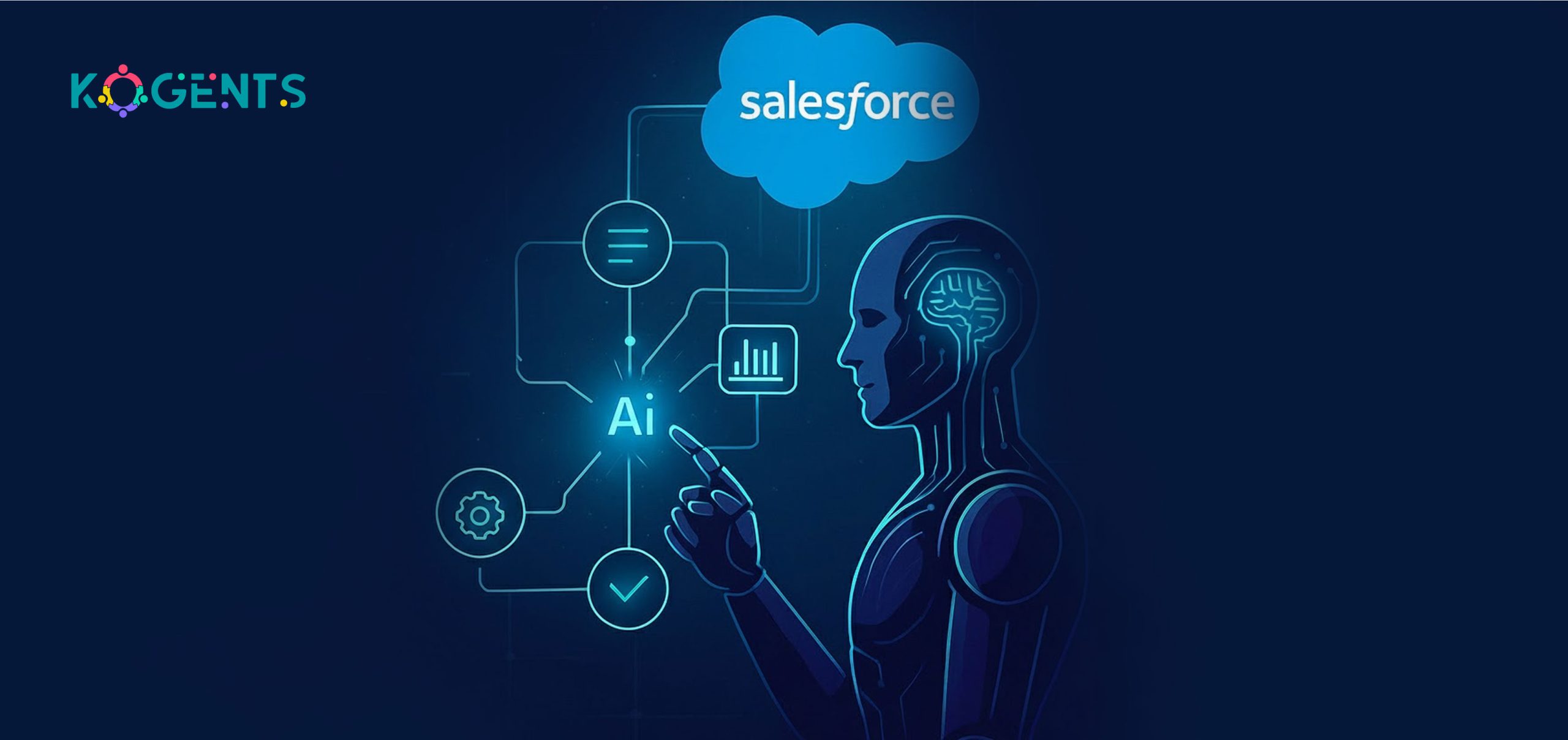
    what is workflow automation in salesforce

    The Big Picture: What Is Workflow Automation in Salesforce and Why Does It Matter?

    Companies globally report an average of 25% IT cost savings with Salesforce. SmartRent leverages Salesforce’s automation capabilities to eliminate manual tasks, saving $300,000, increasing employee retention by 92%, and saving employees 120 hours in onboarding time.

    Workflow automation in Salesforce uses built-in tools to trigger and execute business processes without manual effort.

    It automates sales, service, marketing, and operational tasks, reducing delays and human error.

    Commonly known as Salesforce process automation or Salesforce Flow, the goal remains the same: seamless, efficient workflows.

    Automation ensures data moves accurately across teams and systems in real time. At scale, it evolves into enterprise-wide business process workflow automation powered by AI. 

    A well-automated Salesforce transforms the CRM from a data repository into an intelligent action engine.

    The Evolution: From Legacy Workflow Rules to Declarative Tools, to AI-Powered Intelligent Agents

    Legacy Tools

    • Originally, Salesforce offered Workflow Rules and the Process Builder for automation. 
    • Workflow rules allow simple “if-this-then-that” triggers, when a record meets criteria, update a field, send an email, create a task. 
    • Process Builder extended this to allow branching logic and more actions. 

    Salesforce Flows are designed for complex, multi-step business processes.” 

    Declarative Tools: Flow & Orchestrator

    • Stepping into Salesforce Flow and Flow Orchestrator. Flow allows admins to build more complex logic, user-input screens, loops, sub-flows integrations, all without code. 
    • Flow Orchestrator adds multi-stage, multi-user orchestration of flows, especially for processes that span departments, approvals, and branches. 

    As per Salesforce: “Flow Orchestration was created so admins like you can quickly create sophisticated, multi-user, multi-step automated business processes with clicks, not code.” 

    AI & Intelligent Agents

    • AI-powered agents take automation beyond triggers and actions, adding insight, prediction, and orchestration. 
    • They analyse data, route tasks smartly, suggest next steps, and handle exceptions in real time. 
    • In service operations, they triage cases, escalate issues, and guide agents with contextual insights. 
    • This marks the shift from simple workflows to intelligent, AI-driven orchestration for peak performance.

    How Intelligent Agents + Workflow Automation Elevate Salesforce Performance?

    The global sales force automation software market was valued at USD 9.25 billion in 2022 and is projected to reach USD 17.94 billion by 2030, at a CAGR of 8.7%.

    Below are key capabilities:

    Trigger–Condition–Action logic

    • At the core of any workflow automation is a trigger (e.g., “Lead enters system”, “Opportunity stage changes”, “Case created with priority = High”), plus conditions (criteria/filter) and actions (field update, task creation, email, integration call). 
    • Using Flow Builder, admins set up these automations declaratively. 

    Example: assign lead to region rep when lead score > 80 and industry = “Manufacturing”.

    Lead Routing Automation & Pipeline Automation

    • For the sales team, automating the routing of leads (e.g., by geography, lead score, product interest) ensures faster follow-up and higher conversion. 
    • Likewise, pipeline automation in Salesforce ensures opportunity stages are advanced automatically based on criteria, or reminders/alerts are generated when deals stagnate.

    Multi-Step Approvals & Service Case Escalations

    • In service scenarios, multi-step workflows include intake → triage → action → resolution → escalate → close. 
    • Using Flow Orchestrator and intelligent agents, you can route cases dynamically based on customer tier, issue type, channel, or sentiment. 

    The “Salesforce service workflows” guide notes clear logic flows: “Inputs and triggers … Decision points … Stakeholders … Data flow and automation.” 

    Intelligent Agent Capabilities

    • Next-Best-Action/Recommendation: AI analyses record history and suggests optimal next action (e.g., route this case to senior rep, escalate this opportunity, send renewal reminder) 
    • Predictive routing: intelligent agents analyse data to route tasks proactively.
    • Automated follow-ups & reminders: ensure no lead or case falls through the cracks.
    • Integration & seamless hand-off: workflow automation AI agents can integrate with external systems, API, or AI agents.
    • Monitoring, exception handling & optimisation: Agents monitor workflow performance, alert when loops or bottlenecks occur, and suggest optimisations.

    Data Model, Integration, and Governance

    Performance optimization also requires solid underlying infrastructure: correct data model, clean duplicate rules, integration with ERP/other systems, API trigger orchestration, and governance around automation tools. 

    Example: Flow Orchestrator provides visibility into orchestration runs and bottlenecks. 

    Scalability & Enterprise Performance

    When workflows are automated across thousands of records and multiple teams, manual errors decline, cycle times shorten, and the CRM becomes a proactive engine for the business—not just a passive database. The automation of Salesforce workflows enables this scale.

    event driven automation in salesforce

    Feature Comparison Table: Legacy vs Modern vs AI-Powered Workflow Automation in Salesforce

    Feature Legacy Tools (Workflow Rules / Process Builder) Modern Declarative Tools (Flow & Orchestrator) AI-Powered Intelligent Agents + Workflow Automation
    Trigger/Action Complexity Simple: one criterion, one action Multi-step, multiple criteria, user input, loops Predictive triggers, adaptive actions, next-best-action
    Multi-stage / Multi-user Limited, linear Strong via Flow Orchestrator Real-time routing across teams, dynamic decision trees
    No-code / Low-code Yes (basic) Yes (advanced) Yes, with intelligent agents and suggestion layers
    Scale & Performance Basic level Enterprise scale Enterprise + intelligent optimisation, monitoring
    AI/Insight Integration None Minimal Full integration: suggestions, predictions, routing
    Monitoring & Governance Basic logs Extended via Orchestrator Advanced analytics, bottleneck alerts, optimisation loops
    Migration Path Being deprecated  Current standard Future-proof, cutting-edge

    Implementation Roadmap: Steps to Get Started

    Here’s a structured approach to deploy workflow automation in Salesforce coupled with intelligent agents:

    Step 1: Define your business process

    • Map the end-to-end workflow (e.g., lead to opportunity, service case to resolution)
    • Identify key triggers, decision points, participants, and outcomes
    • Prioritise processes that will deliver high ROI.

    Step 2: Choose the right automation tool

    • For simple automations: Flow Builder
    • For multi-step, multi-user, cross-departmental: Flow Orchestrator 
    • Ensure legacy Workflow Rules / Process Builders are migrated forward 

    Step 3: Incorporate intelligent agents & AI

    • Use AI to analyse data and predict next steps.
    • Build agents that monitor workflows, detect exceptions, trigger alerts,alerts optimize processes. 
    • Processes rate data from CRM, ERP, and external sources for deeper insight.

    Step 4: Pilot & measure

    • Build a pilot automation for one high-value process
    • Measure key metrics: time saved, error rate, response time, conversion rate.
    • Collect feedback from users and adjust. 

    Step 5.: Scale & govern

    • Roll out automations across other processes
    • Set up governance: change control, documentation, and a monitoring dashboard
    • Establish a workflow library, versioning, and retire legacy automations
    • Monitor continuously and optimise based on data

    Step 6: Maintain & optimise

    • Use agent insights to spot bottlenecks, loops, and underused processes.
    • Review periodically: are the criteria still valid? Are decision trees efficient?
    • Keep alignment with business strategy, processes evolve.

    Case Studies: Real-World Success Stories

    Case Study 1: SmartRent

    SmartRent leveraged Salesforce’s automation capabilities to eliminate manual tasks and streamline processes, saving $300,000, increasing employee retention by 92%, and saving employees 120 hours in onboarding time. 

    Key learnings: By automating onboarding, SmartRent reduced repetitive tasks, improved employee experience, and freed up time for strategic activities.

    Case Study 2: Multi-department Orchestration Example

    One organisation used Flow Orchestrator to build a record-triggered orchestration for case management, involving multiple teams and actions. 

    Key learnings: This illustrates how workflow automation on the Salesforce platform spans users/departments, not just simple tasks. Orchestrator enabled complex flows, visibility, and fewer coding dependencies.

    Case Study 3: IDC Industry Survey

    According to an IDC survey cited by ConvergeHub, organisations using sales force automation experienced a 30% increase in sales closures, an 18% decrease in sales cycle timing, and a 14% drop in sales administration time.

    Key learnings: These macro results underline large benefits when automating workflow, which applies to Salesforce workflows when executed properly.

    Conclusion 

    Today, workflow automation in Salesforce, powered by AI agents, is key to agility and performance. 

    Automate lead routing, approvals, and service escalations with intelligent, predictive workflows. 

    Transform Salesforce from a static CRM into a dynamic growth engine.

    So, do you want to achieve prompt cycles, fewer errors, happier teams, and measurable ROI?

    Kogents.ai helps organisations design, integrate, and govern Salesforce automation.

    FAQs

    How does Salesforce workflow automation work in a CRM context?

    Within the CRM, automation begins with a trigger (e.g., lead enters system), then evaluates conditions (e.g., region = APAC, score > 80), then performs actions (assign to rep, send notification, update field), often via Flow or Orchestrator. Intelligent agents may add prediction, routing suggestions, or alerts.

    What is the difference between workflow automation using Salesforce Flow and legacy Workflow Rules / Process Builder?

    Workflow Rules are simpler, limited to single-step actions. Process Builder introduces more branching. Salesforce Flow supports multi-step logic, user-input screens, loops, and integrations. Flow Orchestrator adds stages, multi-user orchestration. Legacy tools are being deprecated. 

    How can intelligent agents help in the automation of Salesforce workflows?

    Intelligent agents bring AI capabilities: they can analyse past data, predict the best next action, route workflows dynamically, monitor bottlenecks, suggest workflow improvement, and escalate tasks proactively. This enhances automation from just “execute the action” to “make the decision”.

    What is Salesforce Flow Orchestrator, and when should you use it for automation?

    Salesforce Flow Orchestrator is the automation tool that supports building and orchestrating multi-step, multi-user, multi-stage business processes without code. Use it when a process spans multiple teams, stages, or has complex branching. 

    What pitfalls should I avoid when implementing Salesforce automation workflows?

    Avoid: implementing without clear process mapping, automating too many ad-hoc tasks, neglecting documentation, ignoring data quality, failing to migrate legacy automation tools, having no governance or monitoring, and letting technical debt build.
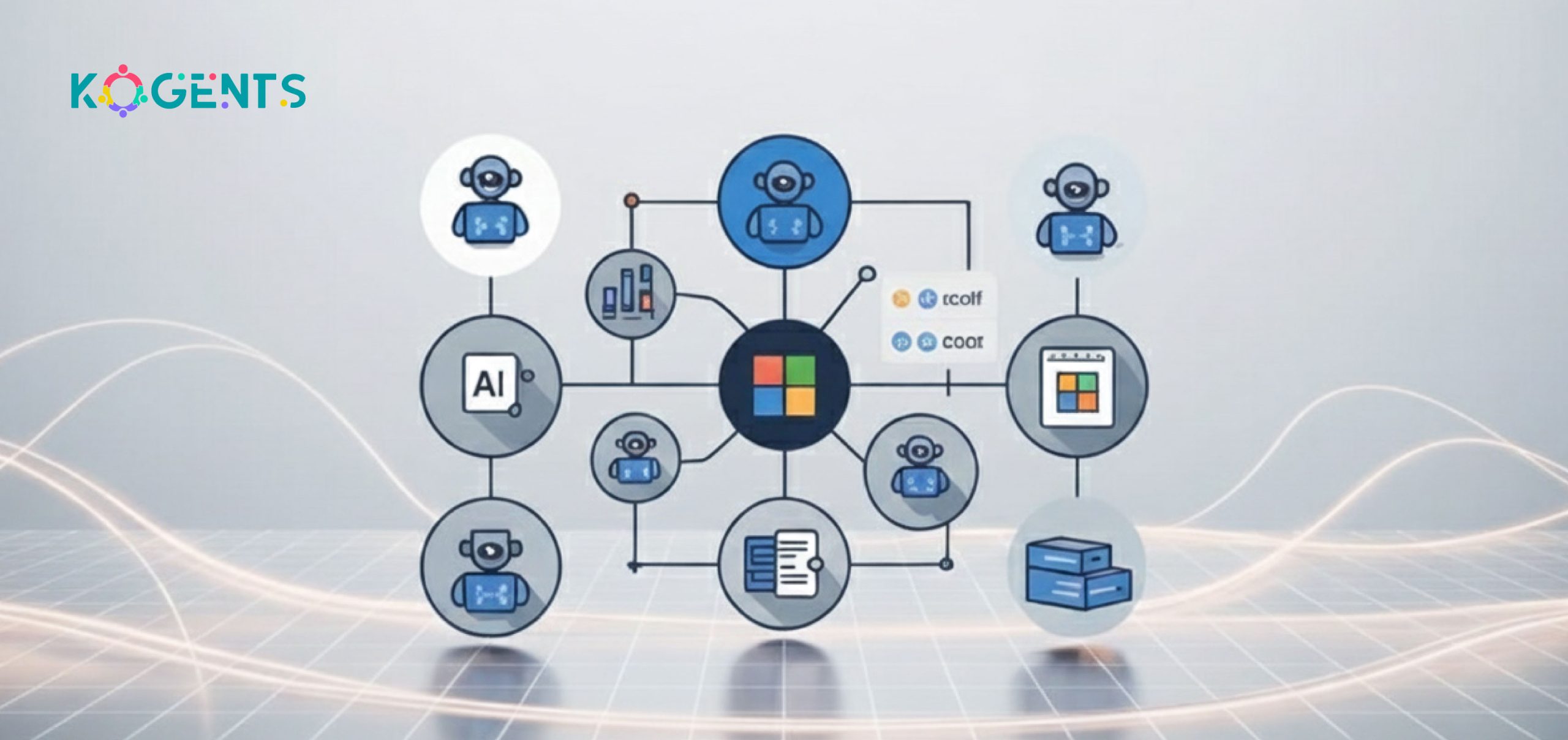
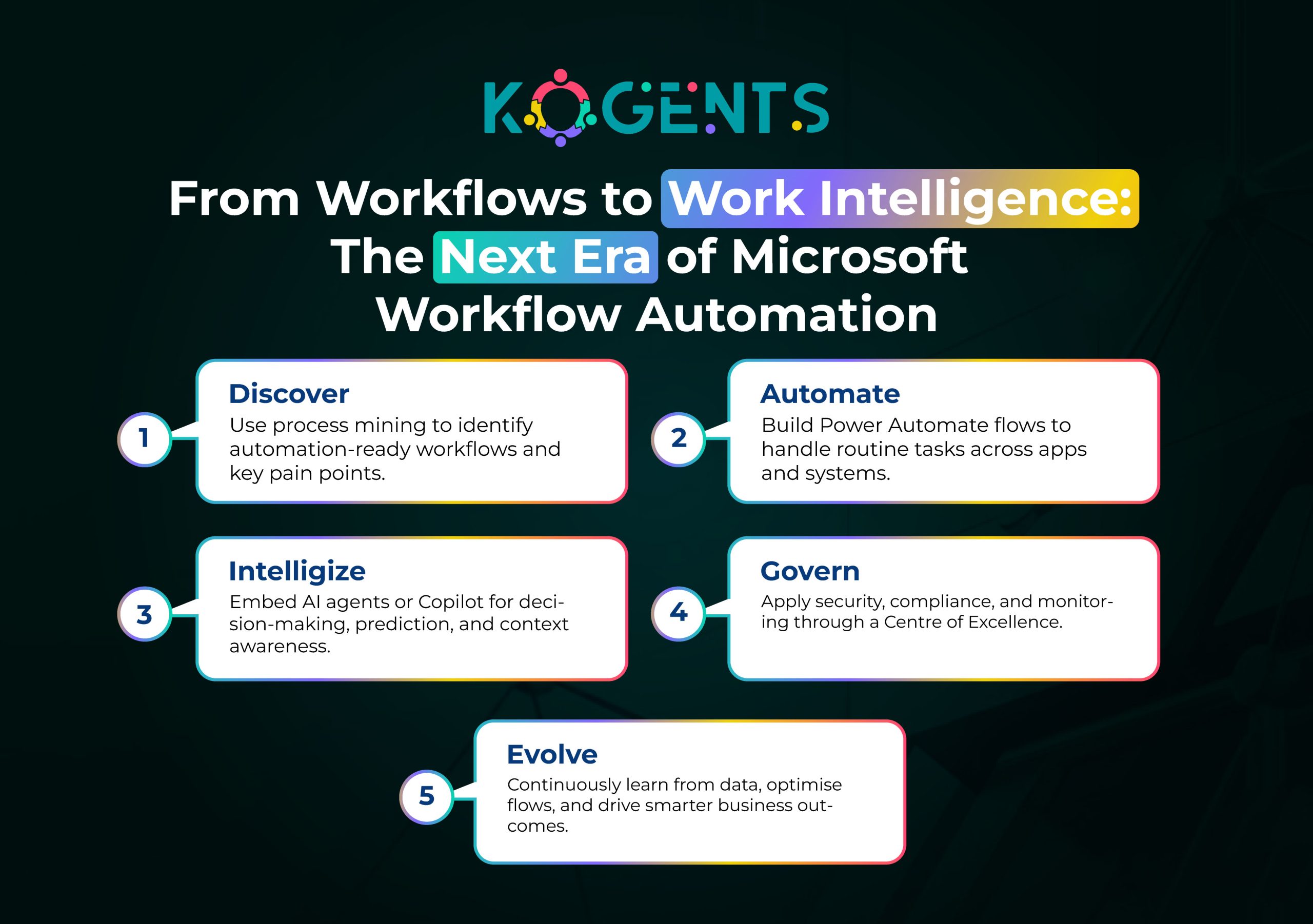
  • Expanding Microsoft Workflow Automation with Custom AI Agent Integrations

    Expanding Microsoft Workflow Automation with Custom AI Agent Integrations

    In a world where digital disruption is accelerating, business leaders are under intense pressure to automate workflows, streamline operations, and unlock productivity gains. 

    With the deployment of Microsoft Power Automation, Microsoft’s flagship workflow automation system, has already been widely adopted across organisations of all sizes. 

    But today, simply automating repetitive tasks is no longer enough. The next wave of innovation lies in combining workflow automation with custom AI agents that actively sense context, make decisions, and execute actions, elevating automation from standard rule-based flows to intelligent and proactive orchestration.

    Imagine a scenario: A customer support ticket arrives in Teams; an AI agent reads sentiment, categorises the issue, triggers a Power Automate flow that logs the ticket in Dynamics 365, assigns it to the correct team, updates SharePoint with the resolution path, and notifies stakeholders in Teams, all without manual hand-offs. That is the power of Microsoft workflow automation with AI agent integration.

    The Forrester-commissioned study noted: end-user time savings worth USD 13.2 million from RPA tasks, USD 31.3 million from extended automation with Power Apps/Power Automate, and USD 2.0 million from developer efficiency; with legacy system cost reduction of USD 9.5 million over three years. 

    In this blog, we’ll dive deep into how organisations can expand their Microsoft workflow automation capabilities by embedding custom AI agents.

    Key Takeaways

    • Embedding custom AI agents into your Microsoft workflow automation system transforms workflows from static logic flows into adaptive, intelligent orchestration.
    • The low-code workflow automation, combined with AI agents, enables business users to participate meaningfully while IT retains governance and control. 
    • For large enterprises, governance, monitoring, a Centre of Excellence, and process mining are no longer optional—they’re foundational for scaling automation.
    • Choosing Microsoft workflow automation makes sense, especially when you already use the Microsoft ecosystem (Teams, SharePoint, Dynamics 365), and the addition of custom AI agents sets you up for future-proof automation.

    microsoft workflow automation with ai agent

    Decipher The Concept Behind Microsoft Workflow Automation

    It refers to Microsoft’s capabilities for designing, deploying, and managing automated workflows across approvals, integrations, and complex business processes.

    Powered by Power Automate within the Power Platform, it connects cloud, desktop (RPA), and app integrations through connectors, triggers, and actions. Moreover, organisations using Microsoft 365, SharePoint, Teams, or Dynamics 365 can leverage existing licences and data for rapid automation. 

    Its low-code/no-code tools enable both IT and business users to build workflows under governance. This agility in mapping, automating, and optimising processes makes workflow automation AI agents a key driver of digital transformation.

    Why Integrate Custom AI Agents?

    While traditional workflow automation handles repetitive, rule-based tasks well, the world is moving toward workflows that require intelligence: natural language understanding, decision-making, predictions, anomaly detection, context recognition, dynamic decision paths, and continuous optimisation. 

    That is where custom AI agents come in. These agents, built using generative AI, machine learning, or domain-specific logic, can be embedded in flows to trigger actions, evaluate context, loop in exceptions, and even initiate corrective flows autonomously.

    The percentage of total employees involved in automation use-cases by year three increased from 25% to 66%. Of these employees, 20% were involved in high-impact use cases.

    Aspect Traditional Workflow Automation With Custom AI Agents
    Decision-making Rule-based Context-aware and adaptive
    Exception handling Manual Autonomous correction loops
    Data handling Structured only Structured + unstructured
    Optimization Static workflows Continuous learning and improvement
    User interaction Limited Conversational or predictive

    Implementing Microsoft Workflow Automation with Custom AI Agents

    Here’s a roadmap for bringing this to life with Microsoft workflow automation:

    Architecture & Components

    • Platform core: Use Microsoft workflow automation via Power Automate. Flows (cloud flows, desktop flows) define workflows. In contrast, Apache workflow automation relies on Python DAGs and manual setup, while Microsoft Power Automate tends to offer more prompt, low-code deployment.
    • AI agent layer: Build or deploy custom AI agents (via Azure Cognitive Services, Azure OpenAI, or third-party APIs) that expose APIs for key decisions, intents, and predictions.
    • Connector library: Use pre-built connectors (SharePoint, Teams, Dynamics 365, Dataverse) plus custom API connectors to link your AI agent.
    • Trigger-action pattern

    Example: trigger (new email with invoice) → AI agent (extract invoice details, classify vendor) → flow actions (create record in SharePoint list, notify AP team, update ERP).

    • Integration with Microsoft 365 ecosystem: Teams for notifications and collaboration, SharePoint for content storage, Dynamics 365 for CRM/ERP, Dataverse as the underlying data platform.
    • Governance & compliance: Set up automation governance, audit trails, tenant-wide standards, and role-based permissions.
    • Monitoring & analytics: Use Power BI or built-in analytics to monitor flows, measure process performance, detect bottlenecks, and audit exceptions.
    • Change management & adoption: Citizen developers empowered to build flows; IT provides guardrails and a Centre of Excellence (CoE).

    Implementation Steps

    • Process discovery: Use process mining tools and workshops to identify candidate workflows for automation and AI-agent augmentation.
    • Design workflow: Map current state, desired state. Identify where the AI agent logic sits (decision node, prediction, classification).
    • Build an AI agent: Define intents, train a model, and expose a REST API or a connector.
    • Build flow in Power Automate: Create trigger, call AI agent, implement branching/actions.
    • Integrate systems: Use connectors to integrate with SharePoint, Teams, Dynamics 365, Dataverse, and legacy systems.
    • Govern & secure: Define standards for connectors, data handling, compliance, and audit logs.
    • Test & deploy: Pilot, measure KPIs, iterate.
    • Monitor & optimise: Use analytics, process mining, and user feedback to refine flows and agent logic continuously.

    Integration Examples

    • Connect the AI agent to SharePoint lists: e.g., when a document is uploaded, the agent reads content and classifies it, then Power Automate routes it accordingly.
    • Augment Teams workflows: a bot in Teams receives a query, uses the AI agent to interpret, then triggers a flow to retrieve data from Dynamics 365, and posts back an answer.
    • Enhance Dynamics 365 CRM workflows: when a new lead arrives, the AI agent scores it, Power Automate routes it, adds follow-up tasks, and notifies sales.

    Governance & Security Considerations

    • Ensure secure authentication and connector permissions.
    • Audit all automation flows with logs, maintain an audit trail of actions by bots and AI agents.
    • Create a Centre of Excellence (CoE) for Microsoft workflow automation: define best practices, reusable templates, citizen developer training, and governance.
    • Manage data privacy, especially when AI agents process personal data.
    • Ensure compliance with internal/external regulations (especially if you automate finance, HR, and healthcare).

    Use Cases: Microsoft Workflow Automation for Business Processes with AI Agents

    Here are concrete use cases where embedding custom AI agents into Microsoft workflow automation makes a significant difference:

    Use Case 1: Invoice processing and accounts payable automation

    Using Microsoft workflow automation and RPA capabilities with Power Automate, organisations can automate invoice capture, classification, approval routing, and payment. With a custom AI agent, the process becomes smarter: the agent extracts invoice line items via OCR, classifies vendor categories, predicts delay risk, flags inconsistencies, and then triggers the workflow accordingly. 

    According to Softweb Solutions, automating data entry and invoice processing is one of the top 11 Power Automate use cases. 

    Use Case 2: Customer-service ticket triage & escalation

    A custom AI agent analyses incoming customer emails or chat logs (via Teams), detects sentiment, urgency, and topic, then Power Automate creates a ticket in Dynamics 365, assigns it to the correct team, notifies stakeholders, and logs in SharePoint. 

    With unattended bots handling repetitive triage tasks, service teams focus on high-value interactions.

    Use Case 3: Enterprise-scale legacy system integration & process optimisation.

    Enterprises with legacy systems often struggle with data silos. 

    By combining process mining and custom AI agents, organisations can build an enterprise-grade automation platform: Power Automate flows orchestrate across legacy apps, AI agents detect exceptions or suitability, enabling scale. 

    For example, a recent Microsoft blog noted a composite organisation saw a 248 % ROI on Power Automate over three years.

    Case Studies: Real-World Examples

    Case Study A: Leroy Seafood Group (Norway)

    Leroy Seafood Group used the Power Platform and Power Automate to digitise operations, deploying 4,000+ Premium Power Apps licences and an automated Centre of Excellence.

    A mobile app standardised offshore data reporting, improving accuracy by 11.6% and saving USD 8 million.

    This showcases how Microsoft workflow automation scales enterprise processes through citizen development, connectors, and governance.

    Case Study B: Cineplex (Canada)

    Cineplex, a major media & entertainment company, used Microsoft Power Platform to streamline business processes, including finance and guest services. 

    • Over 100 employees used the platform to build automation solutions. 
    • The company saved over 30,000 hours a year in manual processing time. 

    Case Study C: Integration with AI Agents (Hypothetical)

    Though few public case studies explicitly cite “custom AI agent + Power Automate”, Microsoft’s April–May 2024 customer stories highlight organisations embedding Copilot, AI, and automation through the Power Platform.

    Example: an insurance leader integrated a Copilot with Power Automate to process inquiries in under 30 seconds.

    the next era of microsoft workflow automation

    Before You Leave! 

    Digital transformation demands more than manual or rule-based automation; it requires intelligent, adaptive workflows.

    By combining Microsoft workflow automation with custom AI agents, organisations gain decision-making, predictive insight, and agility.

    This integration enables intelligent process orchestration, boosting efficiency and innovation.

    Kogents.ai  helps you design and implement these solutions; contact us today to build your next-generation automation ecosystem..

    FAQs

    What is Microsoft workflow automation?

    Microsoft workflow automation refers to the system, tools, and services — especially Power Automate — that enable users to design and execute automated flows across systems, connectors, triggers, and actions. It supports business process automation, rule-based logic, low-code automation, and task automation across cloud and desktop.

    How does Microsoft workflow automation work?

    It works by defining a trigger and then executing a series of actions. Under the hood, the workflow engine handles branching, loops, connectors, data handling, and integrates with Microsoft 365, Azure, and RPA bots. When custom AI agents are embedded, the flow can include intelligent decision-points (context recognition, prediction) rather than just static rules.

    How to implement Microsoft workflow automation in your organisation?

    Implementation involves: assessing processes via process mining, selecting pilot workflows, building flows in Power Automate, integrating connectors (SharePoint, Teams, Dynamics), embedding custom AI agents where intelligence is required, ensuring governance, training citizen developers, monitoring, and scaling. It’s critical to start small, build governance (CoE), measure ROI, then scale.

    Microsoft workflow automation vs other workflow tools — how do they compare?

     Microsoft workflow automation stands out when you already leverage Microsoft 365, SharePoint, Teams, Dynamics 365, and want low-code citizen development plus tight ecosystem integration. For pure RPA or non-Microsoft ecosystems, other tools like UiPath or Automation Anywhere may be stronger in desktop automation depth or vendor-agnostic contexts. However, when adding AI agent integrations and enterprise governance, Microsoft offers a compelling stack with a cost advantage.

    What security & governance considerations should I know for Microsoft workflow automation?

    Governance involves managing connector permissions, enforcing role-based access, logging audit trails, applying data loss prevention (DLP) policies, segregating environments (development/production), monitoring flow run history, establishing approval processes for flows, maintaining change management for citizen-developers, and ensuring compliance (especially if automations touch finance, HR, or regulated data). When embedding AI agents, ensure model/data privacy, secure APIs, and rationale transparency.

  • How AI Agents Accelerate Low-Code Workflow Automation in Enterprise Environments

    How AI Agents Accelerate Low-Code Workflow Automation in Enterprise Environments

    In the modern enterprise, innovation moves at the speed of change,  and agility determines who leads. 

    That’s why the combination of low-code workflow automation and intelligent AI agents has emerged as a game-changer for businesses looking to fast-track digital transformation. 

    Imagine this: instead of waiting months for IT to code a workflow from scratch, a business user drags and drops workflow blocks, then an AI agent reasons across systems, triggers tasks, adjusts on the fly, and reports analytics, all while adhering to enterprise governance.

    That’s the future-now of how workflows get automated.

    If you’re in charge of operations, transformation, business process automation (BPA) or IT infrastructure in an enterprise environment, you’ll want to stay ahead of this wave. 

    Key Takeaways

    • Empower business users while reducing IT backlog and accelerating time-to-value.
    • Fuse low-code visual workflow design with AI-agent reasoning to achieve adaptive, context-aware automation and workflow orchestration.
    • Achieve enterprise scalability, governance, security, and integration via a low-code automation platform for workflows that support AI agents and analytics.
    • Overcoming legacy systems, shadow IT, compliance/regulation, and maintaining lifecycle monitoring & analytics are critical success factors.
    • Selecting the right vendor means choosing one that offers a drag-and-drop workflow builder, pre-built templates, integration connectors, a business rules engine, governance, and supports agentic automation.

    What is Low-Code Workflow Automation?

    Low-code workflow automation refers to platforms that enable users to design, deploy, and manage workflows visually rather than through extensive coding. 

    These systems combine drag-and-drop workflow builders, pre-built templates, and modular, reusable components to streamline process automation while maintaining flexibility for developers to extend functionality with code when needed.

    Modern low-code platforms typically include:

    • Visual workflow design: Build and modify processes through a graphical interface.
    • Pre-built templates and components: Accelerate common use cases like onboarding, invoicing, or contract approvals.
    • Integration connectors: Seamlessly connect with existing systems such as CRM, ERP, or databases.
    • Business rules engine: Define and manage decision logic independently from process flow.
    • Workflow orchestration & lifecycle management: Coordinate tasks across systems, monitor performance, and optimize workflows.

    what is low code workflow automation

    Low-Code vs No-Code Workflow Automation

    • Low-code platforms allow for visual workflow creation with the option for developers to extend functionality using code,  ideal for mixed technical and business teams.
    • No-code platforms are designed entirely for non-technical users, offering only drag-and-drop tools and pre-defined options without the need to code.

    The Rise of AI Agents in Enterprise Automation

    AI agents in an enterprise context refer to software entities that can act autonomously or semi-autonomously: they interpret goals or triggers, reason through decisions, trigger workflows, integrate across systems, and learn/adapt over time.

    They go beyond traditional rule-based workflows or bots; these are intelligent, context-aware agents.

    Example: An AI agent workflow is a process where AI agents make decisions and complete tasks with little to no human input to streamline complex operations.

    Why Enterprises are Adopting them Now? 

    There are several drivers:

    • The backlog of IT projects and manual workflows is enormous; enterprises need faster time-to-value.
    • Traditional workflow engines and automation tools struggle with complexity, exceptions, and unstructured data.
    • AI agents enable adaptive automation: they can reason, orchestrate, collaborate across systems and humans. 
    • When combined with low-code platforms, you enable citizen developers to build workflows, then deploy AI agents that coordinate them, giving enterprise scale and intelligence.

    The low-code market itself is growing rapidly: e.g., one source says the low-code market will grow to over US$190 billion by 2030 as more firms adopt modular, tweakable enterprise stacks.

    How AI Agents Accelerate Low-Code Workflow Automation in Enterprises?

    Let’s break down how.

    a) Faster time to value, citizen developer empowerment, business user automation

    • With a true low-code workflow automation platform, business users (not just IT) can build workflows using drag-and-drop, visual workflow design, and pre-built templates.
    • Now add an AI agent: the agent can monitor workflow triggers, invoke tasks, handle exceptions, and even reason when new conditions arise. 

    This means:

    • Workflows can be deployed more quickly (reducing time-to-value). 
    • Business users and citizen developers can iterate on workflows faster.
    • The IT backlog is reduced, and IT teams can focus on strategic initiatives rather than routine workflows.
    • Workflow automation becomes truly collaborative between business and IT.

    b) Integration, orchestration, and adaptive behaviour

    Consider:

    • The workflow engine triggers tasks; the AI agent understands context, chooses which sub-workflow or human intervention is needed, and triggers connectors to legacy systems.
    • The modular workflow components built in the low-code platform can be composed dynamically.
    • The AI agent monitors analytics (workflow monitoring & analytics) and can suggest optimisations, or re-route tasks when anomalies appear.
    • With process orchestration, business process automation (BPA) becomes more intelligent and less brittle.

    c) Visual modelling + AI reasoning: bridging the gap

    • One of the pain points of workflow automation is the gap between business process mapping/design and execution. 
    • Low-code platforms with visual modelling (drag-and-drop) allow business users to design workflows; AI agents bridge the gap by executing, monitoring, adapting, and learning.

    Example: recent academic work on “Causal-Visual Programming” for agentic environments shows how agent reasoning anchored to visual workflow graphs improves the robustness of agents in low-code environments. 

    d) Real-time monitoring, analytics, and lifecycle management

    • Low-code workflow automation solutions often provide monitoring & analytics dashboards for workflows. 
    • With AI agents, you get proactive insights: anomaly detection, auto-scaling workflows, dynamic branching, exception handling, and predictive decision logic.

    Thus, the entire workflow lifecycle — design, build, deploy, monitor, optimise — becomes accelerated.

    e) Putting it together: A sample workflow scenario

    Imagine an enterprise HR onboarding workflow:

    • Business users in HR use a low-code workflow builder to drag-and-drop onboarding stages (form submission, approval, equipment request, training scheduling).
    • The workflow invokes an AI agent when anomalies happen (for example, a candidate enters a special category, triggers extra compliance checks).
    • AI agent integrates with multiple systems (HRIS, asset management, LMS) using pre-built connectors in the automation platform.
    • AI agent monitors the workflow analytics in real-time: sees stalled approvals, sends notifications, and reroutes tasks.
    • The lifecycle dashboard shows HR and IT the time-to-onboard metrics; the AI agent suggests optimisations. 
    • Over time, with modular components, the enterprise replicates this workflow across geographies using the low-code platform and fine-tunes it with AI agent support.

    The result: faster onboarding, fewer manual handoffs, better compliance, greater transparency, all built faster because of the low-code + AI agent combination.

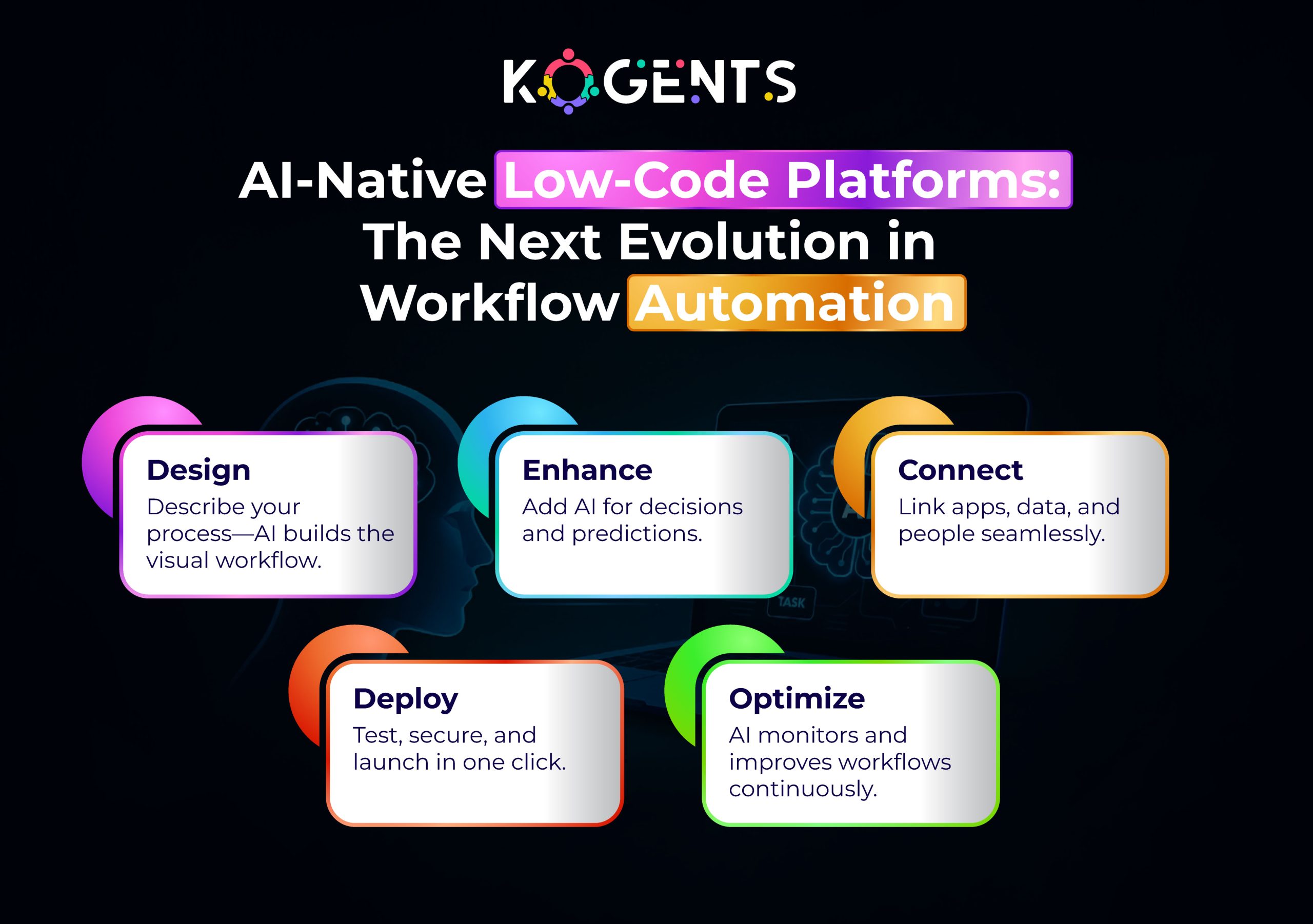
    ai native low code platforms the next evolution in workflow automation

    Case Studies

    Here are three credible workflow automation examples in the form of case studies. 

    Case Study A: HR/Onboarding – Low-Code Automation Success

    Although not explicit about AI agents, a suite of low-code case studies across industries shows dramatic improvements. 

    Example: AI-powered ETL automation reduces pipeline maintenance time by 70%. Artificial intelligence transforms ETL operations by reducing maintenance by 70% through self-healing pipelines. 

    Relevance to our topic: When an HR onboarding workflow built on a low-code automation platform is extended with an AI agent to handle exceptions,  the acceleration effect intensifies.

    Lessons: Use a low-code platform for rapid workflow deployment; overlay an AI agent for exception logic, decisioning, and optimization; combine for enterprise value.

    Case Study B: Customer Service / Ticket Automation – Hybrid Low-Code + Agentic AI

    Industry analyst article AgentOps: AI Agents Take Command of Workflow Automation” highlights how AI agents are supplanting static rule-based automation (e.g., in customer service workflows) and how enterprises are adopting “agent-based” models.
     

    Highlights:

    • AI agents connect with legacy systems, CRM, and ticketing; they monitor, reason, and re-route tasks dynamically.
    • Many organisations report deployment ROI in as little as two weeks.

    Lessons: Combining low-code workflow orchestration with AI agents that supervise, adapt, and optimise leads to agile, high-impact automation in enterprise settings.

    Implementation Considerations, Challenges & Governance

    With workflow automation AI agents in enterprise environments require careful attention to several factors:

    Enterprise security & compliance

    • In enterprise settings, workflows often touch regulated data, multiple systems, and must meet governance requirements. 
    • Platforms must provide enterprise security (authentication, RBAC, audit trails). 
    • AI agents add additional risks: bias, incorrect reasoning, land ack of traceability. 
    • Good platforms provide human-in-loop, traceable reasoning, and governance controls. 

    Workflow governance and avoiding shadow IT

    • One of the benefits of low-code is citizen developer empowerment, but the flip side is potential shadow IT risk. 
    • Organisations should implement governance frameworks that can build workflows, who monitors them, how changes are controlled, and how the AI agent logic is supervised. 
    • Low-code platforms often include governance features and monitoring dashboards. 

    Legacy systems & hybrid workflows

    • Many enterprises have legacy systems, disparate applications, and manual processes.
    • Transitioning to low-code workflow automation means connecting via integration connectors, handling exceptions, and often layering AI agents to bridge gaps. 
    • Architectures must support this hybrid environment.

    Monitoring, lifecycle management & analytics

    Automation isn’t “set and forget”. You need lifecycle management: design, deploy, monitor, optimize. 

    • With AI agents, you also need feedback loops, continuous learning, and handling drift. 
    • Workflow monitoring & analytics dashboards are vital. 
    • Low-code platform plus agentic management is required.

    Dealing with AI-agent-specific risks

    • Model bias and errors: AI agents may make incorrect decisions; human oversight must be present.
    • Auditable reasoning: Enterprises typically demand clear audit trails and decision rationales.
    • Governance of agents: define scope, triggers, human hand-offs, fail-safes.
    • Security: Agents may interact widely across systems; ensure permissions and data boundaries.

    Traditional Workflow Automation vs Low-Code Workflow Automation + AI-Agent 

    Dimension Traditional Workflow Automation Low-Code Workflow Automation + AI-Agent Enhanced
    Development speed Months to years Weeks to months
    Developer/IT dependency High (IT & devs required) Moderate (business & citizen developers primarily)
    Visual modelling & drag-and-drop Limited or none Native visual workflow builder
    Adaptability to change Low High — rapid iteration, agile change
    Integration across systems Often complex & bespoke Built-in connectors, modular components
    Intelligence / decisioning Rule-based, static AI agents provide learning, context-aware reasoning
    Governance & citizen control IT-centric Balanced: business users empowered + IT governance
    Monitoring & analytics Basic Real-time monitoring, analytics, proactive optimisation
    Cost/maintenance High Lower maintenance, reusable components, and more efficient
    Time to value Longer Shorter, faster ROI

    The Future: What’s Next in Low-Code Workflow Automation with AI Agents?

    Looking ahead, several trends are shaping the future of this space:

    • Process mining + generative AI: identifying workflow bottlenecks and generating workflow improvements automatically.
    • Hyperautomation: combining low-code, AI agents, RPA, and advanced analytics into unified automation platforms.
    • AgentOps: a formal discipline of managing AI agents’ lifecycle — design, deployment, monitoring, governance.
    • No-code vs low-code evolution: more advanced citizen developers, more accessible platforms; choosing the right balance between ease and extensibility.
    • Composable enterprise / modular workflow design: Building blocks of workflows that can be assembled, reused, and changed quickly.
    • Increased regulatory/ethical focus: As AI agents control more automation, enterprises will focus more on explainability, audit trails, and responsible AI.
    • Multi-cloud, hybrid deployment, edge workflows: Platforms will support workflows across on-prem, cloud, edge, with AI agents embedded across.

    Conclusion

    Today, the world demands speed, agility, transparency, and governance to lead. The fusion of low-code automation workflow and AI agents delivers a powerful edge.

    But, how would it be possible for you? With Kogents.ai , you can get enterprise-ready automation solutions uniting low-code workflows, AI orchestration, integrations, and governance.

    Our approach drives intelligent orchestration across systems and ensures operational excellence. So, partner with us to enable the next wave; smarter, rapid, and truly adaptive.

    FAQs

    How does low-code workflow automation work?

    Business users or developers use a low-code platform to visually design the workflow (e.g., forms, approvals, tasks), integrate connectors to existing systems (CRM, ERP, database), define business rules, and then deploy the workflow. The platform executes the workflow via a workflow engine, and monitoring/analytics provide insights. When AI agents are added, they handle decision logic, exceptions, and adapt over time.

    Low-code vs no-code workflow automation: what’s the difference?

    While both minimize traditional coding, no-code typically restricts users to totally visual tools with no coding; low-code allows for minimal coding/customisation when needed, offering more flexibility and power. Thus, low-code is often preferred in enterprise settings where custom logic, extensions, governance, and integration matter.

    How do AI agents accelerate low-code workflow automation?

    AI agents overlay intelligent decisioning, orchestration, exception handling, and learning on top of the visual workflows built through low-code. They monitor workflows, trigger tasks across systems, adapt when unexpected conditions occur, and optimize workflow execution. This accelerates deployment, improves flexibility, and drives higher ROI.

    How to choose a low-code workflow automation platform for an enterprise?

    The decision criteria include: platform usability (drag-and-drop, citizen developer friendly); integration connectors; customisation/extensibility; governance/security; monitoring & analytics; scalability; vendor track record and case studies; support for AI agents or intelligent workflows; ability to accommodate enterprise low-code workflow automation at scale.

  • Transforming Legal Workflow Automation Using AI Agents for Compliance and Accuracy

    Transforming Legal Workflow Automation Using AI Agents for Compliance and Accuracy

    Stick to it that accuracy and compliance aren’t optional, they’re imperative. Legal teams are drowning in tasks: from client intake to contract routing, document review to regulatory checks. 

    Step into legal workflow automation, the game-changer capable of transforming how law firms and in-house teams operate.

    Imagine workflows that auto-route approvals, capture audit trails, flag compliance concerns, and do so with the precision of an AI agent. That’s not the future , it’s now.

    As regulatory demands intensify and margins tighten, adopting a robust legal workflow automation platform is no longer a “nice-to-have”; it’s a strategic necessity. 

    Yet many initiatives fail because they skip the foundational step: defining the legal workflow automation requirements that ensure compliance and accuracy from day one. 

    In this blog, we’ll dive deep into how to harness workflow automation AI agents for legal compliance. 

    Key Takeaways

    • High-volume rule-based tasks are ideal for automation workflows such as matter intake, e-signature routing, document generation, and approval chaining, delivering the clearest ROI.
    • AI agents elevate automation beyond rote workflows; they bring intelligent routing, risk-flagging, clause analysis, and compliance checks, improving accuracy and consistency.
    • Compliance and auditability must be built into the core requirements encryption, role-based access, versioning, and full audit trails.
    • Integration matters as much as automation; the most successful deployments integrate with CLM, e-signature, matter management, and document management systems.
    • Change management and governance drive long-term value. Technology alone isn’t enough; teams must adapt, metrics must be tracked, and processes refined.

    Understanding the Legal Workflow Automation Requirements

    At its simplest, legal workflow automation refers to the use of technology to streamline, standardize, and accelerate routine legal processes. 

    But when you dig deeper, it’s critical to define requirements that ensure the automation supports not just efficiency, but also accuracy and compliance, two pillars of legal operations.

    What is Legal Workflow Automation

    • Legal workflow automation streamlines key legal processes like client intake, document generation, dispute routing, CLM, and e-signatures.
    • It replaces manual handoffs with standardized, trackable workflows.

    The goal: reduce errors, save time, and enhance compliance and visibility.

    Why Do Requirements Matter for Law Firms and In-House Legal Teams?

    • Clear requirements ensure firms automate the right processes with compliance and integration in mind.
    • Defining workflow logic, user roles, data flows, and AI behaviour upfront prevents costly missteps and ensures long-term scalability.

    legal workflow automation requirement

    The Role of AI Agents in Legal Workflow Automation

    Traditional workflow automation focuses on rule-based routing: “If client-intake form is submitted → sent to intake team; if contract value > $X → route to senior counsel.” 

    Modern platforms add AI agents that can interpret documents, flag risks, recommend reviewers, auto-populate fields, and provide insights, all serving as powerful workflow automation examples that boost compliance and accuracy. 

    Example: an AI agent may scan a contract, identify unusual clauses, and trigger an escalation workflow.

    A recent study comparing LLMs to human invoice reviewers found AI achieved up to 92% accuracy versus humans’ 72%, and processed items in seconds versus minutes. 

    Requirements for Compliance and Accuracy

    When designing automation for legal teams, two non-negotiable pillars arise: compliance and accuracy. Let’s break down their requirements.

    Compliance-specific requirements

    • Audit trails & versioning: Every action must be logged with timestamp, actor, and outcome, vital for privilege, regulatory review, or litigation readiness.
    • Role-based access control (RBAC): Only authorised users can view/edit matters, documents, tasks, ensuring confidentiality and privilege preservation.
    • Data security standards: Systems must meet frameworks like ISO 27001, SOC 2 Type II, to reassure clients and regulators.
    • Jurisdictional and regulatory logic: For multi-region law firms, workflows may differ by country/regulation; the automation must support branching logic accordingly.
    • Human-in-the-loop checkpoints: Especially for high-risk decisions, the system must allow human review, override, and documentation.
    • Compliance monitoring & escalation: Trigger workflows when deadlines approach, when regulatory changes occur, or when risk thresholds are crossed.

    Accuracy requirements

    • Standardised templates and playbook: For document generation, CLM, and matter intake, ensure consistent quality and reduce variance. 
    • Error-reduction metrics: Manual processing often incurs errors; automation must track error rates and aim for measurable improvement. 

    Example: standard workflow automation shows an error reduction of 40-75%. 

    • Audit and validation logic: Check for missing fields, duplicate entries, and inconsistent routing. The system enforces logic rather than relying solely on human vigilance.
    • Real-time visibility & dashboards: Legal teams need live metrics on workflow status, bottlenecks, KPIs (turnaround time, approvals pending, backlog).
    • Continuous learning and optimisation: AI agents must be monitored, fed feedback, and refined; accuracy improves when models evolve with usage.

    Technical & Organisational Requirements

    • Integration capabilities: Connect to CLM, document management system, matter management, time/billing systems, and e-signature tools. SAP’s example showed integration of multiple systems using a workflow layer.
    • Scalability and flexibility: Workflow logic should adapt as the law firm grows, new jurisdictions are added, and regulations change.
    • No-code/low-code configurability: Enables legal ops or business users to modify workflows without heavy IT dependence.
    • Change management & training: Legal staff must learn to trust automation, understand when manual intervention is required, and feel ownership of new workflows.
    • Metrics and continuous improvement framework: Measure time saved, cost savings, error rates, compliance incidents, and use data to refine and scale.

    Used Cases For Legal Workflow Automation 

    Case Study 1: Enterprise Legal Operations – SAP & Checkbox

    SAP’s checkbox Legal Operations team faced multiple manual workflows: budget requests, law-firm selection, and multiple siloed systems (Brightflag, PERSUIT, Ariba). 

    The result: manual coordination, lack of visibility, inconsistent compliance. 

    The solution: They adopted Checkbox, a no-code workflow automation layer built for legal teams. 

    Results included:

    • Automated intake via guided form.
    • Decision-tree routing based on matter type, region, and cost thresholds.
    • Integration with existing systems to eliminate duplicate data entry.
    • Time saved: at least 30 minutes per day for the Legal Operations team.
    • Consolidated three separate workflows into a single configurable platform.

    Case Study 2: Family Law Firm – Custom Workflow Automation

    A mid-sized family law firm implemented custom business process workflow automation via a provider (DuoDigital) to eliminate administrative hires and streamline processes. 

    The firm saved approximately 180,000 annually by reducing 2-3 admin positions and automating key approval and document workflows.

    Key lessons: targeted automation led to clear ROI; the focus was on high-volume repeatable tasks; change management was critical.

    Case Study 3: In-House Legal Department – Compliance & Accuracy Focus

    Though not a named firm, a white-paper by EPIQ Global outlines trends and implementation strategies for corporate legal departments: emphasising the importance of legal automation platforms, governance, process standardisation, and expansion of automation initiatives. 

    Key takeaway: accuracy and compliance gain prominence when legal departments engage with automation, not just speed.

    Benefits and Measurable Outcomes

    Productivity improvements & cost savings

    Strategic advantage

    • With streamlined operations, legal teams shift from being bottlenecks to enablers of business.
    • They can offer faster turnaround, consistent service, scalable operations, and deeper integration with business units

    Table: Key Metrics for Legal Workflow Automation

    Metric Baseline (Manual) Post-Automation Target Notes
    Turn-around time (e.g., contract approval) 10–15 days 2–5 days Depends on the matter’s complexity
    Error/exception rate (manual tasks) ~40–75% error reduction potential  < 10% With automation + AI checks
    Admin cost per matter X X × 0.5 50% cost cut target
    Compliance incidents (missed deadlines, audit flags) Y Y × 0.3 70% reduction target
    ROI pay-back time > 12 months ≤ 12 months (in ~60% cases)  Justifies the business case

    Challenges & Pitfalls in Implementation

    Integration with Legacy Systems

    • Many law firms and legal departments have disparate tools: matter management, document management, e-billing, procurement, and CLM.
    • Without seamless integration, automation can become brittle. SAP’s example emphasises this risk.

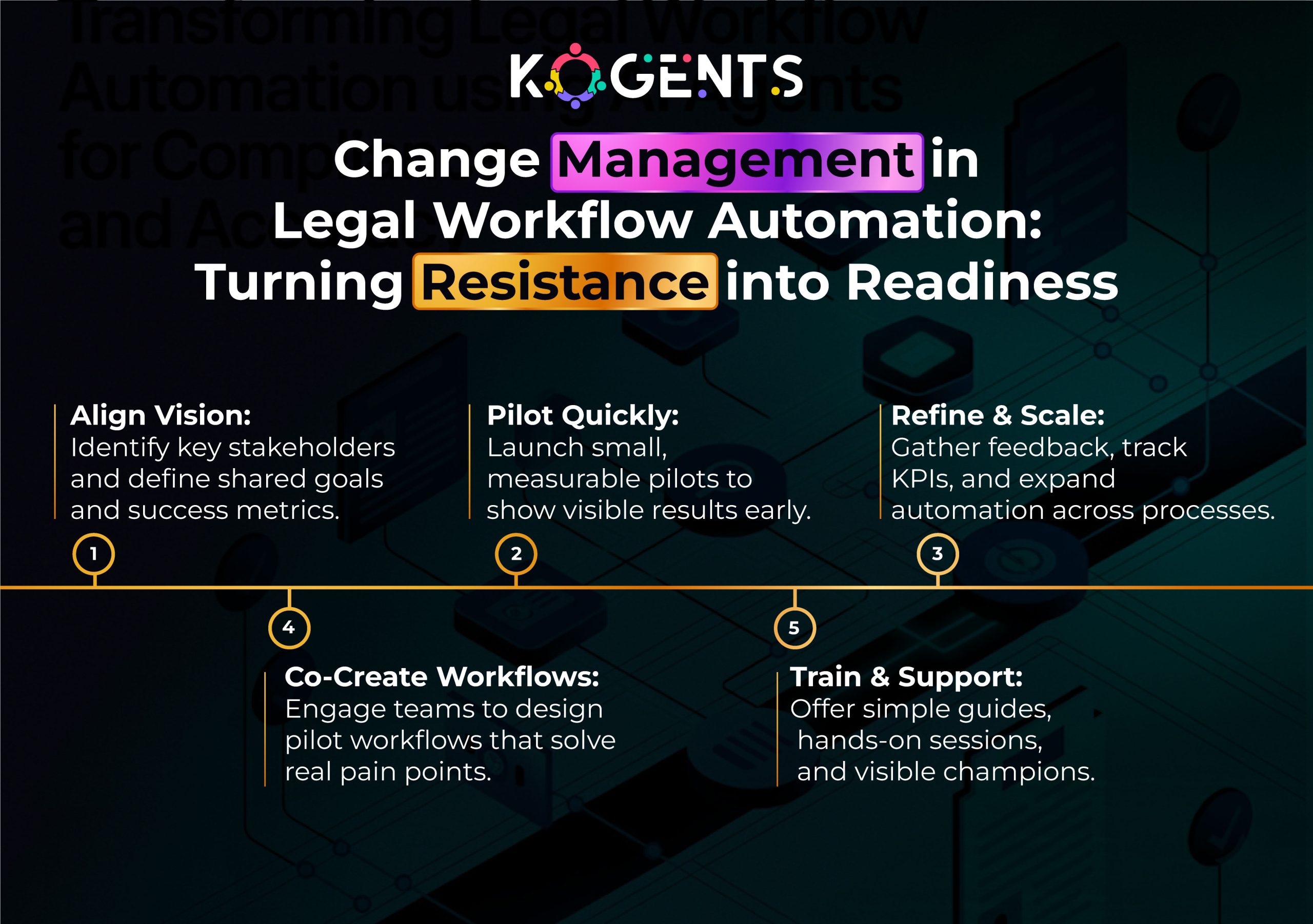
    Change Management and Cultural Resistance

    • One of the biggest impediments isn’t technology. It’s people.
    • Legal professionals may resist automation, fearing job loss or quality decline.
    • Ensuring adequate training, communication of benefits, and building trust is vital.

    Vendor and Platform Selection

    • Choosing a platform that is generic BPM rather than legal-workflow-centric will hamper adoption. 
    • Requirements around AI-agents, legal domain logic, and compliance controls must be explicit.

    Data Privacy, Security & Jurisdictional Complexity

    • Legal workflows often involve privileged and highly sensitive data. 
    • If the automation platform lacks strong encryption, RBAC, audit logs, and jurisdiction-specific logic (e.g., cross-border data flows, local regulations), the risk is elevated.

    Over-automation & Loss of Human Oversight

    • Automation may tempt teams to eliminate all human review, but for legal work, human judgment remains essential. 
    • AI agents may flag, but should not fully replace attorney review. Studies note the importance of human intervention to mitigate risk. 

    change management in legal workflow automation

    Final Insights! 

    In an era where legal teams are expected to do more with less, the move from repetitive manual work to intelligent, AI legal workflow automation is inevitable. 

    Success depends on defining clear requirements, integrating AI agents, and embedding compliance from the start.

    We help legal teams design and scale automation platforms that boost efficiency, accuracy, and strategic impact.  

    If you’re ready to leave the bottlenecks behind and embrace a new era of legal operations, reach out at kogents.ai. 

    Let’s make compliance effortless, accuracy automatic, and legal strategy unbeatable.

    FAQs

    What is legal workflow automation?

    Legal workflow automation refers to the use of technology—software, AI agents, workflow engine- to streamline repeatable legal tasks (e.g., contract generation, approval routing, matter intake) so they run with consistency, speed, and visibility. 

    How does legal workflow automation work in a law firm?

    In a law-firm context, automation starts with mapping the process (e.g., client intake), then building a workflow engine: forms trigger tasks, tasks trigger approval routing, documents auto-generate, e-signature collects signatures, matter moves to the next stage. AI agents may review clauses or flag risks. Integration with case-management and billing systems ensures end-to-end flow.

    What are the benefits of legal workflow automation for in-house legal teams?

    For in-house teams: faster approvals, consistent compliance across business units, reduced risk of missed deadlines, less legal spend leakage, better visibility into legal operations, improved client stakeholder satisfaction.

    Is legal workflow automation safe and compliant?

    Yes, when built with proper legal workflow automation requirements: audit trails, RBAC, encryption, jurisdiction logic, and human-in-loop review. Leading vendors support ISO 27001, SOC 2 Type II, and legal data governance.

    What tasks can be automated in a legal department?

    Tasks ripe for automation include: client/matter intake, conflict checks, contract drafting (via templates), document review (AI-powered), approval routing, e-signature, obligation tracking, billing/invoicing, regulatory filings, and compliance workflows.

    Legal workflow automation vs legal process automation – what’s the difference?

    They overlap. Legal process automation refers broadly to automating any legal process. Legal workflow automation emphasises the step-by-step routing, approvals, tasks, and automation of the flow itself. In practice, the terms are often used interchangeably, but focusing on “workflow” highlights the orchestration of tasks rather than individual process automation.

    How does AI support legal workflow automation?

    AI agents support: document and clause analysis, risk flagging, forecasting delays or cost overruns, natural-language intake forms, smart routing based on expertise, anomaly detection in billing or spend.

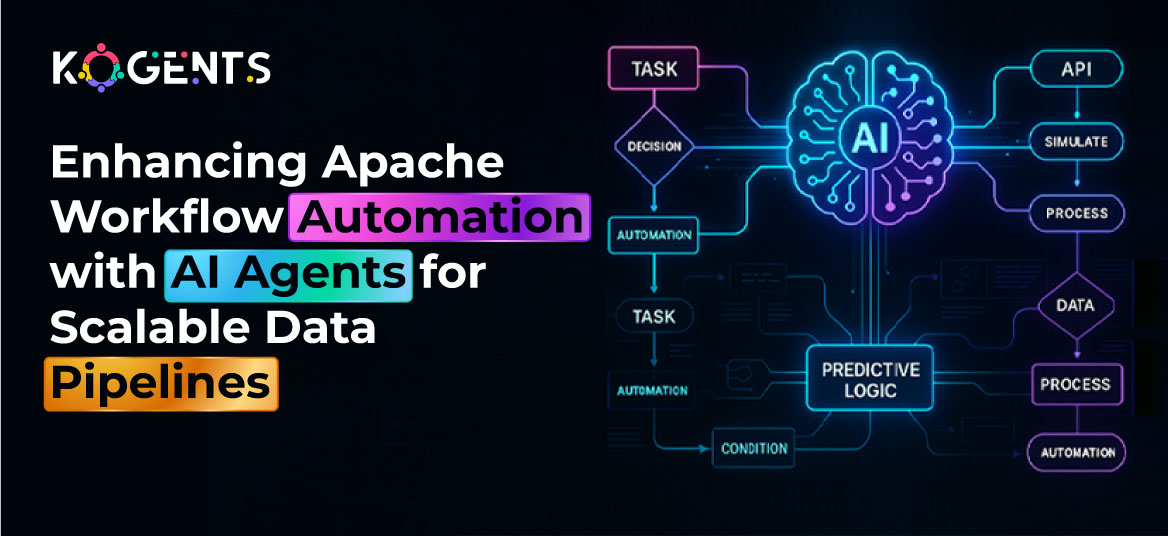
  • Enhancing Apache Workflow Automation with AI Agents for Scalable Data Pipelines

    Enhancing Apache Workflow Automation with AI Agents for Scalable Data Pipelines

    In the modern data economy, organizations no longer compete merely on data volume but on how intelligently and efficiently they orchestrate it

    Traditional pipelines struggle to keep pace with real-time ingestion, multi-cloud integrations, and complex analytics workflows. 

    This is where Apache Workflow Automation, powered by Apache Airflow, enters the stage.

    But the next leap forward is not just in automation; it’s in autonomy. Imagine pipelines that reason, adapt, and self-heal. 

    By integrating AI agents into your Apache workflow orchestration, enterprises can create scalable data pipelines that dynamically optimize execution, balance workloads, and adapt in real time.

    This blog explores how to elevate Apache workflow management beyond static scheduling. So, give it a quick read now! 

    Key Takeaways

    • Apache Workflow Automation provides a programmable, extensible foundation for orchestrating complex, distributed data systems.
    • AI agents enhance orchestration by enabling dynamic scaling, decision logic, and self-optimizing DAG execution.
    • Intelligent automation reduces operational overhead and enables data pipelines that evolve autonomously with workload patterns.
    • Optimizing the Airflow architecture, executors, task parallelism, caching, and adaptive scheduling ensures large-scale performance.
    • When combined, workflow orchestration platform Apache Airflow and AI agents deliver truly scalable, self-healing data-engineering pipelines.

    What to Know About Apache Workflow Automation?

    Apache Workflow Automation refers to using Apache Airflow, an open-source workflow orchestration tool under the Apache Software Foundation, to define, schedule, and manage data-processing pipelines programmatically.

    Instead of brittle cron jobs, Airflow represents workflows as Directed Acyclic Graphs (DAGs), where each node is a task and edges define dependencies. 

    Tasks are written in Python, making workflow as code, Apache Airflow a reality.

    Core features include:

    • Task dependency graph scheduling and retries
    • Workflow orchestration service with metadata tracking
    • Workflow monitoring and visualization (Tree View, Gantt Chart)
    • Extensibility via operators, sensors, and hooks for hundreds of systems
    • Executors like Celery Executor, Kubernetes Executor for distributed scale

    Key Note: This design makes Airflow the backbone of enterprise low-code workflow automation, Apache Airflow, orchestrating ETL/ELT jobs, MLOps pipelines, and data workflows across heterogeneous environments.

    about apache workflow automation

    Why Combine Apache Workflow Automation with AI Agents?

    The paper Prompt2DAG: A Modular Methodology for LLM-Based Data Enrichment Pipeline Generation shows that using an LLM-enabled approach to generate DAGs resulted in a 78.5% success rate vs 66.2% for LLM-only prompting – underscoring the value of structured workflow automation when combining LLM logic with the orchestration layer. 

    With the digital revolution, the evolution of data-pipeline orchestration, speed, and reliability are no longer the only differentiators. 

    The modern benchmark is adaptability, pipelines that learn, anticipate, and evolve.

    This is precisely where blending Apache workflow automation (Airflow) with AI agents reshapes the paradigm, from reactive scheduling to proactive orchestration intelligence.

    Intelligence Meets Orchestration

    • Apache Airflow already acts as the backbone for workflow orchestration, managing dependencies, schedules, and retries through its Directed Acyclic Graph (DAG)-based engine.
    • By layering AI agents on top, organizations can infuse cognitive automation into this deterministic framework.

    Example: An AI agent evaluates data arrival patterns in an S3 bucket. If traffic spikes, it triggers extra ingestion tasks; if traffic is light, it defers processing, saving compute while maintaining SLAs.

    Scaling Through Predictive Orchestration

    The union of workflow orchestration platform Apache Airflow and AI-driven prediction enables scalable, elastic data pipelines.

    How does predictive scaling work? 

    • AI agents continuously monitor task execution latency, CPU usage, and queue depth.
    • They forecast upcoming load spikes using time-series models or reinforcement-learning agents.
    • The agent then adjusts Airflow’s parallelism parameters, spins up KubernetesExecutor pods, or re-prioritizes DAG runs automatically.

    From Automation to Autonomy

    Traditional workflow automation stops at execution, but with AI agents, orchestration evolves toward autonomy:

    • Self-healing pipelines – agents detect task anomalies (e.g., skewed partitions, failed APIs) and trigger compensating logic automatically.
    • Dynamic branching – agents decide real-time DAG paths based on data conditions (e.g., route to anomaly-remediation DAG).
    • Autonomous retraining workflows – if a model drifts, an agent triggers retraining DAGs, updates metadata, and redeploys.

    Key Highlight: This “closed-loop orchestration” mimics DevOps observability patterns, effectively making Airflow part of an autonomous MLOps ecosystem.

    Business & Operational Value

    Combining AI agents with Apache workflow management delivers measurable business outcomes:

    Impact Area Traditional Airflow AI-Enhanced Airflow Typical Improvement
    Throughput Manual scaling Predictive scaling +30 – 50 % task throughput
    Failure Recovery Manual retries Automated self-healing Mean-time-to-recover ↓ 40 %
    Resource Efficiency Fixed cluster size Elastic resource scheduling Cost ↓ 25 – 35 %
    Decision Latency Static DAGs Dynamic DAG branching Latency ↓ 45 %
    Operational Load Manual monitoring Autonomous alerts On-call load ↓ 60 %

    Enhanced Observability and Governance

    • AI-driven orchestration doesn’t eliminate human oversight; it amplifies it.
    • AI agents enrich workflow logging, alerting, and visualization by correlating telemetry across pipelines.

    Example:

    • Linking Airflow’s logs with agent-based anomaly scores highlights systemic issues.
    • Natural-language-generated reports summarize DAG performance in plain English (“Yesterday’s data-load DAG failed due to schema mismatch; recovery initiated automatically”).

    MLOps, DevOps, and DataOps Convergence

    By introducing reasoning agents inside Airflow, teams achieve cross-disciplinary alignment, a goal shared by Microsoft workflow automation ecosystems that integrate DevOps and data pipelines for unified governance.

    • MLOps: agents trigger model retraining and version rollbacks.
    • DevOps: agents provision or decommission compute based on workload.
    • DataOps: agents verify schema evolution and data-quality thresholds dynamically.

    Leveraging AI Agents for Intelligent Scalability

    Workflow automation AI agents can augment Airflow’s orchestration logic to make data pipelines self-aware.

    1. Adaptive Scheduling & Autoscaling: AI agents analyze historical run metrics (task duration, CPU, I/O) to predict load and adjust concurrency dynamically

    They can trigger KubernetesExecutor pod scaling or adjust parallelism variables in near-real time.

    1. Anomaly Detection & Self-Healing: An AI agent embedded in a DAG monitors task logs and runtime patterns. 

    Upon detecting anomalies (e.g., data skew, ETL lag), it can automatically:

    • Retry with different parameters
    • Trigger compensating tasks
    • Alert operators or rollback dependent DAGs
    1. Smart Task Mapping and Dynamic Branching: Using Airflow’s dynamic task mapping (introduced in 2.3+), AI agents can decide at runtime how many parallel tasks to spawn. 

    For instance, if the dataset size > 1 TB, split into 10 parallel chunks; else run sequentially.

    Bonus Point! This transforms static DAGs into adaptive DAGs, a true hallmark of AI-augmented Apache workflow automation.

    1. Data-Driven Workflow Optimization: Agents trained on pipeline telemetry can forecast failures, recommend DAG restructuring, or reorder task priorities for optimal throughput.
    2. Predictive Resource Allocation: AI-driven predictive scaling reduces cost while maintaining SLAs, particularly useful in cloud orchestration where compute costs can spike.

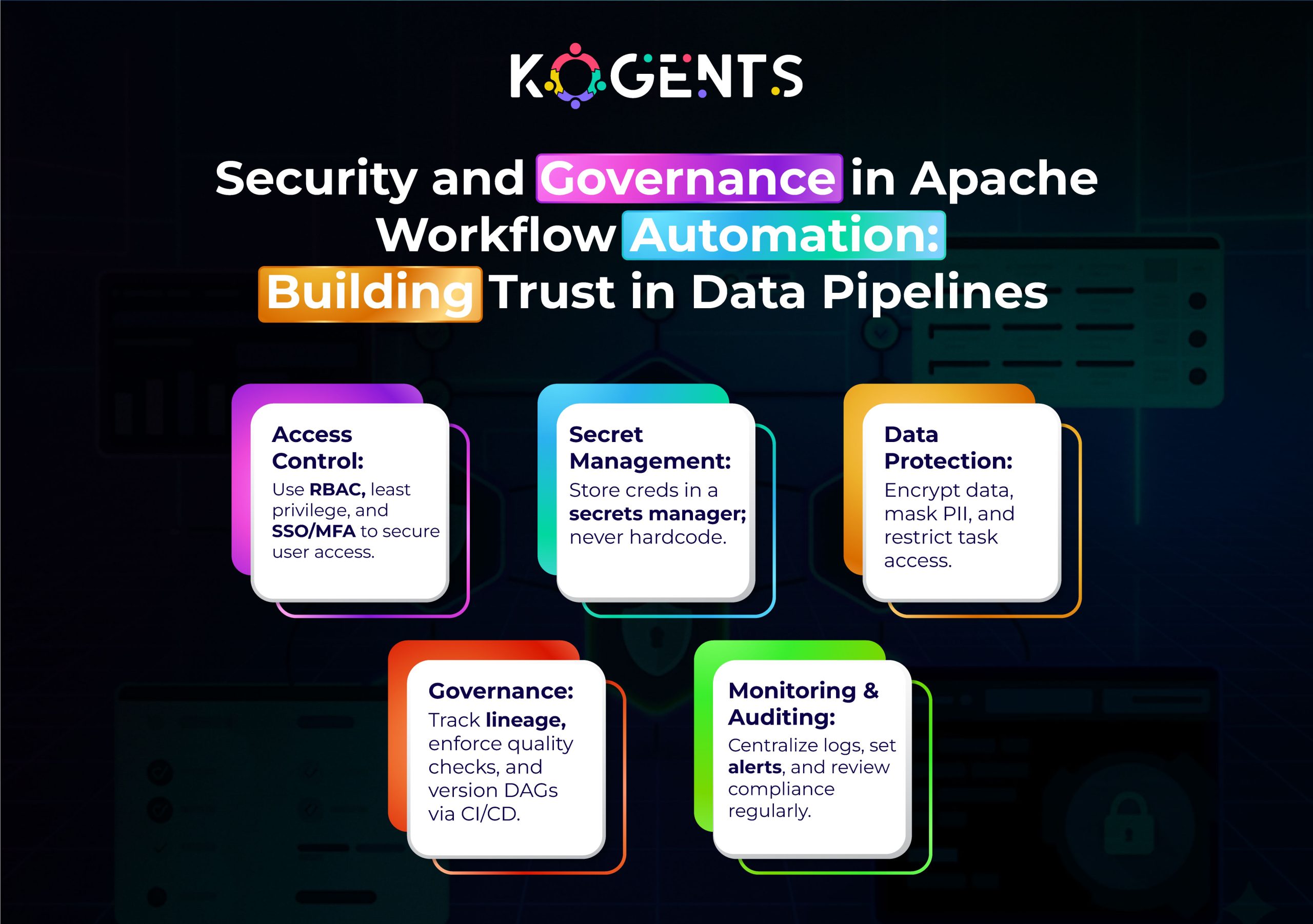
    security and governance in apache workflow automation

    Architectural Blueprint: Scalable AI-Enhanced Apache Workflow

    Layer Component Enhancement AI Agent Role
    Ingestion Kafka / S3 / API Feed Parallelized data fetch Monitor throughput & optimize pull rate
    Transformation Spark, Pandas, dbt Dynamic partitioning Recommend partition size, detect skew
    Orchestration Apache Airflow DAG scheduling & retry Predict failures, trigger branching
    Compute Kubernetes Executor Autoscaled workers Learn usage patterns & pre-warm pods
    Monitoring Prometheus / OpenLineage Telemetry collection Correlate failures with upstream events

    Cloud-Native Scaling

    Modern deployments use AWS Managed Workflows for Apache Airflow (MWAA), Google Cloud Composer, or Astronomer Cloud to offload infrastructure. 

    AI agents integrate through APIs or in-DAG operators:

    • Google’s new Generative AI Operators (TextEmbeddingModelGetEmbeddingsOperator, GenerativeModelGenerateContentOperator) enable text analysis and data enrichment directly within Airflow DAGs (Google Cloud, 2024).
    • Astronomer AI SDK provides decorators like @task.llm and @task.agent, turning LLM calls into first-class Airflow tasks (Astronomer.io).

    Architectural Patterns for Scalable Data-Pipelines Using Apache Workflow Automation + AI Agents

    To build this intelligent stack, here are often‐used architectures and design patterns, along with a comparative table.

    Typical Architecture

    • Ingestion Layer – Data enters via batch or streaming (e.g., archive logs, API, event streaming).
    • Pre-Processing / Transformation – Traditional ETL/ELT tasks: cleaning, staging, formatting.
    • Agent Layer – Here the AI agent sits: dynamically examines data, enriches it (e.g., embeddings), triggers branching logic, detects anomalies, and decides on downstream tasks.
    • Orchestration & Scheduling (Airflow) – The DAG ties together all steps: ingestion task → transform task → agent task → branch tasks → load or alert. Airflow handles scheduling, dependencies, retries, and monitoring.
    • Output / Load / Serve – Data stored in warehouse, fed into ML models, dashboards, reports.
    • Monitoring & Governance – Observability over tasks, logs, agent decisions, and version control.
    • Scaling Infrastructure – Distributed executors, worker nodes, cloud integration, containerization.

    Cloud vs On-Premises, Batch vs Streaming

    • Batch workloads: Airflow excels because scheduling is well defined (daily/weekly).
    • Streaming or event-driven workflows: Airflow can handle via sensors/triggers or Deferrable operators, then the agent logic can decide routing.
    • Cloud deployment: Managed services like AWS Managed Workflows for Apache Airflow (MWAA) or Google Cloud Composer simplify infrastructure.

    Example: The Google blog shows direct integration between Airflow and generative models via Vertex AI.

    • On-premises: Full control; ensure you provision metadata DB, worker pool, message queue, and agents.

    Case Studies

    Case Study 1 – AirQo: Scaling Environmental Data Pipelines

    AirQo (University of Makerere) implemented an AI-driven air-quality monitoring system using Apache Airflow to ingest and process millions of sensor records monthly.

    • Challenge: Low-resource environments with frequent network interruptions.
    • Solution: Modular Airflow ETL with retries and batch automation.
    • Result: Scalable, fault-tolerant pipeline supporting 400+ sensors 

    Case Study 2 – Google Cloud: Generative AI Operators

    Google added Airflow operators for Vertex AI models, allowing data engineers to embed text generation, embedding, and anomaly detection within workflows.

    • Outcome: Reduced manual review time by 43 % in pilot pipelines.
    • Lesson: AI agents extend Airflow beyond ETL, into intelligent data enrichment.

    Conclusion 

    Apache workflow automation already offers a battle-tested foundation for ETL and ML orchestration.

    By infusing AI agents into that framework, organizations unlock new capabilities: predictive scheduling, self-healing pipelines, and dynamic scaling.

    The result is not just automation, but autonomous data engineering: pipelines that observe, learn, and optimize themselves.

    At kogents.ai, we build intelligent workflow solutions that fuse Apache Airflow pipeline automation with AI-driven decision engines to deliver scalable, observable, and cost-efficient data operations.

    FAQs

    What is Apache workflow automation?

    It refers to using an Apache-branded workflow engine (most commonly Apache Airflow) to programmatically author, schedule, monitor, and manage data-processing workflows, often using DAGs, Python code, and rich orchestration capabilities.

    How does Apache Airflow workflow automation work?

    You define workflows as DAGs in Python, schedule them (or trigger via sensors), Airflow’s scheduler dispatches tasks via executors to worker nodes, the metadata database tracks state, you monitor via UI, logs, and alerts capture failures and retries.

    What is a DAG in Apache Airflow?

    A DAG (Directed Acyclic Graph) is the blueprint of the workflow: it defines tasks, their dependencies, schedule interval, triggers, and execution semantics. It ensures tasks run in order without cycles. 

    How to schedule tasks in Apache Airflow orchestration?

    In your DAG definition, you specify schedule_interval (e.g., ‘@daily’, ‘0 0 * * *’) and start_date, optionally with catchup=False. Airflow’s scheduler picks up DAGs at the next interval and triggers task instances if dependencies are met.

    How to install Apache Airflow for workflow automation?

    You can install via pip (pip install apache-airflow) or via Docker (docker pull apache/airflow, then docker-compose with the official YAML). Initialize the database (airflow db init), create an admin user, then start the webserver (airflow webserver –port 8080) and scheduler.

    What is the cost of running Apache Airflow pipeline automation in production?

    Costs vary: compute (worker nodes, executors), metadata DB, message queue, storage, and cloud infrastructure. If using a managed service (e.g., AWS MWAA, Google Cloud Composer), you also pay service fees. Monitoring usage and autoscaling helps optimize cost.

  • Deploying AI Agents for Smart Email Workflow Automation That Reduces Response Lag

    Deploying AI Agents for Smart Email Workflow Automation That Reduces Response Lag

    With digital expansion, today, waiting hours (or even days) for an email reply or update is no longer acceptable. 

    The moment a customer sends a request, a prospect clicks “reply,” or a support ticket triggers an alert, workflow delays and manual bottlenecks kill opportunities. 

    That’s where intelligent automation in your email workflow automation strategy becomes a game-changer. 

    Imagine a system where an email arrives, an AI agent understands the intent, triggers the right sequence, routes the task, and even drafts a reply, all within minutes. 

    The result: far less lag, much higher responsiveness, and a leaner, smarter communication channel.

    Let’s explore how AI agents in workflow automation are rewriting the playbook for customer engagement, marketing, sales, and support.

    Key Takeaways

    • Smart automation saves time by triggering the right email sequences and reducing manual hand-offs.
    • AI agents boost responsiveness by triaging inboxes, auto-drafting replies, and routing tasks.
    • Integrating behavior-based triggers, segmentation, and personalization transforms one-size-fits-all into dynamic workflows.
    • Monitoring deliverability, open-click-conversion metrics ensure you’re optimizing not just automation but performance.
    • Choosing the right tools and following best practices keeps your system robust, compliant, and scalable.

    What is Email Workflow Automation?

    The term email workflow automation refers to the use of software and logic to automatically send, sequence, route, and respond to email-based messages in a workflow-driven architecture. 

    This encompasses several related phrases: automated email workflows”, “email marketing workflow automation”. 

    But, instead of manually sending individual emails or waiting for replies, a system reacts to triggers, and delivers personalized email sequences, branches logic based on behavior, and integrates with back-end systems to update status, assign tasks, and track outcomes.

    email marketing workflow automation

    Why Response Lag in Email Workflows Is a Critical Problem? 

    Response lag happens when emails sit in inboxes un-acted-upon, when manual review is required, when routing is delayed, or when replies are generic and slow. 

    The consequences:

    • Prospects get frustrated, lose interest, or turn to a competitor.
    • Customer support costs escalate due to manual handling and re-engagement loops.
    • Marketing campaigns lose momentum when follow-ups aren’t timely.
    • Internal workflows break down when the sequence is paused, waiting for manual action.

    According to Klaviyo benchmarks, for automated flows (rather than one-off campaigns) the average open rate is 48.57% with the top 10% hitting 65.74%. 

    And revenue per recipient (RPR) for automated flows averages about US $1.94 and can go up to US $16.96.

    Key Note: Automation drives results only when timely and well-designed, delays or missed triggers kill momentum, engagement, and revenue.

    How AI Agents Transform Email Workflow Automation?

    Concept of Intelligent Agents

    An AI agent, in this context, is a software component driven by machine learning, natural language processing (NLP), and automation logic that acts autonomously within the email workflow. 

    Rather than simply generating content or sending scheduled messages, the agent observes context, makes decisions, triggers next steps, and interacts dynamically. 

    As one recent article notes:

    “An AI inbox agent uses machine learning and NLP to understand message intent, urgency, and context. It can auto-draft replies, prioritise critical emails, and integrate with backend systems.”

    Key capabilities of AI agents in email workflows include:

    • Inbox triage & prioritization: Identify high-priority messages, archive or route low-priority ones, flag urgent items.
    • Intent classification and routing: Understand what the email is about, and route to the correct workflow.
    • Trigger generation: Based on content/intent, automatically start a workflow.
    • Auto-drafting and suggested replies: Generate personalized email replies or sequences, ready for review or automatic send.
    • Behavior monitoring: Track which recipients open, click, respond, or bounce, then branch the workflow accordingly.
    • Learning and optimization: Use data over time to refine triggers, send times, segmentation, and content for better performance.

    How do They Integrate Into Email Workflow Automation? 

    When you merge AI agents with email workflow automation, you get a higher order of automation, one that reduces human latency and improves responsiveness. 

    Here’s how a typical integration might work:

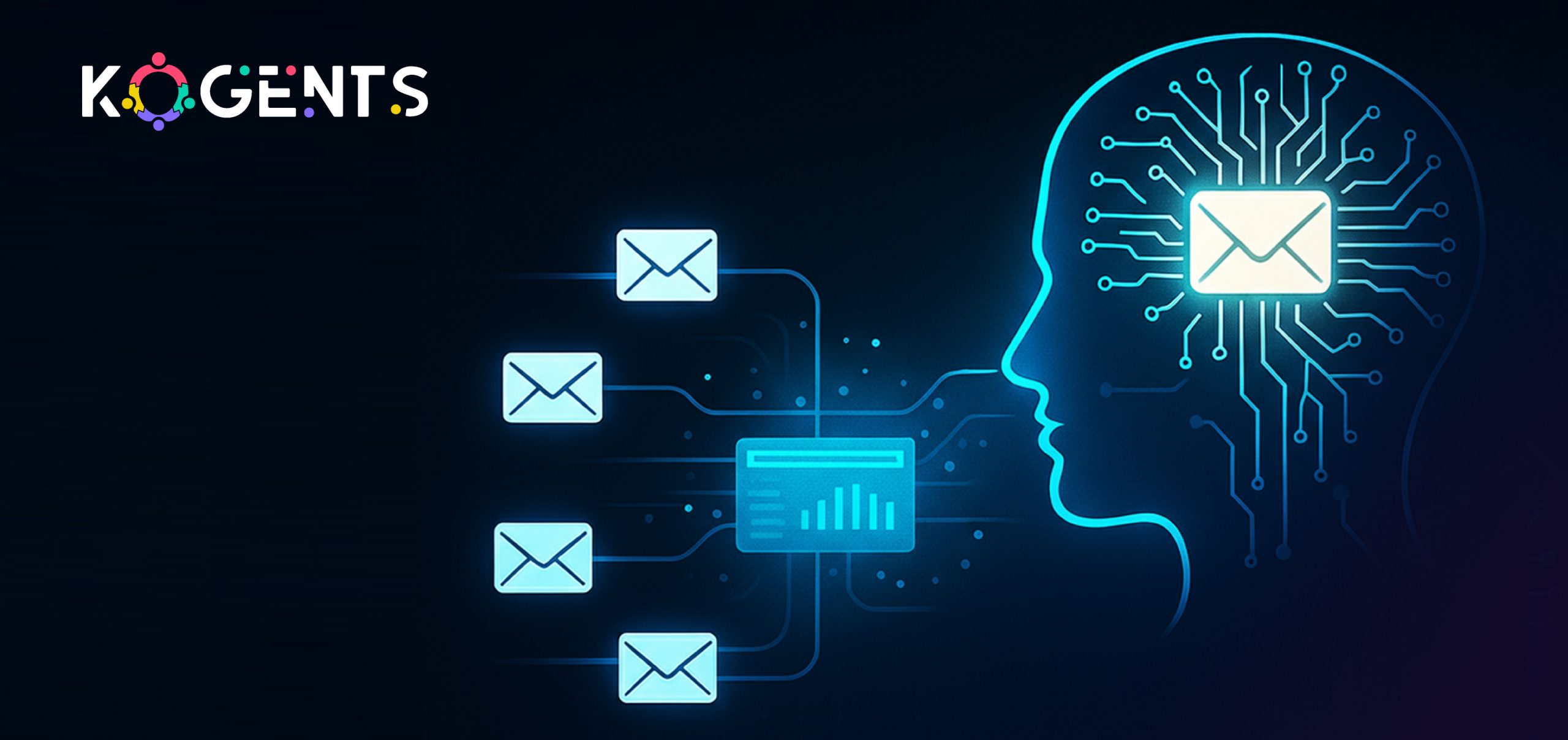
    • Email arrives in the inbox or enters via API/CRM.
    • AI agent analyses subject, content, sender, history, and intent.
    • The agent determines the workflow trigger (e.g., new lead, support escalation, upsell opportunity).
    • Workflow engine (your tool or builder) launches an automated email workflow (sequence) — e.g., welcome → nurture → conversion.
    • Based on user behavior (opens, clicks, replies), the workflow branches: segmentation logic applies, and further triggers fire.
    • Agent monitors results, drafts follow-ups, assigns tasks, and escalates if needed, reducing response lag dramatically.
    • Metrics feed back to optimize send times, content, and branching logic.

    email workflow automation for customer support

    Anatomy of a Smart Automated Email Workflow

    Let’s break down the components and how to build a robust system for reducing lag.

    Workflow builder for email

    • Use a visual tool or drag-and-drop workflow builder to map out sequences: if clicked, send an up-sell email; if no click after X days, send a reminder.
    • Incorporate branching logic: If /opened > clicked > converted; else if not opened after Y days, send alternate subject line.
    • Define triggers: onboarding signup, purchase complete, cart abandonment, and support request.
    • Integrate behavior-based triggers and segmentation: trigger when the user completes a certain action, or segment based on user demographic/behavior, and apply variant workflows.

    Segmentation & personalization

    • Segment your audience based on relevant attributes: purchase history, behavior, geography, and engagement level.
    • Use behavior-based email triggers and personalized content (dynamic blocks) to make emails feel 1:1 rather than 1:many.
    • Lifecycle email workflows: e.g., new customer onboarding, nurture workflow, re-engagement, upsell, win-back.

    CRM integration, routing & AI agent involvement

    • Connect to your CRM: so triggers are fired and responses logged.
    • AI agent monitors inbox or CRM action: e.g., incoming support email triggers workflow route to specialist; high-value lead email triggers sales rep.
    • Auto-draft replies or auto-reply templates: agent writes first draft, human reviews, or sends automatically with oversight.

    Deliverability & optimization

      • Ensure deliverability best practices: authenticate your domain (SPF/DKIM/DMARC), have a preference centre, and keep a clean list.
    • Optimize send times and content: Example: an RNN-based model predicted “time-to-open” to send at the optimal time. 
    • Monitor key performance metrics: open rate, click-through rate, conversion rate, revenue per recipient (RPR).

    Table: Benchmark Metrics vs Smart Workflow Performance

    Metric Industry Average (Automated Flows) Target With Smart AI-Driven Automation Notes
    Open Rate 48.6%  55-65% Higher personalization + optimal send time
    Click-Through Rate 4.67% 6-10% Behavior-based triggers improve CTR
    Conversion Rate 1.42% 2-5% AI agent routing + timely follow-up
    Revenue per Recipient (RPR) US$1.94 average flow  US $5-15+ Smart flows + personalized segments + rapid response

    Case Studies

    Case Study 1: AI Agent-Driven Inbox Triage & Automation

    A recent article highlights how AI inbox agents are being used to triage, prioritize, and respond to emails, effectively reducing response lag.

    For example:

    • The AI agent filters incoming messages, flags high-priority leads, writes draft replies, and updates CRM records automatically.
    • By reducing manual inbox review time and routing tasks instantly, response lag falls dramatically.
    • In one use case: inbox triage + auto-reply enabled teams to focus only on high-value tasks, reducing average handling time.
    •  While this isn’t a full quantified business result, the operational efficiency improvement is clear.

    Case Study 2: Enterprise Dispatch Email Processing Workflow Automation

    In a broader workflow-automation example, an enterprise cut email processing time by 85 % by using AI-powered workflow automation.

    Key aspects:

    • A dispatch service company built an AI-powered solution that monitored multiple inboxes, routed tasks, and triggered workflows across 11 systems.
    • The human-in-the-loop model retained oversight while the AI agent handled routing and task automation.

    Result: Significant processing time reduction (85%) and foundation built for modernising further workflows.

    Note: While not strictly an “email drip campaign” case, the same principles apply to email workflow automation and reducing lag.

    Final Words!

    In a world where speed matters and attention spans are shrinking, artificial intelligence-driven email workflow automation sets businesses apart. 

    By embedding AI agents into your email automation engine, you create a system that not only sends emails,  it responds, routes, prioritizes, and learns. 

    You know that Kogents.ai specializes in architecting and deploying AI-powered email workflow automation systems that reduce latency, optimize your sequences, and integrate seamlessly with your CRM and inbox. 

    Whether you’re a marketing team, sales organization, or support unit, our edge is in marrying advanced automation logic with intelligent agents that act. Faster responses. Fewer manual hand-offs. Better outcomes. 

    So, connect with us! 

    FAQs 

    What is email workflow automation?

    Email workflow automation refers to the use of software and logic to automatically send, sequence, route, and respond to email messages based on triggers, behavior, segmentation, and branching logic. It replaces repetitive manual sends with an orchestrated process. 

    How does an email automation workflow work?

    An email automation workflow works by defining a trigger (user action, time event, behavior), then sending an email or sequence of emails, tracking user actions (open, click, reply), branching logic depending on those actions (e.g., if clicked send X, else send Y), integrating with CRM or database to update status, and monitoring metrics. Often, automation tools show a visual workflow builder (“workflow engine for email”) where you drag nodes for triggers, delays, actions, and branching.

    What are best practices for automated email workflows?

    Key best practices include: mapping workflows clearly, using segmentation and personalization, applying behavior-based triggers, ensuring deliverability hygiene (authentication, list cleaning, preference centres), optimizing send times, A/B testing subject lines and content, monitoring performance metrics, branching logic for unresponsive segments, integrating AI agents for triage/routing/drafting, and complying with regulations like CAN-SPAM/GDPR.

    What types of email workflows and when to use them?

    Common types of workflows:

    • Welcome/onboarding workflow: when a user signs up.
    • Abandoned cart workflow: in e-commerce, when a visitor leaves items in the cart.
    • Browse abandonment workflow: visitor browses but doesn’t purchase.
    • Post-purchase nurture workflow: after purchase to increase loyalty.
    • Re-engagement/win-back workflow: when subscribers become inactive.
    • Onboarding & lifecycle email workflow: guiding users through product adoption.
    • Behavior-based trigger workflow: send emails when specific actions occur.

    How does the HubSpot email workflow automation feature compare?

    Within HubSpot, you’ll find an email workflow builder that lets you trigger emails based on CRM events, contact behavior, lifecycle stage, etc. You can sequence emails, branch logic, integrate with the CRM sales/support modules, and monitor analytics. It supports email automation workflow, segmentation, and integrates into wider marketing automation. For AI-agent features, you may need add-ons or third-party integrations.

    What is the ROI of email workflow automation?

    The ROI can be significant. Some case studies show revenue jumps of 15% or more purely via automation. Reducing response lag improves customer satisfaction, increases conversion rates, and shortens time to value. When designing an automation system with AI agents for timely responses, the ROI includes staff time saved, faster responses, better engagement, and higher revenue.

  • Achieving Business Process Workflow Automation through AI Agents and Intelligent Orchestration

    Achieving Business Process Workflow Automation through AI Agents and Intelligent Orchestration

    Do you know that the traditional approach of manual workflows, while still common, is quickly becoming outdated? 

    It’s simply not fast enough, and it can’t keep up with the demands of modern businesses. This is where Business Process Workflow Automation (BPWA) comes into play, a technological revolution that transforms how businesses handle day-to-day operations.

    At the core of workflow automation is the ability to replace human effort with smart technology, reducing bottlenecks and ensuring processes are carried out seamlessly. 

    But automation doesn’t end with simple task execution. Enter AI agents and intelligent orchestration, technologies that take automation to the next level by integrating artificial intelligence (AI) and smart decision-making capabilities into your workflows. 

    These innovations don’t just complete tasks; they optimize and improve them, ensuring that business processes are as efficient and agile as possible.

    In this blog, we’ll dive deep into how AI agents and intelligent orchestration can help you achieve optimal Business Process Workflow Automation now! 

    Key Takeaways

    • Workflow automation examples that are notable have been transforming industries by replacing manual processes with automated, intelligent systems.
    • AI agents not only automate tasks but also enhance decision-making, providing businesses with real-time data-driven insights.
    • Intelligent orchestration ensures seamless integration and real-time task coordination across different systems and processes.
    • Businesses face significant challenges in adopting workflow automation, but there are clear strategies to overcome them.
    • RPA (Robotic Process Automation) plays a crucial role in streamlining repetitive tasks, freeing up human resources for more complex work.

    What Exactly is Business Process Workflow Automation?

    Before diving into the specifics of AI agents and intelligent orchestration, it’s essential to clarify what Business Process Workflow Automation actually entails. 

    Simply put, workflow automation refers to using technology to automate the steps of a business process. 

    Whether it’s routing documents for approval, managing customer inquiries, or executing financial reports, automation tools take care of these tasks without human intervention.

    what exactly is business process workflow automation

    A Step Beyond Automation: The Core of Modern Business Efficiency

    While automation traditionally focused on repetitive tasks, workflow automation AI agents add an extra layer of intelligence. 

    It’s not just about reducing human labor BUT  improving the overall flow of work and allowing businesses to scale efficiently.

    These systems intelligently manage tasks, route them to the right people, and continuously optimize based on performance data, ensuring every part of the workflow operates at peak efficiency.

    The Role of AI Agents in Revolutionizing Workflow Automation

    AI agents are at the core of intelligent workflow automation. These virtual assistants or automation bots go beyond simple rule-based task execution; they’re learning systems capable of improving over time.

    Leveraging machine learning, natural language processing (NLP), and other AI technologies, AI agents can carry out a variety of business tasks with increasing sophistication and autonomy.

    Businesses using workflow automation save an average of $46,000 annually.

    From Simple Tasks to Smart Decisions: AI’s Role

    Traditional business automation systems simply execute predetermined commands based on rigid algorithms. AI agents, however, are dynamic. 

    They analyze historical data, identify patterns, and continuously refine their processes for greater accuracy and efficiency.

    Example: in a customer service scenario, an AI-powered chatbot can initially handle simple queries. 

    • Over time, it can learn from past interactions, becoming more adept at handling complex customer issues without human intervention. 
    • This constant learning improves the customer experience and reduces the burden on human agents.
    • In more sophisticated settings like financial transactions, AI agents can help with fraud detection. 
    • In this way, AI doesn’t just perform tasks; it enhances business processes by making smarter, data-driven decisions.

    How AI Increases Business Agility and Efficiency

    Business agility refers to a company’s ability to quickly adapt to changes in the market, environment, or internal operations. AI agents provide the flexibility that traditional systems can’t. 

    For instance, consider a scenario where demand suddenly spikes due to unforeseen circumstances. 

    • An AI system can analyze market trends, real-time data, and historical patterns to suggest shifts in production or staffing needs.
    • AI’s ability to make fast, data-driven decisions ensures that businesses can adapt to changes quickly without waiting for human intervention. 
    • This efficiency is crucial for staying competitive in fast-paced industries.
    • Moreover, AI agents are never bound by working hours. They can work 24/7, processing large datasets and continuously optimizing workflows without the need for breaks or rest. 
    • This makes AI agents essential for operations that require constant monitoring or processing, such as logistics, inventory management, or supply chain optimization.

    Practical Examples of AI in Workflow Automation

    • Retail Industry: In e-commerce, AI can automate inventory management by analyzing sales trends, predicting demand, and automatically reordering stock. This reduces stockouts and ensures that businesses don’t overstock items that are not selling well. 
    • Healthcare: AI-powered systems can automatically schedule appointments based on patient needs and doctor availability, reducing administrative load. They can also prioritize patients based on urgency, helping hospitals handle a large volume of patients more efficiently. 
    • Finance: In the finance industry, AI agents can automatically process loan applications by analyzing credit scores, transaction histories, and other factors. 

    Intelligent Orchestration: The Magic Behind Seamless Integration!

    Where AI agents focus on automating specific tasks and decision-making, intelligent orchestration ensures that all parts of the automation ecosystem work together harmoniously. 

    Think of it as the conducting system of a large orchestra, ensuring that each instrument (or task) plays its part at the right time, in the right order, and in sync with everything else.

    What Is Intelligent Orchestration?

    At its core, intelligent orchestration refers to the automated coordination and integration of multiple systems, tasks, and processes across an organization. 

    Unlike traditional automation, which simply linearly executes tasks, orchestration is about coordinating a range of automated workflows, AI agents, and business applications to work together in real-time.

    Example: In e-commerce, intelligent orchestration seamlessly coordinates order management, inventory, shipping, and payments, automatically resolving issues like low stock through real-time actions and alerts.

    Key Benefits of Intelligent Orchestration

    • End-to-End Visibility: Intelligent orchestration provides a holistic view of all processes within a workflow. 

    Example: In manufacturing, it ensures that all stages of production, from raw materials to shipping, are tracked in real-time, offering full visibility for stakeholders and managers.

    • Real-Time Problem-Solving: Orchestration platforms continuously monitor processes and can reroute workflows if any delays or problems are detected. 

    For instance, if a payment gateway is down, the orchestration system could automatically switch to a backup provider without human intervention.

    • Dynamic Task Assignment: Intelligent orchestration doesn’t just rely on pre-set rules. It can adapt to real-time data. 

    Example: if a customer requests an urgent change to an order, the orchestration system can adjust workflows instantly, rerouting tasks based on priority levels and real-time data analysis.

    roi of business process workflow automation

    Table: Key Statistics on Business Process Workflow Automation (2024–2025)

      Metric / Insight Value / Finding Source
    Businesses achieving ROI within 12 months of automation implementation 54–60% Kissflow & Pointstar Consulting
    Average annual savings from workflow automation $46,000 per company DocuClipper
    Productivity increases after adopting automation 66% improvement Kissflow
    Share of knowledge workers who report improved job satisfaction due to automation 90% Kissflow
    Global AI agents market growth forecast (2024–2030) US $5.4 B → US $50.3 B (CAGR ~ 45.8%) TypeDef AI
    Business leaders who believe automation improves team efficiency 70% Cflow Apps
    Increase in data accuracy from automation adoption 88% Pointstar Consulting

    How Intelligent Orchestration Works with AI Agents?

    Intelligent orchestration and AI agents work symbiotically to deliver seamless automation across the business. 

    Orchestration coordinates the flow of tasks between systems and ensures smooth integration, while AI agents make intelligent decisions at each stage.

    Let’s take the example of customer support automation:

    • AI Agents: Handle incoming customer queries, analyze customer data, and provide real-time responses. If the query requires human intervention, the AI agent escalates it to the appropriate department.
    • Orchestration: If the AI agent needs to access multiple systems (such as CRM, customer order history, and product availability), the orchestration platform ensures these systems work together, ensuring the AI agent has all the data it needs at the right time.

    Note: Together, they enable real-time optimization of workflows that are adaptive, scalable, and efficient.

    Challenges in Automating Business Processes

    Despite the compelling benefits of workflow automation, many businesses face obstacles in implementing these systems effectively.

    Why Businesses Struggle to Adopt Workflow Automation?

    • Legacy Systems: Many businesses still rely on outdated software that doesn’t integrate easily with modern automation tools.
    • Employee Resistance: Some workers fear that automation may replace their jobs, even though it is more about enhancing their roles.
    • Cost and Complexity: Implementing workflow automation tools can be costly, especially for smaller companies without the resources to invest in high-end technologies.

    Real-World Barriers and Solutions

    To address these challenges, companies need a step-by-step strategy for implementing automation. 

    This includes investing in cloud-based automation tools to avoid the burden of heavy infrastructure, starting small with pilot programs to demonstrate the value of automation, and providing training for employees to ease the transition.

    Case Studies: Real Businesses & Real Results

    Case Study 1: How a Retail Giant Transformed Its Supply Chain

    One of the largest retail companies in the world implemented AI-driven automation to streamline its supply chain management

    Outcome: By using intelligent orchestration and AI agents, they reduced inventory stockouts by 20%, cut lead times by 30%, and significantly improved order fulfillment speed.

    Case Study 2: Streamlining HR Operations in a Fortune 500 Company

    A leading financial institution, Fortune 500 company automated its HR processes using Robotic Process Automation (RPA) and AI. 

    Outcome: This resulted in a 40% reduction in administrative tasks, enabling HR to focus on higher-level employee engagement and strategic initiatives.

    Case Study 3: Healthcare Workflow Automation and Patient Care Efficiency

    A major healthcare provider used workflow automation to optimize patient scheduling and data entry. 

    Result: By automating these processes, they reduced appointment booking errors by 15% and improved patient throughput by 20%.

    Future-Proofing Your Business with AI-Powered Workflow Automation

    The future of business relies on business process workflow automation powered by AI agents and intelligent orchestration.

    As businesses look to stay competitive, those who invest in these technologies will gain significant advantages in efficiency, agility, and cost savings.

    Automation isn’t just a buzzword; it’s a necessity for modern businesses to thrive. 

    By embracing these technologies, with the help of kogents.ai by your side, your business can unlock new efficiencies, improve customer satisfaction, and scale operations with ease.

    FAQs

    How does AI-powered workflow automation differ from traditional automation?

    AI-powered workflow automation not only automates tasks but also analyzes and optimizes them over time. Traditional automation simply follows predefined rules, while AI-based automation can make real-time decisions based on evolving data.

    What industries benefit the most from workflow automation?

    Industries like healthcare, e-commerce, finance, manufacturing, and logistics all benefit from workflow automation. AI and orchestration can streamline operations, improve customer experiences, and reduce operational costs across these sectors.

    Can AI agents replace human workers entirely?

    AI agents are designed to augment human work, not replace it. While they automate repetitive tasks and improve decision-making, human judgment is still essential for complex decision-making and creative processes.

    What is the difference between RPA and intelligent orchestration?

    RPA (Robotic Process Automation) automates specific tasks or processes that follow clear, defined rules. In contrast, intelligent orchestration coordinates multiple automated systems, managing how tasks and data flow between different systems to create a cohesive, real-time process.

    How can small businesses implement workflow automation with AI?

    Small businesses can start by identifying high-impact, repetitive tasks—like invoicing, scheduling, or customer support- and introducing affordable, cloud-based tools that use AI to automate these tasks. This allows small businesses to streamline operations without a massive upfront investment.

    Is AI-driven workflow automation difficult to implement?

    AI-driven workflow automation requires thoughtful planning and integration, but it doesn’t have to be difficult. With cloud-based solutions and modular tools, businesses can gradually automate parts of their workflow, starting with simple tasks and expanding as they become more comfortable with the technology.

    How do I measure the success of automation?

    Key performance indicators (KPIs) such as time savings, cost reduction, accuracy improvement, and customer satisfaction can help measure the success of automation. You should also monitor how automation impacts employee productivity and whether it leads to more effective decision-making.

    What are the risks of automating business workflows?

    While automation offers great benefits, risks include system integration failures, data security issues, and employee resistance to change. Proper planning, training, and secure systems are essential to mitigate these risks.

    Can AI-driven workflow automation scale with business growth?

    Absolutely. AI agents and intelligent orchestration are highly scalable, allowing businesses to automate more processes as they grow, without significant increases in infrastructure or overhead costs.

    What is the future of workflow automation with AI?

    The future of workflow automation will likely include greater personalization, self-learning systems, and cross-industry collaboration, with AI agents becoming more intelligent and able to handle even more complex tasks.

  • Real-World Workflow Automation Examples Powered by AI Agents in Modern Enterprises

    Real-World Workflow Automation Examples Powered by AI Agents in Modern Enterprises

    The business industry is growing faster than ever before. Every organization, from small startups to large enterprises, is on a journey toward automation and digital transformation.

    In the core of this revolution lies workflow automation, a process that is drastically improving operational efficiency, cost-effectiveness, and productivity. 

    But what truly sets this era apart is the integration of AI agents in automating workflows.

    As businesses strive to enhance their performance, AI-powered workflow automation is at the forefront, helping enterprises achieve smoother operations and smarter decision-making

    This blog explores real-world workflow automation examples in modern enterprises, showcasing how AI agents are redefining business processes across industries.

    Key Takeaways

    • Workflow automation AI agents improve efficiency by reducing manual tasks and human error.
    • Automation frees up human resources to focus on high-value work.
    • Industries such as finance, healthcare, and logistics have successfully implemented AI-driven workflows.
    • Popular tools like Zapier, Microsoft Power Automate, and UiPath are key players in workflow automation.
    • The future of business process automation includes enhanced AI, machine learning, and cloud-based solutions.

    Comprehend Workflow Automation in Business

    It refers to the use of technology to streamline repetitive tasks and business processes. 

    By eliminating manual efforts, it ensures that workflows run more efficiently, allowing employees to focus on value-adding activities rather than getting bogged down with mundane tasks.

    However, when businesses layer AI agents over these workflows, the automation becomes significantly more intelligent. 

    Artificial Intelligence brings an element of decision-making and predictive capabilities to automation, allowing workflows to adapt and evolve based on changing data and conditions.

    In the past, business workflows were automated through simple rule-based systems. 

    But with the introduction of machine learning (ML) and AI, businesses can now automate complex processes, from customer service interactions to inventory management, in ways that go beyond basic task repetition.

    workflow automation in business

    Workflow Automation Examples in Action

    1. Automating Customer Support with AI Agents

    One of the most common business process workflow automation use cases is the integration of AI in customer service operations. 

    AI-driven chatbots are transforming how businesses interact with customers. 

    These bots can manage inquiries, resolve complaints, and guide users through troubleshooting, significantly reducing the need for human intervention. 

    Example: Zendesk and Intercom leverage AI to automate ticket management, leading to fast response times and improved customer satisfaction.

    2. Financial Services: Streamlining Invoice Processing

    In the finance industry, AI agents play a critical role in automating the approval process for invoices and payments. 

    Platforms like Kofax and ABBYY use AI and Optical Character Recognition (OCR) to extract data from invoices, categorize it, and approve payments based on pre-set business rules. 

    Soft Reminder: This reduces the chance of human error and accelerates the approval process, making it far more efficient.

    3. AI in Human Resources: Streamlining Recruitment

    HR departments can benefit significantly from workflow automation processes powered by AI. 

    Companies like HireVue use AI to evaluate candidate interviews and rank them based on their answers and facial expressions. 

    Automated applicant tracking systems like Workday also streamline the hiring process by filtering resumes and automating candidate communications, freeing up HR professionals to focus on more strategic tasks.

    4. Healthcare: Automating Patient Management

    In the healthcare industry, AI-driven workflow automation is transforming patient management systems

    Example: AI agents can schedule appointments, send reminders, and even prioritize cases based on urgency. 

    Systems like Cerner and Epic Systems are integrating automation to manage patient data, reducing administrative workloads and improving the quality of care.

    5. Sales and Marketing Automation

    Sales and marketing teams also use AI for workflow optimization

    By integrating AI with tools like HubSpot or Marketo, businesses can automate lead generation, scoring, and nurturing. 

    Automated decision-making processes help ensure the right content reaches the right audience at the right time, optimizing conversions and improving ROI.

    Comparison of Popular Workflow Automation Tools

    Tool Features Best For Pricing
    Zapier Connects 2,000+ apps, automates tasks Small to medium businesses Free & Paid Plans
    UiPath RPA, AI decision-making, integrations Large enterprises Custom Pricing
    Microsoft Power Automate Automates Office workflows, integrates with MS apps MS-centric businesses Subscription-based
    Monday.com Task management, automation templates Teams, HR, project management Subscription-based

    Case Studies: AI Workflow Automation in Action

    Case Study 1: Unilever’s Global HR Transformation

    Unilever, a global leader in consumer goods, implemented AI-powered workflow automation in its HR operations to manage employee engagement, recruitment, and learning. 

    Result: By automating many HR processes, Unilever saved significant time and resources while increasing employee satisfaction. 

    The company’s AI-driven platform now manages repetitive tasks such as payroll and benefits administration, improving the overall efficiency of the HR department.

    Case Study 2: Deloitte’s Financial Services Automation

    Deloitte, one of the largest professional services firms, leveraged RPA and AI to automate financial services workflows. 

    Outcome: By integrating intelligent bots into their processes, it was able to drastically reduce the time spent on tasks such as data entry and reconciliation, allowing employees to focus on higher-value activities like financial analysis and consulting.

    Case Study 3: ERP Finance Automation — “FinRobot” Framework

    Another academic study described a framework called “FinRobot: Generative Business Process AI Agents for Enterprise Resource Planning,” focused on the finance/ERP domain. 

    Context & challenge:

    • Large financial institutions rely on ERP systems, but these often depend on static workflows, manual inputs, and rigid rules.
    • The need: scale to complex workflows (e.g., budget planning, wire transfers, financial reporting) involving both structured and unstructured data, real‑time changes, and dynamic decision logic. 

    Solution:

    • The researchers proposed an AI‑native agent‑based framework (Generative Business Process AI Agents / GBPAs) that can reason, interpret user intent, orchestrate sub‑agents, and synthesise workflows on the fly.
    • Example workflows: (a) employee reimbursements, (b) bank wire transfers — where the system handled tasks end‑to‑end with minimal human hand‑offs.

    Results:

    • Up to 40% reduction in processing time.
    • Up to 94% drop in error rate. 
    • Improved regulatory compliance via built‑in semantic reasoning and risk control insertion.

    Case Study 4: Healthcare Revenue Cycle Automation — Omega Healthcare Management Services + UiPath

    A widely covered industry example: Omega Healthcare (a large revenue‑cycle‑management firm supporting 350+ healthcare organisations, 30,000+ employees) used UiPath’s AI‑powered Document Understanding tool to automate administrative workflows.

    Context & challenge:

    • Omega processes ~250 million transactions a year (medical billing, insurance claims, documentation). 
    • Manual tasks were high volume, error‑prone, and slow.

    The goal: move from manual, repetitive work to decision‑based human roles, accelerating turnaround, improving accuracy. 

    Solution:

    • UiPath’s AI‑Document Understanding tool extracted data from various documents (accounts receivable correspondence, insurance denial letters, and medical records).
    • Automated large portions (60‑70% of clients’ tasks) of document‑processing workflows. 

    Results:

    • Saved over 15,000 employee hours per month. 
    • Documentation time down by 40%.
    • Turnaround time got cut by 50%.
    • Accuracy reached 99.5%.
    • Delivered 30% ROI for clients.

    Why does it matter? 

    • This is a very high‑visibility “workflow automation in business” 

    Example: an enterprise uses AI agents + RPA for workflow optimisation in a high‑stakes domain (healthcare). 

    • It demonstrates the power of combining business process automation workflow + AI + workflow management in a real‑world enterprise scenario.

    The Future of AI-Powered Workflow Automation

    As the digital transformation landscape evolves, workflow automation solutions are becoming more sophisticated. Future trends show the continued rise of AI-powered solutions, including:

    • AI-driven decision-making: More businesses are turning to machine learning models to make predictions and optimize workflow decisions based on historical data and emerging trends.
    • Cloud-based workflow automation: With the growing adoption of cloud computing, businesses are shifting toward cloud-based platforms that provide more flexibility and scalability in automating workflows.
    • Increased integration of AI and RPA: Combining Robotic Process Automation (RPA) with AI allows businesses to not only automate repetitive tasks but also make intelligent decisions based on data analysis.

    ethics of workflow automation

    Unveil The Power of Workflow Automation Powered by AI With Us!

    Workflow automation examples powered by AI are not just about saving time; they are about transforming the way businesses operate. 

    By adopting AI agents into their workflows, companies can achieve unprecedented levels of efficiency, accuracy, and cost-effectiveness. 

    Whether automating customer support, invoice processing, or HR tasks, AI is revolutionizing how enterprises handle their day-to-day operations.

    The future of business operations lies in automated decision-making and AI-powered workflow solutions. 

    With the continued growth of AI, RPA, and machine learning, businesses that embrace these tools will lead the charge in their respective industries. 

    The time to adopt automation is now. So, contact the team at Kogents.ai, and give your business the edge to act quickly in reaping the rewards.

    FAQs

    What are some real-world examples of workflow automation?

    Some notable examples include automating customer service with chatbots, invoice processing in finance, and recruitment in HR departments.

    What are the benefits of AI in workflow automation?

    AI enhances workflow automation by making processes more intelligent, improving decision-making, and optimizing workflows based on historical data and real-time conditions.

    How do workflow automation tools work?

    Workflow automation tools use algorithms and pre-set rules to automate tasks, integrate with existing software, and eliminate the need for manual intervention.

    How can businesses implement workflow automation?

    Businesses can implement workflow automation by identifying repetitive processes, selecting the right tools (like Zapier, UiPath, or Microsoft Power Automate), and integrating AI for intelligent decision-making.

    What industries benefit most from workflow automation?

    Industries like healthcare, finance, retail, and human resources benefit immensely from AI-driven workflow automation.

    What is Robotic Process Automation (RPA)?

    RPA is a technology used to automate repetitive, rule-based tasks using robots or “bots” that mimic human actions.

    Is AI-driven workflow automation expensive?

    The cost depends on the scale and complexity of the business’s needs. However, many affordable tools and solutions are available for small and medium-sized businesses.

    How do I choose the right workflow automation tool?

    The right tool depends on your business needs, budget, and existing software ecosystem. Tools like Zapier are great for small businesses, while UiPath and Automation Anywhere are suited for larger enterprises.

  • Understanding What Is Workflow Automation in the Era of AI Agents and Predictive Logic

    Understanding What Is Workflow Automation in the Era of AI Agents and Predictive Logic

    Imagine a workplace where the mundane tasks, the repeated clicks, countless approvals, and manual hand-offs are no longer bottlenecks but instead quietly hum in the background. 

    Instead of chasing spreadsheets and chasing signatures, your team strategizes, innovates, and moves fast. 

    That is the vision behind what is workflow automation, but not just in its classic sense: this is automation infused with the power of AI agents, predictive logic, and orchestration at scale.

    In this new era, the definition of automation has shifted. It’s not simply “automate a task” but “automate a workflow intelligently, dynamically, adaptively.” That means your system anticipates the next step, takes context into account, uses data to predict outcomes, and uses agentic AI to execute or recommend.

    The result? A leap from rule-based task automation into the realm of intelligent workflow orchestration.

    This blog is your quick guide to understanding workflow automation, its meaning, evolution with AI, and real-world impact on modern business efficiency.

    Key Takeaways

    • Workflow automation is no longer just rule-based: it’s integrating AI agents, predictive analytics, and workflow orchestration to adapt and act.
    • The difference between business process automation (BPA) and workflow automation matters; understanding that distinction unlocks a better strategy.
    • The era of AI agents (often referred to as AgentOps) is reshaping how workflows are built, managed, and governed. 
    • Selecting the right tools, aligning with business objectives, tracking key metrics (e.g., cost-savings, productivity, error-reduction), and orchestrating human + machine collaboration are critical for success.

    Decode: What Is Workflow Automation First! 

    At its core, workflow automation refers to the process of using technology to streamline, manage, and execute a sequence of tasks or activities without requiring continuous human intervention. 

    In simple terms, you map out a workflow (for example: “employee onboarding” or “invoice approval”) and then implement a system that automates the movement of tasks, triggers events, routes approvals, integrates data, and monitors statuses so that the process becomes faster, less error-prone, and more visible.

    Example: statistics show that 94% of companies perform repetitive, time-consuming tasks, and automation has improved jobs for 90% of knowledge workers and productivity for 66% of them. 

    what is workflow automation first

    Evolution: From Rule-Based Automation to AI-Driven Workflow Orchestration

    In the early days, workflow automation tools/software were primarily rule-based: “If this happens, then do that” (IFTTT). 

    They were good at automating manual hand-offs, simple data routing, email approvals, and triggering notifications. In other words: static flows and predefined rules.

    But as digital transformation accelerated, businesses realized these static flows lacked adaptability, context-awareness, and intelligence. 

    That’s where the next generation entered with predictive logic, machine learning, intelligent process automation (IPA), and now AI agents.

    Key milestones in the evolution:

    • No-code / low-code automation platforms: democratizing workflow creation for business users.
    • Robotic Process Automation (RPA): bots that replicate human interactions in systems (data entry, file uploads, etc).
    • AI-powered automation: systems that use machine learning and natural language processing (NLP) to handle unstructured data, exceptions, and decisions.
    • Agentic automation / AgentOps: orchestrating autonomous AI agents that coordinate workflows across systems, make decisions, and self-optimize. 

    According to market research, the workflow automation market was valued at USD $14.99 billion in 2024 and is projected to reach USD $71.03 billion by 2031, at a CAGR of approximately 23.68%.

    How Workflow Automation Works – Mechanisms, Components, Architecture?

    Understanding how workflow automation works is critical for effective design and implementation.

    Components of a Workflow Automation System

    • Trigger/Event: An action that initiates the workflow (e.g., new invoice submitted, form completed).
    • Tasks/Steps: Defined activities that need to happen (assign review, send approval, update system).
    • Rules & Conditions: Logic that determines path, branching, and exceptions.
    • Integrations/APIs: Connectors to other systems (CRM, ERP, SaaS apps, databases).
    • Workflow Engine/Orchestrator: The core that tracks state, routes tasks, and triggers next steps.
    • Automation Bots/Agents: Execution layer (could be rule-based bots or AI agents).
    • Monitoring & Analytics: Dashboards & metrics to track performance, bottlenecks, and KPIs.
    • Governance & Compliance: Ensuring policies, data security, and audit trails.

    building a unified workflow automation stack

    Differences: Workflow Automation vs Business Process Automation (BPA)

    Feature Workflow Automation Business Process Automation (BPA)
    Scope Focuses on automating a specific sequence of tasks (workflows) within a process. Broader: automates entire business processes, including complex cross-functional flows.
    Granularity Task-level or subprocess-level. End-to-end process level (may include multiple workflows, decisions, data flows).
    Complexity Relatively contained, often rule-based. Higher complexity may involve decision logic, analytics, optimization, and human-in-the-loop.
    Tools Workflow engines, BPM, and no-code platforms. BPA includes BPM suites, RPA, decision engines, and  AI.
    Typical Use Approval workflows, data routing, and routine onboarding. Loan origination, procure-to-pay, customer lifecycle management.

    The Role of AI Agents & Predictive Logic in Workflow Automation

    This is where the era of automation shifts into high gear.

    What Are AI Agents?

    AI agents, more specifically workflow automation AI agents, are software entities that can perceive, reason, act, and learn within an environment.

    They go beyond rule-based bots, using predictive logic, machine learning, natural language processing (NLP), and can coordinate across systems.

    Example: an AI agent may: extract data from an email, classify it, decide which workflow to trigger, perform the action, escalate if exceptions occur, and learn from feedback.

    Why Predictive Logic Matters?

    It uses historical data, patterns, and statistical models to anticipate what the next step should be.

    In the context of workflow automation:

    • Predict which invoices are likely to get delayed and trigger alerts.
    • Forecast which requests require manual review vs which can be auto-approved.
    • Route tasks to the right person based on capacity and skill.

    How does this change workflow Automation?

    • From reactive to proactive: not only automating tasks after the fact, but also anticipating tasks and acting ahead of time.
    • From static flows to adaptive flows: workflows that adapt to context, data, and exceptions.
    • From human-in-the-loop to human-on-the-loop: humans supervise and intervene when needed; AI agents handle standard flow.
    • From segmented automation to orchestration: agent layers coordinate tasks across multiple systems, data sources, and silos.

    Unravel the Benefits of Automating Workflows!

    What are the tangible benefits when you implement workflow automation? Let’s list some major ones.

    Efficiency & Time-Savings

    • Manual, repetitive tasks (forms, approvals, routing, data entry) take significant time. 
    • Automating those frees employees for higher-value work.

    Example: 52% of business leaders believe that 10-30% of their daily tasks can be automated. 

    Accuracy & Error Reduction

    • Human errors, data entry mistakes, missed approvals, incorrect routing, carry cost, and risk. Automation minimizes those.

    According to stats, automation reduces capture process errors by 37% and boosts data accuracy by 88%. 

    Cost-Savings & ROI

    • Hard cost reduction (fewer manual hours, faster turnarounds, fewer errors) plus soft benefits (better employee satisfaction, fewer bottlenecks) yield strong ROI. 

    According to research, automation improves efficiency by 40-60%, reduces manual errors by up to 90%, and many organizations see ROI in under 12 months.

    Scalability & Agility

    • Workflows scale as the business grows without a proportionate increase in headcount or manual effort.
    • Predictive logic and AI agents mean you can adapt to changing business conditions, rather than rebuild flows from scratch.

    Visibility & Process Improvement

    • Automation brings real-time monitoring, dashboards, and workflow analytics, so you see bottlenecks, cycle times, and inefficiencies.
    • Businesses can then continuously improve processes.

    Improved Employee Experience & Strategic Focus

    • By removing low-value tasks, employees can focus on more strategic, creative, or value-added work.
    • This leads to higher morale, better retention, and ultimately innovation.

    Highlight: When you ask about the benefits of business process workflow automation, these are the drivers that gather support at executive levels.

    Workflow Automation Use Cases & Examples in Business/Enterprise

    Let’s walk through concrete use cases where workflow automation examples are crucial. 

    In a Gartner survey, 80% of executives believe automation can be applied to any business decision.

    Use Case: Invoice Approval & Accounts Payable

    A very common workflow in finance: invoice submission → review → approval → payment. Workflow automation ensures routing, reminders, validating invoice data, and logging.

    With AI agents: 

    • Automatic extraction of invoice data (IDP)
    • Predictive logic flags high-risk invoices
    • Agent routes for manual review only when an exception occurs, and integrates with ERP. 

    Use Case: Customer Support & Service Requests

    Workflow automation is applied to ticket routing, approvals, and escalations. 

    With AI agents and predictive logic: the agent triages incoming tickets (via NLP), routes to the correct queue, escalates if SLA breaches, and automatically triggers feedback workflows

    Use Case: Supply Chain / Order Management

    Orders arrive from multiple channels, inventory needs to be update, and vendors notified. 

    Workflow automation handles the tasks; AI agents predict inventory shortages, suggest alternative sourcing, and trigger order adjustments

    In manufacturing, this means fewer stock-outs, faster fulfillment.

    Use Case: Marketing & Campaign Management

    Workflows may include campaign planning, asset approvals, email scheduling, and performance tracking. 

    With AI agents: 

    • Predictive logic suggests optimal send times
    • automates copy generation (via generative AI)
    • routes tasks to appropriate team members
    • optimizes campaign flow.

    Case Studies – Real-World Applications and Outcomes

    Here are three credible, non-repetitive case studies aligned with our topic.

    Case Study: Corporate Expense Processing – Generative AI + Automation Agent

    A major Korean enterprise implemented an end-to-end process automation system that combined generative AI, Intelligent Document Processing (IDP), and an Automation Agent to handle receipt-based expense tasks. 

    The solution: OCR/IDP for receipts, classifier based on policy, intelligent exception handling via generative AI, human-in-the-loop decisions, and continuous learning. 

    Outcomes: over 80% reduction in processing time, decreased error rates, improved compliance.

    Bring It All Together With Kogents! 

    In an age where every business is striving for operational efficiency, agility, scalability, and a competitive edge, understanding “what is workflow automation” takes on a deeper meaning.

    With the rise of AI agents, predictive logic, and orchestration platforms, workflow automation has entered a new frontier.

    The business benefits are clear: fast cycle times, fewer errors, lower cost per transaction, and more time for employees to focus on strategic work. 

    So, where does kogents.ai come into the picture? Here, we empower businesses to harness advanced workflow automation by integrating AI agents, predictive logic, intelligent orchestration, and scale smart automation solutions.

    FAQs 

    What is workflow automation in simple terms?

    At its simplest, workflow automation means using software to move tasks, information, and approvals automatically through a sequence of steps (a workflow) instead of doing them manually. It speeds things up, reduces errors, and makes processes more consistent.

    How does workflow automation work?

    It works by defining triggers (e.g., form submitted), mapping the steps/tasks, setting decision logic (conditions, branches), integrating systems (CRM, ERP, APIs), deploying bots/agents to execute tasks, and using monitoring & analytics to measure performance. With AI-agents and predictive logic, the system can anticipate next steps, learn from data, and adjust.

    What is the difference between workflow automation and business process automation?

    While both aim to automate processes, workflow automation typically refers to automating a specific sequence of tasks within a process. Business process automation (BPA) is broader and may encompass complex, cross-departmental, end-to-end processes with decision logic, analytics, cs, and optimization. Workflow automation is often a subset of BPA.

    How to automate workflows in small businesses?

    For smaller businesses, start by mapping your manual, repetitive tasks (forms, approvals, data routing). Choose a user-friendly, affordable workflow automation tool (e.g., a no-code platform). Automate one workflow at a time, measure results, iterate, and build from there. Prioritise high-impact tasks (time-consuming, error-prone). As you scale, you may integrate predictive logic or AI capabilities.

    What are the best practices for workflow automation implementation?

    Some best practices: start with process mapping and baseline data; involve stakeholders; prioritise high-impact workflows; define clear KPIs; choose tools with good integration; ensure governance; include exception-handling; train users; monitor performance and iterate; scale gradually; assess ROI.

    How is workflow automation changing with AI agents and predictive logic?

    Previously, workflow automation was rule-based and static. Now, with AI agents and predictive logic, workflows become adaptive, context-aware, and even proactive. AI agents can extract data from unstructured sources, predict next steps, route tasks intelligently, optimize workflows dynamically, and learn over time. This marks a shift toward orchestration and intelligence, not just automation of tasks.