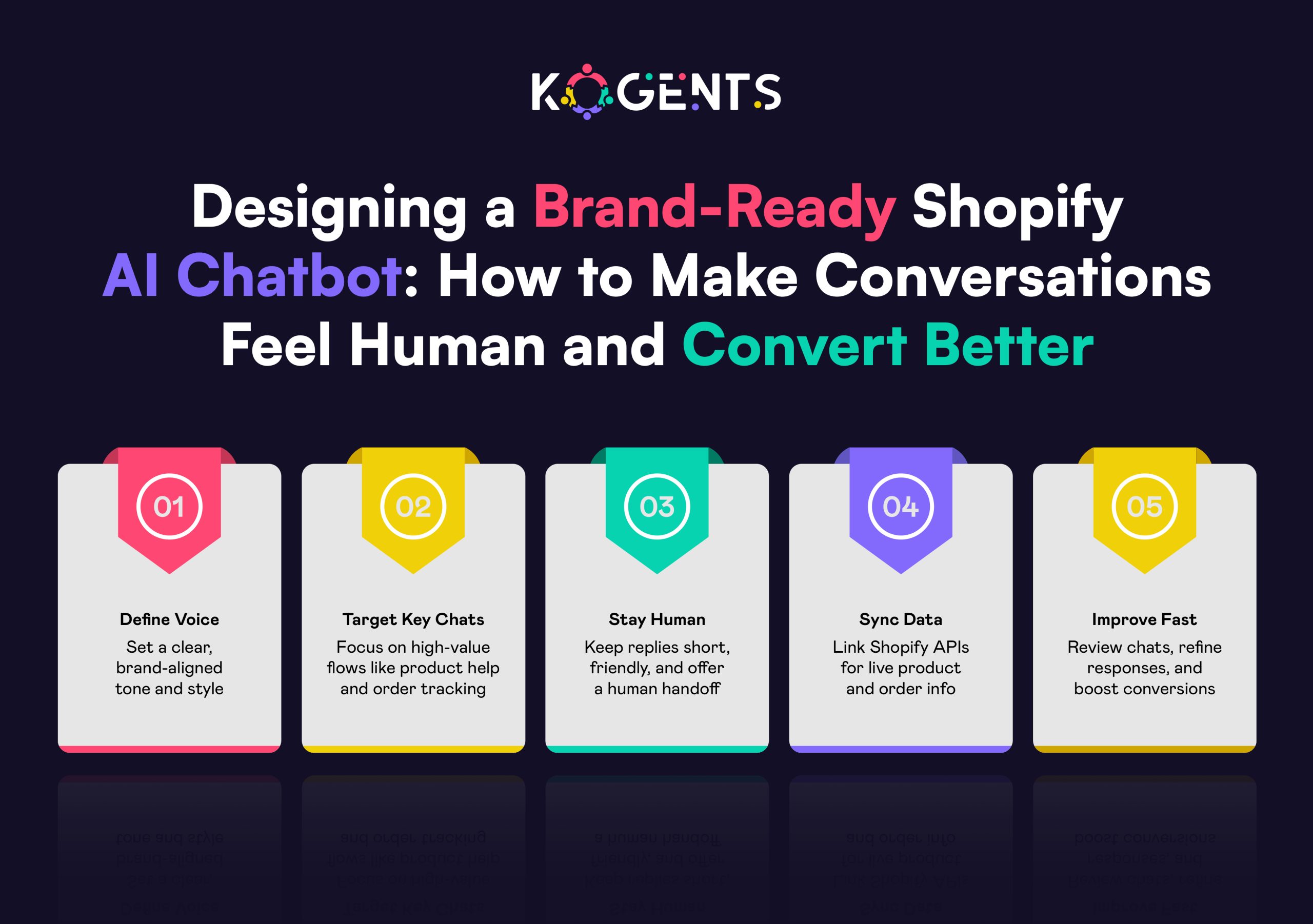
Category: shopify agent

  • Shopify Dropshipping Automation vs Virtual Assistants: The Smarter Investment for Store Owners

    Shopify Dropshipping Automation vs Virtual Assistants: The Smarter Investment for Store Owners

    Imagine waking up and finding dozens of orders routed to suppliers, tracking numbers updated, inventory synced, and price mark-ups applied, all while you slept. 

    That’s the power of e-commerce automation, the systemised backbone of a modern e-commerce business built for scale, not just survival. 

    On the other side, you have the trusted model of hiring human help, skilled virtual assistants (VAs) processing orders, updating product listings, and fielding customer queries. 

    Which is the smarter investment for a store owner of a dropshipping operation on Shopify?

    Should you pour budget into the latest automation stack, or build a team of remote assistants who “Do the work for me”?

    In this blog, we’ll unpack both sides: the fully automated route of Shopify dropshipping automation, and the human-powered route of virtual assistants for your Shopify store.

    Key Takeaways

    • A robust Shopify dropship automation strategy can drastically reduce manual workflows and unlock scalability.
    • Virtual assistants offer flexibility and human judgment but may become a bottleneck at high volume.
    • Cost-effectiveness of automation vs VAs depends heavily on volume, margin, and complexity of your dropshipping business.
    • The best Shopify AI chatbot model is often a hybrid: automation for repetitive tasks + VAs for strategic or complex work.
    • Failing to align your investment (humans or software) with your stage, niche, and supplier ecosystem is the biggest risk.
    Defining the Stakes: What is Shopify Flow, and what are Virtual Assistants in Dropshipping?

    When we talk about Shopify dropshipping automation, we refer to the ecosystem of apps, triggers, and workflows that allow routine tasks of a dropshipping store,  product import, inventory sync, order routing, tracking updates, and pricing adjustments to proceed without human intervention. 

    Example: Shopify itself lays out workflows via its article “Automated Dropshipping: 2026 Tools & Strategies You Should Know,” explaining how tools like AutoDS, Syncee, and Duoplane handle order processing, inventory alignment, and pricing rules.

    In contrast, virtual assistants (VAs) in the context of a dropshipping store are remote human team members or freelancers who perform tasks like product research, listing uploads, managing customer messages, handling returns, coordinating with suppliers, essentially everything a human can handle but outsourced. 

    They offer judgment, flexibility, troubleshooting, and human touch.

    The central question: As a store owner on Shopify, should you invest in a Shopify virtual assistant and automate workflows, or invest in human help?

    Deep Dive: AutoDS, DSers, and the Rise of Automated Shopify Dropshipping

    Let’s unpack what automation can do:

    • With automated tools, when a buyer places an order, the order is automatically routed to the correct dropshipping supplier. 

    Example: “When a customer places an order on your website, an app can automatically route the order to your dropshipping supplier, then in this way your supplier starts fulfillment as soon as possible.” 

    • Inventory across channels can be synced automatically, and tools like Duoplane show vendor inventory feeds so out-of-stock items are avoided. 
    • Pricing and markup automation: You can auto-apply markups, enforce minimum margins, and maintain MAP compliance. 
    • Order tracking updates: Apps like AutoDS auto-update tracking numbers, streamlining the post-purchase experience. 
    • Importing products: Tools can pull products from AliExpress, Amazon, and Alibaba into your Shopify store automatically. 

    The global e-commerce market is projected to surpass US$6.3 trillion in 2025, which supports the case for scaling automation. 

    The Case for Virtual Assistants in Dropshipping: When Humans Still Matter?

    While Shopify automation tools are powerful, it’s not a silver bullet. Virtual assistants bring human judgment, adaptability, and error-handling that many automation systems either lack or struggle with. 

    For example:

    Head-to-Head Comparison: Automated Shopify Dropshipping vs Virtual Assistants

    Here’s a detailed comparison, followed by a summary table.

    Cost

    • Automation: Typically a fixed subscription fee for apps + implementation costs. Once set up, the marginal cost per order is very low.
    • VAs: Hourly or task-based costs; as order volume grows, human hours increase linearly. Upfront training and management overhead.
    • Observation: If your volume is low (< a few dozen orders/day), then VAs may be cost-effective; if you scale to hundreds+ orders daily, automation tends to win.

    Speed & Scalability

    • Automation: Once workflows are live, the system handles orders 24/7, with instant routing, real-time updates.
    • VAs: Human speed; risk of delays, time zones, fatigue, errors. Scaling often means hiring more VAs.
    • So for scaling fast or high-volume stores, automation has a big edge.

    Accuracy & Reliability

    • Automation: Rules are consistent, less prone to human fatigue. But rigid, if the supplier data feed changes, the system may break.
    • VAs: Can adapt, handle exceptions, and think on their feet. But prone to human error, distraction, and training issues.
    • A hybrid model often gives the best reliability: automation for bulk, human oversight for exceptions.

    Flexibility & Adaptability

    • Automation: Great for repeatable workflows, but customizing for edge cases may require dev effort.
    • VAs: Flexible, can handle new tasks, unique situations, product research, and creative work.
    • So when your business requires creative, strategic tasks, VAs shine. For the repeatable operational tasks, automation wins.

    Risk Management

    • Automation: You risk supplier feed changes breaking workflows, app bugs, and vendor lock-in.
    • VAs: Risk of attrition, training, oversight, inconsistent quality, timezone issues.
    • Mitigation: Good to build fallback plans for whichever route you choose.

    Long-Term Strategy

    • Automation: Builds an asset: a scalable backend. Once implemented, you can scale globally.
    • VAs: More variable; high reliance on human labour may hinder scaling beyond a certain volume.
    Soft Reminder: If you plan to grow, automation builds long-term leverage; VAs buy you time, human flexibility.

    Brand & Customer Experience

    • Automation: Good for operations but may lack a human voice in customer service or brand nuance.
    • VAs: Can deliver personal touch, brand voice, strategic input, and creative product curation.
    • So for a premium brand, a high-touch customer experience, VAs still matter. For commodity dropshipping stores, automation may suffice.

    Summary Table

    Criteria Automation (Shopify dropshipping automation) Virtual Assistants (VAs for Shopify store)
    Up-front cost Medium (app setup + training) Low to medium (hiring/training costs)
    Marginal cost per order Very low once set up Higher costs scale with orders
    Scalability Excellent, can handle high volume Limited by human hours
    Speed & real-time handling Excellent, instant routing, syncing Slower, human lag, timezone, fatigue
    Flexibility & creative tasks Moderate, best for repeatable workflows High, good for new tasks, strategy, exceptions
    Risk of human error Low Higher
    Risk of automation breakage Moderate, feeds or app changes can break flows Lower,  humans can adapt
    Brand experience & customer touch Operationally solid, less human More personal, brand-centric
    Long-term scalability asset High, builds infrastructure Lower, human labour is harder to scale indefinitely

    Case Studies

    1. Automation-First Case Study

    In a study by KEMB GmbH, a client used AI and automation for their Shopify dropshipping operations.

    ‘’We used Python and OpenAI algorithms to optimise a Shopify store with thousands of products, from product categorisation to automating dropshipping processes.” 

    Key Improvements: product import, categorisation, order routing, tracking updates, all handled without requiring human intervention. 

    The outcome: dramatically reduced manual workload, faster time-to-market for new lines, improved reliability.

    2. VA-Heavy Case Study

    From a 2025 survey by VA Masters: “Clients using Filipino virtual assistants achieved on average 75% cost savings and 95% satisfaction.” 

    One e-commerce merchant noted: “Our VA handles inventory, processes orders, and manages customer communications while I launch two new product lines.”

    This highlights the human-VA model: great for growing store operations, product launches, and customer responsiveness, where the human touch mattered.

    Additional Insight: Automation Risk Heatmap

    Risk Factor Severity Frequency Risk
    Supplier feed failures High Medium High
    API throttling/outages Medium Medium Medium
    Variation & SKU mismatches High Medium High
    App conflicts/app-stack bloat Medium High Medium–High
    Automation overwriting VA edits Medium High Medium–High
    Vendor lock-in Medium Low Medium
    Lack of human nuance High High High

    Insight: Automation is fast and scalable, but vulnerable to system-wide failures that can impact hundreds of orders at once. It needs oversight and fallback rules.

    Virtual Assistant Risk Heatmap

    Risk Factor Severity Frequency Risk
    Human error High High High
    Slow processing times Medium Medium Medium
    Training requirements Medium Medium Medium
    Turnover/retraining High Medium High
    Inconsistent quality Medium High Medium–High
    Time-zone delays Medium High Medium–High
    Limited automation skills Medium Medium Medium


    Insight: VAs add flexibility and judgement, but introduce inconsistency, slower speed, and higher error rates, especially as volume scales.

    Practical Guide: How to Decide for Your Store?

    Situational Checklist

    • Order volume: Are you processing hundreds or thousands of orders weekly?
    • Margin & complexity: Are your SKUs standard, or do you handle multi-supplier, custom products, complex bundles?
    • Growth ambition: Are you scaling aggressively or testing a side-hustle?
    • Brand/premium vs commodity: Do you compete on USP/brand voice or price/volume?
    • Human judgement required: Do you need creativity, strategic product research, nuance in customer service?
    • Budget & time: Do you have time to implement automation or prefer ready-to-go human help?
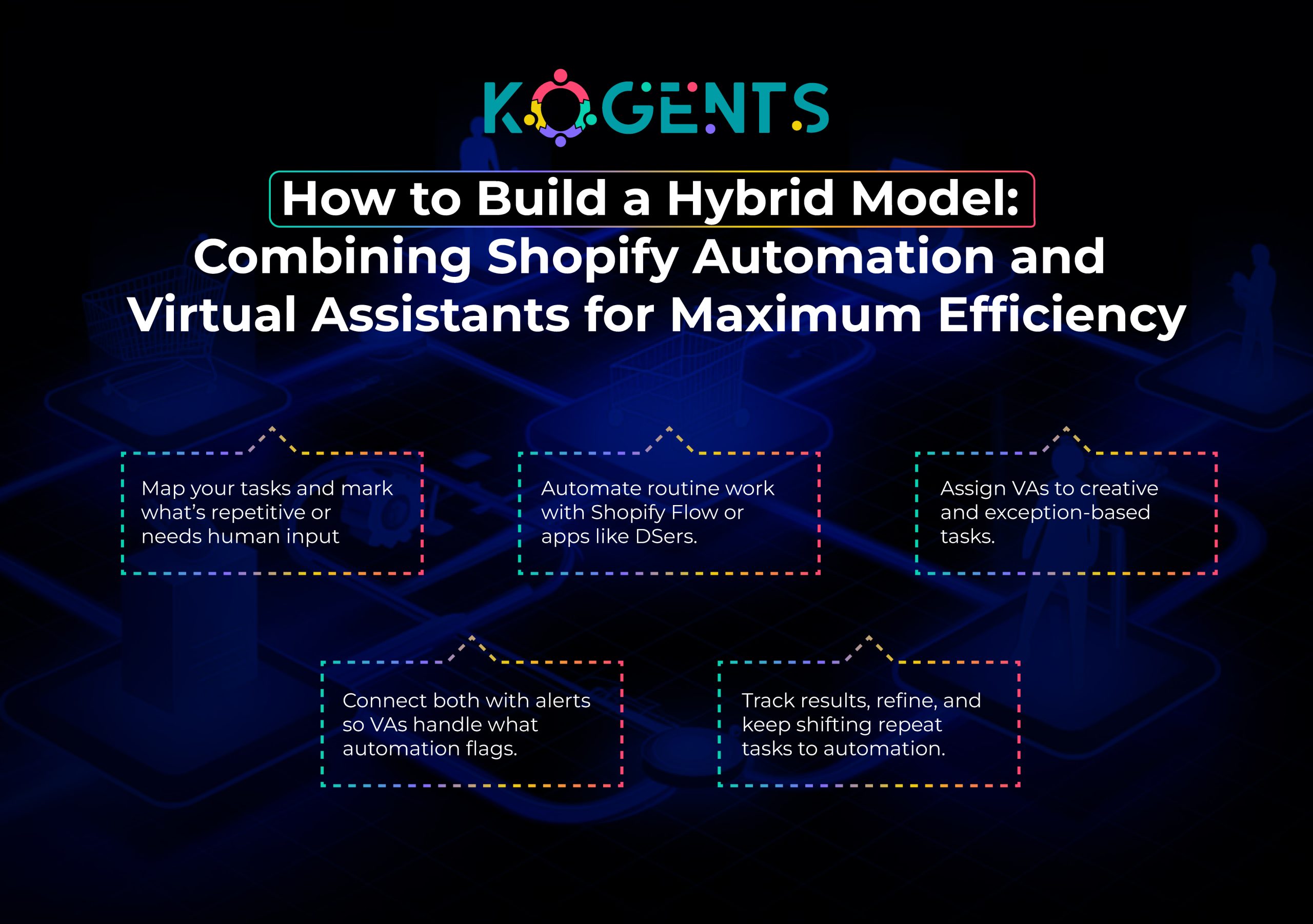

    shopify dropshipping automation

    Conclusion

    In the battle of Shopify dropshipping automation vs virtual assistants, there’s no one-size-fits-all answer. 

    If you’re running a small side project, handling a modest number of orders, needing flexibility, and prioritising human-centric tasks, hiring VAs may be the smarter initial investment. 

    However, if you’re scaling fast, handling hundreds or thousands of orders weekly, aiming for high efficiency, low cost per order, and global reach, then investing in a robust automation stack is the smarter long-term play.

    For store owners using Shopify, our brand, Kogents.ai, specialises in building hybrid automation-plus-VA models customized for Shopify dropshipping entrepreneurs. 

    If you’re ready to scale smarter, please reach out for a customised audit of your workflows.

    FAQs

    What is Shopify dropshipping automation?

    Shopify dropshipping automation refers to using tools and workflows to automatically handle tasks like product imports, inventory updates, order routing, tracking updates, and pricing mark-ups in a Shopify store without human intervention.

    How does automated dropshipping work with Shopify?

    It works by installing dropshipping automation apps (e.g., AutoDS) in your Shopify store that connect to supplier feeds, monitor inventory and price changes, trigger order fulfilment when a customer orders, and send tracking updates, all via pre-defined workflows.

    What are the benefits of automating dropshipping on Shopify?

    Key benefits include reduced manual work, faster fulfilment, fewer errors, better scalability, improved margins via auto-pricing rules, and freeing your time for strategy and growth.

    Which tasks can be automated in a Shopify dropshipping store?

    Tasks include product importation, bulk listing uploads, inventory sync, price mark-up adjustments, order routing to suppliers, tracking number updates, low-stock alerts, returns, or exception routing.

    Is Shopify dropshipping automation profitable?

    Yes, especially when volume increases. The automation reduces per-order labour cost and errors, enabling you to scale more profitably. The initial setup cost must be justified by volume or margin.

    What is a virtual assistant for e-commerce dropshipping stores?

    A virtual assistant (VA) is a remote human worker who performs operations tasks such as listing products, processing orders, providing customer support, researching products, and handling exceptions in a dropshipping store.

    When is it better to hire VAs instead of relying on automation?

    It is better when your order volume is moderate, your business requires human judgement (product selection, brand voice, complex customer service), or you’re at an early stage and want flexibility without heavy upfront automation investment.

    What are the drawbacks of relying solely on automation for dropshipping on Shopify?

    Drawbacks include setup complexity, dependency on supplier feeds, limited adaptability for exceptions, upfront cost, possible vendor lock-in, and risk of failure if the system isn’t maintained or monitored.

    Can I combine automation and virtual assistants in a Shopify dropshipping business?

    Absolutely. A hybrid model often delivers the best results: automation handles high-volume repeat tasks; VAs manage creative, exceptional, strategic workload and monitor automation workflows for issues.
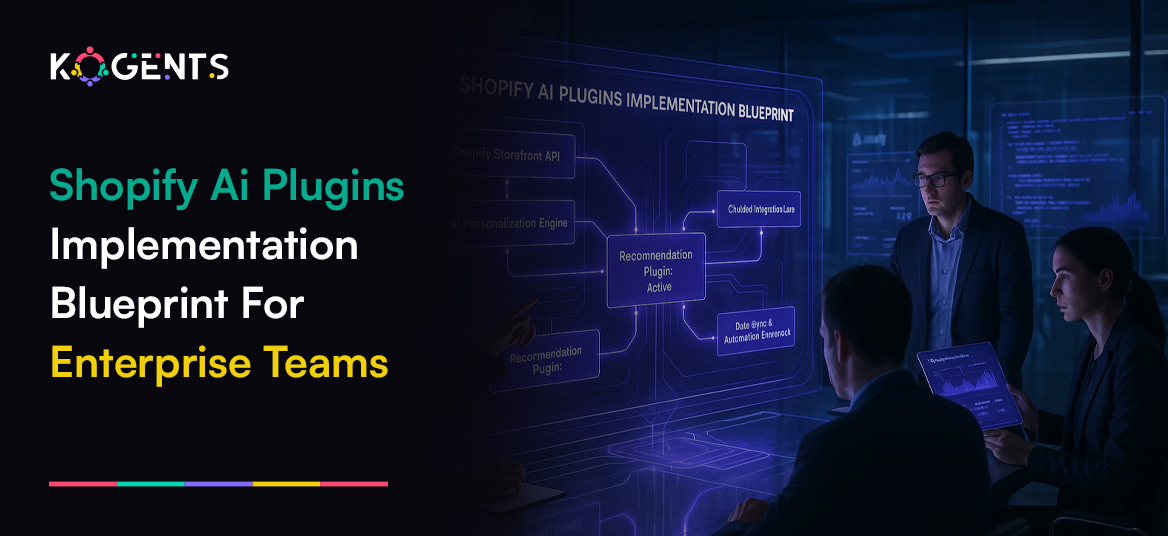
  • Shopify AI Plugins Implementation Blueprint for Enterprise Teams

    Shopify AI Plugins Implementation Blueprint for Enterprise Teams

    Do you know that in a digital commerce environment, enterprise ecommerce teams cannot just rely on incremental gains? 

    They need quantum leaps: smarter automation, richer personalisation, faster decision-making, and deeper insight. 

    That’s where Shopify AI plugins step in. 

    Whether you call them Shopify artificial intelligence plugins or Shopify automation tools, these tools represent a pivotal evolutionary leap in how enterprise teams implement technology on the Shopify platform.

    Imagine your team having an AI-powered Shopify app that drives a generative-AI plugin for Shopify that writes and localises an AI-enabled machine-learning plugin that predicts which segments will buy next.

    This isn’t futuristic fluff but enterprise commerce in motion.

    This blog post presents a detailed implementation blueprint designed for enterprise teams, not just small merchants, so that you can embed the Shopify AI plugin for store success

    Key Takeaways

    • Deploying Shopify AI plugins means more than installation; it demands strategic alignment, architecture, and change management.
    • Clean, structured data and defined metrics are preconditions for success with machine-learning and generative-AI plugins.
    • Measuring uplift allows enterprise teams to quantify ROI and justify investment.
    • Workflow integration, where recommendations, chat-bots, content-generation, and search live inside core commerce flows, is what drives scale.
    • Continuous optimization and governance (rather than a “set-and-forget” mindset) separate enterprises that benefit from those that don’t.

    shopify ai plugins implementation

    Why Shopify AI Plugins Matter for Enterprise Teams?

    The global AI technology market is projected to reach $757.6 billion in 2025 and is expected to exceed $1.8 trillion by 2030.

    Enterprise teams running Shopify stores face scale, complexity, and high expectations: multi-brand, multi-region, high SKU counts, international logistics, and omnichannel. 

    A generic installation of a plugin won’t cut it. 

    They need a smart product recommendation engine, a Shopify virtual assistant, a personalisation engine for Shopify, AI-powered Shopify app capabilities embedded into workflows, data streams, and strategic roadmaps.

    By deploying Shopify AI plugins, you unlock:

    • Ecommerce automation at scale: routine tasks handled by AI, freeing your team for strategic work.
    • Generative AI for ecommerce content at scale, reducing time-to-market and cost.
    • Data-driven insights via machine learning: predictive analytics, segmentation, conversion-rate optimisation.
    • Workflow automation Shopify plugin capabilities: trigger-based upsells, abandoned cart recovery, and  AI-enabled search.
    • Personalisation across touchpoints: AI-powered search, smart recommendations, tailored emails, and content.
    • Improved UX and lower returns: better product fits, fewer mis-purchases, and higher customer satisfaction.

    Building Your Blueprint – A Step-by-Step Implementation Framework

    In ecommerce specifically, generative AI alone could add $240 billion to $390 billion in annual value for retailers.

    Below is the detailed blueprint to guide enterprise teams through selecting, implementing, and scaling Shopify AI plugins.

    Phase 1: Audit & Strategy

    • Map all relevant workflows: product listing, merchandising, search, checkout, abandoned cart, post-purchase, returns.
    • Identify pain-points: high return rate, low average order value (AOV), long product-description cycle, low conversion on mobile, and high customer-service load.
    • Define success metrics: e.g., “increase average order value by 12%”, “reduce abandoned cart rate by 8%”, “reduce returns by 5%”.
    • Inventory your data: product catalogue, customer history, segmentation, behaviour logs, chat transcripts, returns data. AI‐driven features rely on clean data.
    • Select the relevant Shopify AI plugins use-cases: e.g., the Shopify AI recommendation plugin, the best Shopify AI chatbot plugin, the Shopify AI image generation plugin, and the Shopify machine learning plugin.
    • Define your governance, compliance, and security policies 
    • Decide on roll-out strategy: pilot → phased deployment → full scale.

    Phase 2: Selection & Architecture

    • Map functional requirements to the variation list: best AI plugins for Shopify, Shopify AI plugin for ecommerce, Shopify AI plugin for marketing.
    • Evaluate vendors based on factors: Shopify compatibility, API support, scalability, data governance, customisation, and cost.
    • Consider native vs third-party: e.g., Shopify’s own offerings (e.g., “Shopify Magic”) vs independent plugins.
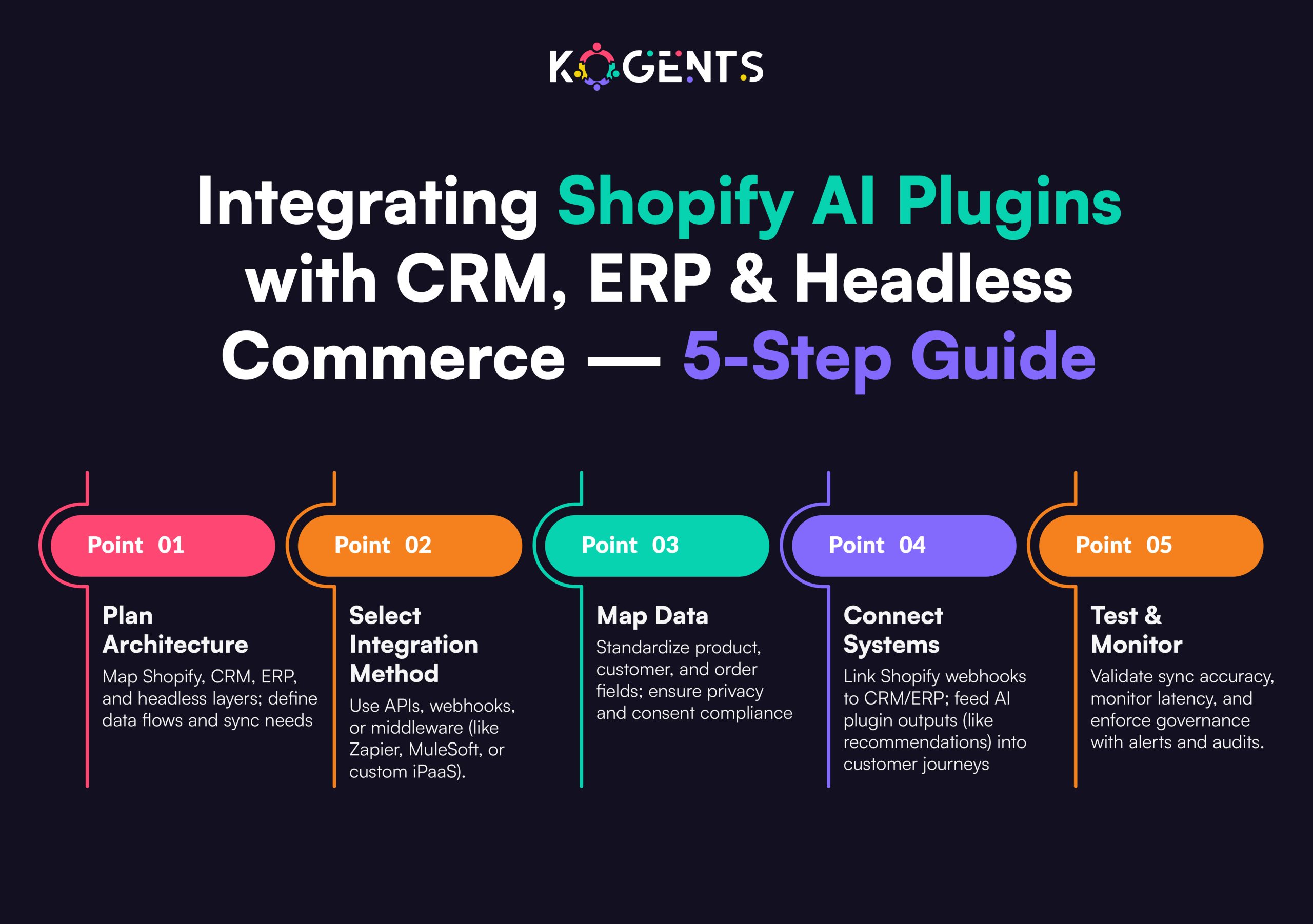
    • Define architecture: where will the plugin live (Shopify admin, external micro-service, headless layer)? How will it connect to your data warehouse, CRM, and CDP?
    • Data flow diagram: product data → AI module → customer segmentation → recommendation output → front-end.
    • Define triggering logic for workflow automation.
    • Choose metrics & dashboards; plan for instrumentation and analytics.

    Phase 3: Installation & Integration

    • Install plugin via Shopify App Store or via private app if custom.
    • Configure according to enterprise needs: territory/language support, SKU volume, brand consistency, merchant teams.
    • Integrate with your core systems: PIM (Product Information Management), CRM, email/SMS automation, and analytics.
    • Build or leverage APIs to feed data into the plugin’s ML model.
    • Set up front-end user experience changes: product page recommendations, chatbot widget, dynamic email templates, and image generation flows.
    • Execute pilot deployment while monitoring logs and metrics.
    • Ensure UX and UI consistency with brand guidelines.

    Phase 4: Training, UX, and Change-Management

    • Train internal teams: merchandising, marketing, customer service, analytics, all should know how to use the plugin features, interpret outputs, and adjust logic.
    • Update workflows: shift from manual processes to AI-enabled flows
    • Monitor user behaviour: are shoppers engaging with recommendations? Are chatbot returns being accepted?
    • Feedback loop: collect data from UI metrics, revise plugin configuration, or model parameters.
    • Address governance: ensure data privacy (esp. across regions), verify model output quality, and remove bias.

    Note: Roll out across teams gradually to avoid disruption.

    Phase 5: Measurement, Optimisation & Governance

    • Monitor KPIs established in Phase 1: Use dashboards to assess conversion lift, AOV lift, return-rate reduction, customer-service deflection, and content-creation time saved.
    • Optimise: refine recommendation logic, retrain models with new data, update workflows.
    • Governance: set review cycles, audit model outputs, maintain documentation, and vendor SLAs.
    • Scale: expand plugin implementation to other regions, brands, languages, and channels.

    Soft Reminder: For Continuous innovation, stay aware of new Shopify AI plugin 2025 releases, updates, and pricing changes. 

    shopify ai plugins with crm

    Feature-Function-Metric Matrix for Shopify AI Plugins

    Feature (Plugin Capability) Function (Enterprise Use Case) Metric (What You Measure)
    Personalized product recommendations Show shoppers items based on behaviour, increase AOV % increase in AOV & conversion rate
    AI chatbot / conversational assistant Engage visitors, answer queries, and reduce abandoned carts Abandoned cart rate, chat-to-sale rate
    Generative content & image/video creation Auto-generate product descriptions, visuals, and email copy Time saved, content creation cost
    Predictive analytics/segmentation Identify high-value customers, optimise marketing spend CLV uplift, customer retention rate
    Workflow automation (triggers & flows) Upsells, cross-sells, and post-purchase flows are automated % of automations live, incremental revenue
    AI-enabled search & site-search optimisation Improve findability & UX, reduce bounce Search-to-buy rate, bounce reduction

    Real-World Case Studies

    Case Study A: Large Retailer Personalisation Engine

    A global retailer working on Shopify Plus implemented an AI-powered recommendation engine via a Shopify AI plugin. 

    According to the publication on the Shopify Partners site, Bloomreach partnered with Shopify to deliver AI-powered personalisation, helping enterprises “increase revenue by over 300%”. 

    Challenge: Huge SKU volume, global traffic, multiple languages, inconsistent product performance.

    Solution: Use the plugin to segment customers, display tailored product carousels, and automate cross-sell flows.

    Result: Revenue uplift of 300% for selected segments, improved relevance, and reduced return rate via better-matched offers.

    Why this matters: Demonstrates how a Shopify AI recommendation plugin can deliver enterprise-scale results.

    Case Study B: Generative-AI Content for Shopify Marketing

    According to multiple sources, generating content via AI is now mainstream for Shopify merchants. 

    Example: the Shopify blog on “AI in Ecommerce 2025” cites use-cases: product descriptions, image generation, email/SMS campaigns. 

    Challenge: Large product catalogue, frequent launches, localisation needs, and high cost of creative production.

    Solution: Deploy a Shopify generative-AI plugin that writes copy, auto-generates visuals, and localises content.

    Result: Marketing and creative team saved time, cost per SKU reduced, and go-to-market speed improved markedly.

    Key Enterprise relevance: Scale you can manage only when you pair automation (generative content) with data and workflows.

    shopify ai chatbots vs traditional live chat

    Conclusion 

    As your brand asserts itself in the digital commerce industry, the competitive edge is becoming AI-enabled rather than just AI-aware

    By integrating the Shopify AI plugin for marketing, the Shopify AI plugin for store, Shopify AI plugin for ecommerce, you create a unified, intelligent commerce engine, not just standalone automation.

    Kogents.ai, are trend setter in this scenario. We specialise in empowering enterprise ecommerce teams to scale confidently with AI-driven tools and frameworks. 

    Let us help you select the best AI Shopify app store plugin, architect enterprise-grade workflows, optimize across channels, and measure what matters. 

    FAQs

    What are Shopify AI plugins?

    These are software add-ons or apps built for the Shopify platform that utilise artificial intelligence, machine learning, or generative AI to enhance store operations, such as recommending products, automating content creation, powering chatbots, and enabling predictive analytics.

    How do AI plugins for Shopify work?

    Essentially, your store data (products, customers, behaviour, returns) is fed into an AI module (plugin). The plugin uses models (recommendation engine, LLM, image-generator) to output actions (product suggestions, content, chat responses). You integrate these into the storefront, workflows, and marketing systems.

    What are the benefits of AI plugins on a Shopify store?

    Key benefits include improved conversion rate, higher average order value (AOV), lower costs of content creation, enhanced customer experience, and more efficient workflows. 

    Which are the best AI plugins for Shopify in 2025?

    While “best” depends on your enterprise needs (scale, region, workflow), categories include: Shopify AI recommendation plugin, Shopify AI chatbot plugin, Shopify AI image generation plugin, Shopify machine learning plugin. Evaluate features, integration, cost, and performance.

    How do I choose an AI plugin for Shopify?

    Use a structured selection process: align with business goals (e.g., automate content, personalise UX), review vendor capabilities (scalability, data governance, API access), check compatibility with your architecture (Shopify Plus, headless, external CDP), define metrics & baseline.

    What is generative AI for Shopify stores?

    This refers to using AI models (LLMs, image-generators) inside your Shopify ecosystem to auto-create text (product descriptions, emails), visuals (hero images, social content), and other media. It enables faster creation of content at scale.

    How does Shopify use AI plugins to optimize conversions?

    Through plug-ins that recommend relevant products based on behaviour, deploy chat-bots that engage visitors, write better content, improve search and site navigation, automate abandoned cart flows—each improving UX and reducing friction, thereby boosting conversions.

    What’s the difference between the Shopify AI plugin and vs Shopify app?

    A “Shopify app” is any add-on built for Shopify. A “Shopify AI plugin” is a subset that specifically uses AI/ML or generative AI to deliver enhanced functionality. All plugins are apps, but not all apps are AI.

    How does a Shopify AI chatbot plugin integrate with Shopify?

    Typically, you install the plugin via the Shopify App Store or custom-built. It then connects to your product catalogue, order data, FAQs, and live chat interface. The bot uses NLP or generative AI to answer queries, make suggestions, trigger offers, and integrate with checkout or CRM flows.

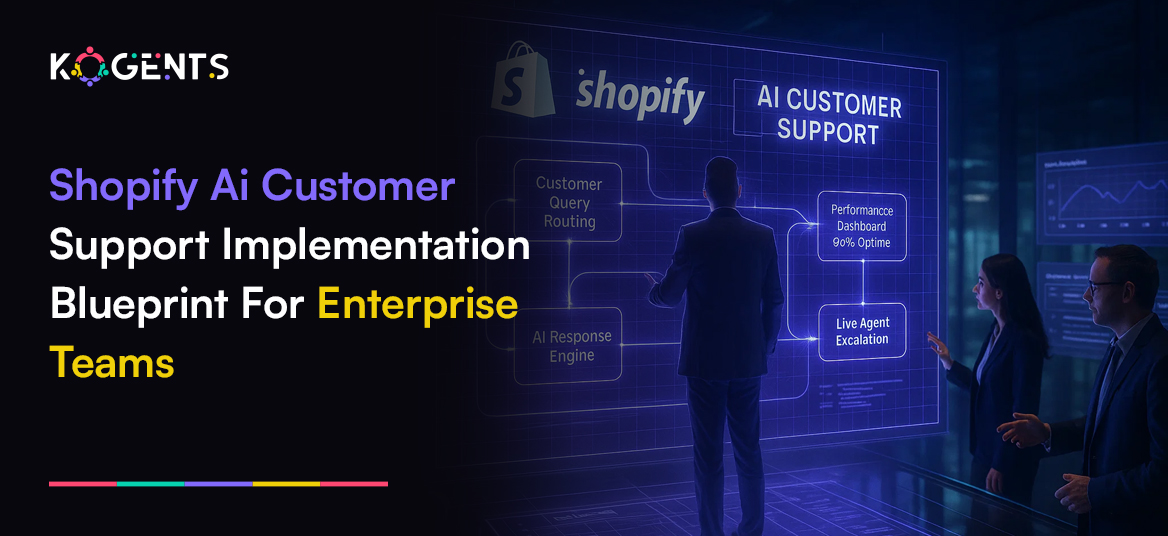
  • Shopify AI Customer Support Implementation Blueprint for Enterprise Teams

    Shopify AI Customer Support Implementation Blueprint for Enterprise Teams

    Imagine a world where your enterprise-level Shopify store no longer suffers from delayed replies, repetitive support tickets, or fragmented channel experiences

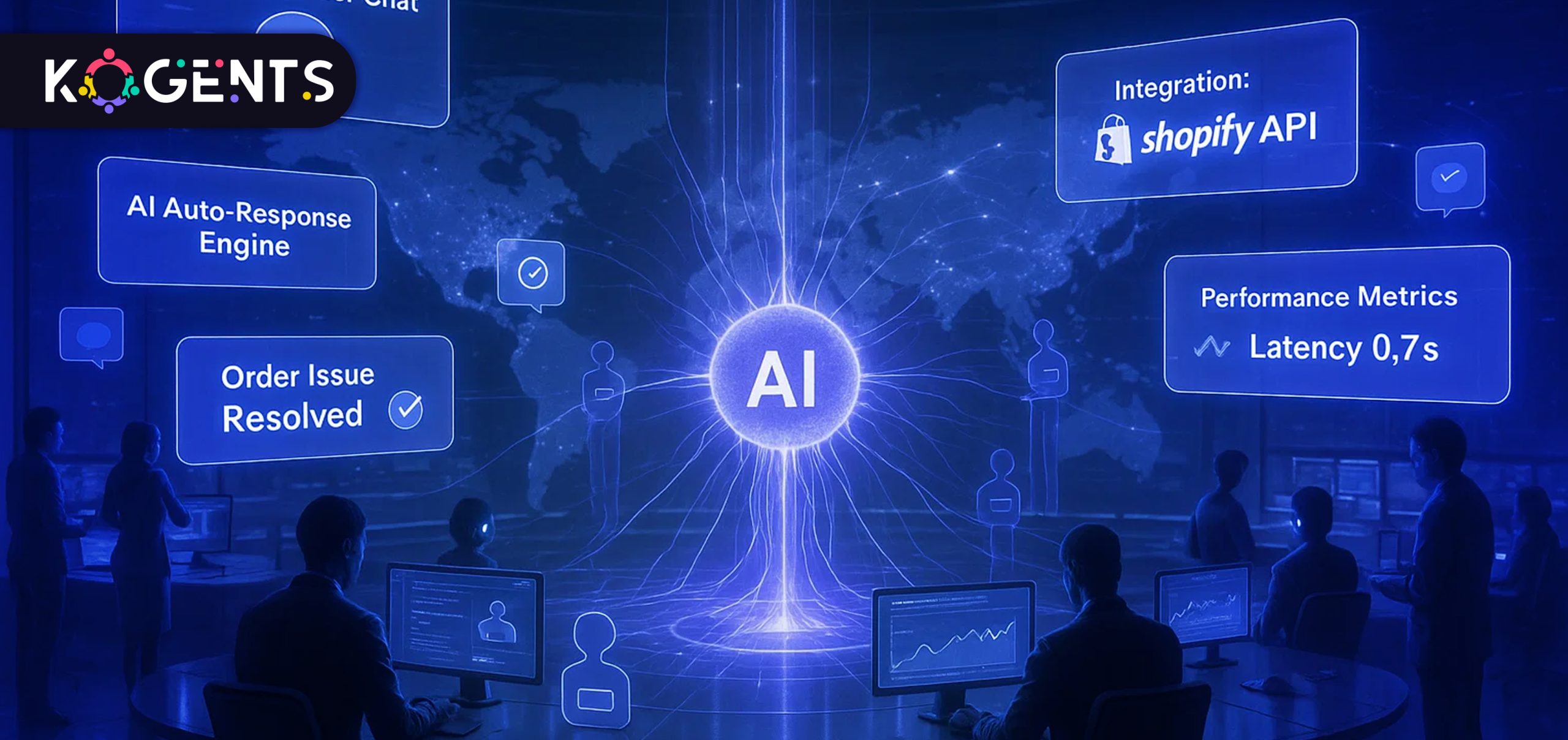
    Instead, you have a lean machine: a smart, responsive, AI-powered support engine that handles routine queries, guides shoppers, triggers upsells, integrates across chat, email, social, and voice, and hands off only the hardest cases to human agents. 

    That’s what Shopify AI customer support is all about: the evolution of eCommerce service into a seamless, 24/7, consistent experience driven by conversational commerce, eCommerce automation, natural language processing (NLP), and customer experience automation.
    In this blog post, we’ll dive deep: we’ll map out a blueprint tailored for enterprise teams to implement Shopify AI-driven support at scale.

    So, give it a read!

    Key Takeaways

    • Deploying a Shopify AI assistant providing customer support means creating an integrated ecosystem across chat, email, voice, and returns. 
    • Success relies on technologies like NLP and machine learning, combined with strong data, workflows, and human-AI collaboration. 
    • Track metrics like CSAT, first-contact resolution, and conversion uplift to measure impact.
    • For enterprise rollouts, focus on governance, including FAQ management, multilingual support, and omnichannel routing. 
    • The key to success is embedding AI-driven support into the broader customer experience, not isolating it as a chatbot project.

    prioritize shopify ai customer support

    Why Should Enterprise Teams Prioritize Shopify AI Customer Support? 

    For enterprise-scale merchants on Shopify, this means building a support model that can scale, personalise, and integrate.

    The strategic case

    According to Shopify’s blog, 78% of businesses are already using AI solutions to improve the customer experience.

    AI-powered chatbots are forecast to handle around 80% of all eCommerce interactions by 2025.

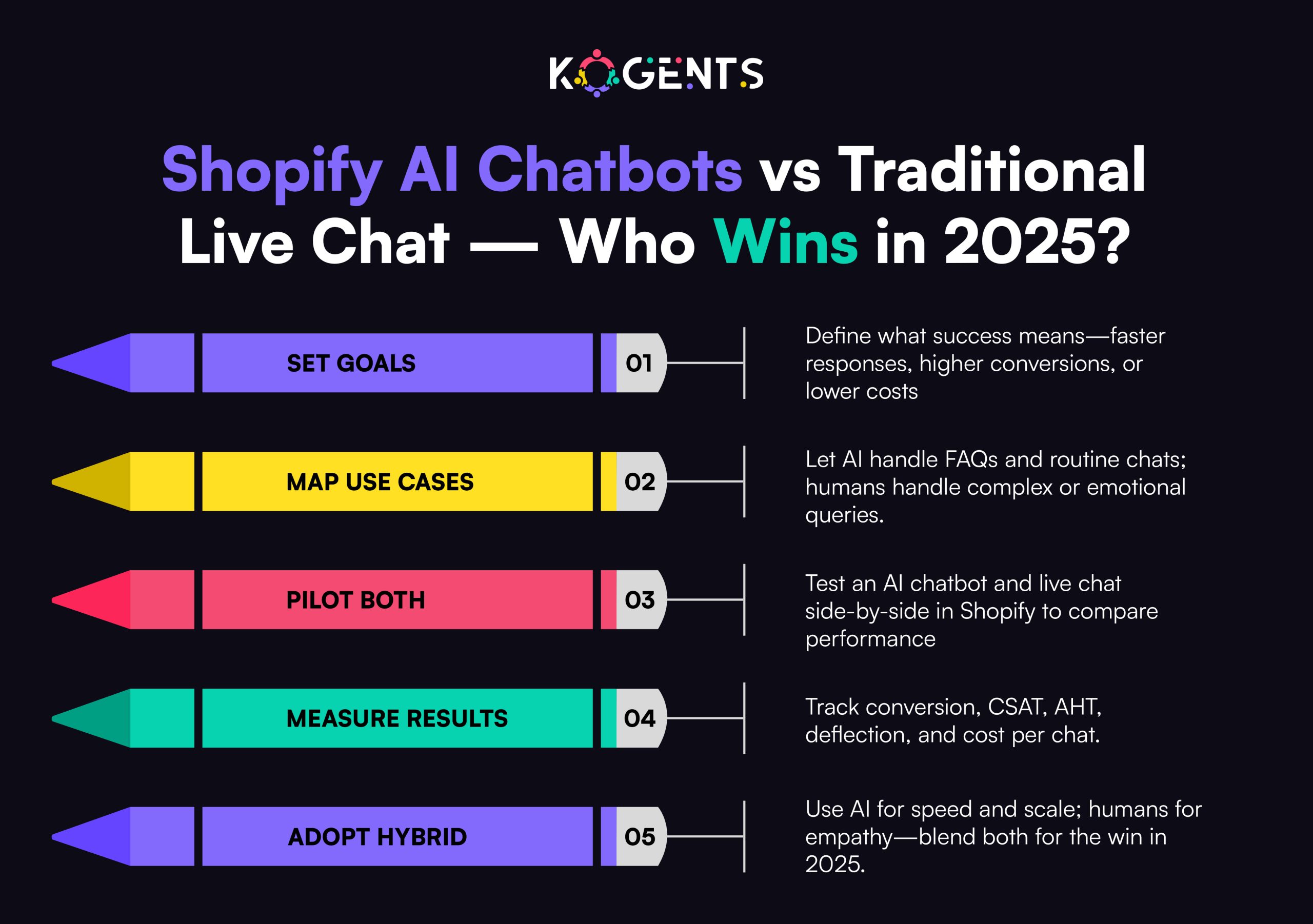
    • Deploying a Shopify virtual assistant enables enterprise teams to reduce cost, improve availability (24/7 support), handle more volume, and deliver consistent service across languages and channels.
    • For Shopify merchants, AI customer service leads to faster response times, better self-service, and increased conversions. 

    Implementation Blueprint for Enterprise Teams

    Here’s a detailed step-by-step blueprint, focusing on enterprise requirements.

    Phase 1: Strategy & Planning

    1. Define objectives and scope
    • Clarify what you aim to achieve with Shopify AI customer support
    • Identify channels: chat (web/app), email, social messaging, voice.
    • Decide scope: Will the AI handle Tier-1 queries (order status, shipping, returns)? Or will it support proactive engagement (abandoned carts, upsell suggestions) or full lifecycle?
    • Segment by region/language / brand-region/languageprise teams often operate multiple Shopify stores or brands, decide if you roll out one global model or brand-specific.
    1. Assemble the cross-functional team
    • Support/Operations Lead
    • AI/Automation Architect
    • Shopify Technical Lead (integration specialist), Integration Specialist(metrics, insights)
    • Customer Experience/UX Design Lead
    • IT/Security/Compliance (especially if you handle multi-market, multilingual, GDPR, ISO 27001 data)
    • Change-Management and Training Lead
    • Vendor/Tool-Selection Lead
    1. Audit current state & gather requirements
    • Map existing support ticket volumes by category: shipping, returns, product questions, payment issues, etc.
    • Identify average metrics: first-response time, ticket resolution time, CSAT, cost per ticket, and self-service usage.
    • Check existing tools: Shopify Helpdesk apps, CRM, chat platforms, social messaging.
    • Map data sources: product catalogue, order status API, returns/refunds data, customer profile data.
    • Identify pain-points: peak season spikes, multilingual support issues, fragmented channels, and inconsistent responses.
    1. Design the target operating model
    • Decide on AI role: self-service automation, proactive engagement, and agent augmentation (AI suggests replies, summarises tickets).
    • Define escalation path: when AI hands off to a human agent, what triggers, what channels, and agent interface.
    • Deter and mine omnichannel routing: unify chat, email, messaging, and voice so AI has a unified customer view. 
    • Define knowledge-base strategy: What FAQ/KB content will feed the AI? How will that be managed and updated?
    • Define multilingual support, brand tone, vs consistent brand voice.
    • Define metrics & KPIs: e.g., AI-handled tickets volume, self-service rate, average handle time, CSAT, conversion uplift (if chat/AI supports sales), cost savings.

    Phase 2: Tool Selection & Architecture

    1. Choose the right technology stack
      For enterprise Shopify support automation, you’ll typically need:
    • A chatbot/virtual assistant platform that supports NLP/NLU, multilingual, machine-learning model training, and escalation logic.
      Integration with Shopify: APIs for order lookup, product catalogue, inventory, and customer profile.
    • Integration with helpdesk/CRM system so tickets and chat transcripts sync.
    • Analytics/insights platform for tracking support metrics, CSAT, sentiment analysis, and root cause.
    • Governance and root cause management system for knowledge base updates and training the models.
    • Security/compliance stack: data residency and ency if needed. audit logs, data privacy, multi-region 

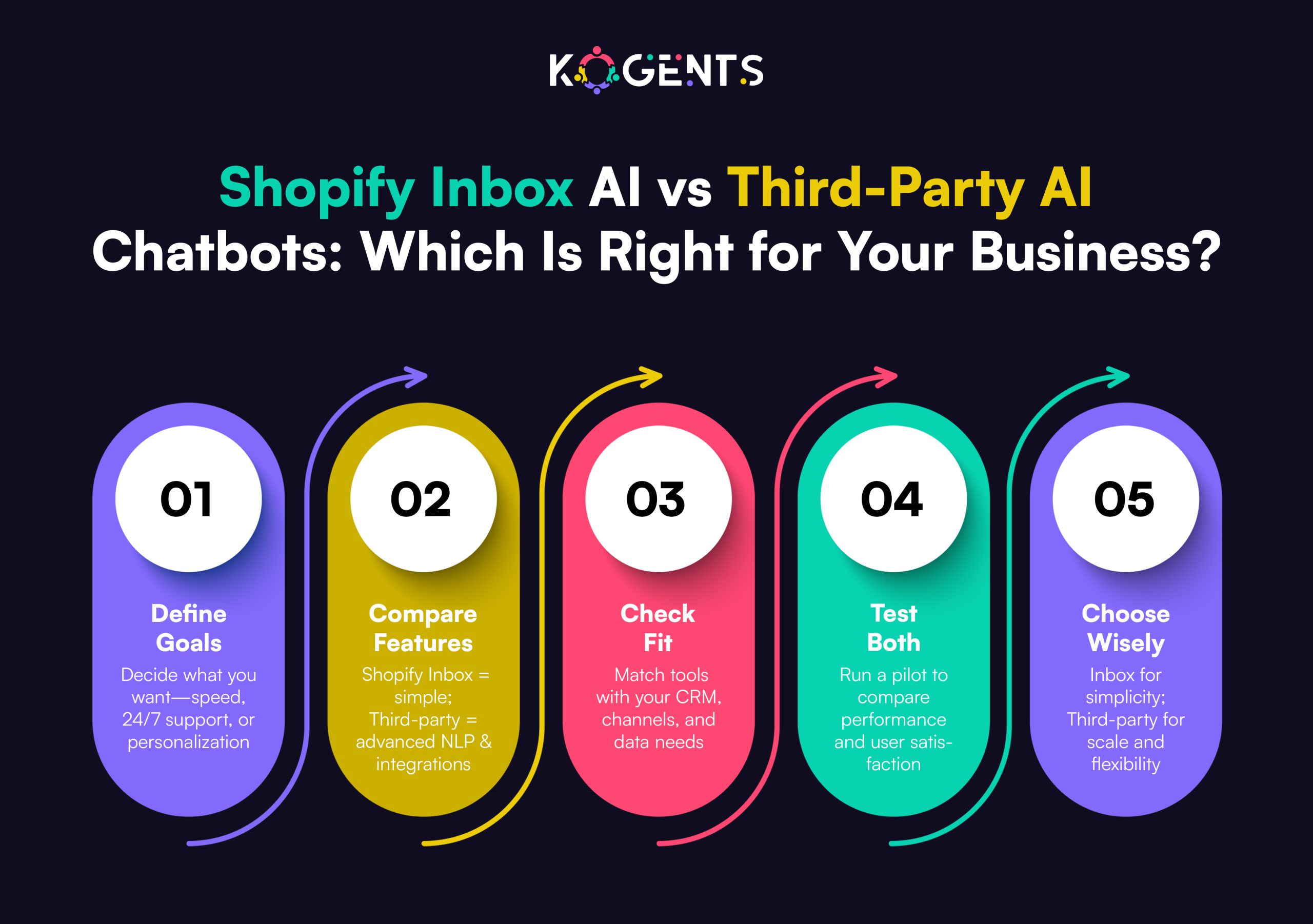
    shopify inbox ai vs third party ai

    1. Integration with Shopify
    • Make use of the Shopify Storefront API, the  Admin API to fetch order data, customer profile, inventory, and shipping status.
    • Use wand events for real-time triggers, so the AI assistant can proactively reach out.
    • Use Shopify Apps/API for chat widget embed on store or mobile app.
    • Ensure the AI assistant has context: e.g., when a customer asks “Where’s my order?”, the bot pulls order status and gives real-time data.
    • Connect to helpdesk for ticket escalation: for complex issues, escalate with context to a human agent.

    Phase 3: Implementation & Build

    1. Build a knowledge base and a conversational knowledge base
    • Start by collecting and categorising the most common queries: shipping times, returns policy, payment issues, product details, and account problems. 
    • Map intents and entities: e.g., “Where is my order?” => intent: order_status; entity: order_id.
    • Build conversation flows with fallback/human-handoff triggers.
    • Train NLP/NLU model with historic transcripts (if available). For an enterprise, you may have thousands of support logs.
    • Maintain multilingual sets if you operate in multiple geographies.
    • Add proactive flows: e.g., cart abandonment chat, shipping delay notification, upsell suggestions during chat.
    1. Deploy chatbot/virtual assistant
    • Embed chat widget on Shopify storefront and mobile app.
    • Make sure the AI assistant and Shopify automation tools integrate with other channels (Facebook Messenger, WhatsApp, Instagram DM) for omnichannel coverage.
    • Set up routing to human agents: define thresholds (e.g., confidence score below X, high-value customer, complaint flag) for hand-off.
    • Configure human-agent dashboard: include customer profile, conversation history, product/order data, AI-suggested responses to AI-suggested handling.
    1. Pilot & rollout
    • Run a pilot in one region, or one store/brand within the enterprise.
    • Monitor KPIs: self-service % of total tickets, average handle time, first-contact resolution, CSAT, cost per ticket.
    • Collect feedback from agents/customers. 
    • Refine conversation flows, update model, fix fallback paths.
    • Once pilot success is validated, roll out globally across brands/regions.

    Phase 4: Measurement & Optimisation

    Key metrics to track

    • Self-service rate: percentage of queries handled solely by AI.
    • First-contact resolution (FCR): % customers whose issue is resolved at first interaction.
    • Average handle time (AHT): for cases handed off to agents.
    • Customer Satisfaction Score (CSAT) and Net Promoter Score (NPS): measure experience quality.
    • Cost-per-ticket: compare before/after AI implementation.
    • Conversion uplift: if chat/AI drives sales or assists checkout.
    • Sentiment analysis: using NLP on conversation logs, we can track tone, frustration levels.

    Phase 5: Governance, Change-Management & Scaling

    Governance

    • Define roles & responsibilities for Knowledge Base owners, Model owners, and Support-Ops owners.
    • Data governance: how conversation logs are stored, anonymised, and compliance (GDPR, ISO 2and 7001).
    • Security: ensure chatbot integrations don’t expose sensitive data; implement access controls.
    • Version control: if you modify flows or models, maintain versioning for audit.
    • Cost governance: monitor tool usage, interval reviews for licensing, and ROI tracking.

    Change-Management

    • Onboard support agents: train them on how AI integrates, how to take over when needed, and how to interpret AI suggestions.
    • Communicate to customers: let them know they’re interacting with an AI assistant (transparency builds trust).
    • Update support scripts and training materials.
    • Document shift in roles: human agents will focus on complex issues/improving experience, not repetitive tickets.
    • Monitor agent sentiment: some teams worry about AI replacing them; communicate clearly about augmentation, not elimination.

    Scaling

    • Expand to multiple languages and geographies.
    • Integrate with more channels: voice (IVR), social DM, in-app chat, SMS.
    • Add advanced use-cases: proactive engagement, predictive customer behaviour (pre-empting issues).
    • Leverage machine learning to detect sentiment, churn risk, upsell opportunities, and side chat.
    • Build a global support ecosystem: shared knowledge base, central AI model with localisation layers.

    Case Studies

    Case Study 1: Eat. Read. Love.

    This jewellery merchant implemented an iChatbot on Shopify, an AI chatbot: $32,000 in sales in one month via an AI-powered flow, conversion rate 21% on that flow, and average order value boosted by ~$30. 

    Key lessons: The AI did not just handle support—it proactively sold, leveraged product recommendation capabilities, and integrated with Shopify inventory and promotion logic.

    Take-away: With an enterprise mindset, AI and support can become a revenue driver, not just a cost-saver.

    Case Study 2: Generic case on AI customer service automation

    According to “Harnessing Shopify AI – Customer Service Automation for Enhanced User Experience,” the brand Praella worked with a client (DoggieLawn) and achieved a 33% increase in conversions post-automation.

    Key lessons: Beyond support, AI automation impacts conversion by improving user experience.

    Take-away: Linking support automation with the commerce funnel (instead of treating support as separate) brings enterprise-level impact.

    Support Automation Options for Shopify Enterprise

    Tier Option Typical Use-Case Pros Cons
    Tier 1 Basic FAQ chatbot (rule-based) Handle simple queries (shipping status, returns) Quick to deploy, low cost Limited scalability, poor at handling open-ended questions
    Tier 2 AI-chatbot with NLP/NLU Handle complex queries, multilingual, omnichannel High self-service, better UX Requires training data, integration work, and ongoing maintenance
    Tier 3 Full AI-driven support ecosystem (agent assist + proactive flows + analytics) Enterprise scale, global store, multiple brands & channels Max automation, insight-driven, revenue-impact High investment, governance required, cross-team coordination

    Before You Leave! 

    Discover how automation, machine learning, and seamless human collaboration can transform the customer experience, enhancing satisfaction, boosting sales, and fostering brand loyalty. 

    Stay tuned to learn how integrating Shopify AI customer support and know how best shopify Ai chatbots can help your approach, and see how Kogents.ai can help you achieve unparalleled customer support success. 

    Let Kogents.ai empower your brand to deliver exceptional, AI-driven experiences at every touchpoint.

    FAQs 

    What is Shopify AI customer support?

    Shopify AI customer support refers to using AI-driven solutions (chatbots, virtual assistants, machine-learning models, NLP engines) within the Shopify ecosystem to automate, streamline, and enhance customer service interactions. It covers tasks such as answering frequent queries, order-status look-ups, product support, routing to agents, multilingual support, proactive engagement, and integration across channels.

    What are the best AI tools for Shopify customer service?

    Some prominent solutions include those built for Shopify integration: e.g., Tidio, Gorgias (with AI features), Jotform AI Chatbot & Live Chat for Shopify, and custom models built via OpenAI or proprietary platforms.

    When selecting, consider:  integration, multilingual support, omnichannel routing, NLU/ML capabilities, escalation logic, and analytics.

    Where to start when buying an AI customer support app for Shopify?

    Start by defining your requirements (volume, languages, channels, integrations). Then evaluate Shopify App Store listings, request demos, and look for enterprise capabilities (multi-store, SSO, analytics). Choose a vendor that supports scaling and integration with your helpdesk/CRM. Pilot before full purchase.

    How to compare the best pricing/features of the best paid Shopify AI chatbots?

    Compare: number of chats/month, languages supported, channel coverage (web/mobile/social), human-handoff capabilities, integrations (Shopify APIs + helpdesk), analytics/insights, training and model customisation, enterprise SLAs. Make sure pricing aligns with your ticket volume and expected ROI.

    Which gives better ROI? Shopify AI support or human support?

     It’s not binary; best practice is a hybrid model: AI handles routine, high-volume queries, humans handle complexity, empathy, and uniqueness. Studies show 87 % of consumers prefer a hybrid model combining human empathy with AI efficiency.

  • AI Agents Benefit From Data Quality Validation And Guardrail Design

    AI Agents Benefit From Data Quality Validation And Guardrail Design

    Imagine launching a digital workforce of intelligent agents that operate on unreliable data or without boundaries.

    Sounds risky, right?

    Poor data quality translates into bad decisions, wasted effort, and trust erosion. 

    Equally, unregulated or misaligned agents may veer off course, produce biased outcomes, or violate policy. 

    The convergence of reliable data and thoughtful guardrails is what enables organisations to unlock the AI agent benefits, including productivity gains, cost savings, improved decision-making, and new business value.

    In this post, we’ll explore how scalable AI solutions are offered by AI agents that are amplified when backed by rigorous data validation and robust guardrails

    We’ll define these concepts, dig into why they matter, and show you via case studies how leading enterprises are realizing business benefits of AI agents with the right foundation. 

    Key Takeaways

    • High-calibre data is the fuel that powers AI agents; without it, the benefits (efficiency, accuracy, insight) degrade rapidly.
    • Guardrails—covering alignment, compliance, accuracy, and ethics—are critical enablers of trust, scalability, and value realisation.
    • Deploying agents with poor data or weak guardrails leads to “silent failures” and erodes the benefits of using intelligent agents in AI.
    • Organisations that treat data validation and guardrail design as integral to their agent strategy are far more likely to capture the enterprise AI development agent benefits.
    • For lasting impact, shift from pilot to production by designing agent workflows, validating data pipelines, embedding guardrails, measuring outcomes, and iterating.

    ai agent benefits

    What Are AI Agents & Why Their Benefits Matter?

    In the broad sense, a software entity that perceives its environment, takes actions autonomously (or semi-autonomously) to achieve goals, and adapts over time qualifies as an intelligent software agent

    In the contemporary era of agentic AI, these agents often leverage large language models (LLMs), tool-use capabilities, workflow orchestration, and multi-agent cooperation.

    According to a recent report by McKinsey & Company titled Seizing the Agentic AI Advantage, agentic systems have the potential to move beyond modest productivity gains to process orchestration, revenue growth, and actionable decision automation. 

    However, it is important to remember that the promise of AI agents’ benefits for customer service, marketing/sales, operations, etc., will only be captured fully if two essential enablers are managed: data quality validation and guardrail design.

    Why Data Quality Validation Is Fundamental for AI Agents? 

    When you deploy an AI agent, you are entrusting it to act autonomously. It will make decisions, trigger workflows, and perhaps engage clients or systems. 

    That means it needs to be grounded on reliable input data, trustworthy context, and well-defined rules. 

    If the data pipeline is flawed, the agent’s output suffers, reducing your ROI of AI agents.

    • Data validation means ensuring that inputs,  whether training data, context feeds, system logs, or external signals, meet standards: completeness, consistency, accuracy, timeliness, and relevance.
    • It also means monitoring for data drift, distribution shifts, anomalies, or outliers that may degrade agent performance.
    • In the case of agents interacting in production, real-time data observability and lineage matter: one must know what data the agent used, how it got there, and whether it is still valid.

    According to a blog by Datagrid, “With 24.4 billion devices producing over 400 million terabytes daily, and 80% of that data unstructured … businesses face an impossible validation challenge using traditional manual methods.” 

    Why is this so critical for unlocking the value of AI agents?

    • Accuracy of decisions: If an agent bases its decisions on stale, inconsistent, or biased data, outcomes will be flawed.
    • Trust and reliability: Stakeholders need to trust that the agent’s actions are based on good information, and bad data erodes that trust quickly.
    • Scalability: When you scale agents across many workflows, the data-validation overhead compounds. Without robust pipelines, you risk systemic failure.
    • Regulatory and compliance risk: If your agent acts on faulty data, you may face legal and reputation risk.
    • Full benefits realisation: The spectrum of benefits, efficiency, automation, and deeper insight can only be achieved if the agents consistently operate on high-quality data.

    What does good practice look like?

    • Define data quality metrics and thresholds: completeness, uniqueness, freshness, consistency.
    • Build validation guardrails within your data pipelines. 
    • Monitor data lineage and impact: know which datasets feed which agents, and the downstream effects of any change.
    • Use agent observability to track data input flows and flag unusual patterns. 

    Example: Monte Carlo Data highlights that AI agent evaluation is deeply linked to data + AI observability

    • Ensure your training, fine-tuning, and operational datasets are representative, curated, and maintained over time.

    Guardrail Design: The Safety Net for Agentic AI Systems

    If data validation is about the “what”,  then guardrails are about the “how” and “why” (how the agent acts, why it stays within boundaries). 

    When you deploy autonomous AI agents, you need both technical and governance guardrails to ensure safe, trustworthy, aligned behaviour.

    What are Guardrails?

    According to McKinsey & Company, “AI guardrails help ensure that an organisation’s AI tools … reflect the organisation’s standards, policies and values.”

    They describe types of guardrails such as appropriateness (filtering toxic/harmful content), hallucination, alignment, regulatory compliance, and validation.

    Another vendor, Agno, describes pre-hooks (input checks), in-process guardrails, and post-hooks (output validation) for agents.

    Why are Guardrails essential for realising the business benefits of AI agents? 

    • Mitigate risk: Agents acting without guardrails may hallucinate, escalate incorrectly, or violate compliance. Guardrails reduce the potential for catastrophic outcomes.
    • Enable trust: Stakeholders are more willing to rely on agents when they know there are safety and policy controls in place.
    • Scale with confidence: When agents cross organisational boundaries, integrate with systems, and make decisions, they need boundaries so you can scale reliably.
    • Unlock full operations: Without guardrails, you may be limited to low-risk assistant setups. With guardrails in place, you can deploy agents to higher-value, higher-autonomy workflows.

    Key guardrail types to design for agentic systems

    • Input validation guardrails (pre-execution): Reject or sanitize poor inputs, detect prompt injections, and block unauthorized APIs.
    • In-process guardrails: Monitor decision paths, check for correct tool usage, and maintain alignment with business goals.
    • Output validation guardrails (post-execution): Verify content meets quality, brand tone, compliance, and check for bias/hallucinations.
    • Ongoing monitoring & observability: Track agent behaviour, drift, anomalies, and emergent risk. 
    • Governance and escalation: Human-in-the-loop review for high-stakes actions, audit trails, and escalation paths. 

    How guardrails amplify the value of AI agents? 

    When you layer robust guardrails, you move from “assistant”-level benefit to true empowerment: end-to-end autonomous workflows, decision support, cost avoidance, risk mitigation. 

    This translates into larger ROI, faster scale, and deeper enterprise AI agent benefits.

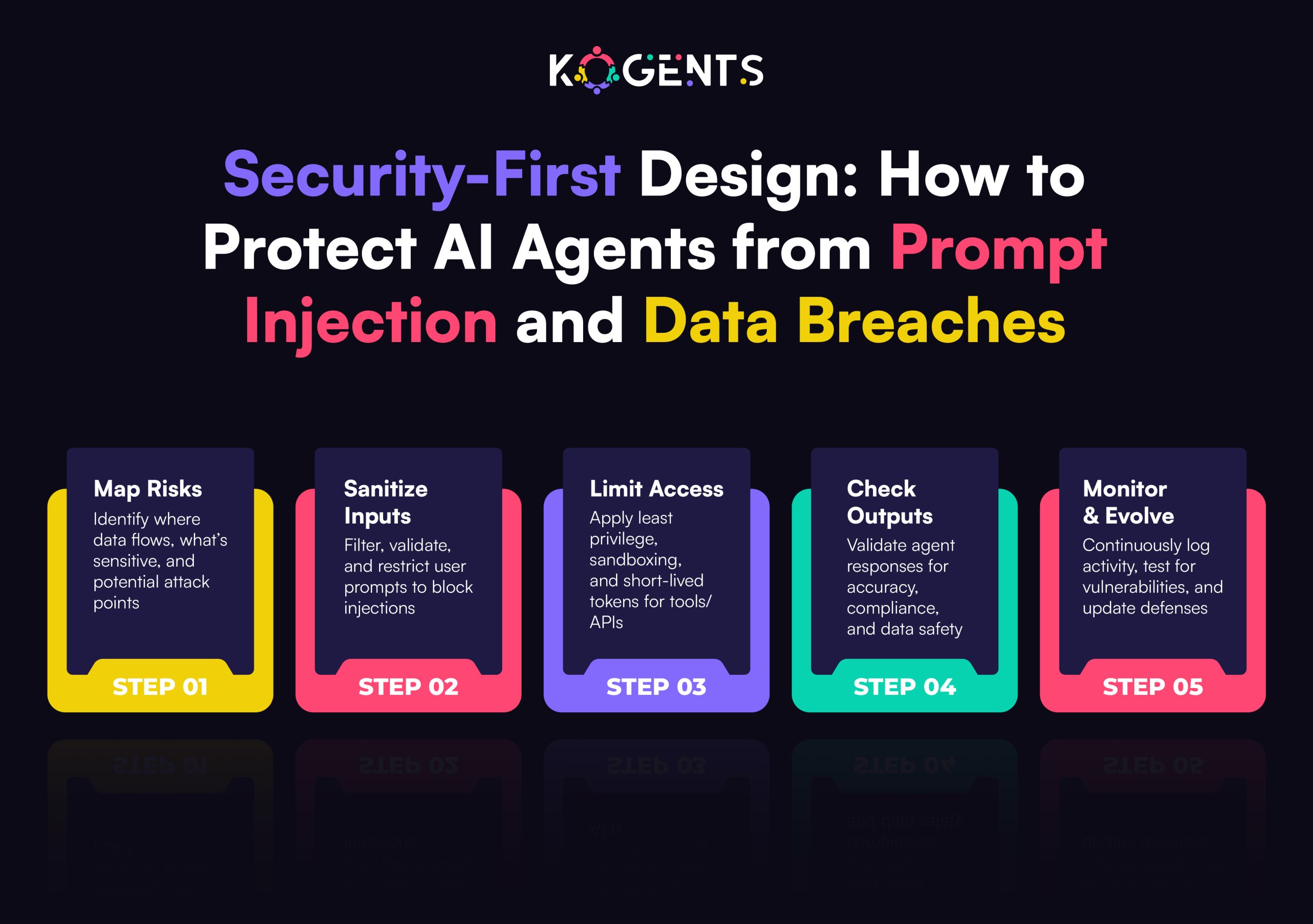
    how to protect ai agents from prompt injection

    How Data Validation + Guardrails Multiply the Benefits of AI Agents? 

    Having covered the individual pillars, let’s focus on how together they unlock the richer spectrum of benefits.

    Efficiency and Productivity Gains

    • With validated data feeding the agent, actions are correct and efficient; with guardrails in place, errors and retries are reduced.
    • Agents can execute tasks confidently, freeing human effort for higher-value work — a strong component of productivity gains from AI agents.

    Cost Savings & Operational Excellence

    • Clean data means fewer failure costs, fewer human corrections. Guardrails prevent costly misactions or compliance breaches.
    • Savings emerge in quality, error reduction, and time-to-value. 

    Example: AI Acquisition emphasises lead-qualification, marketing, and ITSM agents delivering tangible savings when deployed with structure.

    Trust, Compliance & Risk Mitigation

    • Agents operating in regulated domains (finance, healthcare, supply chain) need to behave safely. 
    • Guardrails ensure alignment with laws and policies.
    • Data validation guards against bias, inaccurate inputs, or downstream harm. 

    Note: Together, they enable trustworthy automation that unlocks bigger use cases and higher value.

    Strategic Value & New Business Models

    • When agents operate reliably across core workflows, organisations can reengineer processes, create new capabilities, and capture more strategic value, going beyond incremental automation to transformation.

    Measuring & Scaling ROI

    • Because data and guardrails underpin agent reliability, measurement of benefits becomes more straightforward: you can set baselines, track metrics (process time, error rates, cost per task), and scale with confidence.

    IBM cites only 25% of AI initiatives deliver expected ROI, and only 16% scale enterprise-wide — primarily because foundational elements like data and governance were missing.

    Case Studies

    Case Study 1: Financial Expense Processing with Automation Agent

    In the paper titled “E2E Process Automation Leveraging Generative AI and IDP-Based Automation Agent” (Company S, Korea), the researchers integrated generative AI, intelligent document processing, and an Automation Agent to handle corporate expense tasks. 

    Outcome: over 80% reduction in processing time, decreased error rates, improved compliance, and increased employee satisfaction. 

    Why this matters: Here, the “agent” was empowered by clean data pipelines and human-in-the-loop guardrails for exceptions.

    The strong data preparation and governance of exceptions enabled the full benefit of the agent.

    Case Study 2: Google Cloud Report – ROI of AI Agents

    In the “ROI of AI: How agents are delivering for business” report (Google Cloud, 2025), the findings included: 74% of execs achieved ROI within the first year; 39% of those organisations deployed more than 10 agents; among those reporting productivity gains, 39% saw productivity at least double.

    Why this matters: Whilst not a micro-case of a single company, it provides aggregated evidence that when organisations deploy agents in production, they capture meaningful benefits of AI agents.

    Comparison of Benefits Enabled by Data-Validation vs Guardrails

    Benefit Category Enabled by Data Quality Validation Enabled by Guardrails
    Accuracy & Decision Integrity Ensures inputs are reliable; prevents garbage-in Ensures outputs and actions are aligned and safe
    Productivity & Speed Eliminates re-work due to bad data Reduces delays from human escalation or error handling
    Cost Savings Fewer manual corrections, fewer data-related issues Fewer risk events, fewer compliance or reputation losses
    Trust & Adoption Stakeholders trust the agent’s decisions Stakeholders trust safe, predictable agent behaviour
    Scalability & Automation Data pipelines support scale Guardrails provide governance, enabling broader deployment
    Strategic Value & Innovation Clean data enables insight & advanced workflows Safe agent behaviour allows high-value use cases

    Conclusion 

    In summary, the benefits of AI agents are real and compelling,  from productivity boosts, cost savings, and workflow automation to richer decision-making, customer experience improvement, and strategic transformation. 

    Yet, to unlock this full promise, organisations must look beyond the “coolness” of autonomous agents and invest in the often-less glamorous but critical foundations: data quality validation and guardrail design.

    Think of this as building a high-performance race car: agents are the engine, data quality is the fuel, and guardrails are the safety systems. 

    At Kogents ai, we specialise in helping organisations design, deploy, and scale agentic AI ecosystems powered by trusted data flows and governance-first architectures. 

    So, if you’re ready to move beyond the AI pilot phase and capture the enterprise AI agents’ benefits at scale, with the best agentic AI company like us, then reach out to us.

    FAQs

    What is the difference between data quality validation and guardrail design when deploying AI agents?

    Data quality validation focuses on ensuring the inputs (data) that feed the agent are accurate, consistent, timely, and relevant. Without good data, even a well-designed agent will produce weak outcomes. Guardrail design, by contrast, is about governing the agent’s actions, ensuring it aligns with organisational values, avoids risk, operates within rules, and its outputs are safe and reliable. Together, they form two pillars of agentic deployment.

    What types of guardrails should be in place when deploying autonomous agents?

    Key guardrail types include: input-validation, in-process monitoring, output-validation,  human-escalation thresholds, and audit logs. Some guardrails may involve alignment (brand voice, ethics), regulatory compliance (GDPR, HIPAA), and validation. 

    Is it possible to deploy AI agents without focusing on data quality and guardrails and still see benefits?

    You might see some benefits in limited, low-risk scenarios, but you will likely plateau quickly. Without strong foundations, you expose yourself to risk, high maintenance costs, and sub-optimal outcomes. If you aim for full automation and scalability, these foundations are essential.

    How should organisations prioritise data validation and guardrail investments when budgeting for agentic AI?

    You should treat them as part of the agent deployment roadmap, not optional add-ons. Start allocating a budget for data-pipeline quality tools and guardrail design. Prioritise workflows with existing data maturity and lower risk, build the foundations, then expand to higher-value, higher-risk use cases. The incremental cost invested here will multiply the benefits of AI agents and amplify ROI.

  • AI-Powered Business Solutions Evaluation Framework and Acceptance Criteria for UAT

    AI-Powered Business Solutions Evaluation Framework and Acceptance Criteria for UAT

    Every decade brings a technology that separates the visionary from the merely competent.

    In the 21st century, technology is AI-powered business solutions, tools that promise to automate operations, decode customer behavior, and drive data-driven decision-making faster than any executive meeting ever could.

    Yet, most companies still fail to turn AI-driven business solutions into measurable business outcomes.

    Why? Because they deploy AI without a disciplined evaluation framework or rigorous User Acceptance Testing (UAT) criteria.

    Today’s business leaders don’t need another AI tool; they need AI that works, ethically, predictably, and profitably.

    This guide will show you how to evaluate and validate AI systems using a strategic, outcome-based framework designed to ensure your next AI deployment isn’t just innovative, it’s invaluable.

    Key Takeaways

    • AI success is strategic, not accidental, but without a clear evaluation, most implementations underperform.
    • UAT is business validation, not IT testing, and it must measure value, governance, and usability.
    • Ethical readiness equals operational readiness, and every bias, compliance, and explainability matter.
    • Frameworks create accountability as AI projects succeed when they are measurable and monitored.

    matters of ai powered business solutions

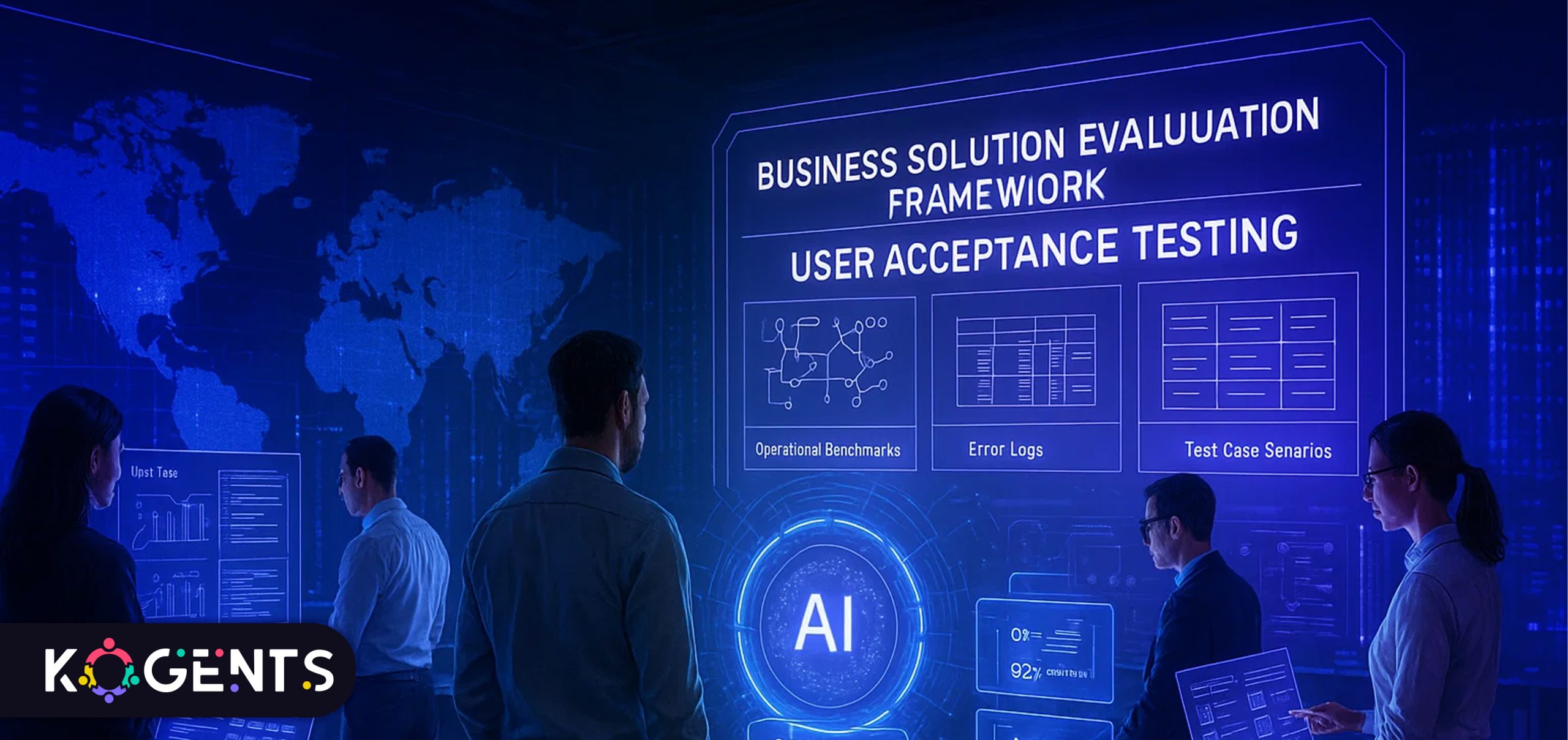
    Why an Evaluation Framework Matters for AI-powered Business Solutions?

    Adopting AI-powered business tools or AI-driven business solutions, whether enterprise platforms or customer-facing systems like the Best Shopify AI chatbot or Shopify virtual assistant, is a strategic move, not just a software purchase.

    Several research findings highlight the urgency:

    According to the latest McKinsey & Company Global Survey, 65% of respondents say their organisations are regularly using generative AI in at least one business function. 

    Yet, less than a third of companies are following all AI-adoption best practices.

    Only about 5% of companies in a recent Boston Consulting Group (BCG) study are achieving measurable value from their AI investments (revenue growth, cost savings, workflow improvement). 

    What does this tell us? Adoption of artificial intelligence for business, AI business transformation tools, and intelligent enterprise solutions is accelerating, but meaningful value and reliable outcomes are far from guaranteed.

    That means when you select, implement, and accept an AI solution, you must be rigorous. 

    You need a framework that assesses vendor claims, data readiness, algorithm transparency, business alignment, governance, change management, and more. 

    Key Note: From this foundation, you can design UAT criteria that ensure the solution doesn’t just “work” technically, but delivers the right business impact, integrates into workflows, is maintainable, ethical, and trusted.

    Building the Evaluation Framework for AI-Powered Business Solutions

    Implementing AI-powered business tools requires a holistic assessment that blends technology with business outcomes. 

    The framework below distills what leading enterprises (IBM Watson, Google Cloud AI, Microsoft Azure AI, Salesforce Einstein) use to evaluate readiness and fit.

    1. Strategic Alignment

    • Business Objectives: Does the solution directly serve a core KPI, cost reduction, customer growth, or operational agility?
    • Use-Case Fit: Are you solving a high-value problem with machine learning business solutions, or chasing hype?
    • ROI Projection: Can benefits be quantified (e.g., 20 % reduction in manual hours)?
    • AI Strategy Integration: Does it align with your enterprise’s digital transformation roadmap?

    2. Data & Infrastructure Readiness

    • Data Quality & Governance: Availability, bias, privacy, and lineage must be established.
    • Architecture Compatibility: Fit with current cloud/on-prem ecosystems.
    • Security & Compliance: Adherence to GDPR, ISO/IEC 42001, and ethical AI standards.
    • Scalability: Ability to expand with growing datasets and users.

    3. Model & Algorithmic Evaluation

    • Algorithmic Fit: Are machine learning algorithms appropriate (classification, forecasting, NLP)?
    • Transparency: Explainability for decisions, critical for regulated industries.
    • Performance Metrics: Accuracy, recall, and latency benchmarks defined and met.
    • Bias Mitigation: Fairness audits completed; human review processes defined.
    • Lifecycle Management: Retraining, monitoring, and drift detection protocols in place.
    1. Implementation & Operational Readiness
    • Deployment Plan: Phased rollout (POC → Pilot → Scale) with milestones.
    • Change Management: User engagement, workflow redesign, training.
    • Vendor SLAs: Support, updates, uptime, and maintenance guaranteed.
    • Cost Transparency: Clear total cost of ownership (software + data + talent + governance).

    5. Business Value & Governance

    • KPI Measurement: Track value realization, revenue, efficiency, and CX improvement.
    • Governance Framework: Assign roles for model oversight and ethical accountability.
    • Risk Management: Procedures for audit, failure response, and regulatory reporting.
    • Continuous Improvement: Feedback loops for post-deployment optimisation.

    Pro Tip: Treat evaluation as a business design exercise,  not a technology audit. The outcome should be a decision framework that executives can defend in boardrooms.

    Acceptance Criteria for UAT of AI-Powered Business Solutions

    Once you’ve selected a solution via the evaluation framework, the next major step is User Acceptance Testing (UAT) before going live. 

    Given the layered complexity of AI, traditional UAT criteria need to evolve. 

    Below are acceptance criteria tailored to AI-powered business solutions/UAT.

    Functional Criteria

    • The solution executes all defined business workflows end-to-end under real-world conditions.
    • All specified use cases (user stories) are covered and mapped to business outcomes.
    • No critical defects remain (bugs, performance issues, blocking flows).
    • Integration with existing systems (CRM, ERP, BI dashboards) works as expected.
    • Data flows, imports/exports, user permissions, roles, and security checks function.

    Performance & Scalability Criteria

    • Response times meet performance SLAs under expected load.
    • Model inference or analytics results are returned within acceptable latency.
    • Solution handles peak loads, concurrent users, and large data volumes.
    • System-wide performance does not degrade other systems or workflows.

    Accuracy, Reliability & Algorithmic Criteria

    • Model-led decisions meet predefined accuracy thresholds (precision, recall, error rate).
    • Outputs from AI align with business expectations and historical baselines.
    • Edge cases, missing data, and anomalies are handled gracefully (warnings, fall-backs).
    • The system demonstrates reliability over time, including for incremental data updates and scenario variations.

    Usability, Adoption & Workflow Criteria

    • Users (business stakeholders, operators) can use the system with minimal friction and training.
    • The user interface, dashboards, reports, and alerts are intuitive and deliver actionable insights.
    • Change management has been successful when users understand the new workflows, and the thought process is embedded.
    • The system supports customer intelligence, data-driven decision-making, and improves user productivity.

    Governance, Ethics & Risk Criteria

    • The system meets all data governance, privacy, and regulatory compliance requirements.
    • Algorithmic transparency/explainability is demonstrated; audit logs, traceability exist.
    • Bias and fairness controls have been tested and passed.
    • There is a risk-management plan for model drift, incident response, and fallback operations.
    • Monitoring, alerting, and oversight capabilities have been validated.

    Business Value & Outcome Criteria

    • The solution delivers the KPIs defined in the strategic alignment phase (e.g., cost reduction, revenue uplift, improved AI-driven customer experience, and satisfaction).
    • Baseline vs. post-deployment performance metrics show expected improvement.
    • The value tracking mechanism is live, and business stakeholders validate reports.
    • The rollout plan for full deployment is approved, including scaling, operations, and optimisation.

    Exit & Maintenance Criteria

    • The vendor or implementation partner provides a maintenance plan, an update schedule, and version control.
    • Backup, recovery, and rollback processes exist and are validated.
    • Documentation (user manuals, admin guides, model logs, test results) is complete and reviewed.
    • The business is ready for post-go-live support, governance, and enhancement cycles.

     trust in ai powered business solutions

    Table of Acceptance Criteria

    Dimension Key Criteria Typical Measure / Sign-off
    Functional End-to-end workflows, integration, and no blocking defects All user stories (100 %) passed
    Performance & Scalability Load/time response, concurrency handling Latency < Xms; concurrent users = Y
    Accuracy & Reliability Model accuracy thresholds, reliability over time Precision/recall > Z; uptime > 99.5%
    Usability & Adoption User satisfaction, minimal training needed SUS score, training completion rate
    Governance & Risk Compliance, explainability, bias controls Audit logs, risk mitigation plan
    Business Value & Outcome KPI achievement, baseline improvements KPI delta ≥ target
    Exit & Maintenance Support plan, documentation, and rollback procedures SLA in place, docs approved

    Case Studies — Where Evaluation Made the Difference

    A. FinTech UAT Reinvented with Agentic AI

    A major FinTech platform faced repetitive, slow UAT cycles for its mobile app. By integrating agentic AI to simulate real-world user scenarios, the firm cut UAT time by 70 % and expanded coverage by 50 %.

    Key lessons:

    • Automated test-case generation improved coverage dramatically.
    • Real-time analytics identified regression risks before release.
    • Compliance teams trusted the AI because audit trails were auto-generated.

    Outcome: The project succeeded because the UAT criteria went beyond pass/fail; they measured governance, reliability, and explainability.

    B. Global Enterprise — AI Test Automation Transformation

    A global manufacturer replaced manual testing with AI-driven self-healing automation for its enterprise resource system. 

    Results

    • Faster execution: 30 % shorter testing cycles.
    • Lower maintenance: Tests are self-updated after code changes.
    • Improved accuracy: False-positive rate dropped 

    Its evaluation framework required that each new model be explainable, auditable, and measurable against KPIs. 

    C. Large-Scale AI for Supply-Chain Optimisation

    A Fortune 500 logistics firm adopted an AI-based business platform for predictive demand and procurement. 

    Evaluation prioritized data readiness, model explainability, and workflow automation. 

    Results:

    • Forecast accuracy up 18 %.
    • Inventory holding cost down 22 %.
    • UAT approval was achieved only after explainability dashboards made decisions transparent to planners.

    Key Note: Across these cases, the common denominator was evaluation maturity

    Turn Evaluation into Enterprise Confidence With Kogents!

    The future of AI-powered business solutions belongs to organisations that combine innovation with intention.

    Evaluation frameworks provide the architecture for trust; UAT acceptance criteria provide the evidence of value. 

    Together, they create a feedback loop that transforms experimentation into excellence.

    Here’s what separates AI leaders from laggards:

    1. They treat AI as a strategic capability, not a tool.
    2. They embed governance and explainability from day one.
    3. They define success in business terms, not technical ones.
    4. They monitor and optimize continuously, making UAT a living process.

    In an age when every company claims to be data-driven, the real differentiator is decision discipline. 

    So, apply this framework with the help of Kogents.ai  and make your enterprise move beyond assessment to true evaluation, accountability, and transformation.

    FAQs 

    What are AI-powered business solutions, and why are they important?

    AI-powered business solutions refer to enterprise applications that leverage artificial intelligence (AI), such as machine learning algorithms, predictive analytics, NLP, computer vision, and automation, to optimise business operations, enhance customer intelligence, improve decision-making, automate workflows, and drive digital transformation

    How do I evaluate AI-powered business tools before purchase?

    Evaluation requires a structured framework: assess strategic alignment, data readiness, model/algorithm capability, implementation/operations readiness, and business value realisation. Ensure the vendor delivers transparent metrics, integration capabilities, governance, and is aligned with your business KPIs. 

    Which platforms are leading in AI for business?

    Some leading AI platforms for business include IBM Watson, Microsoft Azure AI, Google Cloud AI, and Salesforce Einstein. These provide enterprise-grade AI software for business optimization, integration with data ecosystems, and support for intelligent enterprise solutions. 

    What criteria should be in UAT for AI-driven business solutions?

    UAT criteria must include:

    • Functional correctness: workflows perform as expected.
    • Model performance: accuracy, latency, reliability.
    • Integration and scalability: the system works end-to-end at volume.
    • Usability/adoption: Business users can adopt with minimal friction.
    • Governance & ethics: compliance, explainability, risk controls.
    • Business value: measurable improvement in targeted KPIs.
    • Exit/maintenance: documentation, rollback, and operational readiness.

    How can AI simplify and accelerate user acceptance testing (UAT)?

    AI can enhance UAT by generating test cases based on requirements and historical data, simulating realistic user behaviour, predicting high-risk change areas, and providing continuous validation through the development lifecycle. 

    What are the typical risks and challenges of deploying AI business solutions?

    Key risks include: poor data quality or lack of data, model bias/unexplainability, integration issues, change-management problems, security/compliance gaps, lack of organisational readiness, and talent shortage. 

    What business value can organisations expect from AI business transformation tools?

    Value includes cost reduction (via automation, fewer manual tasks), revenue growth (via predictive insights, personalised customer experiences), improved productivity, faster decision-making, better customer intelligence, and workflow automation.

    What is the difference between standard business automation and smart business automation with AI?

    Standard business automation uses rule-based workflows and repetitive task automation (e.g., RPA). Smart business automation with AI incorporates learning algorithms, predictive analytics, adaptive systems, and decision-making capability, allowing true workflow automation, optimisation, and continuous improvement. It moves beyond “automate what we already do” to “transform how we do business”.

  • Shopify Virtual Assistant Performance Benchmarking and Latency Optimization

    Shopify Virtual Assistant Performance Benchmarking and Latency Optimization

    With the rampant advent of the e-commerce industry, running a thriving store on Shopify means more than good products and slick marketing but means flawless execution behind the scenes. 

    Here, we see a Shopify virtual assistant: the remote pro who handles everything from product uploads and inventory sync to customer support and store optimization. 

    Yet simply having a VA is not enough. If you want growth, scale, and smooth performance, you must measure, benchmark, and optimize latency in all the operations your Shopify VA supports.

    In this blog, we’ll explore how to turn your “Shopify VA” into a high-performing store operations powerhouse: how to set meaningful benchmarks, how to measure the right latency and throughput metrics, and how to optimize for speed, quality, and scalability. 

    Whether you’re looking to hire a Shopify VA or you already have one and want them performing like clockwork, this deep dive will give you actionable clarity.

    Key Takeaways

    • Benchmarking your Shopify VA’s throughput and latency is essential to know where you stand and where you must go.
    • Latency (delay in tasks) is as harmful as low throughput; operational delays cost sales and satisfaction.
    • Define clear SLAs, track metrics, and hold your VA accountable to them live time, response time, error rate).
    • Use automations, standard workflows, and proper tooling to reduce manual delays and errors.
    • Continuously monitor, refine, and scale your VA operations so your store growth is smooth, predictable, and high-quality.

    hire shopify virtual assistant

    Understanding the Role of a Shopify Virtual Assistant

    A Shopify virtual assistant is a remote professional specialising in operations of a Shopify store: product listing management, order fulfilment, customer support, inventory management, and even marketing support. 

    Because the role is so varied and touches many parts of your store operations, measuring performance becomes more complex, but also more important.

    It’s especially critical because your Shopify store’s user experience, conversion rate, order accuracy, and customer satisfaction all depend on how well these operational tasks are handled. And when tasks drag, or latency creeps in, you lose sales and time.

    Why Performance Benchmarking Matters for a Shopify Virtual Assistant?

    Why bother benchmarking your Shopify Virtual assistant? Because without data, you’re flying blind. 

    You may have a very capable VA, but you might not know where the bottlenecks or inefficiencies are, and you may not be able to scale effectively.

    Here’s why benchmarking matters:

    • Clarity & Accountability: When you set clear performance metrics, your VA knows what “good” looks like.
    • Identification of Latency & Bottlenecks: You can measure how long tasks take, where delays occur, and how to optimize.
    • Continuous Improvement: By tracking performance over time, you can see if improvements are happening and where.
    • Cost-Effectiveness: With benchmarks, you can assess the OI of having a VA (and the cost per hour/ task) and decide whether outsourcing, upskilling, or tooling is needed.
    • Scalability: If you plan to scale your store, you need operations that perform predictably and efficiently; benchmarked operations are repeatable.

    Key Performance Indicators (KPIs) for a Shopify VA


    Metric Category What to Track Why It Matters
    Task Throughput Number of product listings uploaded per day/week/month Indicates VA productivity and capacity.
    Latency – Listing Live-Time Time from product ready (images/descriptions complete) to live on the store Delays here can postpone the sales opportunity.
    Order Processing Time Time from order placement to fulfilment/shipping (or tracking update) Impacts customer satisfaction and returns.
    Customer Response Time Average time for customer inquiry (chat/email) to first response Fast responses enhance trust & conversion.
    Error Rate % of listings with errors (wrong image, mis-tags, out-of-stock) Quality issues reduce sales and increase complaints.
    Conversion Impact Conversion rate on products handled by VA vs others Measures operational effectiveness tied to listings.
    Return/Refund Rate % of orders managed by VA that end in return or refund May indicate downstream problems (listing mismatch, fulfilment).
    Cost per Task / Hour Hourly cost of VA relative to output Helps ROI and cost-benchmarking.
    Growth Scalability Metric % increase in tasks handled or listings processed month over month Shows ability to scale operations without loss of quality.

    Latency & Efficiency in Shopify Store Operations: What Does That Mean for a Virtual Assistant? 

    When we talk about latency in this context, we’re referring to delay times in key operational workflows, the time from “task ready” to “task completed/live,or from “order placed” to “fulfilled”, that the Shopify VA directly influences.

    Why does this matter in a Shopify store?

    • Time to market: If product listings aren’t live fast, you lose days of potential sales.
    • Customer expectations: Longer fulfilment/response times reduce trust and increase complaints.
    • Inventory synchronisation: Latency in stock updates can lead to overselling or stockouts.
    • Scale & backlog: Latency grows non-linearly when volume increases—what was fine at 50 orders/day may become chaos at 500 orders/day if latency isn’t managed.
    • Competitive edge: In fast-moving niches (dropshipping, trending products), speed is a differentiator.

    Shopify reports that 93% of merchants have first contentful paint (FCP) loading times under 1.8 seconds when the store is optimized. 

    The good news: with a well-trained Shopify AI assistant, you can optimize for low latency, and your operations become smoother, faster, and more predictable.

    shopify virtual assistant support

    Benchmarking the Shopify VA – Methods, Metrics, and Tools

    To benchmark your Shopify VA’s performance and latency metrics effectively, here is a step-by-step methodology.

    1. Define Task Categories

    Break down the VA’s role into major categories, e.g.:

    • Product listing & optimization
    • Inventory management
    • Order fulfilment & tracking
    • Customer support (first response)
    • Store maintenance & tool integration

    2. Measure Baseline Metrics

    For each category, capture current performance/latency. 

    Example: product listings/day, average listing live-time, customer first response time, order processing time.

    3. Define Benchmark Targets

    Based on industry data, your store size, and growth plan, set targets. 

    1. Use Tools & Workflow Tracking

    To capture data:

    • Use your project management/task tracking tool (Trello, Asana, ClickUp) to timestamp tasks “ready” and “done”.
    • Use Shopify analytics and the order timeline to measure order-processing time.
    • Use the helpdesk/chat tool to capture the customer’s first response time.
    • Use spreadsheets or dashboards for error-rate tracking.
    • Log hours worked vs tasks completed to compute cost per task/hour.

    5. Analyse Latency & Throughput

    • Compare your baseline to targets. 
    • Look for latency bottlenecks: e.g., listing ready to live time too high, or customer response time creeping up.

    6. Benchmark Against Industry or Peer Data

    While specific published data for “Shopify VA latency” is scarce, you can use general remote work productivity studies and e-commerce operations benchmarks. 

    A report on remote work found that every 1% increase in workers working remotely was associated with a 0.08 percentage-point increase in total factor productivity. 

    1. Visualise & Report Regularly

    Track monthly/weekly metrics, visualise trend lines of latency reduction, throughput growth, and error rates dropping. Use dashboards to monitor.

    Latency Optimization Strategies for Shopify-Store Virtual Assistants

    Here are the best practices and strategies.

    Strategy 1: Workflow Standardisation & Documentation

    • Create standard operating procedures (SOPs) for every category of task your VA handles. 

    Example: product listing process from receipt of assets → description → image editing → upload → QA → live. 

    • Include timestamp checkpoints to monitor latency. 
    • This ensures clarity and reduces delays caused by uncertainty.

    Strategy 2: Use Tool Automation & Integrations

    Equip the VA with Shopify apps and automations:

    • Use bulk upload tools for product listings.
    • Use inventory management apps to automate low-stock alerts.
    • Use chatbots or helpdesk automations to triage customer support and route to VA for complex cases.
    • Use workflow tools (Zapier, Integromat) to automate notifications, task handoffs. 

    The goal: reduce manual delays, waiting times, and hand-offs with the help of the best Shopify AI chatbot

    Strategy 3: Time-Zone & Capacity Planning

    • If your VA is remote and you’re operating in another timezone, use AI-powered business solutions to automate task handoffs. 
    • Also, to ensure overlap hours with clear protocols, since latency often creeps in when work waits for the next shift.

    Optimize by: assigning tasks before the end of one shift, ensuring hand-off documents, and setting SLA for response times.

    Strategy 4: Prioritisation & Task Queuing

    • Not all tasks are equal. 
    • Help your VA prioritise latency-critical tasks.
    • Use a queue system with SLAs so that tasks with the highest impact and shortest deadlines get processed first.

    Strategy 5: Regular Latency Tracking & Feedback Loop

    • Use dashboards that show real-time/weekly latency statistics: average times, backlog, and delayed tasks. 
    • Highlight tasks that exceeded thresholds. 

    Provide feedback to your VA and refine the workflow: ask “why did this take 12 hours?” and fix the root cause.

    Strategy 6: Quality Monitoring & Error Reduction

    • Latency may decrease, but if quality drops.
    • Track error rate as a latency-adjusted metric. 
    • Use QA checklists. 
    • If a listing is rejected for errors, that adds delay. 
    • Training and regular review sessions help.

    Strategy 7: Scaling Without Latency Creep

    • As your store grows (more SKUs, more orders), latency tends to increase unless processes scale too. 
    • You must revisit your benchmarks regularly, adjust tools, and increase capacity, but only when data shows you’re hitting your latency limits. 

    Soft Reminder: Otherwise, you risk bottlenecks.

    Strategy 8: Establish Clear SLAs & KPIs with the VA

    • From the outset, set clear SLAs for each task category.  

    Example: listings ready → live within 4 hrs 90% of the time; first customer response within 2 hrs, >95%. 

    • Monitor and reward performance. 
    • Treat the VA like an operational team member who must meet targets.

    Strategy 9: Use Analytics Feedback to Optimize Tasks

    • Bring your e-commerce analytics into the loop: which listings are converting best? 
    • Are listings uploaded faster, performing better? 
    • Are customer responses faster, leading to fewer refunds? 
    • Use this data to refine which tasks the VA focuses on, or which listings get priority.

    Strategy 10: Continuous Training & Upskilling

    • As your operations evolve, ensure your VA is trained. 
    • Reduced latency comes from familiarity and efficiency. 
    • Investing in up-skilling pays off in lower errors, faster processing.

    Case Studies – Real-World Examples

    Case Study A: Mid-Size Fashion Accessories Brand

    A fashion accessories brand generating around US$40,000 monthly revenue was handling everything manually: product sourcing, website uploads, customer service, and marketing. 

    They faced order processing delays of 3–5 days, overselling due to inventory mismatch, and customer responses that took 24+ hrs. 

    They engaged a Shopify virtual assistant through an agency: one VA to manage product operations (20 h/week) and another for customer service/order processing (25 h/week). Within eight weeks:

    Outcome: Order processing dropped to under 24 hrs, inventory accuracy hit 97%, response time fell to 4 hrs, satisfaction rose to 4.7 stars, and revenue grew 45% to $58 monthly.

    Case Study B: Small E-commerce Dropshipping Store

    A smaller dropshipping store on Shopify struggled with late product listings, customer complaints about shipping times, and high return rates. 

    They hired a dedicated Shopify e-commerce virtual assistant on a part-time basis (10 h/week), specialised in product listing and order fulfilment tasks. 

    They implemented benchmark tracking: new product listing live-time target ≤6 hrs (baseline was ~18 hrs), order fulfilment target ≤24 hrs (baseline ~36 hrs). 

    Within 6 weeks, they reported 13% sales growth due to faster listings and improved customer satisfaction.

    Wrapping Up!

    Today, just having a Shopify store is only the start. To truly scale and succeed, you need operations that are fast, accurate, and scalable

    That’s why performance benchmarking and latency optimization matter for your Shopify virtual assistant, because your VA is the engine behind your store’s operational reliability.

    When tasks happen quickly and smoothly, your customers experience faster listings, quicker fulfilment, and better support,  which means higher conversion, lower returns, and stronger retention.

    If you’re ready to hire or optimize a Shopify virtual assistant, treat this as an operational transformation, not just a hiring decision. 

    Consider contacting Kogents.ai; we specialise in training dedicated Shopify store virtual assistants to operate with performance metrics, SLA-driven workflows, and latency-aware processes. 

    FAQs

    What is a Shopify virtual assistant?

    A Shopify virtual assistant (or Shopify VA) is a remote professional with expertise specifically in the Shopify platform who supports the daily operations of a Shopify store, from product listings and inventory to order fulfillment and customer support. They specialise in tasks like product upload, listing optimization, customer messaging, and store maintenance.

    How to hire a Shopify virtual assistant?

    Start by documenting your store’s tasks and which you want to outsource. Look for experience with Shopify (ideally Shopify Partners or certified), evaluate previous work, check references, and trial for a short period. Ask about their hourly rate (“Shopify virtual assistant hourly rate”), turnaround time, timezone overlap, tools used, and process for reporting/metrics.

    Shopify virtual assistant cost per hour — what is typical?

    Rates vary widely by region, experience, and tasks. For example, outsourcing to the Philippines or India might offer lower hourly rates compared to the US/UK. Some estimates suggest you can save up to 67% in operating costs by using virtual assistants rather than in-house staff. 

    What does “latency optimization” mean in the context of a Shopify VA?

    In this context, latency means the delay between when a task is ready or triggered and when it’s completed. Latency optimization means reducing those waiting times, making workflows faster and smoother, and eliminating bottlenecks.

    How do I benchmark the performance of a Shopify store’s virtual assistant?

    You define tasks and metrics (throughput, latency, error-rate, cost per task), measure baseline, set targets/benchmarks (see table above), track regularly, compare to industry or internal goals, identify bottlenecks, and iterate. Use dashboards, SOPs, and analytics to monitor.

  • Shopify AI Chatbot Interoperability Patterns for Shopify and Headless Stacks

    Shopify AI Chatbot Interoperability Patterns for Shopify and Headless Stacks


    In the high-stakes world of online retail, entrepreneurs and solopreneurs in the world are constantly seeking ways to scale smarter, not harder. 

    Just step up in the era of Shopify Inbox and other “Shopify AI chatbot” solutions that blend conversational AI, machine learning (ML), and natural language processing (NLP) to deliver real-time support, drive conversions, and automate repetitive workflows. 

    But for merchants using a traditional Shopify setup or advancing into a more flexible headless stack, the question becomes: how do you architect interoperability in a way that preserves data integrity, supports omnichannel flows, and maintains the agility that solopreneurs need?

    This post dives deep into Shopify AI chatbot interoperability patterns for Shopify and headless stacks, customized for e-commerce entrepreneurs and solo founders. 

    Key Takeaways

    • True interoperability for a Shopify AI chatbot means connecting to live store data, knowledge bases, and support systems, not just a simple chat widget.
    • When moving toward a headless stack, the architecture expands: you’ll need robust API layers, event-driven messaging, and a single source of truth across front-end and backend systems.
    • For merchants, localization, compliance (based on region and compliance laws), and trust signals are critical when deploying AI chatbots for customer support and sales automation.
    • The commercial value of a best Shopify AI chatbot includes improved conversion rates, reduced support ticket volume, stronger brand voice, and round-the-clock availability.
    • Solopreneurs must balance simplicity and sophistication: a turnkey Shopify-app approach may suffice early on, but as ambitions grow (headless, omnichannel), you’ll need more architecture and governance discipline.

    best shopify ai chatbot

    Know and Comprehend Interoperability Patterns

    Interoperability for a Shopify AI chatbot refers to how the chatbot integrates and works across multiple systems (storefront, backend, headless layers, live-chat, CRM, knowledge-base) coherently. 

    It’s more than just “installing a chat widget”. It means real-time data flow, context awareness, hand-off mechanisms, and scalable architecture.

    Why does it matter for e-commerce and headless stacks?

    • Customer expectations are high: instant answers, personalized service, 24/7 availability. A rudimentary chatbot that cannot check order status or know cart details falls short.
    • When using a headless stack (separating front-end presentation from backend data), interoperability becomes more complex. You might have a custom front-end (React, Next.js, Nuxt, etc.), plus APIs for products, orders, and inventory. The chatbot must span those layers.
    • E-commerce automation and AI-driven Shopify virtual assistant capabilities thrive when the bot can trigger workflows (e.g., cart abandonment recovery, product recommendations, upsells) and feed into analytics and flow builders.
    • For solopreneurs or small teams, building the right pattern early means you avoid technical debt, reduce support loads, and create higher-impact automation.

    Primary Interoperability Patterns

    Here are several patterns you’ll find when deploying a Shopify AI chatbot in various stacks:

    1. Embedded Shopify App Pattern
      • The chatbot is installed as an app from the Shopify App Store and runs within the standard Shopify theme/cart experience.
      • Pros: Quick to set up, minimal developer work, good for solopreneurs.
      • Cons: Less flexible for headless, may be limited in custom workflows.
    2. API-Driven Integration Pattern
      • The chatbot connects to Shopify’s Admin/API endpoints (orders, AI-driven customer experience, products) to retrieve real-time information.
      • Pros: Good for both Shopify and headless stacks, supports personalized responses, and dynamic data.
      • Cons: Requires API knowledge, security & access management.
      • Use case: Mid-sized merchants, solopreneurs who are comfortable with more advanced integration.
    3. Headless / Decoupled Stack Pattern
      • The storefront is decoupled (React/Vue/Gatsby, etc.), and the chatbot lives as a service that integrates across your headless frontend API, plus Shopify backend, plus possibly other systems (CRM, helpdesk).
      • Pros: Maximum flexibility, omnichannel support, full control.
      • Cons: More complex, needs architecture governance, and development resources.
      • Use case: Proven brands or entrepreneurs scaling rapidly, U.S. market presence across web, mobile app, and even voice.
    4. Omnichannel Unified Bot Pattern
      • The chatbot sits at the centre of multiple channels: web chat widget, mobile app, messaging platforms (WhatsApp, Facebook Messenger), voice assistants, all linked back to Shopify or your backend.
      • Pros: Future-proof, broad audience reach, consistent experience.
      • Cons: High complexity, requires a strong data flow architecture.
    5. Knowledge-Base / AI-Assist Hybrid Pattern
      • The chatbot not only interacts with the storefront but also integrates the knowledge base, FAQs, and helpdesk system to escalate when needed. See, for example, detailed how-to guides.
      • Pros: Improves support deflection, personalization, and automates handovers.
      • Cons: Requires knowledge-based governance, alignment between bot and human agents.

    Interoperability Patterns at a Glance

    Pattern Name Ideal For Complexity Key Technologies Considerations
    Embedded Shopify App Solopreneurs, simple stores Low Shopify App, chat widget Fast install, limited customization
    API-Driven Integration Growing stores on Shopify Medium Shopify Admin API, Webhooks Must secure data/API keys, comply with CCPA
    Headless / Decoupled Stack Scaling brands with a custom front-end High Headless CMS, GraphQL/REST API, chatbot service More dev cost, higher flexibility
    Omnichannel Unified Bot Multi-channel U.S. brands Very high Messaging APIs, chat widget, voice assistant More channels = more rules + governance
    Knowledge-Base / AI-Assist Hybrid Support-intensive stores Medium/High Knowledge base software, hand-off logic Ensures consistent brand voice, reduces tickets

    designing a shopify ai chatbot

    Architecture Blueprint for “Shopify AI Chatbot + Headless Stack”

    Let’s outline a high-level architecture blueprint.

    1. Front-end Layer
      • Choice: Classic Shopify theme or headless front-end (React/Next.js, Vue/Nuxt) using Shopify Storefront API.
      • Chat widget is embedded or served as a micro-frontend.
    2. Chatbot Engine / Conversational Layer
      • Conversational AI service (in-house or SaaS) leveraging NLP/ML, able to handle intents like “track my order”, “what size is available”, “recommend alternatives”, “I want to return”.
      • Integration with the knowledge base and fallback to a human agent.
    3. Backend / Commerce Platform
      • Shopify Admin API (orders, customers, products), Webhooks for events (order placed, cart abandoned), and Inventory API.
      • If headless, may have separate microservices for products, customers, and a datastore.
    4. Integration & Orchestration Layer
      • API gateway or middleware to standardize calls between front-end, chatbot engine, Shopify, support systems, and CRM.
      • Event-driven architecture: for example, when a cart abandonment event is triggered → chat proactively engages the user.
      • Data syncing: customer profile, conversation history, chat transcripts stored for analytics and personalization.
    5. Knowledge Base / Support Layer
      • FAQs, help articles, product instructions, policy pages, and chatbot searches this to answer complex queries.
      • Live-chat handoff: if the user screams “speak to a human”, the bot transfers context and data to a human agent.
    6. Analytics & Monitoring
      • KPIs: chat resolution rate, conversion rate uplift, support ticket volume reduction, and average response time.
      • Compliance logs, user consent records (especially important for U.S. consumer protection).
      • Model monitoring (if using ML) for drift.
    7. Compliance & Privacy Layer
      • Store consent, anonymize personal data as needed. Consider data protection (CCPA) and ensure the third-party SaaS used for chatbot is compliant.
      • Accessibility (WCAG) for chat widget.

    Interoperability Patterns in Action: Case Studies

    Case Study 1: Small U.S. boutique – Embedded Shopify App

    A solo founder in California sells handcrafted gifts via a standard Shopify store. 

    She installed a no-code chatbot app labelled “AI chatbot Shopify US market” from the Shopify App Store. 

    The bot integrated with her product catalog and could answer product questions and alert shoppers about limited editions. 

    With minimal setup (less than 2 hours), she activated the chat widget, set simple triggers (cart > $75 => free shipping chat), and saw a 15 % lift in conversion in the first month. 

    Case Study 2: U.S. mid-sized brand – API-Driven Integration

    A U.S. apparel brand with circa USD 500k annual revenue decided to deploy an AI chatbot for post-purchase support (order tracking, returns) and pre-sale recommendations. 

    They used a framework described by Kore.ai: create a custom Shopify app, generate API credentials, connect the chatbot engine to Shopify scopes (read_orders, read_products, read_customers), and install prebuilt templates. 

    The bot reduced support tickets by 30 % and improved customer satisfaction (CSAT) by 20 %. They built the bot in-house but used a SaaS engine for NLP.

    Deployment Roadmap for Solopreneurs & Entrepreneurs

    Solopreneur Roadmap

    1. Select a ready-made Shopify App labelled “AI chatbot for Shopify”,  install from the Shopify App Store.
    2. Configure basic flows:
      • Order status lookup (22 % of chats often ask this).
      • FAQ automation (returns, shipping time).
      • Cart abandonment prompt (e.g., “see something in your cart? Can I help you decide?”).
      • Product recommendation micro-flow (e.g., “looking for something under $50?”)
    3. Embed chat widget on your Shopify theme (header or bottom-right).
    4. Track metrics: Chat start, chat to checkout conversion, support ticket deflection.
    5. Iterate weekly: Review chat transcripts, refine FAQs, adjust greetings, test new flows.

    Entrepreneur Roadmap 

    1. Define target use-cases: e.g., pre-sales product discovery, 24/7 post-purchase support, cart recovery, multilingual U.S. support.
    2. Choose architecture: API-Driven or Headless/Omnichannel, depending on your growth goals.
    3. Data mapping & integration:
      • Connect chatbot to Shopify Admin API (customers, orders, products).
      • Connect to the knowledge-base system (helpdesk).
      • Connect to CRM or tagging system for lead capture and follow-up.
    4. Define governance: Version control for chatbot flows, escalation rules, compliance review, and analytics dashboard definitions.
    5. Pilot phase: Launch with limited flows (order lookup, FAQs) in the U.S. region, monitor performance, and refine.
    6. Scale phase: Add proactive flows (cart abandonment, product recommendations, multilingual support), embed across channels (web, mobile app, Messenger), and monitor ROI.
    7. Continuous improvement: Use ML/NLP to classify new intents appearing, train the bot accordingly, monitor the fallback rate, track conversion uplift, and support cost savings.

    Example: According to Shopify, “businesses that reply quickly with Inbox see conversion rates jump by as much as 69%.” 

    Conclusion 

    The era of the Shopify AI chatbot is no longer optional; it is rapidly becoming expected.

    Whether you’re a solopreneur launching your first Shopify store or an entrepreneur architecting a headless stack with omnichannel ambitions, the key is interoperability: how your bot connects across data, front-end, backend, live-chat, and support workflows. 

    Choose the pattern that fits your current scale (Embedded App, API-Driven, Headless, Omnichannel), then build in the architecture and governance needed to grow.

    By leveraging conversational AI, natural language processing, and machine learning, your AI chatbot doesn’t just answer questions; it becomes a growth engine: automating support, guiding shoppers, and driving sales.

    At Kogents.ai, we help. E-commerce solopreneurs and small teams design scalable chatbot strategies, choose the right architecture for Shopify + headless stacks, and implement ROI-driven automation. 

    If you’re ready to move from “installing a chat widget” to “deploying an intelligent 24/7 AI-driven sales assistant”, let’s connect! 

    FAQs

    How does a Shopify AI chatbot work for e-commerce?

    It works by connecting to your Shopify store (via APIs or the Shopify App), retrieving real-time data (orders, inventory, customers), understanding user intents via NLP, responding to queries in natural language, potentially handing off to live agents, and executing actions such as sending discount codes or updating the order. Integration with knowledge base and support systems enhances it.

    What are the benefits of using an AI chatbot in Shopify for merchants?

    Benefits include 24/7 chat support (reducing after-hours support burden), higher conversion rates, lower support costs, improved customer satisfaction, reduced cart abandonment (via proactive chat), and access to new channels (messaging apps, voice commerce) in the U.S. market.

    How to set up an AI chatbot on a Shopify U.S. store?

    Steps: choose a chatbot solution (Shopify App or custom integration); install or connect it to your store; define intents and responses; integrate with your product, order, and customer data; embed chat widget on site; test scenarios (product search, order status, returns); monitor performance; iterate. For headless stacks, include the API layer and event integration.

    What technologies power Shopify AI chatbots (NLP, ML)?

    Technologies include: NLP engines that parse user language, ML models that classify intents and suggest responses, chatbot platforms (no-code or custom), API connectors (Shopify Admin API, Webhooks), integration with knowledge base and support systems, and analytics platforms to monitor performance and refine the model.

    What is the cost / pricing & features of a Shopify AI chatbot integration?

    Pricing varies widely: basic chatbot apps may start free or low monthly fee, but may charge per chat or per resolution. Enterprises might pay more for headless integrations and omnichannel capabilities. Evaluate based on volume, features, and tax/commerce demands.

    What about legal/privacy considerations for a Shopify AI chatbot in e-commerce?

    Yes, merchants must consider data privacy. Under the CCPA, customers may request data deletion, opt out of the sale of personal data, and expect disclosures. If your store engages minors, consider the Children’s Online Privacy Protection Act (COPPA). Chatbot vendors should support privacy features, ensure data retention policy, and secure data (SOC 2/ISO). Always provide user consent and transparent practices.