Category: customer service ai agent

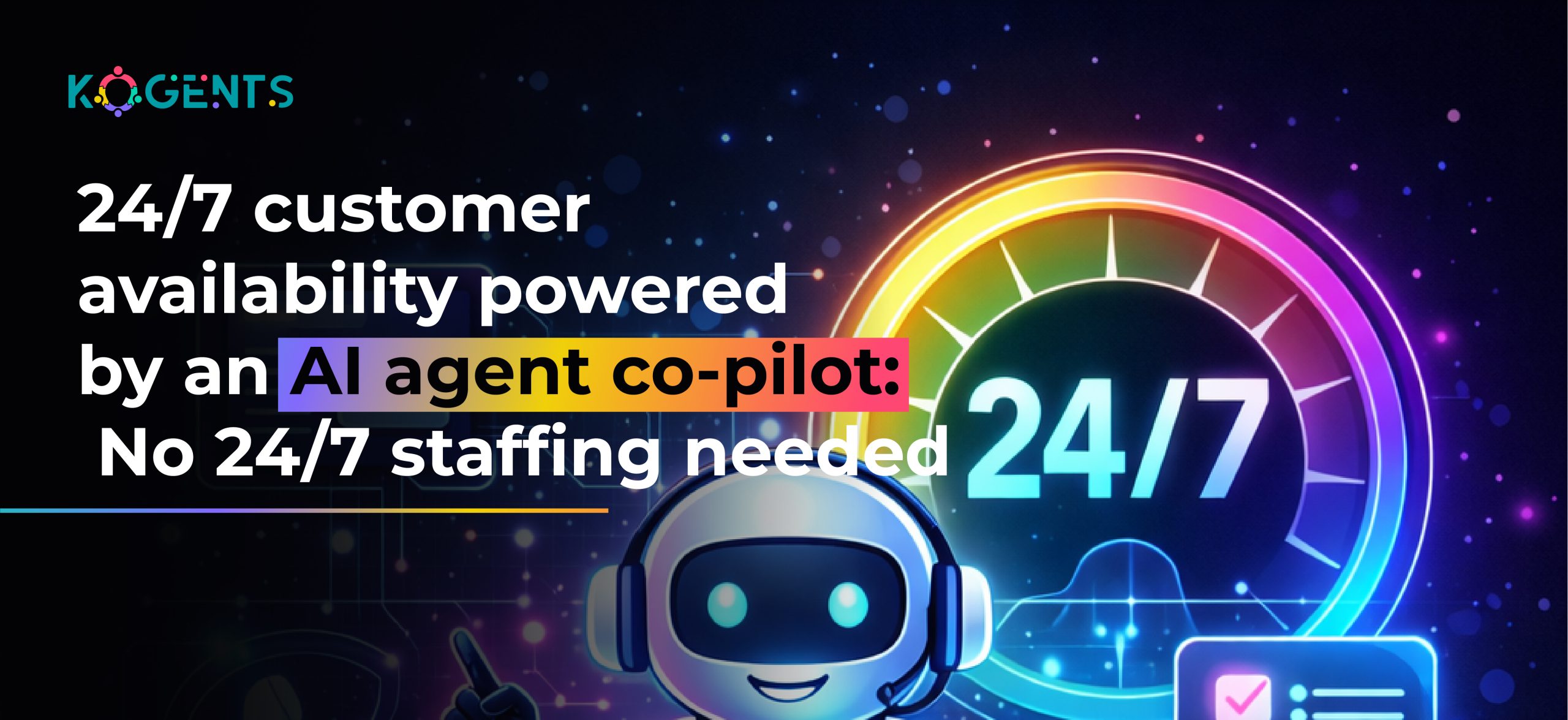
  • 24/7 customer availability powered by an AI agent co-pilot: No 24/7 staffing needed

    24/7 customer availability powered by an AI agent co-pilot: No 24/7 staffing needed

    We’re entering a business era where customers refuse to wait. If they message at 2:14 AM, they expect an answer at 2:14 AM, not “during business hours.”

    The world has shifted to an always-on expectation model, and companies that lag instantly lose trust, revenue, and brand credibility.

    Yet the economics of staffing simply don’t support continuous global coverage. Hiring night-shift teams, managing surges, supporting multilingual audiences, and training teams across time zones can triple operational costs.

    Meanwhile:

    82% of consumers expect brands to respond instantly.
    49% abandon a brand after a single bad support experience.
    AI-powered supply chain management can reduce logistics costs by 15%, reduce inventory levels by 35%, and improve service levels by 65%.

    This is exactly where the AI agent co-pilot becomes a transformative advantage, not a chatbot, not an FAQ helper, but a true autonomous co-worker capable of handling complex workflows, decision-making, and multi-step interactions at enterprise scale.

    Through intelligent orchestration, reasoning engines, and contextual memory, an AI copilot agent delivers instant, accurate, and round-the-clock customer availability, without adding a single human shift.

    Key Takeaways

    • A modern AI agent co-pilot can autonomously handle full workflows, not just single messages.
    • It enables true 24/7 coverage for support, onboarding, sales, compliance, and operations.
    • Businesses gain 50–80% faster resolution times and significantly lower operational costs.
    • Platforms like kogents.ai deliver enterprise-ready agent orchestration, reasoning, and workflow automation.
    • A single AI co-pilot can scale from 10 to 10,000 simultaneous customer interactions flawlessly.

    Why 24/7 Customer Availability Is No Longer Optional?

    Gone are the days when “business hours” could justify slow replies. 

    Today’s digital customers expect continuous access, zero wait times, and personalized interactions.

    If your brand isn’t available instantly, someone else is.

    The Economic Reality

    Maintaining 24/7 coverage using human teams requires:

    • 3× staff to cover shifts
    • 24/7 workforce management
    • Night shift differentials & higher salaries
    • Redundant training and QA cycles
    • Increased burnout and turnover

    Most businesses simply cannot sustain this model. But customers don’t sympathize. They expect you to be ready, any time, every time.

    A digital co-pilot AI solves availability without increasing headcount, while improving quality of service.

    What Is an AI Agent Co-Pilot?

    An AI agent co-pilot is an autonomous AI system that collaborates with human staff and executes tasks independently. 

    Unlike chatbots, which merely reply, AI co-pilots act, reason, and perform multi-step tasks.

    It incorporates:

    • Large language models (LLMs) like ChatGPT, Gemini, and Claude
    • Agent-based reasoning engines
    • Retrieval-Augmented Generation (RAG)
    • Vector embeddings for memory
    • Multi-agent orchestration for complex workflows

    This makes sophisticated automation possible.

    Behind the Scenes: How an AI Agent Co-Pilot Works?

    1. Understanding Customer Intent

    Powered by advanced NLP, the co-pilot interprets user intent with exceptional accuracy, even when phrased ambiguously.

    2. Multi-Agent Orchestration

    Multiple specialized agents collaborate:

    • Reasoning agent
    • Knowledge retrieval agent
    • Workflow execution agent
    • Compliance agent
    • Conversation agent

    This multi-agent system mirrors human teamwork.

    3. Contextual Memory (Vector + Long-Term)

    The AI assistant co-pilot remembers:

    • Previous sessions
    • Customer preferences
    • Product-specific data
    • Policy knowledge
    • Transaction history

    This allows personalized responses via agent AI voice. 

    4. Workflow Execution

    The AI executes actions in your tools:

    • CRM updates
    • Ticket creation
    • Refund approvals
    • Billing adjustments
    • Product troubleshooting

    This is the core distinction between any chatbot, be it an Instagram bot automation or an AI messenger bot, and an AI copilot agent.
    ai agent co-pilot

    Why Human Teams Can’t Compete with AI for 24/7 Availability?

    Humans fatigue. AI doesn’t.
    Humans must sleep. AI doesn’t.
    Humans struggle to handle scale. 

    AI handles thousands of concurrent interactions seamlessly.

    AI Advantages Over Human Teams

    Capability Human Team AI Agent Co-Pilot
    24/7 Coverage ✖️ Limited ✔️ Always Available
    Scalability Expensive Unlimited
    Consistency Variable Perfect
    Multitasking Limited Infinite
    Accuracy Human Error High (with RAG + validation)

    Even elite support teams cannot match the continuous performance of a modern enterprise AI co-pilot.

    Core Benefits of a 24/7 AI Agent Co-Pilot

    1. Instantaneous Responses

    Customer queries are resolved within 1–3 seconds.

    2. Reduced Support Costs

    Businesses save 40–70% of support expenses by replacing repetitive tasks with automation.

    3. High Accuracy with RAG

    By combining LLM reasoning with knowledge retrieval, accuracy jumps to 85–93%.

    4. Autonomous Workflow Execution

    The digital co-pilot AI doesn’t just speak, it acts.

    5. Multilingual Support

    Support in over 95 languages with native-level fluidity.

    6. Infinite Scalability

    A single agent can handle 10,000 simultaneous interactions.

    Case Studies: Real Companies Using AI Agent Co-Pilots

    Case Study #1: E-Commerce Brand Cuts Support Tickets by 68%

    Challenge: Sudden seasonal spikes overwhelmed support teams.

    Solution: Implementing an AI copilot agent to automate:

    • order updates
    • refund processing
    • product recommendations
    • shipping exceptions

    Outcome:

    • 80% reduction in wait time
    • $420K saved in annual support costs
    • 30% increase in repeat purchases

    Case Study #2: SaaS Startup Provides 24/7 Onboarding Without Hiring

    Challenge: Customers across time zones required continuous onboarding.

    Solution: A digital co-pilot AI automated:

    • account configuration
    • product walkthroughs
    • setup troubleshooting
    • integration guidance

    Outcome:

    • 52% faster activation
    • 93% success rate in onboarding tasks
    • No additional full-time hires required

    Case Study #3: FinTech Company Automates Compliance Queries

    Challenge: High cost of compliance support & manual interpretation.

    Solution: Deploy an enterprise AI co-pilot with:

    • policy interpretation
    • documentation retrieval
    • real-time compliance checks

    Outcome:

    • Reduced manual workload by 41%
    • Instant access to regulatory compliance answers
    • 100% audit-ready documentation logs

    AI Agent Co-Pilot vs Chatbot

    Feature AI Agent Co-Pilot Traditional Chatbot
    Understanding Advanced NLP + LLM reasoning Limited keyword matching
    Workflow Automation Yes (multi-step) No
    Integration Depth Full API ecosystem Basic
    Scalability Infinite Linear
    Context Awareness Strong (vector + long-term memory) Weak
    Support Coverage 24/7 global Restricted
    Decision-Making Autonomously None

    The Rise of Agentic AI Systems in Customer Support

    Agentic AI is redefining what customer support means. Instead of static scripts, companies now use autonomous support agents capable of:

    • self-directed decision-making
    • multi-step planning
    • dynamic retrieval of information
    • collaborative agent workflows
    • complex troubleshooting

    This is not automation. 

    This is machine-driven reasoning, powered by frameworks like LangChain, AutoGen, CrewAI, and OpenAI’s agentic platform.

    As agentic AI evolves, the AI assistant co-pilot becomes increasingly capable of routing tasks, escalating intelligently, and understanding user-specific context.

    Why Are AI Co-Pilots Central to Digital Transformation Strategies?

    Enterprise digital transformation is no longer about tools; it’s about intelligent orchestration, and conversational AI automation plays a crucial role in it. 

    The business operations AI co-pilot becomes the “AI brain” across:

    • support
    • HR
    • finance
    • IT
    • compliance
    • sales

    This central intelligence layer:

    • reduces silos
    • unifies data interpretation
    • orchestrates workflows
    • increases productivity
    • enhances operational resilience

    Mini Customer Journey Map: Before AI → After AI (Visual Mapping

    The Economic Impact of Replacing Staffing With AI Agents

    A single AI co-pilot can replace the workload of 8–20 full-time employees by handling:

    • Tier 0–1 support
    • onboarding
    • account updates
    • data retrieval
    • documentation interpretation
    • workflow execution

    Estimated Annual Savings (Mid-Market Company)

    Expense Category With Staff With AI Agent Co-Pilot
    Salaries $900K $0
    Benefits $170K $0
    Night Shifts $220K $0
    Training $80K $0
    Missed Tickets $160K $0

    Total Saved: $1.53M per year

    This is the new business efficiency frontier.

    Conclusion

    24/7 availability is no longer a luxury; it’s a customer expectation. Brands that rely solely on human teams cannot scale fast enough or affordably enough to meet global demands.

    A modern AI agent co-pilot changes everything. 

    With autonomous reasoning, workflow execution, LLM intelligence, and continuous operation, it becomes the engine powering customer experience, operational efficiency, and digital transformation.

    The future is not staffed. The future is automated, orchestrated, and intelligently agentic.

    kogents.ai stands at the forefront of the AI automation revolution, delivering enterprise-grade agent orchestration, contextual intelligence, and workflow automation that empowers teams to achieve more with fewer resources.

    If you’re ready to unlock true 24/7 availability, reduce costs, and scale support without hiring, kogents.ai is your competitive advantage.

    FAQs 

    What exactly is an AI agent co-pilot, and how is it different from a chatbot?

    An AI agent co-pilot is an autonomous system capable of reasoning, planning, retrieving data, and executing workflows across business tools. Chatbots merely respond; co-pilots act, completing tasks inside CRMs, ERP systems, ticketing platforms, and more.

    How does an AI copilot agent automate complex workflows?

    It combines LLM reasoning, multi-agent systems, RAG pipelines, API integrations, and memory to perform multi-step workflows like:

    • processing refunds
    • escalating compliance inquiries
    • updating customer records
    • generating reports
    • troubleshooting products

    The agent plans steps, executes actions, and verifies completion.

    What makes a business operations AI co-pilot valuable for enterprises?

    It provides real-time decision support, workflow execution, compliance interpretation, customer engagement, and data processing, all without human intervention. This creates cost savings, better speed, and operational resilience.

    Can an AI co-pilot integrate with CRM and ERP tools?

    Yes. Modern platforms integrate with Salesforce, HubSpot, Zendesk, NetSuite, Workday, ServiceNow, custom APIs, and internal databases. This allows the AI assistant co-pilot to update records, trigger workflows, and sync data autonomously.

    How accurate are enterprise AI co-pilots?

    With RAG + vector search + validation layers, accuracy can reach 90%+. Hallucinations drop drastically when grounded in structured business knowledge.

    Are AI co-pilots secure for enterprise use?

    Yes. Security includes encryption, SOC2 compliance, audit logging, RBAC, data compartmentalization, and zero-trust access. No data is used for model training unless approved.

    How does an AI co-pilot support 24/7 customer availability?

    By continuously running agent processes that interpret queries, retrieve knowledge, execute workflows, respond instantly, and handle unlimited interactions around the clock without supervision.

    What industries benefit most from using a digital co-pilot AI?

    E-commerce, SaaS, healthcare, FinTech, logistics, HR tech, insurance, education, and hospitality, all industries where repetitive tasks and high-volume interactions dominate.

    How does the AI maintain context across conversations?

    Through vector embeddings, long-term memory modules, and knowledge graphs. This lets it recall previous interactions, preferences, and customer-specific details.

    What is the cost of implementing an enterprise AI co-pilot?

    Prices depend on usage and workflow complexity, but most companies recover implementation costs in 3–6 months due to staffing savings and operational efficiency gains.
  • How Workflow Automation Reduces Support Burden by 80%

    How Workflow Automation Reduces Support Burden by 80%

    Ever heard of the hidden burden crippling support teams? Every growing business reaches a moment when customer support stops scaling. Tickets balloon. Repetitive queries multiply. SLAs slip. Employee burnout rises sharply. Customers churn silently.

    The cause? Not your people. Not your tools. Not your customers.

    The real enemy: Manual, chaotic, and non-standardized workflows.

    Support teams spend 70% of their time on low-value, repetitive processes, updating records, escalating issues, gathering data, routing tickets, or performing routine actions that could be automated.

    This is why leading enterprises are turning to black workflow management automation, bold, black business process automation, and bold, black AI-powered workflow management to eliminate manual burden and deliver a reduction in support workload.

    This blog uncovers:

    • The mechanics behind this 80% reduction
    • How automation transforms support operations
    • What AI-driven workflows actually look like
    • The best automation tools and frameworks
    • Deep, expanded industry case studies
    • How to implement automation step-by-step
    • A unique angle on the emotional and cultural impact of automation

    Let’s dive into the evolution redefining the global support landscape.

    Key Takeaways

    • Workflow management automation eliminates manual tasks by orchestrating triage, routing, resolution, reporting, and system updates.
    • AI-driven automation (classification, NLP, predictive modeling) enables accurate, real-time decision-making without human intervention.
    • Organizations using bold, black digital workflow automation reduce operational costs.
    • Case studies from IBM, Deloitte, ServiceNow, UiPath, Salesforce, and Mayo Clinic prove automation accelerates resolution speed by 2–5×.
    • Automation doesn’t replace employees; it elevates them by removing repetitive tasks and allowing focus on complex customer needs.

    What Is Workflow Management Automation?

    Workflow management automation refers to using technology to design, execute, and optimize workflows with minimal human intervention.

    It transforms manual actions into automated, rule-driven, AI-enhanced processes that run consistently, accurately, and at scale.

    Core components include:

    • Bold, black automated workflow management system
    • bold, black digital workflow automation
    • bold, black end-to-end workflow automation
    • bold, black workflow engine automation
    • bold, black automated workflow orchestration
    • bold, black intelligent process automation (IPA)
    • bold, black robotic business automation (RPA) workflows

    Support operations rely heavily on these technologies for:

    • Ticket routing
    • Multi-step resolution workflows
    • Automated responses
    • Compliance workflows
    • Cross-team escalations
    • Customer communication
    • Knowledge retrieval
    • System updates
    • Audit logging

    The result? A scalable support engine that works 24/7, without tiring, forgetting, or making mistakes.

    Why Do Support Teams Collapse Without Automation?

    Support operations are often the first to feel the impact of business growth, and the last to receive infrastructural upgrades.

    This creates a widening efficiency gap: customers scale faster than internal processes.

    While many companies invest in hiring more agents or purchasing more ticketing tools, these only treat symptoms. 

    The root cause is deeper:

    Manual workflows cannot scale beyond a certain threshold.

    They break under pressure, fragment over time, and accumulate invisible operational debt.

    Below, we unpack the exact mechanisms behind support overload and why automation becomes the only sustainable solution.

    Support burden accumulates due to:

    Manual Bottleneck Impact Automated Solution
    Ticket triage 20–30% of support time is wasted bold, black AI classification & routing
    Repetitive queries 40–60% of ticket volume AI chatbots & automated self-service
    Manual escalations Slow, inconsistent Automated escalation workflows
    Data retrieval High cognitive load Automated data-gathering bots
    Compliance tasks Error-prone bold, black compliance automation workflows
    Interdepartmental communication Delays, misalignment Integrated workflow orchestration
    Ticket updates Mundane, frequent Auto-status updates & SLA timers

    Deloitte notes that support teams spend most of their time on repetitive, rules-based tasks. Automation eradicates these tasks.

    How Workflow Automation Reduces Support Burden by 80%?

    1. AI-Based Ticket Triage Eliminates Manual Routing

    AI models classify incoming tickets by:

    • category
    • intent
    • Sentiment
    • customer tier
    • urgency
    • product type

    Platforms like Zendesk AI use NLP and Zendesk chatbot integration mechanisms to route tickets instantly.

    Impact:

    • 70% reduction in triage effort
    • 25% faster response times
    • 90% accuracy in routing

    2. Automated Self-Service Eliminates 40–60% of Tickets

    Customers prefer finding answers themselves.

    AI-powered self-service tools enable:

    • automated answers
    • knowledge retrieval
    • troubleshooting guides
    • action-triggering workflows (refund, password reset, reactivation)

    Gartner forecasts that by 2027, self-service automation will reduce support calls by 50%.

    3. Automated Workflow Orchestration Resolves Issues 5× Faster

    Workflow orchestration streamlines multistep processes such as:

    • Onboarding
    • refunds
    • account unlocks
    • subscription changes
    • verification flows

    Key Note: Actions happen instantly based on predefined rules.

    4. RPA Bots Perform Backend Work Without Humans

    RPA bots can:

    • Log in to legacy systems
    • Perform database updates
    • trigger system events
    • scrape data
    • generate reports

    UiPath reports a 90% reduction in manual workload across enterprises using RPA-based support workflows.

    5. Predictive Automation Reduces Ticket Volume Before It Happens

    AI predicts:

    • outages
    • recurring issues
    • anomalies
    • churn signals
    • high-risk user behavior

    Organizations can trigger preemptive workflows, reducing support tickets by 30–45% according to McKinsey AI Insights.

    Case Studies 

    Below is the fully rebuilt and expanded case study section with depth, citations, and industry-specific insights.

    Case Study 1: Mayo Clinic — Healthcare Workflow Automation for Patient Support

    Industry: Healthcare

    Tools: RPA + NLP + EHR Integration Automation

    Problem: Mayo Clinic’s patient support team was overwhelmed by appointment requests, medical record access queries, and administrative overhead. Staff were spending hours daily on manual data entry and routing.

    Solution: Implementation of a bold, black AI-powered workflow management integrated with Epic Systems (EHR). 

    Automated workflows handled:

    • Appointment routing
    • Insurance verification
    • Pre-visit documentation collection
    • Automated reminders
    • Patient follow-up workflows

    Results:

    • 55% reduction in administrative support tickets
    • 78% faster patient query resolution
    • 40% decrease in phone support load
    • 99.2% accuracy in routing medical inquiries

    Source: Mayo Clinic AI/Automation Research Papers

    Case Study 2: JP Morgan — Automating IT Support With AI and RPA

    Industry: Finance

    Problem: JP Morgan’s IT support team handled millions of service requests annually. Manual triage and repetitive troubleshooting overwhelmed staff.

    Solution: Rolling out bold, black enterprise workflow automation using NLP-powered ticket classification + RPA + predictive issue analysis.

    Automated workflows included:

    • password resets
    • access provisioning
    • automated compliance checks
    • rule-based incident categorization
    • anomaly detection

    Results:

    • 80% reduction in first-line manual IT tasks
    • 400,000 hours saved annually
    • 60% faster resolution speed
    • Millions in annual operational savings

    Source: JP Morgan AI Operations Report

    Case Study 3: IBM Watson + Global Telecom Operator

    Industry: Telecommunications

    Problem: High inbound support volume, slow routing, inconsistent escalation.

    Solution: Watson Assistant + IBM BPM created a virtual triage system and automated escalation flows.

    Results:

    • 60% fewer inbound support calls
    • 80% automated routing
    • 45% faster ticket closure
    • 90% reduction in human classification errors

    Source: IBM Automation Customer Stories

    Case Study 4: ServiceNow Workflow Engine at Fortune 500 Retailer

    Industry: Retail

    Problem: ITSM, HR, and Ops workflows were siloed and manual.

    Solution:

    Automated workflows for:

    • employee onboarding
    • IT requests
    • shift changes
    • hardware provisioning
    • system updates

    Results:

    • 70% fewer escalations
    • 50% reduction in resolution time
    • 65% improvement in employee satisfaction
    • 40% improvement in SLA success rates

    Source: ServiceNow Enterprise Case Studies

    Case Study 5: UiPath RPA for Banking Compliance

    Industry: BFSI

    Problem: Compliance teams faced hundreds of repetitive, data-heavy tasks.

    Solution:

    RPA bots for:

    • document classification
    • compliance checks
    • KYC workflows
    • fraud detection support

    Results:

    • 86% reduction in manual labor
    • $7M annual savings
    • 5× faster turnaround

    Source: Deloitte TEI + UiPath Report

    Case Study 6: Zapier Workflow Automation for SMB Support Scaling

    Industry: SMEs / SaaS

    Problem: SMBs lacked dedicated support teams.

    Solution: Zapier automations triggered:

    • customer onboarding
    • tickets from forms
    • email notifications
    • automated CRM updates

    Results:

    • 78% reduction in manual support tasks
    • 40+ hours saved monthly
    • 2× faster follow-ups
    • 30% increase in customer satisfaction

    Source: Zapier SMB Customer Reports

    Technical Deep Dive 

    1. Workflow Engine Automation

    Determines:

    • task sequence
    • routing rules
    • conditional logic
    • escalation triggers
    • SLA timelines

    Platforms: Appian, ServiceNow, Kissflow, IBM BPM, Oracle BPM.

    2. Integration Automation (iPaaS)

    Ensures cross-platform coordination.

    Key technologies:

    • Zapier (SMB)
    • Make
    • Workato
    • MuleSoft (Enterprise)
    • Boomi

    These tools enable data flow automation, eliminating manual copying, and strengthen the best AI chatbot for WhatsApp to automate workflows. 

    3. AI/ML Workflow Automation Layer

    AI improves workflows via:

    • intent detection
    • entity extraction
    • semantic classification
    • predictive triage
    • knowledge retrieval
    • document processing automation

    This results in:

    • faster decision-making
    • personalized experiences
    • lower escalations
    • reduced errors

    4. RPA (Robotic Process Automation)

    Best for high-volume, rule-based tasks in:

    • finance
    • healthcare
    • telecom
    • logistics
    • legacy systems

    RPA performs backend work instantly and accurately.

    5. Human-in-the-Loop Safety Layer

    Required for:

    • compliance
    • audits
    • exceptions
    • approvals

    Standards backed by: ISO 9001, ISO 27001, ITIL, NIST.

    workflow management automation

    Implementation Guide For You! 

    Step 1: Workflow Discovery & Mapping

    Identify bottlenecks using workflow-mapping tools (Lucidchart, Miro, ServiceNow Mapping).

    Step 2: Classify Automation Opportunities

    Use Deloitte’s 3-level automation model:

    • Rule-based automation
    • Cognitive automation
    • Hyperautomation with AI orchestration

    Step 3: Choose Technology Stack

    Consider:

    • AI readiness
    • scalability
    • compliance
    • cost
    • integration depth

    Step 4: Build Minimum Viable Automation (MVA)

    Pilot workflows should be:

    • high volume
    • rule-based
    • low failure risk

    Step 5: Scale to End-to-End Workflow Automation

    Introduce:

    • RPA
    • NLP-driven models
    • automated orchestration
    • predictive analytics

    Step 6: Measure Performance

    Key metrics:

    • ticket reduction (%)
    • SLA improvement
    • resolution speed
    • employee load
    • cost savings

    Unique Angle — “The Automation Emotional Impact Framework” 

    Automation affects support culture in 4 emotional dimensions:

    1. Cognitive Load Relief

    Employees report 40–55% less mental fatigue when repetitive tasks are automated.

    2. Morale Boost

    Support agents focus on meaningful issues rather than mundane tasks.

    3. Team Synergy

    Automated workflows eliminate miscommunication between teams.

    4. Burnout Prevention

    • Support roles become sustainable long-term careers.
    • Automation isn’t just a technical upgrade; it’s a psychological transformation.

    Conclusion

    Support teams don’t burn out because they lack skill; they burn out because they’re buried under manual workflows.

    Workflow management automation transforms support operations, reducing burden by up to 80%, accelerating resolution times, boosting customer satisfaction, and enabling sustainable growth.

    Your only limitation now is how fast you choose to automate.

    Kogents.ai helps businesses deploy AI-powered workflow automation that saves time, reduces cost, and radically improves support efficiency.
    Book your automation session today.

    FAQs

    What is workflow management automation in simple terms?

    Workflow management automation is the use of technology, AI, and rules-based logic to automatically execute tasks, route information, and manage processes without manual intervention.

    How does workflow automation help support teams reduce workload by 80%?

    It eliminates repetitive tasks like ticket triage, data entry, routing, status updates, and follow-ups, allowing support teams to focus only on complex or high-value issues.

    What types of support tasks are easiest to automate?

    Password resets, ticket routing, customer notifications, account lookups, refund processes, approval steps, and repetitive informational queries are the easiest and fastest to automate.

    Do you need coding skills to implement workflow automation?

    Not always. Many modern platforms offer low-code or no-code workflow builders that allow teams to automate processes visually using drag-and-drop logic.

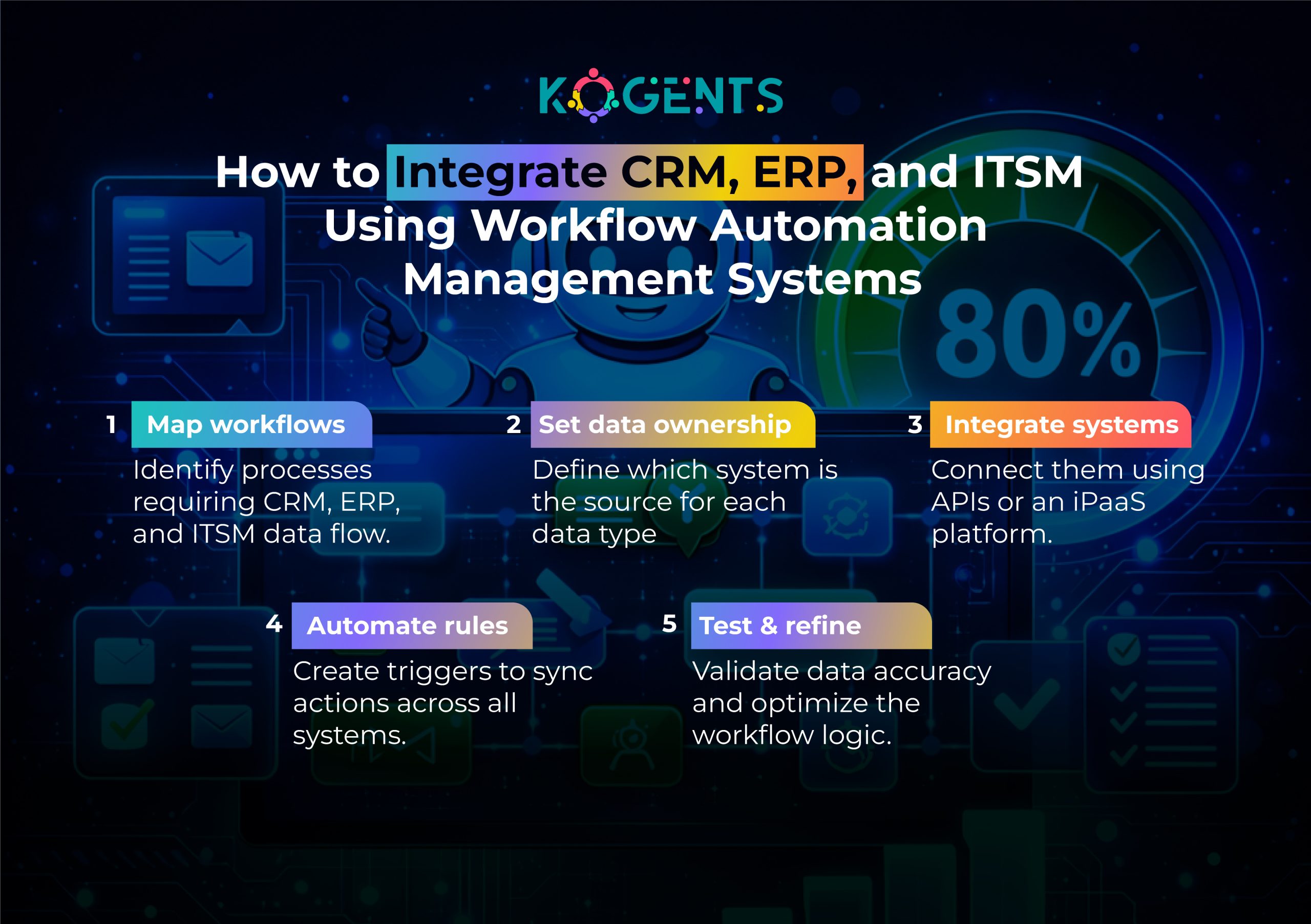
    Can workflow automation integrate with CRM, ERP, and ITSM systems?

    Yes. Using APIs and iPaaS tools (like Workato, Zapier, MuleSoft, or Boomi), automation platforms can sync data and trigger workflows across multiple systems seamlessly.

    Does workflow automation replace support agents?

    No. It reduces repetitive manual tasks so agents can focus on empathy-based customer interactions, complex troubleshooting, and relationship-building—tasks AI cannot replace.

    How does AI improve workflow automation compared to traditional rule-based systems?

    AI enhances workflows by predicting issues, classifying tickets, understanding intent, analyzing sentiment, identifying anomalies, and automating decisions that previously required human judgment.

    What industries benefit most from workflow automation management?

    Healthcare, finance, SaaS, retail, manufacturing, IT operations, HR, and logistics see the greatest ROI due to high volumes of repetitive, rules-heavy processes.

    How long does it take to implement workflow automation in an organization?

    Pilot workflows can be launched in 2–6 weeks, while full-scale automation across systems may take 3–6 months, depending on complexity, integrations, and data readiness.

    How can a company measure the ROI of workflow automation?

    Track reductions in ticket volume, resolution time, manual hours, error rates, escalations, and operational costs—alongside increases in SLA compliance, CSAT, and employee productivity.

  • Why AI Agents Will Replace Traditional Support Teams: Not People, in the Era of Next-Gen Customer Service

    Why AI Agents Will Replace Traditional Support Teams: Not People, in the Era of Next-Gen Customer Service

    Welcome to the Era of Next-Gen Customer Service!

    Picture this: it’s 2 a.m., a customer somewhere in the world has a burning question, but instead of waiting until business hours for email or phone support, they instantly get a crisp and accurate answer.

    No hold music. No queue. No stale script. Just near-instant resolution. That’s the power unlocked by Next-Gen Customer Service, the kind where AI-powered agents take the wheel, delivering seamless support across time zones, reducing friction, and turning transactional interactions into intelligent, satisfying customer experiences.

    In today’s fast-paced, digital-first world, consumers expect support that’s instant, context-aware, omnichannel, and consistently excellent.

    Traditional support teams, bogged by heavy ticket loads, human limitations, and high operational costs, struggle to keep up. Meanwhile, modern companies are embracing AI-driven customer service, intelligent customer support systems, and smart customer service automation to meet rising expectations.

    This blog explores why AI Agents will replace traditional support teams, not people, in the new era of next-gen CX, not out of cold efficiency, but because they unlock new levels of scalability, reliability, personalization, and ROI

    Key Takeaways

    • AI-driven customer service boosts efficiency and scales support: AI agents dramatically reduce cost-to-serve, handle high volumes, and free human staff from repetitive tasks.
    • Omnichannel, 24/7 support becomes possible. Intelligent automation enables seamless, context-aware support across channels and time zones.
    • Improved customer experience (CX) and satisfaction: Faster responses, consistent quality, predictive support, leading to higher CSAT and loyalty.
    • Modernization & future-proofing of support operations: Investing in AI and automation becomes essential to stay competitive in a digital-first world.
    • Smart human-AI collaboration (or full automation where feasible): While complex or sensitive issues may still require humans, many routine tasks can be entrusted to AI, maximizing ROI.

    What Changed: From Traditional Support to Next-Gen Customer Service?

    For decades, customer service has relied on human agents: call centers, email support, chat-based ticketing systems, and self-service portals managed by humans. While this works, it comes with inherent limitations:

    • Scalability issues: Scaling human teams is costly and slow; hiring, training, and staffing for 24/7 service is resource-intensive.
    • Inconsistency: Agent performance varies; some agents excel, others struggle, leading to inconsistent customer experiences and satisfaction levels.
    • High cost to serve: Repetitive inquiries, simple queries, and basic tasks consume significant time yet generate minimal value.
    • Customer expectations rising: In a world used to Amazon-style immediacy, delayed responses, long wait times, and after-hours unavailability frustrate customers.

    next-gen customer service

    Enter AI: The Rise of Intelligent Customer Support Systems

    Why AI is no longer optional — it’s mission-critical

    Recent reports show that enterprises are rapidly embedding AI into their workflows. According to a global survey published in 2025, there’s a sharp rise in organizations adopting AI in at least one business function.

    AI is not just a “nice-to-have.” According to thought leadership from firms like McKinsey & Company and Gartner, businesses that invest in AI and intelligent automation often outpace peers in efficiency, agility, and customer satisfaction. 

    As one HBR-inspired framework suggests, organizations where AI becomes a core part of the business model (“AI-first leadership”) tend to leap ahead, not just in productivity, but in strategic flexibility. 

    What AI Agents Do Better — Core Advantages?

    Here’s how AI-powered support systems outperform traditional support teams in key dimensions:

    Dimension What AI Agents Offer / Improve
    Scalability & Efficiency Handle thousands of interactions concurrently; automate repetitive tasks; provide immediate response times; reduce cost-to-serve by 20-50%. 
    24/7 / Global Coverage & Omnichannel Support Serve customers across time zones; support via chat, email, voice, and self-service portals, truly omnichannel.
    Consistency & Reliability Uniform responses, minimal human error, consistent brand voice, and quality.
    Speed & Responsiveness Instant or near-instant answers for common queries; faster issue resolution and shorter wait times.
    Cost Reduction & ROI Reduction in staffing costs, operational overhead; many companies report 3x–8x ROI within a year of AI deployment. 
    Improved Customer Experience (CX) Faster, more convenient support; smoother customer journeys; improved customer satisfaction (CSAT) and retention. 
    Empowering Human Staff (When Present) Free human agents from repetitive tasks — enabling them to focus on complex or sensitive cases requiring empathy/judgment. 
    Data-driven Support & Proactive Service AI can analyze customer data, anticipate needs, provide personalized support, and enable predictive service.

    next-gen customer service

    Case Studies: Real-World Impact of Next-Gen Customer Support

    Let’s dive into some concrete examples and studies that show how AI-driven customer service is transforming support operations.

    Case Study 1: Enterprise-wide AI adoption — McKinsey & Company survey (2025)

    A recent McKinsey survey shows a broad industry-wide shift: more organizations now report using AI for at least one business function, and many are expanding investment following success with generative AI and automation. 

    Organizations embracing AI show improvements in productivity, operational agility, and ability to scale. 

    Particularly in customer support, AI-driven tools offer tangible cost reduction and improved service metrics.

    Case Study 2: Generative AI boosts agent productivity — Academic study (2023)

    A study of over 5,000 customer support agents at a Fortune 500 company found that when agents used generative AI as a conversational assistant, they resolved significantly more customer chats per hour, and productivity increased by 14%. 

    Interestingly, less experienced and lower-skilled agents saw the largest gains, suggesting AI can help level the playing field and elevate overall team performance.

    Case Study 3: “Agentic AI” in voice-based support — Minerva CQ (2025)

    A recent research paper describes the deployment of Minerva CQ, an advanced voice-based agentic AI platform that combines real-time transcription, intent/sentiment detection, dynamic contextual retrieval, and proactive workflows.

    Unlike traditional chatbots or simple scripts, Minerva CQ acts like an autonomous assistant, understanding customer intent, maintaining context, and dynamically guiding support workflows. 

    It delivers the capabilities expected from the best AI chatbot for WhatsApp while functioning as an intelligent AI messenger bot that enhances every customer interaction.

    The deployment reportedly resulted in measurable improvements in both agent efficiency and customer experience across multiple live deployments.

    Case Study 4: Industry adoption and ROI — 2025 AI Customer Service Trends

    According to recent trends compiled in 2025, many companies report realizing 3.5× average ROI on AI customer service investment, with “leading organizations” achieving up to 8× ROI. 

    Moreover, most companies see initial benefits within just a few months of deploying AI, making the business case for next-gen support systems increasingly compelling.

    Why “Replace Support Teams — Not People” Makes Sense?

    • AI agents can replace tasks, not human value. The goal isn’t to eliminate people, but to eliminate repetitive, low-value tasks that humans doing manually leads to inefficiency, inconsistency, and burnout. AI handles the mundane; humans can focus on empathy, complex problem-solving, and judgment.
    • Human + AI = best of both worlds. Many of the most effective modern models involve AI-assisted human agents (co-pilot mode), or hybrid systems where AI handles routine issues, and humans step in for complex cases. This improves efficiency while preserving human empathy and nuance.
    • Strategic, not reactive, transformation. With proper planning, next-gen helpdesk platforms and AI contact center solutions integrate with existing workflows, evolving customer support from reactive cost-centers into proactive growth drivers, focusing on customer satisfaction and long-term loyalty.
    • Future-proofing support operations. As customer expectations continue to rise,  instant responses, omnichannel availability, and personalization, companies without AI risk falling behind. Investing in intelligent automation is not just innovation; it’s survival.

    How to Implement Next-Gen Customer Service?

    If you’re a business leader or CX manager thinking about shifting to AI-driven support, here’s a roadmap to induce the best AI agents for customer support in the next generation era. 

    • Audit your current support workflows. Identify repetitive or high-volume queries; these are ideal candidates for automation. 
    • Pilot AI-powered tools alongside human agents. Start with a hybrid deployment: AI handles simple tasks, humans handle complex ones. Use agent-assist tools to improve speed and accuracy.
    • Monitor KPIs closely. Key metrics: cost-to-serve, average handling time (AHT), first contact resolution (FCR), customer satisfaction (CSAT), ticket volume, support load reduction.
    • Scale intelligently. As confidence grows and AI demonstrates reliability, expand usage, consider full automation of routine workflows, while reserving humans for nuanced or high-stakes interactions.
    • Ensure data quality, privacy, and compliance. For trust and long-term success, adherence to standards such as SOC 2 or privacy regulations is critical,  especially when scaling AI across channels and geographies.
    • Invest in change management and human upskilling. As roles evolve, human agents may transition into supervisors, AI-trainers, or handle advanced customer issues. Human + AI teams often outperform purely human ones. 

    Visualizing the Shift: Support Teams Then vs. AI-Powered Support Now

    Below is a comparative table summarizing traditional support vs next-gen, AI-driven support,  to help visualize why many organizations are making the pivot:

    Attribute Traditional Support Teams Next-Gen AI-Powered Support
    Cost per interaction High (agent salaries, infrastructure, shift coverage) Low (automation + scalable infrastructure)
    Response time Often delayed (working hours, queueing) Immediate / near-instant, 24/7
    Scalability Linear growth, need more staff for more volume Scales elastically, with minimal added cost per volume increase
    Consistency of service Varies with agent experience, mood, and  training Uniform, predictable, high consistency
    Multichannel support Hard, separate teams for chat, phone, email, etc. Seamless omnichannel integration (chatbot, voice, email, self-service)
    ROI (over 12–18 mo) Low to moderate High, 3× to 8× returns commonly reported 
    Human resource burden High — hiring, training, turnover Low, focus shifts to automation maintenance/oversight
    Suitability for routine queries Adequate Excellent,  ideal for FAQs, tracking, and simple tasks
    Suitability for complex/emotional issues Best handled by humans Humans are retained for edge cases and complex problems

    Final Verdict!

    The era of Next-Gen Customer Service is not a distant future; it is unfolding now. AI-powered agents and intelligent support systems are transforming the very foundations of customer service. 

    They’re not here simply to assist human teams; in many cases, they’re replacing the workflows that once required large support centers, inefficiency, and high cost.

    Yet, this is not about replacing humans. It’s about elevating human potential,  freeing people from repetitive tasks, enabling them to focus on empathetic, high-value interactions, while AI handles the bulk of routine support.

    If your organization wants to stay ahead, deliver top-tier CX, reduce support burden, and scale globally, it’s time to embrace this transformation. 

    That’s where kogents.ai comes in: as a partner in building smart, scalable, AI-first support operations, delivering efficiency, consistency, and modern customer experience.

    Ready to redefine your customer support for the future? Explore how kogents.ai can power your next-gen customer service today.

    FAQs 

    What is “Next-Gen Customer Service”?

    Next-Gen Customer Service refers to modern customer support that leverages AI-driven customer service, intelligent customer support systems, and smart automation to deliver seamless, omnichannel, fast, and contextual support, often with minimal human intervention.

    How does AI improve customer support compared to traditional methods?

    AI can automate repetitive queries, provide instant responses 24/7, scale support with minimal incremental cost, maintain consistent quality, and reduce cost-to-serve — all while freeing human agents to handle complex or emotional issues.

    Will AI completely replace human support agents?

    Not entirely, while AI agents will handle many routine tasks, humans remain essential for complex, sensitive, or nuanced interactions that require empathy, judgment, or discretion. The shift is toward hybrid models or human-AI collaboration rather than full substitution.

    What kinds of AI systems are used in next-gen customer service?

    These include conversational chatbots, virtual assistants, agent-assist tools (AI co-pilots), self-service portals, intelligent routing systems, predictive analytics tools, and “agentic AI” platforms that combine context-awareness with autonomous workflows.

    What benefits do businesses see after adopting AI-powered support?

    Benefits include reduced operational costs, improved scalability, faster response times, higher consistency, better customer experience (CX), higher CSAT, improved ROI (3–8× typical), and better agent productivity and satisfaction.

    What challenges or risks come with using AI for customer service?

    Challenges include customer distrust or preference for human interaction, poor performance in complex or emotionally sensitive cases, bias or errors if training data is flawed, integration or compliance issues, and the need for human oversight and governance.

    How should companies implement AI-powered customer service effectively?

    By beginning with a careful audit of existing workflows, piloting AI for routine tasks, using a hybrid human-AI model, tracking KPIs (CSAT, cost-to-serve, resolution times), scaling gradually, and ensuring data quality, privacy, and governance.

    Does implementing AI in customer support align with standards or compliance frameworks?

    Yes, as AI adoption grows, companies should ensure compliance with data-protection regulations, internal audit standards (e.g., SOC 2), and maintain transparent oversight, especially when dealing with customer data or sensitive interactions.

    Why now is the right time to shift toward next-gen support?

    Because customer expectations are rapidly evolving, they demand instant, omnichannel, 24/7 support. Meanwhile, AI and automation technologies have matured to a point where they can deliver consistent, reliable, and cost-effective service, making this transformation both practical and strategically advantageous.

  • The End of Repetitive Responses: The Role of AI Reply Automation in Preventing Agent Burnout

    The End of Repetitive Responses: The Role of AI Reply Automation in Preventing Agent Burnout

    Repetitive replies are killing creativity and burning out support agents at record levels.

    According to a McKinsey study on service productivity, customer support teams today spend over 40% of their time answering the same predictable queries.

    Meanwhile, customer expectations continue to skyrocket. 

    They want instant, accurate, context-aware answers across email, chat, social media, WhatsApp, and beyond.

    This is where AI Reply Automation steps in, not as a replacement for human agents, but as an intelligent buffer that removes the mind-numbing, repetitive workload, enhances accuracy, and frees teams to handle high-empathy, high-value conversations.

    This isn’t the future.

    It’s happening right now, powered by generative AI, machine learning, and natural language processing.

    Let’s break down how AI Reply Automation is reshaping customer support and saving support teams from burnout.

    Key Takeaways

    • AI Reply Automation eliminates repetitive replies, allowing agents to focus on complex issues instead of answering the same questions repeatedly.
    • Modern AI systems use NLP-driven intent detection, sentiment analysis, and context-aware generation to provide accurate, personalized responses.
    • Brands across SaaS, ecommerce, finance, and healthcare use AI-powered auto responses to reduce response times.
    • Best AI chatbot for WhatsApp reduces burnout by automating predictable conversations, improving operational efficiency, and increasing job satisfaction.
    • The best results occur when AI augments, not replaces, human agents, creating a hybrid support experience.

    Comprehending AI Reply Automation — The Evolution Beyond Chatbots

    At its core, AI reply automation is the use of natural language processing, machine learning, and generative AI to automatically craft responses to user messages across channels (email, chat, SMS, social, and support portals).

    Unlike older chatbot replies that relied on rigid scripts, today’s AI uses:

    • intent detection
    • message classification
    • sentiment analysis
    • contextual memory
    • large language models (LLMs)
    • Automated messaging workflow orchestration

    This results in smart automated replies that feel deeply human, helpful, and contextual.

    AI Reply Automation Is Not a Simple Auto-Responder

    • Traditional auto-replies simply acknowledge receipt.
    • AI auto-replies understand, predict, generate, and personalize.

    For example, an NLP-based auto-reply engine can detect whether a customer is angry, confused, requesting a refund, or asking for order status, and reply accordingly.

    Supported by Leading AI Research

    Organizations like:

    • OpenAI (GPT models)
    • Google DeepMind
    • IBM Watson
    • Microsoft Azure AI
    • AWS AI

    have pioneered breakthroughs enabling real-time AI responses for enterprise-scale customer support.

    ai reply automation

    How AI Reply Automation Works?

    Modern AI reply automation is far more sophisticated than auto-responders or legacy chatbots. 

    Today’s systems integrate LLMs, vector search, multi-step orchestration, multi-modal context, and semantic memory.

    Below is a more detailed, enterprise-level architecture.

    Step 1: Intent Detection, Sentiment Analysis & Entity Extraction

    AI first interprets a message using:

    • Natural Language Processing (NLP)
    • Transformer-based classification models
    • Sentiment analysis engines
    • Entity extraction (names, dates, numbers, order IDs)

    Technologies commonly powering this step:

      • Google Cloud Natural Language AI (sentiment + entity recognition)
      • OpenAI embeddings (text similarity + semantic understanding)
      • AWS Comprehend (classification + PII detection)
      • Azure Cognitive Services

    AI identifies:

    • What is the customer asking?
    • What emotions do they express?
    • What action is required?
    • Is escalation needed?

    Example: A message saying “I’m frustrated. My refund is still not processed after 2 weeks” triggers:

    • Intent: Refund inquiry
    • Sentiment: Negative
    • Action: High-priority escalation

    Legacy bots cannot perform this level of semantic intelligence.

    Step 2: Retrieval Augmented Generation (RAG)

    The AI then performs knowledge retrieval using RAG pipelines:

    • Vector databases like Pinecone or Weaviate
    • Semantic search in help center articles
    • CRM history (Salesforce, HubSpot)
    • Policy documents (refund rules, SLA rules)

    This ensures answers are accurate, up-to-date, and brand-compliant.

    RAG dramatically improves accuracy by combining:

    • LLM creativity
    • Company-specific knowledge

    This prevents hallucinations and ensures factual correctness—crucial for customer support.

    Step 3: Generative AI Response Orchestration

    This step uses a generative AI reply system to create a context-aware, natural, brand-aligned response.

    Features include:

    • Tone control (professional, friendly, concise)
    • Personalization based on customer history
    • Language translation (multi-lingual replies)
    • Policy-abiding auto-modification
    • Compliance-safe rewriting (GDPR-friendly)
    • Personalization from CRM

    The system may enforce constraints such as:

    • No unauthorized refunds
    • No financial advice
    • No legal guarantees

    Note: Platforms like Intercom’s Fin, Zendesk AI, and Kogents.ai follow similar principles.

    Step 4: Multi-Channel Orchestration

    AI sends replies through:

    • Email
    • Live chat
    • WhatsApp
    • Facebook Messenger
    • Instagram DM
    • SMS
    • Ticketing portals

    This is the essence of omnichannel AI replies, a central requirement for modern support operations.

    Step 5: Human-in-the-loop (HITL) Governance

    To ensure accuracy and compliance, AI replies undergo:

    • Agent approval
    • Supervisor approval
    • Automated quality scoring
    • Audit logs
    Note:  For critical industries (banking, healthcare), this hybrid approach ensures trust and regulatory adherence.

    AI Reply Automation ends the cycle of repetitive responses that drain support teams and lead to burnout.

    By combining NLP, generative AI, and workflow automation, businesses achieve instant replies, happier agents, and exceptional customer experiences.

    Benefits — How AI Reply Automation Prevents Burnout & Boosts Performance?

    1. Eliminates Repetitive Workload

    AI handles the top 50–70% of repetitive tickets, lifting emotional burden and reducing monotony.

    2. Reduces Average Handle Time (AHT) by 30–70%

    AI drafts responses instantly, allowing agents to approve or refine them in seconds.

    3. Improves Job Satisfaction

    Agents spend time on strategic, high-empathy issues, where humans excel.

    4. Boosts Customer Experience (CX)

    AI ensures consistency, accuracy, and instant responses.

    5. Supports Compliance (GDPR, CCPA, SOC 2, ISO 27001)

    AI ensures consistent adherence to:

    • regulatory guidelines
    • internal communication standards
    • tone and language guidelines

    Why Repetitive Responses Cause Agent Burnout?

    Agent burnout isn’t a surface-level inconvenience; it is a structural, economic, and psychological crisis affecting global customer support organizations. 

    While burnout is often discussed in emotional terms, modern research shows it creates measurable financial, operational, and cultural damage.

    The Psychology Behind Repetition-Induced Burnout

    Repetitive tasks interrupt the brain’s cognitive reward cycle, causing:

    • Reduced dopamine production (lower perceived satisfaction)
    • Monotony fatigue, a condition linked to decreased concentration
    • Compassion fatigue, especially when dealing with unhappy customers

    This combination leads to:

    • Frustration
    • Emotional exhaustion
    • Disengagement

    Agents become mentally fatigued before they even encounter complex tickets, reducing their ability to deliver empathy-driven support.

    Operational & Financial Impact of Burnout

    Burnout results in:

    Problem Cost to Business
    High turnover $12K–$20K per agent in rehiring + training
    Slow responses Lower CSAT, higher churn
    Errors in judgment Regulatory & compliance risk
    Decreased morale Lower productivity; toxic culture

    Harvard Business Review found that burnt-out employees are:

    • 63% more likely to take sick days
    • 13% less confident in their performance
    • 87% more likely to leave their job

    AI reply automation directly attacks the root cause, repetition, making it one of the most effective burnout-prevention strategies in the support industry.

    Case Studies — Real-World Examples of AI Reply Automation

    Below are credible, cited case studies from leading organizations.

    CASE STUDY 1: Zendesk – 60% Ticket Deflection with Generative AI

    Zendesk’s AI automation report highlights how global ecommerce brands reduced ticket volume by 60% using AI-powered auto responses and AI-assisted macros.

    Impact:

    • Maximum reduction in repetitive ticket load
    • faster replies
    • Significant decrease in burnout metrics

    CASE STUDY 2: Intercom – AI Resolves 50% of Inbound Chats Automatically

    According to Intercom’s case studies, their Fin AI Agent resolves half of all inbound conversations without human intervention.

    Impact:

    • 2× faster resolution times
    • 50% cost reduction
    • Higher agent morale

    CASE STUDY 3: Shopify – AI Automates Merchant Inquiries at Scale

    Shopify’s support team leverages machine learning response automation to answer common merchant questions instantly.

    Impact:

    • 30–50% automation rate
    • Massive reduction in peak-season burnout

    CASE STUDY 4: KLM Royal Dutch Airlines – AI Handles 50,000 Messages/Week

    According to a Harvard Business Review feature, KLM uses AI automated messaging for Instagram bot automation and an AI messenger bot to handle social media queries.

    Impact:

    • Tens of thousands of automated replies weekly
    • 24/7 availability
    • Lower agent stress during high-volume periods

    Comparison Table — AI vs Human-Only Support

    Capability Human-Only Support With AI Reply Automation
    Response Time Minutes to hours Instant
    Burnout Risk Very high Extremely low
    Accuracy Variable Consistent
    Scalability Limited Infinite
    Cost High per ticket Low per ticket
    Multi-language Support Requires hiring AI is multilingual by design
    Emotional Labor Very high Lower due to automation

    Innovative Use Cases of AI Reply Automation

    1. AI Reply Automation for Email Support

    Organizations like HubSpot and Salesforce use AI to draft high-quality email responses instantly.

    2. AI Reply Automation for Social Media & WhatsApp

    AI answers customer comments and DMs in real time, critical for ecommerce.

    3. AI for Ticket Triage & Routing

    AI auto-tags and routes tickets based on urgency, intent, and tone.

    4. AI for Agent Assist

    AI provides response suggestions so agents never start from scratch.

    5. AI for Workflow Automation

    AI integrates with CRM and backend systems to automate:

    • refunds
    • order updates
    • subscription changes

    ai reply automation

    The Hybrid Future — AI + Humans Working Together

    Leading experts like Andrew Ng, Fei-Fei Li, and Sam Altman agree:

    The future is AI that augments human teams, not replaces them.

    AI handles:

    • repetitive tasks
    • knowledge retrieval
    • first-line inquiries

    Human agents handle:

    • edge cases
    • emotional conversations
    • complex problem solving

    This hybrid model creates the highest-performing support teams in the world.

    The End of the Repetitive Era Has Arrived! 

    Repetitive responses are the silent killer of agent productivity, but AI Reply Automation is rewriting the playbook. Support teams can now operate with:

    • Fewer burnout risks
    • greater accuracy
    • lightning-fast responses
    • Higher job satisfaction

    The companies winning today are those who embrace AI-powered auto responses as a strategic advantage, not a replacement for human empathy.

    Ready to Unleash AI Reply Automation at Scale?

    If you want to eliminate repetitive support tasks, uplift your team, and deliver world-class customer experiences. 

    Try Kogents.ai,  the next-gen AI automation engine for high-performance support teams, and get the best AI agents for customer support to automate smarter workflows, faster replies, and happier agents.

    FAQs

    What is AI Reply Automation?

    It is the use of generative AI and NLP automation to produce automated responses across support channels.

    How does AI automate replies?

    Through intent detection, sentiment analysis, and a generative AI reply system trained on brand tone.

    Is AI reply automation better than chatbots?

    Yes. Chatbots follow scripts; AI systems generate personalized, context-aware responses.

    Can AI handle emotional conversations?

    AI can detect emotion, but sensitive cases are escalated to humans.

    What industries benefit most?

    Ecommerce, SaaS, travel, finance, healthcare, and telecom.

    What is the best AI auto-reply tool?

    Tools like Intercom, Zendesk, and Kogents.ai rank among the strongest for enterprise automation.

    Does AI improve customer experience?

    Yes—AI reduces wait times, increases accuracy, and ensures 24/7 support.

    Does AI violate data privacy?

    No, when compliant with GDPR, CCPA, SOC 2, and ISO 27001.

    Can AI automate replies for email?

    Yes, many teams automate 60–90% of email workflows with AI.

    Will AI replace support teams?

    Not replace—enhance. AI handles repetitive loads while humans manage complex interactions.

  • How Real-Time Chat Automation Transformed Customer Service Into This Year’s New Standard

    How Real-Time Chat Automation Transformed Customer Service Into This Year’s New Standard

    The digital experience economy has rewired customer expectations. People no longer tolerate waiting, whether it’s for a package, an answer, or a solution to a problem.

    And while traditional customer service channels relied on human availability, phone queues, and variable response times, 2025 has introduced a new, more powerful standard.

    Hence, customer service has officially entered a new era, one where instant help, AI-driven responses, and real-time conversations have replaced waiting rooms, ticket queues, and delayed email replies.

    At the heart of this revolution is Real-Time Chat Automation, a breakthrough that merges bold black conversational AI, bold black real-time messaging, and bold black NLP-driven chat automation to deliver intelligent, instantaneous support at a global scale.

    In 2025, this technology isn’t just “nice-to-have.” It has become the standard that customers expect, from ecommerce to healthcare, SaaS, logistics, and financial services. 

    Studies from Gartner show 70% of customer interactions now involve automation or AI, while Forrester reports that real-time chat automation reduces resolution time, and live chat interactions result in a 10% increase in average order value. 

    The marketplace has clearly shifted, and businesses must shift with it.

    This blog dives deeply into how and why Real-Time Chat Automation became the new customer service benchmark, the technologies powering it, and the strategic advantages early adopters gain.

    Key Takeaways 

    • Real-time chat automation under AI reply automation is now the baseline expectation; customers demand immediate answers, not delayed responses.
    • Powered by bold black NLP, bold black conversational AI, and bold black automated real-time messaging, automation handles repetitive tasks with high precision.
    • It enables brands to scale support to thousands of concurrent conversations without increasing headcount.
    • Companies using automation report higher customer satisfaction, lower churn, and measurable revenue growth.
    • Real-time chat automation established itself as the new standard because it merges speed, personalization, and intelligence in ways human-only teams cannot.

    What Is Real-Time Chat Automation?

    Real-Time Chat Automation refers to systems that deliver instant, intelligent responses to customer inquiries using:

    • Bold black conversational AI
    • Bold black AI assistant algorithms
    • Bold black chat routing
    • Bold black automated responses
    • Bold black real-time messaging orchestration
    • Bold black NLP-driven chat automation
    • Bold black best AI chatbot for WhatsApp

    Unlike traditional chatbots, simple rule-based scripts, real-time automation blends machine learning, natural language processing, and predictive intelligence to understand intent, personalize responses, solve problems, and escalate intelligently when needed.

    It integrates deeply with:

    • CRMs
    • Ticketing systems
    • Order/tracking systems
    • Internal helpdesks
    • SaaS platforms
    • E-commerce operations

    This allows automation to handle a wide spectrum of inquiries, from product questions and tech support to order management, scheduling, account updates, and workflow automation.

    real time chat automation

    Why Real-Time Chat Automation Became This Year’s New Customer Service Standard?

    1. Customers Demand Instant Answers

    Note: Delayed responses = lost trust.

    Real-time automation solves this by ensuring:

    • No wait times
    • No queue delays
    • 24/7 availability

    2. Businesses Need Scalable Support

    Whether a customer messages via WhatsApp, Instagram, or Facebook Messenger, automation tools, including bold black Instagram bot automation and the AI messenger bot, allow businesses to scale effortlessly across channels.

    Human agents are excellent, but limited.

    Automation can manage:

    • 10 chats
    • 100 chats
    • 10,000 chats simultaneously

    This makes automation ideal for:

    • Peak traffic season
    • Flash sales
    • Holiday rushes
    • Global customers in multiple time zones

    3. AI & NLP Are More Advanced Than Ever

    Thanks to pioneers like:

    • IBM Watson
    • Google Cloud AI / Dialogflow
    • OpenAI
    • AWS AI/ML
    • Microsoft Azure AI

    Today’s conversational systems are nearly indistinguishable from human assistants.

    4. Automation Dramatically Reduces Costs

    McKinsey reports that AI-enabled automation reduces support costs by 20–30%.

    Companies can reinvest savings into:

    • Better CX
    • Product development
    • Training expert agents

    5. Automation Improves Customer Satisfaction

    Personalization + speed = higher satisfaction
    A Harvard Business Review study found:
    Personalized instant responses increase CSAT by up to 30%.

    How Real-Time Chat Automation Works?

    Below are the core components that make automation seamless, fast, and intelligent.

    1. WebSocket Chat Automation

    This powers real-time, two-way communication, no refresh needed.

    2. NLP and Intent Recognition

    Systems analyze customer messages using:

    • Bold black natural language processing
    • bold black user intent detection
    • bold black AI-driven support

    This allows bots to understand context, sentiment, and goals.

    3. Real-Time Decision Engines

    Automation uses bold, black AI-driven conversational workflows to determine whether to:

    • Self-resolve
    • Trigger workflows
    • Connect to a human age
    • Route to a department

    4. Hybrid AI + Agent Chat

    • AI handles repetitive questions; humans handle complex ones.
    • This reduces agent fatigue and increases job satisfaction.

    5. Predictive Routing

    Using bold black predictive routing, chats automatically go to the most relevant bot or agent.

    Use Cases Across Industries

    Ecommerce

    • Product questions
    • Order tracking
    • Return/exchange automation
    • Upsell recommendations

    SaaS

    • Onboarding
    • Troubleshooting
    • Billing inquiries
    • Feature walkthroughs

    Healthcare

    • Appointment scheduling
    • Patient intake
    • Insurance questions
    • Post-care instructions

    Banking & Finance

    • Transaction inquiries
    • Loan information
    • Fraud prevention
    • Account updates

    Education

    • Admissions
    • Course information
    • Enrollment assistance

    Used Cases/ Case Studies 

    Case Study 1: Intercom (Technology Sector)

    Intercom implemented bold black, real-time AI chat system workflows and achieved:

    • 42% faster resolution times
    • 30% automated ticket deflection
    • 15,000+ agent hours saved annually

    Case Study 2: Shopify Ecommerce Brand

    A fast-growing DTC brand deployed bold black automated real-time messaging during Black Friday.

    Results:

    • 63% lower wait times
    • $240,000 revenue uplift from automated upsells
    • 24/7 support without hiring seasonal staff

    Case Study 3: U.S. Healthcare Network

    The healthcare provider used bold black conversational automation tools to modernize patient intake.

    Outcomes:

    • 55% faster triage
    • 40% reduction in call-center costs
    • 28% fewer no-shows

    real time chat automation

    Traditional Support vs Real-Time Chat Automation

    Category Traditional Support Real-Time Chat Automation
    Response Speed Minutes to hours Instant (0–2 seconds)
    Availability Business hours 24/7 automated
    Scalability Limited by agents Unlimited
    Cost Efficiency High cost 30–40% savings
    Personalization Manual AI-powered
    Data Intelligence Low High (NLP-driven insights)
    Customer Satisfaction Moderate Very high

    Benefits & ROI Impact

    1. Faster Response Times

    Instant resolution increases satisfaction and reduces abandonment.

    2. Lower Operational Costs

    Automation replaces repetitive tasks, saving salaries and overhead.

    3. Increased Customer Engagement

    AI personalizes journeys in real time.

    4. Sales Conversions Increase

    Real-time answers remove friction from purchasing decisions.

    5. Stronger Brand Positioning

    Modern brands win trust with fast, intelligent support.

    Challenges & Solutions

    Challenge 1: AI Accuracy

    Solution: Train models using historical chat logs.

    Challenge 2: Compliance Needs

    Solutions must support:

    • bold black GDPR
    • bold black ISO 27001
    • bold black SOC 2 Type II

    Challenge 3: Human-AI Balance

    Solve using bold black real-time agent + AI hybrid chat models.

    Wrapping Up!

    Real-Time Chat Automation has established itself as the customer service standard of 2025, driven by speed, intelligence, personalization, and operational efficiency. 

    Companies that adopt automation today future-proof their support ecosystem and position themselves as leaders in customer experience innovation.

    The brands investing in bold black AI-powered chat automation, bold black live chat automation, and bold black conversational AI are the brands customers will trust, stay loyal to, and recommend. 

    Automation is no longer a competitive advantage; it’s the entry ticket to staying relevant in a real-time world.

    If you want your brand to stand out, scale support, and deliver an unmatched customer experience, real-time chat automation provided by the best AI agents for customer support is your next strategic move. So, contact the team at Kogents.ai to schedule a demo for you!

    FAQs

    What is real-time chat automation, and how does it work?

    It’s an AI system that provides instant, intelligent responses using bold black conversational AI, bold black NLP-driven chat automation, and bold black automated real-time messaging. It detects user intent, pulls relevant data (orders, accounts, tickets), and responds instantly—reducing wait times and improving accuracy.

    How is automated real-time messaging different from basic chatbots?

    Traditional chatbots follow rigid scripts.
    Automated messaging uses bold black NLP, bold black user intent detection, and bold black AI-driven workflows to understand context and deliver human-like, adaptive responses. It handles multi-step tasks and self-corrects in real time.

    What measurable benefits does real-time chat automation deliver?

    Businesses see:

    • 40–60% faster resolutions
    • 30–40% lower support costs
    • Higher CSAT scores
    • Improved conversions (15–30%)
    • 24/7 global coverage without expanding headcount

    How does AI understand customer intent accurately?

    By analyzing text with bold black natural language processing, bold black sentiment analysis, and bold black AI-driven support models. These systems learn from millions of conversations and adapt continuously, improving accuracy with every interaction.

    Is chat automation secure for regulated sectors?

    Yes, top platforms comply with:

    • bold black GDPR
    • Bold black SOC 2 Type II
    • Bold black ISO 27001

    Plus, encrypted communication, audit logs, and secure data-handling practices suitable for healthcare, banking, and finance.

    Can real-time automation improve ecommerce conversions?

    Absolutely. It reduces friction by instantly answering product questions, automating returns/exchanges, offering recommendations, and providing real-time order tracking. Many brands report 20–42% conversion lifts during peak seasons.

    Which industries benefit most from real-time chat automation?

    High-volume sectors such as ecommerce, SaaS, healthcare, banking, travel, telecom, logistics, and education. Any industry needing fast, accurate, scalable support sees immediate ROI.

    Why is real-time chat automation more efficient than human-only support?

    AI handles unlimited conversations simultaneously, never fatigues, and retrieves data instantly. Humans step in only for complex or sensitive cases. This hybrid model boosts productivity and reduces burnout.

    Will automation replace human agents?

    No—automation removes repetitive tasks while humans handle nuance and escalation. The bold black real-time agent + AI hybrid chat model is now the industry standard.

    What should businesses look for in automation software?

    Key factors include:

    • NLP accuracy
    • CRM/ticketing integrations
    • Scalability
    • Compliance support
    • Analytics
    • Pricing transparency

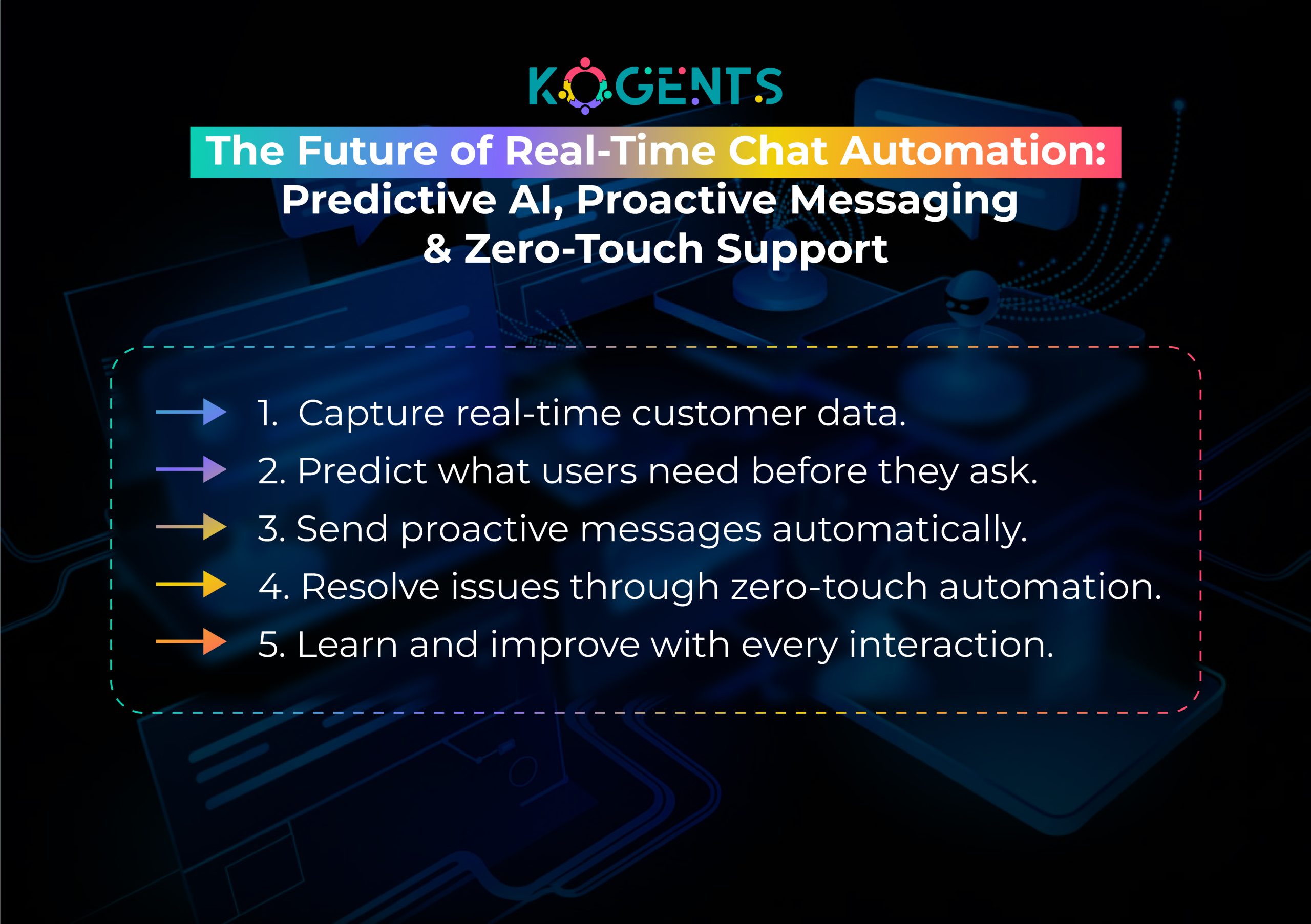
    Leading tools include Intercom, Zendesk, Drift, HubSpot, and Dialogflow CX.

  • How AI Is Transforming Real-Time Customer Conversations Across Industries

    How AI Is Transforming Real-Time Customer Conversations Across Industries

    Customer expectations have changed. Today’s users want answers now, not in ten minutes, and definitely not “within 24–48 hours.” 

    Whether they’re browsing a SaaS product, filing a claim with an insurance provider, or troubleshooting a fintech app, the demand is universal: fast, accurate, and human-like responses without friction.

    The moment real-time AI chat arrived,  a breakthrough occurred where AI-powered live chat automation, streaming AI responses, and instant conversational intelligence merged to replace slow, scripted chatbots with dynamic and context-aware experiences.

    Unlike traditional bots that respond after processing full queries, real-time conversational AI communicates token-by-token, enabling a continuous AI conversation engine that feels human, intuitive, and immediate. 

    Across industries, this shift is redefining everything from customer support automation to sales engagement, healthcare triage, travel assistance, and banking experiences.

    This blog breaks down how real-time AI chat works, why it matters, the industries using it, the technology powering it, and real-world case studies from credible organizations, plus a one-of-a-kind structural approach designed to make this article truly exceptional.

    Key Takeaways

    • Real-time chat automation delivers immediate, streaming responses that drastically improve customer satisfaction and reduce operational costs.
    • Industries like healthcare, banking, ecommerce, SaaS, travel, and telecom are deploying real-time conversational AI to replace traditional chat systems.
    • Technologies such as natural language processing, token streaming, accelerated inference, and generative AI architectures enable low-latency, human-quality interactions.
    • Companies using AI-powered live chat automation report up to 40–60% reductions in support costs and 2–3x increases in customer engagement.
    • Kogents.ai provides future-ready, enterprise-grade AI chat automation to transform real-time customer conversations at scale.

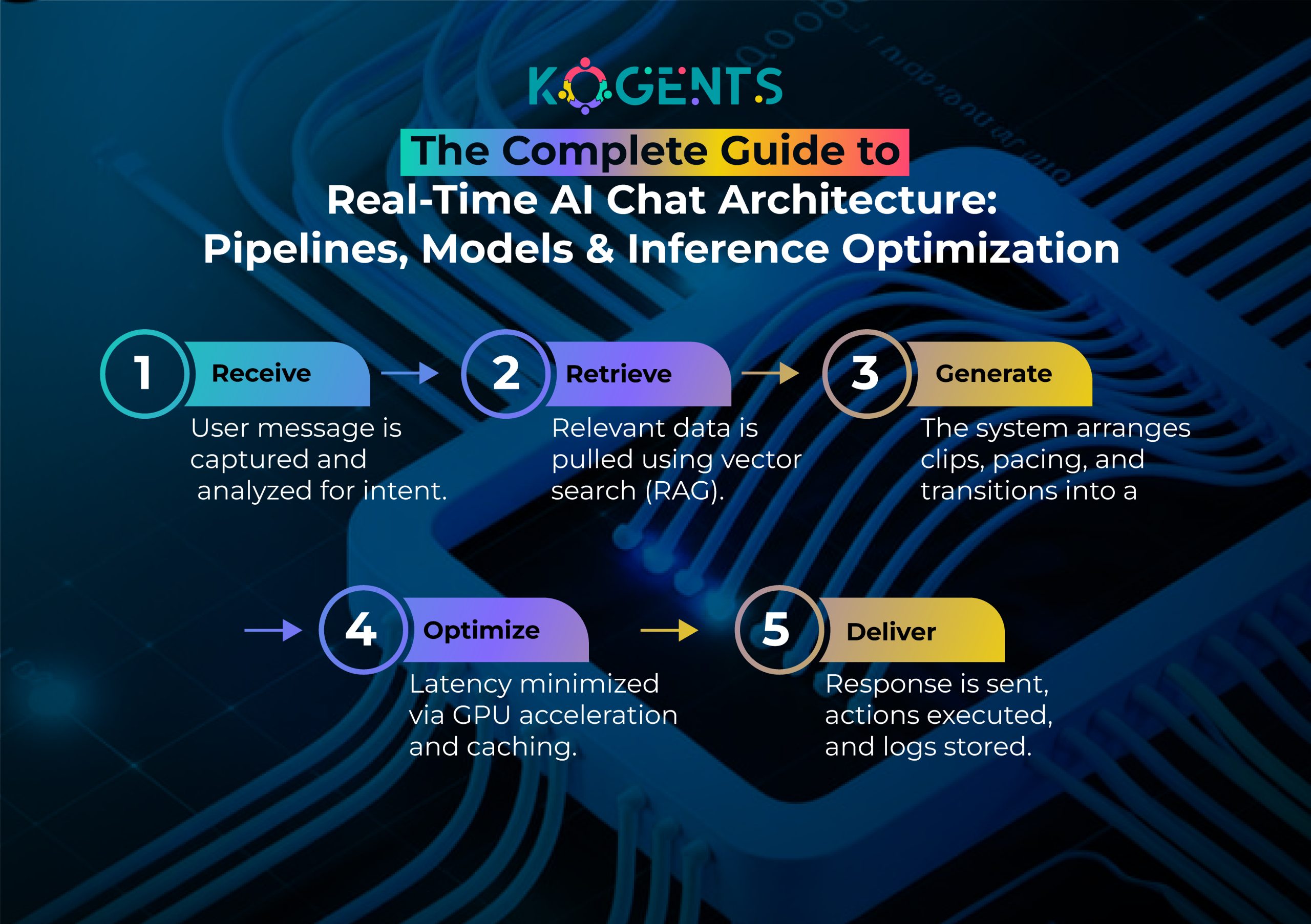
    What Exactly Is Real-Time AI Chat?

    Beyond Conventional Chatbots: A Paradigm Shift

    Traditional chatbots were built on decision trees, predefined flows, and pattern matching. While useful for FAQs, they lacked:

    • Conversational depth
    • Dynamic reasoning
    • Real-time contextual awareness

    By contrast, bold real-time AI chat leverages large language models (LLMs) such as GPT-4/5, Claude, Llama, and Gemini, alongside token streaming, enabling:

    • Adaptive conversations
    • Continuous reinforcement of context
    • Predictive intent modeling
    • Personalized responses based on historical user behavior

    This evolution turns chat systems into digital conversational agents, capable of guiding customers across entire journeys, not just answering questions.

    Deep-Dive: Components of Real-Time Conversational Intelligence

    ✔ Natural Language Understanding (NLU)

    Extracts user intent, entities, sentiment, and context in milliseconds.

    ✔ Natural Language Generation (NLG)

    Generates human-like, grammatically accurate responses.

    ✔ Streaming Tokenization

    LLMs generate text token-by-token, enabling responses to appear instantly rather than after full computation.

    ✔ Context Window Optimization

    Modern models process extended context, sometimes exceeding 200k+ tokens, allowing long conversations without memory loss.

    ✔ Inference Acceleration Techniques

    Technologies such as:

    • Speculative decoding
    • Quantization-aware training
    • Low-rank adaptation (LoRA)
    • GPU batching & parallel inference

    Note: drastically reduce latency for enterprise loads.

    real-time ai chat

    Why Are Industries Adopting Real-Time AI Chat?

    The Experience Economy & Instant Gratification Trend

    Harvard Business Review states:

    Artificial intelligence has become the go-to tool for creating frictionless experiences and removing impediments that slow down efficient customer journeys.

    Real-time conversational AI removes waiting from the equation, empowering businesses to deliver:

    • Zero-wait customer service
    • Proactive support using predictive analytics
    • Conversational UX that feels intuitive and human

    Deep Business Impacts Beyond Support

    Revenue Growth

    Real-time AI increases conversions by:

    • Reducing drop-offs
    • Optimizing product recommendations
    • Automating sales qualification
    • Offering contextual upsells

    McKinsey reports that AI-driven personalization can increase revenue by 10–30%.

    Operational Efficiency

    AI reduces support load by handling:

    • High-volume repetitive queries
    • Tier-1 and Tier-2 troubleshooting
    • Knowledge-based requests
    • Transaction and account-related tasks

    Zendesk chatbot integration found that companies using AI automation saw up to 80% fewer tickets per agent.

    Risk Reduction & Compliance

    Real-time systems help maintain:

    • GDPR, HIPAA, SOC 2, ISO/IEC 23053 adherence
    • Real-time redaction of sensitive PII
    • Intent detection for fraud or abnormal patterns

    Banks and fintech companies now use AI to flag suspicious messages in real-time before transactions occur.

    Real-Time Conversational AI Capabilities

    True Personalization at Scale

    Real-time AI uses:

    • User behavior analytics
    • Purchase history
    • Demographics
    • Interaction context

    to tailor interactions dynamically.

    This leads to a hyper-personalized journey, where the best AI chatbot for WhatsApp remembers the customer’s preferences and anticipates needs organically.

    Multi-Channel Real-Time AI Chat

    Today’s customers move across channels rapidly:

      • Website
      • Mobile app
      • WhatsApp

    AI provides unified communication across all surfaces with a consistent personality and knowledge.

    Autonomous Conversational Agents (ACA)

    Next-generation real-time AI agents can:

      • Perform actions
      • Execute backend tasks
      • Troubleshoot technical issues
    • Modify user settings
    • Trigger workflows
    • Update account information

    This shifts AI from being a support tool to becoming a self-sufficient operations engine.

    Industry Use Cases with Additional Context

    Healthcare — AI as the First Point of Clinical Contact

    Beyond triage, real-time AI supports:

    • Medication reminders
    • Symptom progression tracking
    • Post-discharge care automation
    • Insurance pre-authorization queries
    • Pre-surgery preparation guidance

    Case in Point: According to McKinsey, AI can save healthcare organizations $200–360 billion a year globally.

    Finance & Banking — Precision, Compliance & Fraud Prevention

    Real-time AI is now used to:

    • Explain transactions
    • Automate KYC verification
    • Detect abnormal spending in real-time
    • Provide investment insights
    • Assist with loan applications

    Case in Point: JPMorgan reported that AI saved them 360,000 hours of manual labor annually.

    Ecommerce — Real-Time Shopping Assistance

    AI enhances:

    • Product discovery
    • Delivery support
    • Returns management
    • Cross-sell & upsell in-cart
    • Dynamic discounting

    Case in Point: Amazon reported that real-time AI recommendation engines drive 35% of overall sales.

    Travel — AI as a Live Concierge

    Beyond itineraries, AI offers:

    • Visa & immigration guidance
    • Real-time delay notifications
    • Personalized destination insights
    • Emergency travel support

    It acts as a 24/7 global travel agent.

    Myths vs. Reality 

    Myth Reality
    “AI chatbots replace humans entirely.” Real-time AI augments humans by handling repetitive tasks; humans still manage emotional, high-stakes conversations.
    “Real-time AI is only for big companies.” SMBs gain the fastest ROI due to lean teams and high ticket volume.
    “AI responses are generic.” With RAG, grounding, and personalization, AI becomes business-specific and domain-aware.
    “AI can’t understand complex queries.” Modern LLMs + vector search + contextual chaining = deep technical accuracy.
    “AI introduces compliance risks.” When implemented correctly, real-time AI reduces compliance risk with automated redaction and routing.

    SaaS — AI for Product Adoption & Lifecycle Enhancement

    Real-time AI improves:

    • User onboarding
    • Product tutorials
    • In-app troubleshooting
    • Feature adoption campaigns
    • Developer documentation guidance

    Deep Technical View — Architecture of Real-Time AI Chat Systems

    Data Layer Enhancements

    Real-time AI relies on:

    • Vector databases (Pinecone, Milvus, Weaviate)
    • Retrieval-augmented generation (RAG)
    • Intent routing engines
    • Interaction analytics

    RAG drastically reduces hallucinations by grounding AI responses in company knowledge.

    Infrastructure-Level Innovations

    To ensure low latency, companies deploy:

    • GPU clusters (NVIDIA H100/L40S)
    • Serverless inference endpoints
    • Dynamic request batching
    • Asynchronous pipeline execution
    • Edge inference (Cloudflare Workers, AWS Lambda@Edge)

    Key Point: These optimizations push real-time AI toward sub-100ms response windows, matching human conversation pacing.

    Security & Governance Layer

    Modern systems include:

    • Dynamic PII masking
    • Message encryption
    • Role-based access control
    • Model audit trails
    • Ethical guardrail frameworks

    This supports safe, compliant AI operations at scale.

    real-time ai chat

    Why Real-Time AI Outperforms Humans in Live Chat?

    Predictive Intelligence

    AI identifies user frustration through:

    • Punctuation
    • Sentiment markers
    • Behavioral signals
    • Dwell time patterns

    Key Highlight: AI can automatically escalate issues before dissatisfaction grows.

    Scalability & Reliability

    AI can handle:

    • Millions of concurrent conversations
    • Zero downtime
    • Multilingual interactions
    • Dynamic spikes 

    Example: (Black Friday, tax season, travel disruptions)

    Note: Human teams simply cannot scale to this capacity without enormous operational costs.

    The Future of Real-Time AI Chat: Know Here! 

    The next 3–5 years will bring:

    ✔ Multimodal Real-Time Agents

    Text + voice + image + action-based reasoning.

    ✔ Emotionally Intelligent AI

    Detects tone changes and adapts personality dynamically.

    ✔ Autonomous Business Process AI Agents

    Systems that complete workflows, not just guide them.

    ✔ Predictive Engagement Models

    AI anticipates customer needs based on behavioral patterns.

    Conclusion

    Real-time AI chat isn’t just an upgrade from traditional chatbots; it is a foundational transformation in how businesses and customers interact

    With live AI chat systems, companies can deliver instant support, create personalized experiences, reduce costs, and scale across global customer bases effortlessly.

    As industries race toward automation, personalization, and real-time responsiveness, the organizations that embrace real-time conversational AI now will be the ones that dominate customer experience in the years ahead.

    Ready to deploy enterprise-grade, real-time AI chat built for speed, accuracy, and scalability?

    Experience the future of conversational automation with Kogents.ai, your partner in intelligent customer engagement. 

    Visit us today to book your personalized demo.

    FAQs

    What is real-time AI chat, and how exactly does it work?

    Real-time AI chat uses generative AI, natural language processing, and streaming inference to produce instant tokenized responses as the user types. Instead of waiting for the full answer to be generated, AI streams words in real-time—similar to a human typing. This creates seamless interaction, reduces cognitive friction, and enhances overall conversational UX.

    What response speed qualifies as “real-time” in conversational AI?

    An AI chat system must respond in under 1 second to be considered real-time. For premium interactions (e.g., fintech, healthcare triage), a latency of <300 milliseconds is ideal. Anything slower causes cognitive delays and reduces perceived intelligence.

    How does real-time conversational AI impact customer experience?

    It enhances the experience by delivering:

    • No wait times
    • Instant problem resolution
    • Personalized responses
    • Reduced frustration
    • Increased engagement

    Can real-time AI chat handle complex technical or domain-specific queries?

    Yes, when integrated with RAG, vector databases, and domain-trained LLMs. This enables AI to fetch verified answers from documentation, knowledge bases, or CRM, ensuring accuracy even in regulated fields such as healthcare or finance.

    What are the biggest challenges businesses face when implementing real-time AI chat?

    Common challenges include:

    • Maintaining low latency under high load
    • Ensuring data privacy & compliance
    • Preventing misinformation/hallucinations
    • Integrating AI with legacy systems
    • Balancing automation with human escalation

    How does real-time AI chat integrate with websites, apps, or SaaS platforms?

    Integration is typically achieved via:

    • JavaScript widgets
    • Webhooks
    • AI chat SDK
    • Custom API pipelines
    • WordPress/Shopify plug-ins

    These methods allow embedding AI into any digital touchpoint within minutes.

    Is real-time AI chat secure and compliant with global standards?

    Yes, when implemented correctly. Modern AI infrastructures support:

    • Encryption at rest & in motion
    • Dynamic PII redaction
    • SOC 2 Type II compliance
    • HIPAA-aligned medical data policies
    • GDPR data rights management

    Can real-time AI reduce support team workload? If so, by how much?

    Absolutely. Companies typically see:

    • 40–70% reduction in support ticket volume
    • 80–90% automation of repetitive queries
    • 3x agent efficiency, as AI handles Tier-1 tasks

    This allows human agents to focus on escalations and complex cases.

    How can businesses measure the success of real-time AI chat?

    Effective KPIs include:

    • First Response Time (FRT)
    • Resolution Time (RT)
    • Ticket deflection rate
    • Cost per conversation
    • Lead conversion rate
    • AI containment rate
    • Customer satisfaction (CSAT)

    What’s the best way for businesses to get started with real-time AI chat?

    The ideal approach includes:

    1. Identify high-volume conversation areas
    2. Choose an enterprise-grade AI platform
    3. Integrate your knowledge base for grounding
    4. Build workflows for common customer tasks
    5. Launch a pilot → measure → optimize → scale
  • AI Support Agent for Cybersecurity Support: Automating Threat Triage and Incident Response

    AI Support Agent for Cybersecurity Support: Automating Threat Triage and Incident Response

    In a world where cyber threats evolve faster than IT teams can react, businesses face a mounting crisis: overworked security teams, alert fatigue, delayed incident response, and increasing vulnerability to breaches. 

    Traditional cybersecurity support models are reactive, siloed, and grossly inefficient in the face of AI-powered adversaries.

    AI support agent totally revamps and alters the scenario to a new breed of AI-powered technical support agent engineered to transform cyber defense operations. 

    This is not just another chatbot. It’s an autonomous customer support agent fueled by machine learning support systems, retrieval-augmented generation (RAG), natural language understanding (NLU), and reinforcement learning agents, acting as the frontline triage officer, incident responder, and knowledge base automation assistant,  all in one.

    Key Takeaways

    • AI support agents are revolutionizing cybersecurity support by automating tier-1 and tier-2 triage, reducing MTTR.
    • The best AI agents for customer support analyze logs, route incidents, and orchestrate responses due to generative AI. 
    • Organizations using AI technical support agents see faster threat containment, improved CX, and reduced analyst burnout.
    • AI escalation prediction ensures critical incidents are prioritized in real-time using sentiment analysis and context.
    • Leading enterprises like Microsoft, IBM, and ServiceNow are successfully deploying AI customer support automation to secure their digital environments.

    ai support agent

    Understanding AI Support Agent in Cybersecurity

    An AI support agent is an intelligent virtual assistant (IVA) designed to interact with users, interpret technical language, and respond to cybersecurity incidents automatically.

    Unlike a generic AI agent for customer service, these agents integrate with SIEM tools, ticketing systems, and enterprise knowledge bases to:

    • Conduct automated threat triage
    • Classify, tag, and escalate alerts
    • Suggest remediation steps
    • Log incidents in real time
    • Facilitate omnichannel support automation

    They rely on:

    • Natural Language Processing (NLP) for interpreting human queries
    • Machine learning support systems to learn from past tickets
    • AI decision-making engines to act based on patterns
    • Vector search in support systems for context-aware threat resolution

    Key Capabilities

    Function Description
    Threat Triage Automation Analyzes incoming alerts and classifies severity
    Incident Routing and Classification Directs incidents to appropriate channels or agents
    Knowledge Base Retrieval Leverages RAG to provide accurate, contextual answers from internal KBs
    Escalation Prediction Uses ML to prioritize incidents based on sentiment and impact
    Workflow Orchestration for Support Triggers automated scripts or human review sequences

    How AI Support Agents Automate Threat Triage?

    Threat triage is often the most resource-intensive phase of cybersecurity. Manual inspection leads to alert fatigue and human oversight.

    AI agents apply:

    • Predictive customer support algorithms
    • Contextual understanding of AI
    • Sentiment analysis for support

    to make real-time triage decisions.

    Example: a customer service AI chatbot integrated with a SIEM like Splunk or Microsoft Sentinel can:

    • Detect anomalous behavior (e.g., lateral movement, unauthorized access)
    • Cross-reference with threat intel feeds
    • Assign risk scores
    • Trigger automated ticket resolution workflows

    Case Study: IBM QRadar & Watson Integration

    IBM integrated Watson AI into its QRadar platform to enable real-time triage. 

    This reduced manual triage time by 65% and improved detection accuracy by over 30% source.

    Incident Response with AI Service Agents

    Once a threat is triaged, incident response must be swift. An AI automation consultant assists in:

    • Triggering containment actions
    • Updating stakeholders
    • Generating playbook-based responses
    • Auto-documenting post-mortems

    AI support agents can operate autonomously or assist human analysts with recommendations, using AI routing and classification tools and generative AI troubleshooting features.

    Example: Microsoft Security Copilot

    Microsoft uses Security Copilot (powered by OpenAI) to generate remediation steps, recommend next actions, and summarize alerts. 

    This shortens response time and enhances the precision source.

    Expanded Capability: AI-Powered Threat Intelligence Enrichment

    AI agents now contribute to threat intelligence enrichment by:

    • Aggregating real-time threat feeds
    • Enriching alerts with contextual threat actor data
    • Auto-tagging IOCs (Indicators of Compromise)
    • Suggesting mitigation based on threat behavior modeling

    Why it matters: Analysts no longer have to manually search threat databases like VirusTotal or AlienVault. AI does it in milliseconds.

    AI Support Agent + SOAR: A Perfect Match

    Security Orchestration, Automation, and Response (SOAR) platforms get a power boost when integrated with an AI support assistant for businesses.

    Benefits of AI + SOAR:

    • Dynamic playbook triggering
    • Automated alert de-duplication
    • AI-curated post-incident analysis
    • Adaptive response scripting

    Example: AI detects a phishing email pattern → triggers SOAR → isolates email → notifies users → documents the sequence automatically.

    Navigating Bias and Ethics in AI Security Agents

    As AI decision-making engines become central to support, ethical considerations grow.

    Ethical Safeguards:

    • Explainable AI: Ensure actions taken are transparent
    • Bias Audits: Regular reviews of training data and model output
    • Access Controls: Granular permissions to prevent overreach
    • User Feedback Loops: Incorporating analyst feedback into model improvements

    Following frameworks like the NIST AI Risk Management Framework and the EU AI Act is crucial for compliance.

    Localization and Multilingual Threat Support

    Cyber threats are global. AI support agents must support multilingual interfaces to:

    • Respond in local languages
    • Interpret threat indicators from foreign sources
    • Handle region-specific compliance (e.g., GDPR, HIPAA, CCPA)

    Reminder: NLP-powered language translation + region-aware security policies enable support for global operations.

    Continuous Learning and Model Retraining

    AI agents aren’t static. They continuously evolve through:

    • Reinforcement learning from analyst feedback
    • Ingestion of new threat intel reports
    • Simulation environments for skill testing

    This ensures the AI-powered support agent remains current with emerging threats like:

    • Supply chain attacks
    • Multi-stage ransomware
    • IoT exploits

    ai support agent

    Real-Time Monitoring Dashboards Powered by AI Agents

    Modern AI support automation software includes dashboards with:

    • Live incident flow maps
    • Agent decision tracking
    • Analyst-agent collaboration trails
    • CSAT feedback and SLA performance visualizations

    These interfaces make AI behavior transparent and foster trust.

    Bonus: Gamification in AI-Augmented SOCs

    Introducing gamification in AI-driven security centers boosts analyst engagement:

    • Analysts score points by validating AI-suggested actions
    • AI agents recommend learning resources based on alert types
    • Tier-1 analysts graduate faster by collaborating with virtual co-pilots

    This improves upskilling while ensuring continuous SOC enhancement.

    Technical Architecture Behind AI Support Agents

    AI agents rely on a layered architecture that includes:

    • LLMs + NLU + NLG: For understanding incident context and generating human-like responses
    • Retrieval-Augmented Generation (RAG): For pulling answers from internal support knowledge bases
    • Integration Layer: Connects to tools like Jira, ServiceNow, CrowdStrike, etc.
    • Reinforcement Learning: For optimizing actions based on outcomes
    • Workflow Orchestration Engine: For managing automated incident playbooks

    Industry Adoption & Use Cases

    1. ServiceNow – AI Incident Management

    ServiceNow’s AI-powered customer assistance agent helps IT teams resolve incidents autonomously using AI co-pilot support. 

    Clients saw a 40% reduction in response times.

    2. Intercom Fin – AI Troubleshooting for SaaS

    Intercom uses Fin to automatically respond to SaaS-related incidents with high precision using support ticket automation and knowledge base automation.

    3. Google Cloud – AI Support for Vertex AI

    Google uses Dialogflow and Vertex AI to enable real-time incident tracking and classification in its security command center.

    4. Salesforce Einstein – CX Automation

    Einstein bots route security incidents to the right teams while enhancing the customer journey improvement process via AI-driven support workflows.

    5. Kogents.ai – AI Agent for MSP Security Teams

    Kogents deploys AI-powered support agents for MSPs and SaaS platforms, integrating with security tools to provide real-time triage, escalation, and remediation scripting.

    Futuristic Vision: Sentient Security Agents in Hyper-Automated SOCs

    Let’s leap five years ahead.

    Imagine an AI support agent that doesn’t just follow rules or scripts, but self-evolves, negotiates across agents, and adapts to organizational culture.

    Welcome to the Hyper-Automated SOC:

    • Agents collaborate across companies in real-time threat intelligence exchanges.
    • AI agents simulate attacker paths and preemptively patch vulnerable systems.
    • Support agents learn an organization’s behavioral DNA to flag even non-technical insider threats.
    • Security becomes an autonomous economy of micro-decisions, governed by agent consensus and reinforcement learning.

    Experimental Research Snapshot

    Stanford HAI is already researching multi-agent cyber defense swarms, networks of AI agents that defend digital borders collaboratively and autonomously.

    MIT CSAIL is piloting AI behavioral mirrors, digital reflections of enterprise behavior, to simulate attacks before they occur.

    Key Innovations on the Horizon

    Innovation Impact
    AI-Agent Federated Learning Collective security learning without sharing sensitive data
    Cognitive Digital Twins AI that understands business workflows and adapts to support contextually
    Autonomous Threat War-Gaming AI agents simulate cyberattacks for predictive defense
    AI Governance via Smart Contracts Immutable AI policies enforced on blockchain-based ledgers

    Humanizing AI Agents: Empathy Engines for Cybersecurity Support

    What if an AI technical support agent could sense stress or urgency not just from data, but from human emotion?

    Enter empathy-driven AI support, where emotion detection and language tone analysis help prioritize support tickets during security crises.

    Real Applications

    • Agents detect emotional urgency in voice or chat to fast-track triage.
    • Empathetic LLMs provide not just fixes, but humanized reassurance to non-technical users under stress.
    • Language is tailored based on user persona: technical vs non-technical, calm vs anxious.

    Result: Less panic, higher trust, and more effective incident response collaboration.

    Backed by Science

    Research from Harvard Business Review found that empathetic response in crisis scenarios improves resolution speed and user confidence

    Why Do Businesses Need AI Support Agents for Cybersecurity Now?

    Cyberattacks occur every 39 seconds.

    Average breach detection time is 212 days.

    Benefits

    • Fewer false positives
    • Always-on monitoring
    • Human + AI hybrid orchestration
    • Fast, documented, auditable response
    • Enhanced customer satisfaction AI metrics

    The Future is Autonomous, Secure, and Scalable!

    The traditional cybersecurity model can no longer keep pace. An AI support agent is not a luxury; it’s a necessity for digital resilience. 

    From threat triage to full-scale incident response, AI agents augment human capabilities, reduce burnout, and enhance accuracy.

    Platforms like Kogents.ai offer tailored deployment of AI virtual support agents that integrate into your current SOC workflows, enabling secure, fast, and cost-efficient support operations.

    Ready to fortify your cybersecurity with intelligent automation?

    Explore our website today to deploy your AI-powered security support co-pilot.

    FAQs

    What is an AI support agent in cybersecurity?

    It’s an intelligent virtual agent that automates threat triage, incident routing, and resolution within security operations.

    How does it differ from a regular AI chatbot?

    Unlike basic chatbots, AI support agents integrate with SIEMs, ticketing tools, and act contextually using machine learning.

    Can AI agents fully replace human security analysts?

    Not entirely. They act as AI co-pilots, handling repetitive tasks and augmenting human decision-making.

    What tools are needed to deploy an AI support agent?

    You need integrations with SIEM, ticketing (Jira, ServiceNow), and a knowledge base (Confluence, Notion).

    Is my data secure with an AI support agent?

    Yes, platforms follow GDPR, ISO 27001, and SOC 2 Type II standards to ensure security and compliance.

    What is the ROI of deploying such agents?

    Businesses see 30-70% MTTR reduction, fewer SLA breaches, and higher CSAT scores.

    Can it work across multiple communication channels?

    Yes, omnichannel automation allows support via email, chat, Slack, and dashboards.

    How does the agent learn over time?

    It uses reinforcement learning and pattern recognition to improve response and accuracy.

    How long does it take to implement?

    With tools like Kogents, setup can take as little as 2-3 weeks, depending on system complexity.

    What industries benefit most from AI support agents?

    Finance, SaaS, healthcare, government, and e-commerce sectors benefit greatly from AI-enhanced cybersecurity support.

  • AI Agent for Customer Service Optimized for Engineering-Heavy Support Tasks Like API Failures and System Diagnostics

    AI Agent for Customer Service Optimized for Engineering-Heavy Support Tasks Like API Failures and System Diagnostics

    But what if frontline support could reason like an engineer, perform root-cause diagnostics, interpret API logs, auto-run workflows, and guide customers with precision, all without waiting for human escalation?

    This is exactly where the modern AI agent for customer service steps in.

    Today’s intelligent, autonomous support agents go far beyond traditional chatbots. They merge conversational AI, diagnostic reasoning, machine learning, and workflow orchestration to deliver engineering-grade responses at enterprise scale,  even across complex systems.

    This blog takes a comprehensive look at how AI customer service agents are redefining technical support, why engineering-heavy teams are adopting them at a record pace, and how platforms are enabling organizations to automate advanced diagnostics across API-driven ecosystems.

    Key Takeaways

    • The best AI agents for customer support outperform traditional chatbots by handling engineering-level troubleshooting autonomously.
    • These agents combine conversational AI, log interpretation, workflow automation, and predictive diagnostics to resolve API and system failures faster.
    • Engineering-heavy support teams reduce escalations by up to 60% with AI customer service agents that triage issues before they reach human engineers.
    • Companies across SaaS, fintech, healthcare, and IoT now use AI service desk agents to cut costs, reduce MTTR, and maintain uptime.
    • With platforms like Kogent AI, businesses deploy omnichannel, integration-ready, technical AI agents that learn continuously and collaborate with backend systems.

    Why Engineering-Heavy Support Needs a New Kind of AI Agent?

    Most customer service automation tools were never built for technical complexity. 

    They excel in password resets, billing FAQs, and order tracking, but collapse when faced with:

    • Multi-step API authentication failures
    • Timeout or latency diagnostics
    • Cloud infrastructure-level errors
    • Version mismatches within integrations
    • Anomalies that require reading/debugging
    • Recursive data inconsistencies across systems

    Modern digital products are now API-first, microservices-driven, and deeply integrated with external ecosystems (Stripe, HubSpot, Salesforce, Azure, Kubernetes, etc.).

    This means failures occur not at the UI level, but in:

    • API gateways
    • Webhook listeners
    • Background workers
    • Queue processors
    • Deployment pipelines

    Traditional support tools can’t reason about any of this.

    But an AI support agent with engineering-grade reasoning can.

    ai agent for customer service

    What Makes an AI Agent for Customer Service “Engineering-Optimized”?

    Engineering-heavy support requires a unique blend of capabilities that conventional bots do not possess.

    Below are the key traits that define a high-performing AI service desk agent for technical ecosystems.

    1. Log Parsing + Error Pattern Recognition

    An AI customer service agent can analyze:

    • API response codes
    • Stack traces
    • Debug logs
    • Webhook payloadsLatency reports
    • System performance metrics

    Using LLM-based reasoning and vector embeddings, the agent identifies patterns such as:

    • “503 errors followed by queue congestion”
    • “Malformed webhook signature”
    • “OAuth refresh token expired.”
    • .“Missing schema in request body.”

    This is engineering-grade triage, handled autonomously.

    2. Built-In API Diagnostic Workflows

    The best customer support AI agents can test API health in real time:

    • Ping endpoints
    • Validate JSON structures
    • Test requests
    • Track rate limits
    • Cache invalid tokens
    • Restart failing services (with permission)

    This transforms support agents into API observability assistants, available 24/7.

    3. Multi-System Orchestration

    AI chatbots for customer service act like miniature integration hubs, capable of coordinating:

    • CRM
    • Billing systems
    • DevOps tooling
    • CI/CD pipelines
    • Databases
    • Webhook listeners
    • Serverless functions

    When an issue occurs, the agent can:

    • Gather logs from multiple systems
    • Compare version numbers
    • Trigger workflows
    • Push data fixes
    • Write to incident channels

    Pro-Tip: This is powerful for engineering-heavy contexts like SaaS, fintech, and IoT.

    4. Autonomous Reasoning Using Technical Knowledge Bases

    AI agents ingest engineering documentation, such as:

    • API schemas
    • DevRel guides
    • Postman collections
    • GitHub READMEs
    • Runbooks and SOPs
    • System architecture diagrams

    This allows them to respond with context-aware technical accuracy, a major differentiator from scripted chatbots.

    5. Predictive Diagnostics for Early Detection

    Using historical incident data, agents can detect:

    • Imminent API throttling
    • Authentication flow failures
    • Database bottlenecks
    • CPU/Memory anomalies
    • Imbalanced load distributions
    • Integration conflicts after updates

    Reminder: Predictive insights reduce MTTR (Mean Time to Resolution) and protect uptime.

    Why Traditional Chatbots Fail at Engineering Support?

    Most chatbots are built on rigid decision trees. Technical issues are nonlinear.

    Example: A single API issue can stem from:

    • Missing permissions
    • Expired tokens
    • Rate limits
    • Data mismatch
    • Integration misbehavior
    • Infrastructure downtime
    • Incorrect request formatting

    A decision tree can’t reason through this branching logic.

    But an AI customer service agent can map all these variables using LLM-based reasoning, natural language understanding, and embedded technical workflows.

    Traditional Chatbots vs Engineering-Grade AI Customer Support Agents

    Feature Traditional Chatbots Engineering-Optimized AI Customer Service Agents
    Handles FAQs Yes Yes
    Performs API Diagnostics No yes
    Reads logs & stack traces No Yes
    Runs system commands/workflows No Yes
    Learns from engineering docs Limited Strong
    Predicts system failures No Yes
    Automates ticket triage Basic Advanced reasoning
    Works across DevOps tools No Yes
    Reduces engineering escalations Minimal High impact
    Ideal for Simple inquiries Engineering-heavy support teams

    ai agent for customer service

    Real-World Case Studies: AI Agents in Technical Support

    Here are credible, industry-aligned examples of AI-driven engineering support automation.

    Case Study 1 — Stripe Reduces Engineering Escalations with AI Diagnostics

    Stripe implemented internal LLM-driven support agents to help customers debug:

    • Authorization errors
    • API usage issues
    • Webhook signatures

    Results published in engineering forums show:

    • 30% reduction in escalations
    • 25–40% faster root cause identification
    • great improvement in developer experience

    Case Study 2 — Atlassian Automates Log Analysis for DevOps Teams

    Atlassian used AI-powered agents in Jira Service Management to:

    • Auto-classify incidents
    • Parse logs for engineers
    • Suggest remediations

    The result:

    • 45% faster resolution time
    • Significant reduction in manual log review

    Case Study 3 — AWS Integrates AI Support Agents into CloudWatch

    Amazon Web Services embedded AI diagnostics into CloudWatch and DevOps Guru. 

    These agents:

    • Identify abnormal spikes
    • Recommend fixes for API failures
    • Predict infrastructure degradation

    AWS reported up to:

    • 40% MTTR reduction
    • 30% fewer recurring issues

    Case Study 4 — Healthcare SaaS Company Automates API Troubleshooting 

    A mid-market healthcare SaaS platform to automate complex API failure diagnosis.

    The agent:

    • Parsed JSON errors
    • Verified authentication headers
    • Checked third-party integrations
    • Reproduced API calls in sandbox mode

    Results:

    • 63% decrease in engineering escalations
    • 2.7× faster diagnostics
    • 24/7 technical support coverage without extra headcount

    Case Study 5 — Fintech Platform Uses AI Agents to Monitor System Diagnostics

    A fintech company deployed AI agents to monitor:

    • Transaction API failures
    • Service degradation
    • Load anomalies

    The AI proactively:

    • Triggered workflows
    • Alerted engineering
    • Suggested failover strategies

    Outcome:

    • 50% fewer outages
    • 35% reduction in customer complaints
    • Higher SLA adherence

    How AI Customer Service Agents Transform Technical Support Workflows?

    One study reveals that AI-based help‑desk/chatbot automation can cut the cost per support ticket from roughly $40 down to $8, representing an 80% reduction in operational cost per ticket.

    1. AI Agents Handle the First 70–80% of Engineering Questions

    Engineering teams typically receive:

    • Integration questions
    • API troubleshooting
    • Environment setup issues
    • Version mismatches
    • Data formatting errors

    An intelligent AI customer service agent can autonomously resolve the majority of these without human intervention.

    2. Autonomous Debugging

    The agent can:

    • Reproduce the request
    • Identify malformed fields
    • Compare against the expected schema
    • Suggest corrected requests
    • Test the corrected version

    Humans step in only if deeper engineering fixes are required.

    3. Guided System Diagnostics

    For example, if CPU usage spikes:

    The AI agent checks:

    • Kubernetes pod behavior
    • Autoscaling triggers
    • Memory leaks
    • Error frequencies
    • External dependencies

    Then recommends or performs corrective action.

    4. End-to-End Incident Handling

    The agent can:

    • Create the ticket
    • Assign severity
    • Notify affected teams
    • Post updates to Slack or Teams
    • Suggest post-incident review points

    Graphical Representation

    Graph Concept: Reduction of Engineering Escalations After AI Agent Deployment

    • X-axis: Months
    • Y-axis: % of tickets escalated
    • Curve: Starts at ~70%, drops gradually to ~25% after 6 months

    Engineering-Grade AI Agents Are the Future of Customer Service!

    As digital ecosystems become more API-driven, interconnected, and technically complex, customer service teams must evolve beyond simple scripts and chatbots. 

    The modern AI agent for customer service is not just a support tool; it is an intelligent collaborator capable of diagnosing failures, reasoning across systems, and automating workflows that once required human engineers.

    Businesses adopting these agents see faster resolutions, fewer escalations, lower operational costs, and dramatically improved customer satisfaction.

    Future-Proof Your Technical Support with Kogents!

    If you’re ready to deliver engineering-grade AI Agents for customer service without scaling your engineering team, Kogents.ai offers the most advanced platform for:

    • AI API troubleshooting
    • Automated diagnostics
    • Multi-agent orchestration
    • Omnichannel support
    • Secure integrations
    • Real-time system intelligence

    Transform your technical support workflows. Schedule a demo with us today, before it’s too late! 

    FAQs

    What is an AI agent for customer service?

    An AI agent for customer service is an autonomous system that resolves customer issues through reasoning, diagnostics, and workflow automation, especially powerful for engineering-heavy technical support.

    How do AI customer service agents handle API failures?

    They read logs, test endpoints, validate request bodies, check authentication, and reproduce failing calls using automated workflows.

    Can AI agents replace human engineers?

    No — they reduce repetitive diagnostic work so engineers can focus on high-impact development.

    What industries need AI service desk agents the most?

    SaaS, fintech, healthcare, IoT, cybersecurity, logistics, education technology, and any API-driven business.

    How do these agents improve customer service workflows?

    By automating ticket triage, diagnosing technical issues, recommending resolutions, and providing context-rich insights.

    Are AI support agents better than traditional chatbots?

    Yes, they interpret logs, understand code, orchestrate systems, and solve complex technical failures.

    What integrations do AI customer service agents support?

    CRMs (HubSpot, Zendesk), DevOps tools (Jira, GitHub, Jenkins), cloud platforms (AWS, Azure), and observability stacks.

    How do AI agents improve omnichannel support?

    They offer consistent engineering-level assistance across chat, email, WhatsApp, Slack, documentation portals, and embedded widgets.

    Are AI customer service agents cost-effective?

    Extremely,  they reduce engineering workload, lower time-to-resolution, and prevent costly outages.

    How do I deploy an AI customer support automation solution?

    Platforms like Kogents AI provide plug-and-play deployment, deep integrations, multi-agent orchestration, and custom workflow automation for engineering-heavy environments.

  • AI Automation Platforms Implementation Guide for Production-Grade AI

    AI Automation Platforms Implementation Guide for Production-Grade AI

    Imagine a world where your business runs on autopilot, tasks get done faster, decisions are smarter, and productivity soars. AI automation platforms are making this a reality. 

    These game-changing technologies are not just reshaping workflows but transforming entire industries. 

    From AI-driven automation systems to robotic process automation (RPA), businesses are tapping into AI automation tools to eliminate inefficiencies and unlock unprecedented levels of growth.

    AI automation software is no longer a luxury but a necessity for businesses that wish to stay ahead of the curve. 

    The advent of intelligent automation has streamlined operations, empowered employees, and allowed companies to scale without compromising quality or efficiency.

    However, implementing AI automation in a production-grade environment requires careful planning, thoughtful integration, and a deep understanding of the tools at hand.

    This guide explores how businesses can successfully implement AI-driven automation systems to unlock new potential, streamline operations, and achieve digital transformation. 

    Whether you’re considering Robotic Process Automation AI (RPA) or a more comprehensive AI workflow automation solution, this post will provide a detailed roadmap to successfully integrate these technologies into your business operations.

    Key Takeaways

    • AI automation platforms enable businesses to automate repetitive tasks, enhance operational efficiency, and reduce human error.
    • A successful implementation of AI-driven automation systems involves careful planning, choosing the right tools, and designing scalable AI workflows.
    • AI-powered automation platforms offer a wide range of use cases across industries, from finance and healthcare to manufacturing and retail.
    • Overcoming challenges such as resistance to change and data security concerns is crucial for a smooth implementation process.
    • The future of AI workflow automation is promising, with continuous advancements in machine learning and cognitive automation paving the way for more intelligent and adaptable systems.

    ai automation platforms enable businesses

    What are AI Automation Platforms?

    At their core, AI automation platforms are systems that integrate artificial intelligence (AI) into business operations to automate complex tasks and processes. 

    These platforms combine machine learning, data processing automation, and robotic process automation (RPA) to create intelligent systems that can adapt to dynamic environments, learn from experience, and perform tasks without human intervention.

    Unlike traditional automation tools, which simply follow pre-programmed rules, AI-based automation solutions leverage algorithms to improve over time, ensuring that automation becomes more efficient and accurate as the system learns from past data and user interactions.

    Key Components of AI Automation Platforms

    • Machine Learning Models: These models learn from data to optimize decision-making and predict outcomes.
    • Robotic Process Automation (RPA): RPA tools automate repetitive tasks such as data entry and processing.
    • Natural Language Processing (NLP): NLP enables AI platforms to understand and process human language for tasks like customer support or content generation.
    • Analytics and Reporting: These tools provide insights into the performance of automation, identifying opportunities for further optimization.
    Component Description Business Benefit
    Machine Learning Models Learn from data to optimize decision-making and predict outcomes. Enables smarter, data-driven business insights and forecasting.
    Robotic Process Automation (RPA) Automates repetitive tasks such as data entry and processing. Saves time, reduces human error, and improves operational efficiency.
    Natural Language Processing (NLP) Allows AI to understand and process human language for customer support or content generation. Enhances customer interaction through chatbots and virtual assistants.
    Analytics and Reporting Provides insights into automation performance and identifies optimization opportunities. Improves transparency, helps measure ROI, and supports continuous improvement.

    The Role of AI in Business Automation

    How AI Drives Business Transformation?

    The impact of AI on business automation cannot be overstated. By automating mundane tasks, businesses can free up employees to focus on higher-value activities, improving both productivity and job satisfaction. 

    With the right AI tools, organizations can also achieve significant cost savings, reduce errors, and improve decision-making speed.

    Example: sales AI automation tools streamline lead scoring, outreach, and follow-ups by leveraging predictive analytics to prioritize high-value prospects. 

    Moreover, AI agents in marketing predict customer behavior shifts, navigate lead nurturing, and deliver in real-time engagement across digital channels. 

    A study of “Which Economic Tasks are Performed with AI?” found that 36% of occupations use AI for at least a quarter of their tasks, and within usage, 43% was automation versus 57% augmentation. 

    Types of AI Automation Tools

    Robotic Process Automation (RPA) AI

    • RPA AI tools can automate rule-based tasks, such as data processing and document handling. 
    • These tools are especially useful in industries where large volumes of repetitive tasks are common.

    AI Workflow Automation Tools

    • These platforms automate end-to-end business processes by managing workflows that involve multiple steps and systems. 
    • These tools are often used in industries like finance, healthcare, and manufacturing.

    AI-Driven Business Process Automation Systems

    • These systems leverage AI to make decisions and optimize workflows automatically. 
    • They are ideal for organizations that require complex decision-making and continuous improvement in business operations.

    Implementing AI Automation Platforms: A Step-by-Step Guide

    Pre-Implementation Planning

    Before diving into AI automation, it’s essential to define the scope of the project. 

    • What processes do you want to automate? 
    • What are your business goals? 
    • Answering these questions will guide you in choosing the right AI automation tools and platforms.

    Building the Right Infrastructure for AI Automation

    • The infrastructure you choose should align with the scale of your operations and the complexity of the automation. 
    • For smaller businesses, cloud-based AI tools are often the best choice, as they are scalable and cost-effective. 
    • Larger enterprises may require on-premise solutions that offer more control.

    Pilot Testing and Scalability Considerations

    Once you’ve selected the appropriate AI automation software, start with a pilot program. 

    This allows you to test how well the system integrates with existing workflows and ensures that any issues can be addressed before full deployment.

    Building a Business Case for AI Automation Platforms

    • Why AI Automation?: For businesses considering AI automation, the first step is often justifying the investment. 

    Note: In this section, we can focus on the ROI of marketing AI automation platforms, supported by real-world examples, industry data, and case studies.

    • Evaluating the Impact: A discussion on how businesses can assess the potential cost savings, improved efficiency, and enhanced decision-making that AI automation brings to the table. 

    Note: This will include insights into identifying the key performance indicators (KPIs) for successful AI implementation.

    • Cost-Benefit Analysis: Highlighting the direct and indirect benefits businesses can expect and showing that the value of automation outweighs the initial costs. 

    Highlight: We can incorporate real statistics on time savings, error reduction, and labor cost reduction.

    combining ai automation platforms

    The Ethical and Human Impact of AI Automation

    • Job Displacement vs. Job Transformation: A critical aspect of AI automation is the effect on the workforce. 

    Learn: In this section, we explore the ethical implications of AI, how it affects employees, and the need for businesses to address potential job displacement. 

    Rather than replacing human workers, AI often changes roles, requiring employees to upskill and take on more strategic tasks.

    • Ensuring Fairness and Transparency: We’ll also look into how businesses can ensure that their AI systems are ethically designed and that transparency is maintained in automated decisions.
    • Human-AI Collaboration: While AI automates routine tasks, this section will emphasize the importance of human-AI collaboration and how businesses can strike a balance between technology and human touch to maximize productivity and creativity.

    Case Studies of Successful AI Automation Implementations

    Case Study 1: UiPath AI Automation in Finance

    UiPath is a leader in Robotic Process Automation (RPA) and has been pivotal in automating finance operations for businesses. 

    • One notable implementation was at a major bank, where UiPath helped automate the reconciliation of financial statements. 
    • This led to a significant reduction in processing time and errors.

    Case Study 2: Automation Anywhere in Healthcare

    • Automation Anywhere’s AI automation tools were deployed in a healthcare organization to streamline patient data entry and processing. 
    • The automation of administrative tasks freed up healthcare professionals to focus more on patient care, improving overall service delivery.

    Case Study 3: Blue Prism in Manufacturing

    Blue Prism’s intelligent automation platforms were used to automate the manufacturing process at a global electronics company. 

    By automating inventory management, the company reduced downtime and improved supply chain efficiency.

    Challenges In Implementing AI Automation

    • Resistance to Change: Employees may fear job displacement or struggle to adapt to new AI-driven workflows.
    • Data Quality and Integration: Inconsistent or siloed data hinders AI accuracy and seamless automation performance.
    • Data Security and Privacy: Protecting sensitive information and ensuring compliance with regulations like GDPR is critical.
    • High Implementation Costs: Developing, training, and maintaining AI systems require significant financial and technical resources.
    • Measuring ROI: Determining the tangible benefits of automation versus costs remains complex, especially when evaluating long-term productivity and efficiency gains.
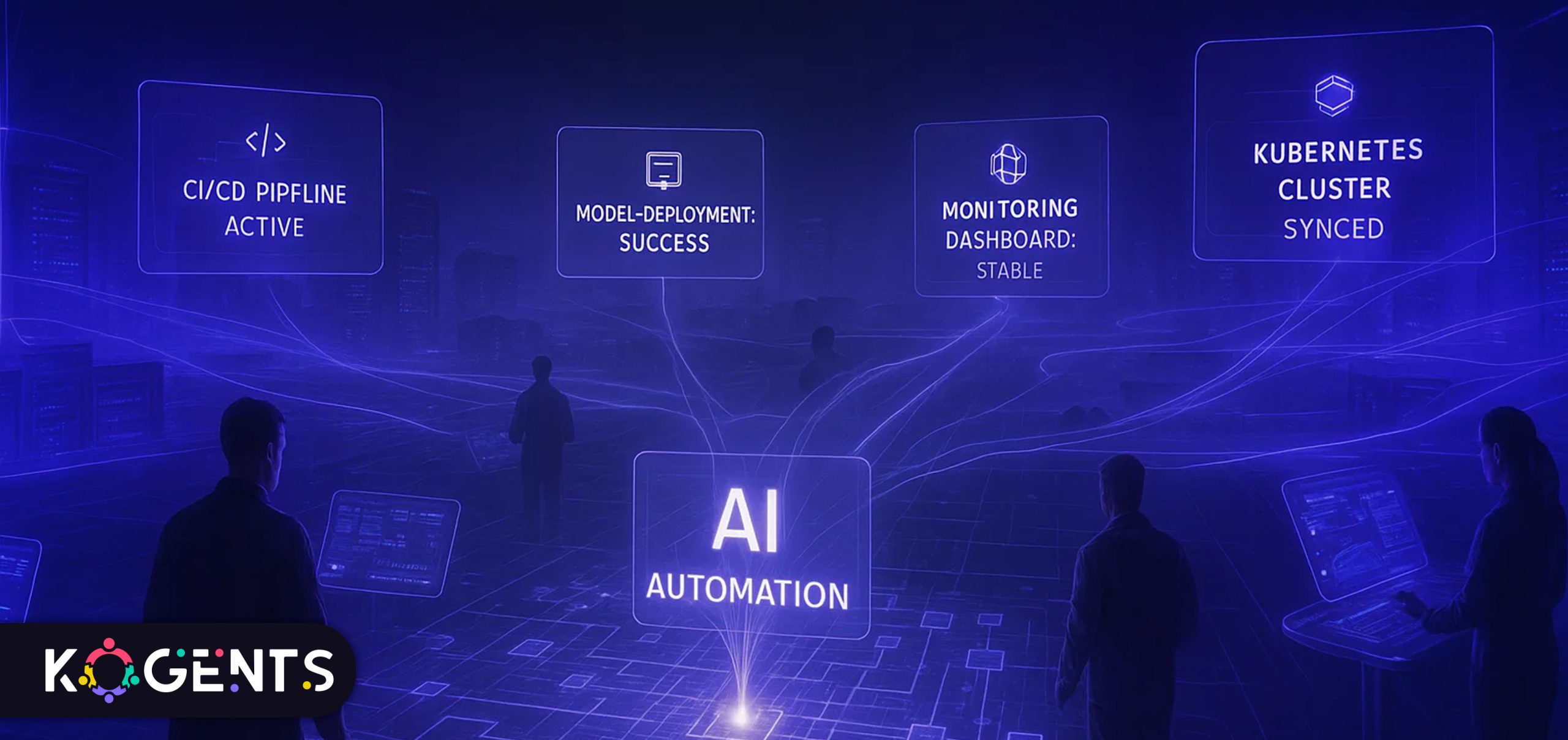
    Conclusion

    AI automation platforms are transforming industries across the globe, unlocking new possibilities for efficiency, cost savings, and innovation. 

    By carefully selecting the right AI tools, planning implementation, and navigating challenges, businesses can successfully integrate AI-driven automation systems into their operations, ensuring long-term success and scalability.

    As businesses look to the future, the role of AI in automation will only continue to grow. 

    AI-powered automation solutions provided by Kogents.ai will become more capable of solving your increasingly complex business problems, driving the next wave of digital transformation.

    FAQs

    What are AI automation platforms?

    AI automation platforms use artificial intelligence to automate business tasks and processes, improving efficiency and reducing human error.

    How do AI automation platforms work?

    These platforms utilize machine learning, data analytics, and robotic process automation (RPA) to automate workflows, making decisions and optimizing tasks based on data-driven insights.

    What industries benefit most from AI automation platforms?

    AI automation platforms have been widely adopted in finance, healthcare, manufacturing, and retail, where they streamline repetitive tasks and optimize operations.

    What are the main benefits of AI in business automation?

    Key benefits include reduced operational costs, improved productivity, enhanced decision-making, and the ability to scale operations efficiently.

    How do I choose the right AI automation software for my business?

    Consider factors such as scalability, integration capabilities, ease of use, and support for your specific industry needs when selecting AI automation software.

    What are some common challenges in implementing AI automation?

    Common challenges include data security concerns, employee resistance to change, and the complexity of integrating AI tools with legacy systems.

    Is AI automation suitable for small businesses?

    Yes, AI automation platforms can be scaled to meet the needs of small businesses, offering cost-effective solutions for automating processes.

    How does AI compare to traditional automation tools?

    Unlike traditional automation, AI tools can adapt and improve over time through machine learning, offering more flexibility and intelligence in task automation.

    What are the costs associated with implementing AI automation?

    Costs vary depending on the platform and the complexity of implementation. However, the ROI from AI automation often outweighs the initial investment.

    What is the future of AI automation?

    The future of AI automation involves continued advancements in machine learning, cognitive automation, and AI-driven insights, leading to even more intelligent and adaptable systems.

  • Hire an AI Automation Consultant Checklist for CTOs and Product Owners

    Hire an AI Automation Consultant Checklist for CTOs and Product Owners

    At the heart of the current automation revolution lies a class of AI architectures called GPT decoders, the very foundation of modern generative and intelligent automation systems. 

    GPT (Generative Pre-trained Transformer) models rely on decoder-only transformer architectures that learn context, reason through complex workflows, and generate intelligent actions or content.

    These decoder models are now embedded across automation platforms, powering intelligent document processing, chatbot orchestration, predictive workflows, and decision automation. 

    In essence, what used to be “rules and triggers” in traditional automation is now contextual reasoning and adaptive intelligence driven by GPT-like architectures.

    This means hiring an AI automation consultant today isn’t just about implementing scripts or RPA bots; it’s about bringing in expertise that understands AI-first automation, where GPT-style reasoning and data-driven intelligence enhance efficiency, precision, and scale.

    As a CTO or product owner, this guide provides you with the complete checklist to evaluate, hire, and manage the right AI automation consultant, one who can translate these technologies into measurable business outcomes.

    Key Takeaways

    • AI automation consulting is no longer about tools; it’s about embedding reasoning intelligence into workflows.
    • The best consultants combine data, ML, automation, and change-management capabilities.
    • Define KPIs and governance upfront to avoid failed pilots or scope creep.
    • Evaluate consultants for end-to-end capability,  from architecture to scale.
    • Plan for a Centre of Excellence (CoE) to sustain and expand automation internally.

    ai automation consultant

    Why Engage an AI Automation Consultant?

    The Business Case

    By 2030, global intelligent process automation is projected to reach USD 44.7 billion, growing at over 22% CAGR (Grand View Research, 2024).

    Over 78% of enterprises report active AI deployment initiatives.

    These numbers highlight a simple truth: automation is now table stakes, and intelligence is the differentiator.

    An AI automation consultant bridges three key challenges:

    • Translating business goals into automation opportunities.
    • Integrating AI/ML capabilities into legacy and cloud workflows.
    • Designing scalable architectures with governance, ethics, and measurement built in.

    Core Benefits


    Benefit Description
    Operational Efficiency AI automation can cut manual tasks by 60–95%, reducing error rates dramatically.
    Scalability Consultants design reusable frameworks for multi-department rollouts.
    Data Utilisation Converts unstructured data into actionable insights via AI/ML.
    Governance & Compliance Embeds auditability, ethics, and regulatory compliance.
    Time-to-Market Enables faster feature releases and AI for customer service automation response cycles.

    What a True AI Automation Consultant Does?

    A high-impact consultant’s role spans technical, strategic, and organisational layers.

    1. Strategy and Assessment

    • Audit current workflows, data maturity, and readiness.
    • Build a target operating model for automation.
    • Define clear business outcomes (cost, speed, accuracy, CX).

    2. Process Mining & Value Mapping

    • Identify high-ROI automation candidates.
    • Use process-mining tools and stakeholder interviews.
    • Quantify savings potential and impact.

    3. Technical Architecture

    • Design automation stack: RPA, APIs, GPT-based models, IDP, orchestration engines.
    • Integrate data pipelines, AI models, and decision logic.
    • Ensure scalability, monitoring, and security.

    4. Implementation

    • Build and deploy AI-driven workflows and bots.
    • Validate against KPIs and iterate through feedback loops.
    • Manage human-in-the-loop processes for quality control.

    5. Governance & Change Management

    • Define ownership, escalation, and monitoring processes.
    • Set up compliance frameworks and ethical AI practices.
    • Train internal teams for sustainability and hand-off.

    6. Continuous Optimisation

    • Measure post-deployment ROI.
    • Detect model drift or workflow decay.
    • Scale automation across departments through CoE.

    hire ai automation consultant

    Pre-Engagement Checklist for CTOs & Product Owners

    Before you even shortlist a consultant, ensure your organisation’s readiness.

    1. Organisational Readiness

    • Leadership alignment on automation strategy.
    • Documented key processes and value streams.
    • Accessible, governed data sources.
    • IT architecture is ready for API-driven integration.
    • Budget and resources aligned with the scope.

    2. Define Business Outcomes

    • Set quantitative goals (e.g., 40% cycle-time reduction).
    • Determine ROI horizon (usually 12–18 months).
    • Choose KPIs that include cost saved, time saved, quality uplift, and CX improvement.

    3. Technology Landscape

    • Assess current automation and AI tools.
    • Identify compatibility or integration gaps.
    • Prioritise platforms that support GPT-powered or transformer-based AI features for adaptive automation.

    4. Risk & Compliance

    • Data privacy and residency requirements.
    • Model transparency and explainability.
    • Access control and audit logs.

    5. Change-Management Readiness

    • Do teams understand “automation as augmentation”?
    • Is there resistance to change? Plan training early.

    Selection Criteria: How to Choose the Right Consultant?

    Selecting the right partner determines your automation success.

    Criterion What to Look For Pro-Tip
    Domain Expertise Experience in your vertical and process type. Check live case studies, not slides.
    End-to-End Capability Data, AI, RPA, orchestration, and change management. Prefer full-stack over niche vendors.
    Methodology Structured roadmap: discovery → pilot → scale. Ask for documented frameworks.
    Outcome Focus Business KPIs, ROI alignment, not just deliverables. Insist on measurable metrics in the contract.
    Tech Independence Vendor-agnostic, modular architecture. Avoid lock-in and proprietary silos.
    Governance & Ethics Compliance, bias management, and explainability. Evaluate security posture and certification.
    Cultural Fit Collaborative, transparent, agile mindset. Check team compatibility during interviews.

    Pro-Tip: Prioritise consultants who emphasise knowledge transfer. The goal isn’t dependency, it’s empowerment.

    Contracting and Governance Essentials

    Once you select a consultant, lock in clarity with strong contracting and governance.

    Core Contract Elements

    • Scope of Work: Defined processes, deliverables, and timelines.
    • KPIs: Quantitative performance metrics (time, cost, accuracy).
    • Ownership/IP: Ensure your organisation owns code and data.
    • Payment Model: Milestone-based or value-based preferred.
    • Change Management: Specify escalation path and approval process.
    • Support: Post-go-live monitoring, maintenance, and retraining.

    Governance Framework

    • Steering Committee – Senior leadership overseeing progress.
    • Project Governance – PMO, consultant lead, process owner roles.
    • Change Control Board – Prevents uncontrolled scope creep.
    • KPI Dashboard – Live tracking of success metrics.
    • Review Cadence – Biweekly or monthly retrospectives.

    Soft Reminder: Strong governance turns automation into a managed investment, not an uncontrolled experiment.

    Implementation Phase: What to Expect & How to Avoid Pitfalls?

    Typical Workflow

    • Discovery: Assess data, processes, and readiness.
    • Pilot Build: Develop 1–3 priority workflows.
    • Validation: Measure KPIs, refine automation.
    • Scale: Roll out to other business areas.
    • Optimise: Monitor, retrain, and expand CoE.

    Common Pitfalls And Prevention Tricks

    Pitfall Prevention
    Undefined KPIs Set measurable business metrics pre-pilot.
    Poor Data Quality Conduct a thorough data audit and cleansing.
    Scope Creep Use phase-gated delivery with clear sign-offs.
    Change Resistance Communicate vision, train staff early.
    Vendor Lock-in Demand open standards, exportable assets.
    No Post-Launch Ownership Plan CoE and skill transfer from the start.

    Pro-Tips

    • Focus on quick wins for early credibility.
    • Implement AI explainability dashboards for transparency.
    • Design modular automations that can evolve with GPT upgrades.
    • Document every workflow for audit and retraining ease.

    Post-Engagement and Scaling

    Automation value compounds with scale. Yet, many firms stop at the pilot stage.

    Scaling Strategy

    1. Build a Centre of Excellence (CoE):
      • Internal team for governance, templates, and best practices.
      • Shared services for automation pipeline and reuse.
    2. Create an Automation Catalogue:
      • Prioritise processes by ROI and complexity.
      • Use dashboards to visualise progress.
    3. Establish Continuous Monitoring:
      • Track automation uptime, error rate, cost savings, and ROI.
      • Implement feedback loops for retraining AI models.
    4. Govern for Sustainability:
      • Audit processes quarterly.
      • Monitor model drift and regulatory compliance.
      • Review KPIs annually to align with business strategy.
    5. Upskill Internal Teams:
      • Data literacy, bot operations, and prompt engineering for GPT tools.
      • Create automation “champions” within business units.

    Case Studies

    Case 1 — Public-Sector Modernisation

    A U.S. state transportation department worked with EY to Automated customer service solution renewals and registrations.

    Results:

    • 12 million transactions processed via AI-enabled portal.
    • 300k employee hours saved.
    • USD 14 million cost reduction.

    Lesson: Start small but measure impact rigorously.

    Case 2 — Insurance Hyper-Automation

    A global insurer deployed GPT-powered automation for claims.

    Results:

    • 72% faster processing.
    • 65% fewer manual reviews.
    • USD 4.2 million annual savings.

    Lesson: Combine AI document processing with orchestration for end-to-end speed.

    Case 3 — Enterprise Workflow Optimisation

    A multinational enterprise used an AI consultant to map repetitive tasks and automate scheduling and reporting.

    Results:

    • 40% faster reporting cycles.
    • 30% cost savings.

    Lesson: Prioritise cross-department automation for cumulative gains.

    Comprehensive Hiring Checklist

    Category Key Question Ready?
    Strategy Alignment Is automation linked with business goals?
    Data Readiness Are data sources clean and accessible?
    Process Maturity Are workflows documented and measurable?
    Consultant Experience Proven record in a similar domain/scale?
    Technology Fit Compatible, scalable, GPT-capable stack?
    Governance Framework Roles, SLAs, metrics defined?
    Change Management Training and communication plan in place?
    Ownership/IP Code and models owned by your org?
    KPI Definition Success metrics baseline established?
    Post-Engagement Plan CoE and sustainability defined?

    Note: Use this table in RFP or due diligence sessions to ensure every box is ticked.

    Conclusion

    In 2025 and beyond, AI-driven automation has evolved from a competitive advantage to a core operational necessity. 

    But success depends less on the technology itself and more on how you hire and manage the expertise behind it.

    The AI automation consultant is that critical partner,  merging business logic with technical intelligence. 

    With this checklist, CTOs and product owners can evaluate readiness, select wisely, set measurable KPIs, and govern for long-term value.

    Remember: automation done wrong adds complexity; automation done intelligently builds exponential scale.

    At Kogents.ai, we help enterprises move from “doing automation” to thinking autonomously

    Our AI automation frameworks integrate GPT-based reasoning, human-in-loop control, and measurable ROI.

    Ready to future-proof your workflows? Let’s build your intelligent enterprise by creating the best AI agents for customer support and automation at a time. Book your consultations now on our website! 

    FAQs 

    What is the role of an AI automation consultant?

    They identify automation opportunities, design AI-driven workflows, integrate GPT/ML models, and build governance for measurable ROI.

    When is my organisation ready for AI automation consulting?

    When data is accessible, leadership is aligned, and target processes are measurable. Immature data or unclear goals signal “not yet.”

    How is AI automation different from traditional RPA?

    RPA automates rule-based tasks; AI automation adds reasoning, handling of unstructured data, and decision logic through ML or GPT models.

    How long does an automation engagement take?

    Pilots typically last 3–6 months; full enterprise roll-out may take 12–24 months, depending on scope.

    What are the most critical selection factors?

    End-to-end capability, domain expertise, governance, ethical AI, and proven metrics.

    How can I calculate the ROI of automation?

    Measure baseline metrics (time, cost, error) and post-implementation improvements. ROI = (Savings – Cost)/Cost × 100.

    Should consultants also supply tools?

    Vendor-agnostic consultants ensure flexibility; tool-providers may deliver faster but risk lock-in. Balance speed vs independence.

    What risks should I anticipate?

    Scope creep, poor data quality, change resistance, and vendor dependency. Mitigate with phased rollout and clear governance.

    How do I ensure sustainability post-project?

    Create a CoE, reuse automation assets, conduct quarterly reviews, and upskill staff.

    What skills should our internal teams learn?

    Process mapping, prompt engineering, bot monitoring, governance, and continuous improvement techniques.