Author: admin

  • How an AI Reply Generator Turns Missed Messages Into Instant Replies

    How an AI Reply Generator Turns Missed Messages Into Instant Replies

    Every missed message is a missed opportunity because customers expect instant replies, not tomorrow, not in a few hours, but now. 

    Whether it’s a support ticket, LinkedIn DM, WhatsApp inquiry, or Instagram message, response time directly impacts customer engagement, trust, and revenue.

    Yet businesses still struggle with inbox overload, limited staff, and time-zone gaps.

    This is where an AI Reply Generator becomes a strategic asset, not just a tool.

    By combining artificial intelligence, natural language processing (NLP), and large language models (LLMs), modern AI reply generators turn missed messages into human-like responses instantly, at scale, and with contextual accuracy.

    Key Takeaways 

    • AI reply generators eliminate response delays without increasing headcount.
    • They use contextual understanding, not rigid scripts.
    • Modern tools support email, chat, social DMs, and messaging apps.
    • Businesses see measurable gains in conversion rate and CSAT.
    • The best systems balance automation + human oversight for trust.

    What Is an AI Reply Generator?

    An AI Reply Generator is a conversational AI reply tool that automatically creates relevant, context-aware responses to incoming messages across digital communication channels.

    Unlike basic autoresponders, it uses:

    • Natural language processing (NLP)
    • Machine learning models
    • Transformer-based architectures (GPT)

    to generate AI-generated replies that feel human, personalized, and accurate.

    Common Synonyms & Variations

    • AI response generator
    • AI message reply generator
    • automatic reply generator AI
    • AI reply assistant
    • smart reply generator
    • AI response assistant

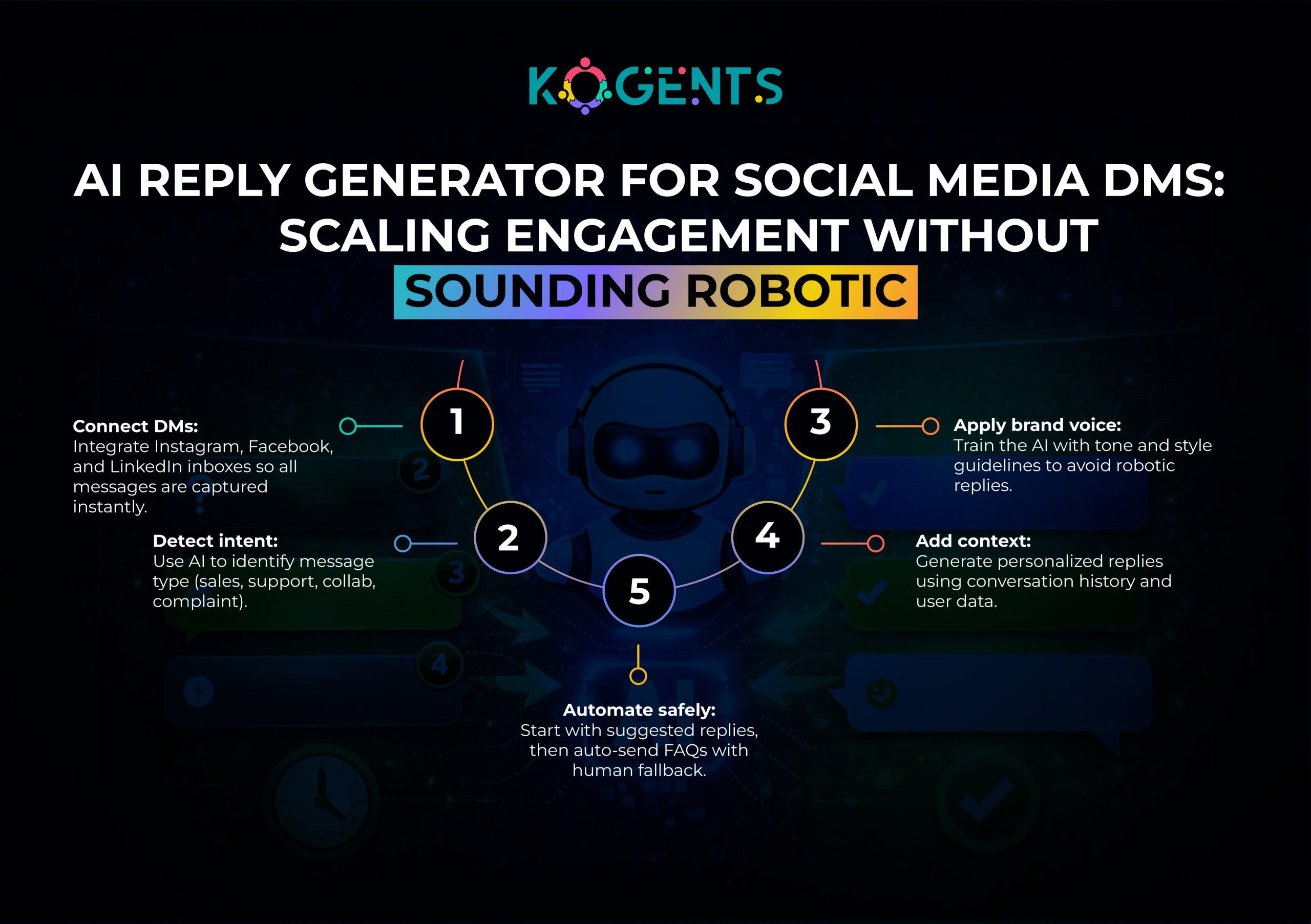
    How an AI Reply Generator Works? 

    1. Message Ingestion

    Incoming messages from email, chat, CRM, or social platforms are captured in real time via an AI messenger bot and Instagram bot automation

    2. Intent Recognition

    Using intent recognition and tokenization, the system understands:

    • User intent
    • Urgency
    • Context
    • Past conversation history

    3. Contextual Understanding

    Through language modeling and conversation flow analysis, the AI considers:

    • Previous messages
    • Customer profile
    • Sentiment (via sentiment analysis)
    1. Response Generation

    A large language model (LLM) generates a response using:

    • GPT architecture
    • neural networks
    • fine-tuning on domain data

    5. Quality & Safety Checks

    Filters ensure:

    • Brand tone alignment
    • Response accuracy
    • Compliance and safety

    6. Instant Delivery or Human Review

    Replies can be:

    • Sent automatically
    • Suggested as a response suggestion for agents
    ai reply generator

    Why Missed Messages Are a Revenue & Trust Killer?

    Missed messages don’t just slow growth; they actively damage brand perception.

    Key Impacts:

      • Lower customer engagement
      • Reduced conversion rates
      • Increased churn
      • Poor conversational UX

    According to McKinsey Companies that improve customer experience see 20–30% revenue growth, and automation-driven engagement reduces service costs by up to 30%.

    An AI reply automation tool closes the gap instantly.

    Key Benefits of Using an AI Reply Generator

    1. Instant Responses at Scale

    Reply to thousands of messages simultaneously.

    2. 24/7 Availability

    No holidays, no downtime, no missed time zones.

    3. Consistent Brand Voice

    Through prompt engineering and fine-tuning.

    4. Personalized Replies

    Dynamic personalization using CRM and context data.

    5. Agent Productivity Boost

    Agents focus on complex tasks, not repetitive replies.

    Table: Manual Replies vs AI Reply Generator

    Feature Manual Replies AI Reply Generator
    Response Time Minutes to Hours Milliseconds
    Scalability Limited by staff Unlimited
    Consistency Varies by agent Brand-aligned
    Cost Efficiency High labor cost Lower operational cost
    Personalization Manual effort Automated & contextual
    Availability Business hours 24/7 always-on

    Use Cases Across Channels

    AI Reply Generator for Emails

    Handles inquiries, follow-ups, and lead nurturing automatically.

    AI Reply Generator for Customer Support

    Resolves FAQs, triages tickets, and reduces backlog.

    AI Reply Generator for Social Media

    Responds to comments and DMs on Instagram, LinkedIn, and Facebook.

    AI Reply Generator for WhatsApp

    Provides instant replies for sales and support conversations via the best AI chatbot for WhatsApp.

    AI Reply Generator for Chatbots

    Acts as a response suggestion engine inside conversational UX.
    ai reply generator

    Case Studies: Real-World Impact

    Case Study 1: SaaS Support Automation

    A B2B SaaS company implemented an enterprise AI reply generator for support emails.

    Result: 42% reduction in response time

    • 28% increase in CSAT
    • Support team handled 2x ticket volume

    Case Study 2: E-commerce Social DMs

    An e-commerce brand deployed an AI reply generator for Instagram DMs.

    Result: 19% uplift in conversion rate

    • 35% fewer abandoned conversations

    Case Study 3: Recruitment & LinkedIn Messaging

    A recruitment firm used an AI reply generator for LinkedIn messages.

    Result: 3x faster candidate engagement

    • Improved reply consistency and professionalism

    Case Study 4: Healthcare Appointment Messaging

    A healthcare provider deployed an AI reply generator for WhatsApp to manage appointment queries.

    Results:

    • 63% reduction in missed appointment inquiries
    • Faster triage for urgent patient messages
    • Improved patient satisfaction scores

    Key takeaway: AI handled administrative communication, freeing staff for care delivery.

    Case Study 5: FinTech Compliance-Driven Messaging

    A FinTech startup integrated an AI reply generator API with compliance guardrails.

    Results:

    • Zero compliance violations
    • 31% faster customer onboarding conversations
    • Higher trust in automated financial messaging

    Key takeaway: AI replies can be regulated and safe at scale.

    Case Study 6: Global Marketplace Seller Support

    A global marketplace used an AI reply generator for customer support across 12 languages.

    Results:

    • 47% decrease in average handling time
    • Multilingual human-like responses without hiring translators
    • Expanded global reach without scaling staff

    Key takeaway: AI reply generators unlock global scalability.

    The Future of AI Reply Generators: From Reactive Replies to Predictive Conversations

    The future of the AI Reply Generator is not just about responding faster; it’s about anticipating intent, predicting outcomes, and orchestrating conversations autonomously.

    1. Predictive Reply Intelligence (Before the Message Arrives)

    Next-generation AI response assistants will proactively prepare replies before a user finishes typing.

    Using:

    • Behavioral pattern recognition
    • Historical conversation modeling
    • Predictive intent recognition

    AI systems will surface pre-composed response drafts, allowing businesses to respond in near-zero latency.

    Gartner predicts that by 2027, over 40% of customer interactions will be proactively initiated by AI-powered systems rather than reactive responses.

    2. Emotionally Adaptive AI Replies

    Future AI-generated replies will dynamically adapt tone and phrasing based on emotional context.

    Through advanced:

    • Sentiment analysis
    • Emotional polarity scoring
    • Empathy-driven prompt engineering

    AI replies will shift tone automatically:

    • Calm during complaints
    • Urgent during escalations
    • Friendly during pre-sales

    This evolution dramatically improves conversational UX and trust.

    3. Multimodal AI Reply Systems (Text + Voice + Video)

    The next frontier is multimodal conversational AI.

    AI reply generators will:

    • Convert text replies into voice responses
    • Auto-generate short video replies for sales or onboarding
    • Integrate across AR/VR environments

    This moves AI from message automation to experience automation.

    4. Autonomous Conversation Orchestration

    Future enterprise AI reply generators won’t just reply, they’ll:

    • Route conversations
    • Escalate intelligently
    • Close tickets autonomously
    • Trigger workflows across CRM, billing, and support systems

    This turns AI reply systems into decision-making digital assistants, not just text generators.

    AI Reply Generator vs Human Agents 

    Does an AI Reply Generator Replace Humans?

    Short answer: No, it augments them.

    The most effective organizations deploy hybrid AI-human communication models.

    What AI Does Best

    • Handles repetitive queries
    • Provides instant replies
    • Maintains consistency
    • Scales infinitely

    What Humans Still Do Best

    • Emotional nuance
    • Complex negotiations
    • Strategic relationship building

    The winning strategy is AI-first replies, human-final authority.

    Governance, Compliance & Trust in AI Reply Automation

    Why Governance Matters in AI Reply Generators?

    As AI reply automation tools scale, governance becomes critical.

    Enterprise-grade systems now include:

    • Response explainability
    • Audit logs
    • Bias detection
    • Compliance filtering (GDPR, HIPAA, SOC 2)

    Modern AI reply generator SaaS platforms use:

    • Guardrails on LLM outputs
    • Restricted token usage
    • Approved response templates

    This ensures response accuracy, legal safety, and brand integrity.

    Measuring the ROI of an AI Reply Generator

    Key Metrics Businesses Track

    To justify adoption, companies measure:

    • First Response Time (FRT)
    • Customer Satisfaction Score (CSAT)
    • Conversation Resolution Rate
    • Cost per Interaction
    • Agent Utilization Rate

    AI replies are no longer a cost center; they are a revenue accelerator.

    Common Pitfalls to Avoid When Using an AI Reply Generator

    Even the best AI reply generator tool can fail if misused.

    Pitfall 1: Over-Automation Without Oversight

    AI should assist, not blindly replace human judgment.

    Best practice: Use AI for first responses, routing, and FAQs, not sensitive escalations.

    Pitfall 2: Ignoring Context Memory

    AI reply systems without conversation memory lead to:

    • Repetitive answers
    • Frustrated users
    • Broken conversation flow

    Always ensure contextual understanding is enabled.

    Pitfall 3: No Brand Voice Training

    Without proper fine-tuning:

    • Replies feel generic
    • Brand identity weakens

    Prompt engineering + fine-tuning solve this.

    Buyer’s Checklist — How to Evaluate the Best AI Reply Generator Software?

    When evaluating an AI reply generator SaaS platform, decision-makers should ask:

    ✔ Does it support multi-channel messaging (email, WhatsApp, social)?
    ✔ Does it use large language models (LLMs), not rules?
    ✔ Is there an AI reply generator API access?
    ✔ How low is inference latency?
    ✔ Are compliance and audit logs built in?
    ✔ Does it support human review workflows?

    Note: This checklist filters out basic tools and surfaces enterprise-grade AI response generators.

    Ethical AI & Trust Signals in AI Reply Automation

    As AI-generated replies scale, ethical deployment becomes a differentiator.

    Key Trust Signals Businesses Look For

    • Transparent AI disclosure
    • Explainable response logic
    • Bias detection in machine learning models
    • Opt-out mechanisms for users

    According to PwC, 87% of consumers say transparency in AI usage increases trust.

    Ethical AI isn’t optional; it’s a brand credibility multiplier.

    Industry-Wise Adoption Trends of AI Reply Generators

    Different industries adopt AI reply tools for different reasons:

    SaaS & Tech

    • Support ticket deflection
    • Faster onboarding conversations

    E-commerce

    • Order inquiries
    • Abandoned cart recovery via messaging

    Healthcare

    • Appointment confirmations
    • Non-clinical patient communication

    Finance & FinTech

    • Compliance-safe customer messaging
    • Onboarding guidance

    Recruitment & HR

    • Candidate engagement
    • Interview scheduling

    This shows that AI reply generators are horizontal infrastructure, not niche tools.

    Bonus Add-On: Sample Prompt Framework for High-Quality AI Replies

    Here’s a simplified prompt structure used in production-grade systems:

    “You are a professional customer support assistant.
    Respond clearly, politely, and concisely.
    Maintain brand tone: helpful, confident, empathetic.
    Use the conversation context provided.
    If confidence is low, escalate to a human agent.”

    This framework dramatically improves human-like responses and consistency.

    Accuracy, Ethics, and Human Oversight

    Modern AI response generators achieve high accuracy through:

    • Fine-tuning on domain-specific data
    • Continuous feedback loops
    • Human-in-the-loop systems

    Best Practice: Use AI for first responses and routing, humans for complex or sensitive interactions.

    Choosing the Best AI Reply Generator Tool

    Must-Have Features

      • AI reply generator software with NLP depth
      • Multi-channel integrations
      • AI reply generator API access
      • Low inference latency
      • Enterprise-grade security

    Commercial Options

    • AI reply generator SaaS platform
    • Best AI reply generator tool with analytics
    • AI reply automation tool with CRM sync

    Future of AI Reply Automation

    The next generation will include:

    • Emotion-aware replies
    • Voice + text reply generation
    • Deeper conversational AI memory
    • Predictive response suggestions

    Backed by research from OpenAI, Google AI, Microsoft, Meta AI, and IBM Watson, AI replies are becoming a default business capability, not a luxury.

    Turning Speed Into a Competitive Edge!

    An AI Reply Generator is no longer optional; it’s foundational.

    By turning missed messages into instant, intelligent, and personalized replies, businesses gain:

    • Faster engagement
    • Higher conversions
    • Stronger trust

    Brands that adopt AI communication tools today position themselves ahead of competitors tomorrow.

    The edge belongs to those who reply first and reply best. For further collaborations and crucial insights, visit Kogents.ai now! 
  • Why Speed Matters for Conversion Rate Optimization: How Response Time Impacts Conversions & CSAT

    Why Speed Matters for Conversion Rate Optimization: How Response Time Impacts Conversions & CSAT

    Most teams treat page speed like housekeeping, something engineering “handles later.” 

    But do you want to know the uncomfortable truth? Here it is: if your site is slow, your Conversion Rate Optimization program is handicapped before it even starts.

    You can invest in CRO consulting, run a sophisticated CRO testing framework, hire a conversion optimization agency, or deploy premium personalization tools, but if users feel lag, hesitation, or jank, they won’t wait for your beautifully optimized CTA to load.

    Google has repeatedly shown that as load time increases from 1s to 3s, the probability of bounce rises sharply, and keeps climbing as speed worsens. 

    Speed changes how users feel, and feelings drive decisions. 

    In this guide, we’ll connect the dots between website performance optimization, funnel optimization, website usability, and the business outcomes that matter: conversion lift, retention, and customer satisfaction (CSAT).

    Key Takeaways

    • Speed is a foundational lever for CRO optimization, not a secondary enhancement.
    • Performance improvements amplify every other CRO tactic, copy, UX, personalization, and testing.
    • Slow response time increases bounce rate, reduces click-through rate (CTR), and breaks user momentum. 
    • Core Web Vitals (LCP, INP, CLS) are practical CRO KPIs, not “SEO-only” metrics. 
    • Faster experiences measurably improve both conversion rate and CSAT through trust and reduced cognitive load. 

    What Conversion Rate Optimization Really Means And Why Speed Belongs Inside It? 

    Conversion rate optimization is the systematic process of enhancing the percentage of visitors who complete a desired action, buy, subscribe, request a demo, book a call, or complete onboarding by improving the experience by inducing behavioral analytics, experimentation, and UX improvements.

    In practice, website conversion optimization depends on:

    • User behavior analysis (scroll depth, rage clicks, hesitations)
    • Customer journey mapping across touchpoints
    • Experimentation (A/B testing, multivariate testing)
    • Persuasion principles (trust badges, social proof, clarity)
    • Website performance optimization (speed, responsiveness, stability)

    Note: Speed isn’t separate from CRO; it’s the foundation that makes the funnel usable.

    conversion rate optimization

    Graphical Representation: How Speed Pushes Users Out of the Funnel?

    Below is a simplified view of what many teams see in analytics: conversion rate drops as load time rises.

    Key Note: This aligns with Google’s published behavior patterns around bounce probability and loading delays. 

    The Psychology of Speed: Why Response Time Changes Decisions?

    Speed shapes conversion behavior because it alters:

    1) Cognitive Load

    • Slow sites force users to “hold context” while waiting. 
    • That increases mental effort and reduces completion rates, especially on mobile.

    2) Trust Signals

    • Performance is perceived as credibility. 
    • A lagging checkout or delayed form submission triggers doubt: “Is this secure?” 
    • “Did it submit?” “Will I be charged twice?”

    3) Decision Velocity

    Fast experiences are naturally intact to maintaining momentum and reducing drop-off between micro-steps.  

    (add to cart → checkout → payment).

    This is why UX leaders and CRO educators like Peep Laja (CXL), Tim Ash, and Avinash Kaushik) consistently emphasize that conversion is rarely “one element”; it’s the entire experience: clarity, friction, and confidence.

    conversion rate optimization


    Speed Metrics CRO Teams Should Treat as Revenue Metrics

    A modern CRO audit checklist should include performance diagnostics, not only design critiques.

    Core performance KPIs that influence CRO

    • LCP (Largest Contentful Paint): how quickly the main content becomes usable
    • INP (Interaction to Next Paint): responsiveness during taps/clicks
    • CLS (Cumulative Layout Shift): stability (prevents mis-clicks)
    • TTFB (Time to First Byte): backend responsiveness

    Case in Point: Vodafone’s web.dev case study is a perfect example of treating performance as a conversion experiment: they A/B tested Web Vitals improvements and measured business outcomes. 

    Table: Speed → Funnel → Business Outcome

    Performance factor What users experience CRO impact Business result
    Faster LCP Content appears quickly Lower bounce, higher engagement More leads/sales
    Better INP Site feels responsive Higher CTR, fewer abandoned steps Higher conversions
    Lower CLS Page doesn’t jump Fewer mis-clicks & errors Higher CSAT
    Faster TTFB Immediate feedback More completed forms/checkouts More revenue & trust

    Note: These factors are strongly reflected in real-world case studies like Vodafone and AliExpress.

    A Speed-First CRO Framework So You Don’t Optimize the Wrong Thing!

    Most conversion optimization services fail when teams test “surface tweaks” while the experience remains slow. 

    Here’s a practical conversion optimization roadmap that treats speed as a CRO layer:

    Phase 1 — Diagnose Friction

    Use behavioral analytics (session recordings, heatmaps, GA4 event tracking) to identify:

    • Where do users drop?
    • Which step slows down?
    • Whether frustration signals spike on slow pages?

    Phase 2 — Fix Performance Bottlenecks

    Prioritize:

    • slow landing pages (paid traffic waste)
    • product pages (ecommerce intent)
    • signup/demo flows (CRO for SaaS websites)
    • checkout and payment (trust-critical)

    Phase 3 — Then Run Experiments

    Once baseline speed is stable, your CRO testing framework becomes more reliable (less noise, higher statistical signal).

    Soft Reminder: This is the difference between “testing” and data-driven conversion optimization.

    Why Slow Sites Create False A/B Test Winners?

    A/B tests assume a stable environment. 

    But speed instability introduces bias:

    • Variant B might appear “worse” simply because it loads more slowly.
    • One variant may trigger higher CLS, causing accidental clicks.
    • Mobile performance changes can skew results by device type.

    Key Insight: If you’re running CRO optimization at scale, treat performance as an “experiment prerequisite,” not a nice-to-have.

    CSAT, Support Tickets, and Speed: The CRO Cost People Forget About 

    CRO isn’t just “more conversions.” 

    Slow experiences increase:

    • failed form submissions,
    • duplicate clicks, accidental purchases, 
    • checkout retries, and payment anxiety
    • “Where is my confirmation?” support tickets

    For brands handling high mobile traffic, integrating the best AI chatbot for WhatsApp helps deliver instant order updates, payment confirmations, and support responses, reducing friction and improving CSAT.

    Note: Many of these issues can be eliminated by implementing AI to handle slow replies, which ensures instant confirmations, real-time feedback, and reduced customer anxiety during critical conversion moments.

    Case in Point: Deloitte’s research on milliseconds and mobile performance highlights how speed changes engagement and funnel progression, directly affecting conversion behavior and brand perception. 

    Highlight: Speed improvements often reduce customer effort, which is a silent CSAT booster.

    Case Studies 

    Case Study 1 — Vodafone (Web Vitals A/B Test → More Sales)

    Vodafone ran an A/B test focused on Web Vitals. A 31% improvement in LCP was produced:

    • +8% sales
    • +15% lead-to-visit rate
    • +11% cart-to-visit rate 

    Why it matters: This is pure landing page conversion optimization where performance is the tested variable.

    Case Study 2 — AliExpress (PWA Performance → Massive Conversion Gains)

    After launching a Progressive Web App, AliExpress reported:

    • +104% conversion rate for new users
    • +82% conversion on iOS (Safari)
    • 2x pages per session
    • +74% time spent per session 

    Why it matters: This is ecommerce conversion rate optimization driven by speed + experience upgrades.

    Case Study 3 — Pinterest (Faster Mobile Web → Higher Signup Conversion)

    Pinterest engineers improved mobile web landing performance by 60% and saw:

    • +40% mobile signup conversion rate 

    Why it matters: This is CRO for SaaS websites’ style growth mechanics applied to consumer acquisition.

    Case Study 4 — COOK (Speed Reduction → Conversion Lift + Better Engagement)

    COOK reduced average page load time by 0.85 seconds and saw:

    • +7% conversion rate
    • -7% bounce rate
    • +10% pages per session 

    Why it matters: It shows speed impacts both conversion and engagement quality.

    Case Study 5 — Mobify (100ms Improvements → Measurable Conversion Lift)

    Mobify reported that for their customer base:

    Each 100ms decrease in homepage load speed produced a 1.11% lift in session-based conversion 

    Why it matters: This quantifies “milliseconds matter” in a way CRO teams can model into ROI.

    Case Study 6 — BBC (Each Additional Second → Audience Loss)

    The BBC observed that they lose 10% of users for every additional second it takes their site to load. 

    Why it matters: While not a checkout metric, this is a top-funnel reality: no traffic retention, no conversions.

    How to Improve Conversion Rate Through Speed?

    To strengthen conversion rate optimization best practices, prioritize:

    Performance fixes that directly support conversions

    • Reduce render-blocking JS (improves LCP/INP)
    • Optimize images and responsive media delivery
    • Server-side rendering for critical content (especially for landing pages)
    • Remove/limit heavy third-party scripts (chat widgets, trackers)
    • Use a CDN and caching strategy for global responsiveness

    In addition, deploying an AI messenger bot can significantly reduce perceived wait time by projecting prompt responses, confirmations, and guidance while pages or actions are being complete.

    The CRO Edge Is Often Hidden in Milliseconds! 

    If you want sustainable growth, treat speed as a conversion asset, not a technical burden for the sake!  

    The strongest CRO strategy doesn’t originate with button colors; it begins with removing friction that prevents users from even reaching your best persuasive elements.

    The winning teams blend:

    • performance engineering
    • UX/UI improvements
    • behavioral analytics
    • a disciplined CRO testing framework

    That’s how you create a fast, trustworthy experience that converts and keeps customers satisfied.

    If your goal is to out-convert competitors, not just “optimize”, build a speed-first engine for Conversion Rate Optimization

    When response time improves, everything else you do in CRO works harder, tests cleaner, and scales faster. 

    So, are you ready to elevate your conversion rate and enhance your brand positioning? Then Kogents.ai is the right platform for you! Contact us today for more insights! 

    FAQs 

    What is Conversion Rate Optimization, and why does it matter?

    Conversion rate optimization is the practice of increasing the percentage of visitors who take a desired action by improving UX, reducing friction, and aligning pages with user intent. It matters because CRO raises revenue without increasing ad spend by improving funnel performance and turning existing traffic into results.

    How does CRO work in real life (not theory)?

    CRO works by combining behavioral data (what users do) with structured experimentation (what changes improve outcomes). A typical cycle includes: baseline metrics → user behavior analysis → hypothesis creation → A/B testing → validation via statistical confidence → rollout + iteration. Moreover, speed belongs early in the cycle because performance problems distort user behavior patterns and test outcomes.

    Why does website speed matter so much for conversions and CSAT?

    Because speed affects perceived trust, cognitive load, and decision momentum. Even when users “want” what you offer, slow response time creates doubt and friction that suppress conversions. Studies and case evidence show performance improvements can directly increase sales/lead rates. 

    What’s the difference between CRO and SEO?

    SEO brings traffic; website conversion optimization turns that traffic into outcomes. Speed overlaps both: it supports search visibility and user engagement, but CRO measures success in conversions, signups, purchases, demo requests, and revenue, not rankings.

    What is a good average website conversion rate?

    It varies by industry, device, and offer. Instead of chasing a generic “average,” CRO teams benchmark by channel (paid vs organic), device (mobile vs desktop), and page type (landing page vs product page). Speed becomes your “unfair advantage” because faster sites typically retain more sessions and give users fewer reasons to abandon.

    Which CRO metrics should I track alongside speed metrics?

    Track performance (LCP/INP/CLS/TTFB) alongside CRO metrics like bounce rate, CTR, scroll depth, add-to-cart rate, checkout completion, and form completion. Pairing these reveals whether you’re fixing the right friction point—e.g., improving LCP on a landing page but seeing no lift might mean the bottleneck is trust, clarity, or offer mismatch.

    What tools are best for measuring CRO + speed together?

    Use Google Analytics 4 (GA4) for event tracking and funnel analysis; combine it with performance diagnostics (PageSpeed Insights/web performance monitoring) plus UX tools like heatmaps and session recordings. 

    Should SaaS and ecommerce approach speed-driven CRO differently?

    Yes. CRO for SaaS websites often focuses on demo/trial funnels, pricing clarity, onboarding speed, and perceived reliability. CRO for ecommerce stores prioritizes product page speed, search/filter responsiveness, cart/checkout stability, and payment confidence. Both depend on speed, but the conversion moments differ.

    Should I hire a CRO agency or build in-house capability?

    If you need faster wins, an experienced conversion optimization agency or CRO consulting partner can bring proven frameworks, tool stacks, and experiment design maturity. In-house teams are great for long-term iteration, especially when engineering resources are consistently available for speed improvements.

    What’s the ROI of CRO services when speed is included?

    Speed-driven CRO can deliver compounding ROI because performance upgrades lift multiple metrics: more sessions retained, more steps completed, fewer abandoned checkouts, and better CSAT. 

  • Turning Missed Messages Into Revenue With an AI Automation Playbook

    Turning Missed Messages Into Revenue With an AI Automation Playbook

    Do you know that every missed customer intimidation through message or call is lost intent, lost trust, and often lost revenue.

    Well, with the advent of the digital economy, customers expect prompt responses across chat, email, WhatsApp, SMS, social DMs, and web forms. 

    But when businesses fail to meet customer expectations, buyers don’t wait. They leave.

    According to Harvard Business Review, companies that respond to leads within one hour are more likely to qualify leads than those that respond later. 

    Yet, most organizations still rely on manual workflows, limited staff availability, or disconnected systems.

    This is where a modern AI Automation Playbook plays the role of a game changer. 

    An AI-driven automation framework doesn’t just answer messages; it captures intent, routes conversations intelligently, personalizes responses, and drives revenue outcomes at scale.

    Key Takeaways

    • Missed messages represent unrealized revenue intent.
    • AI automation playbooks outperform manual workflows.
    • NLP-powered AI agents capture buyer intent in real time.
    • Human-in-the-loop governance ensures accuracy and trust.
    • AI automation is a growth engine, not a cost center.

    The Business Case for AI-Driven Message Automation

    An AI automation playbook for enterprises enables real-time engagement at scale and provides an enormous amount of benefits. 

    Key Benefits

    • Operational efficiency
    • Productivity gains
    • Cost reduction
    • Revenue optimization
    • Risk mitigation
    • Compliance automation

    What Is an AI Automation Playbook?

    An AI Automation Playbook is not a chatbot script, a rules engine, or a simple automation flow.

    It is a strategic, enterprise-grade operating model that defines how artificial intelligence detects intent, makes decisions, orchestrates workflows, and drives business outcomes, without human delay.

    At its core, an Artificial Intelligence Automation Playbook combines:

    • Artificial intelligence
    • Machine learning
    • Workflow automation
    • Natural language processing (NLP)
    • AI agents
    • Decision automation
    • Business process automation

    ai automation playbook

    What Makes a Playbook Different From Tools?

    Most companies adopt tools, but mature firms rely more on playbooks.

    A Business AI Automation Playbook answers:

    • What should AI automate?
    • When should AI act independently?
    • When should humans intervene?
    • How does automation scale across teams, channels, and regions?

    Why This Matters?

    McKinsey Global Institute reports that AI-driven automation can unlock $4.4 trillion in annual productivity gains globally.

    Salesforce data shows customers expect responses in under 5 minutes, yet average business response times exceed some hours.

    This gap is where revenue is lost, and where an AI workflow automation playbook offers leverage. 

    Why Missed Messages Are a Revenue Crisis?

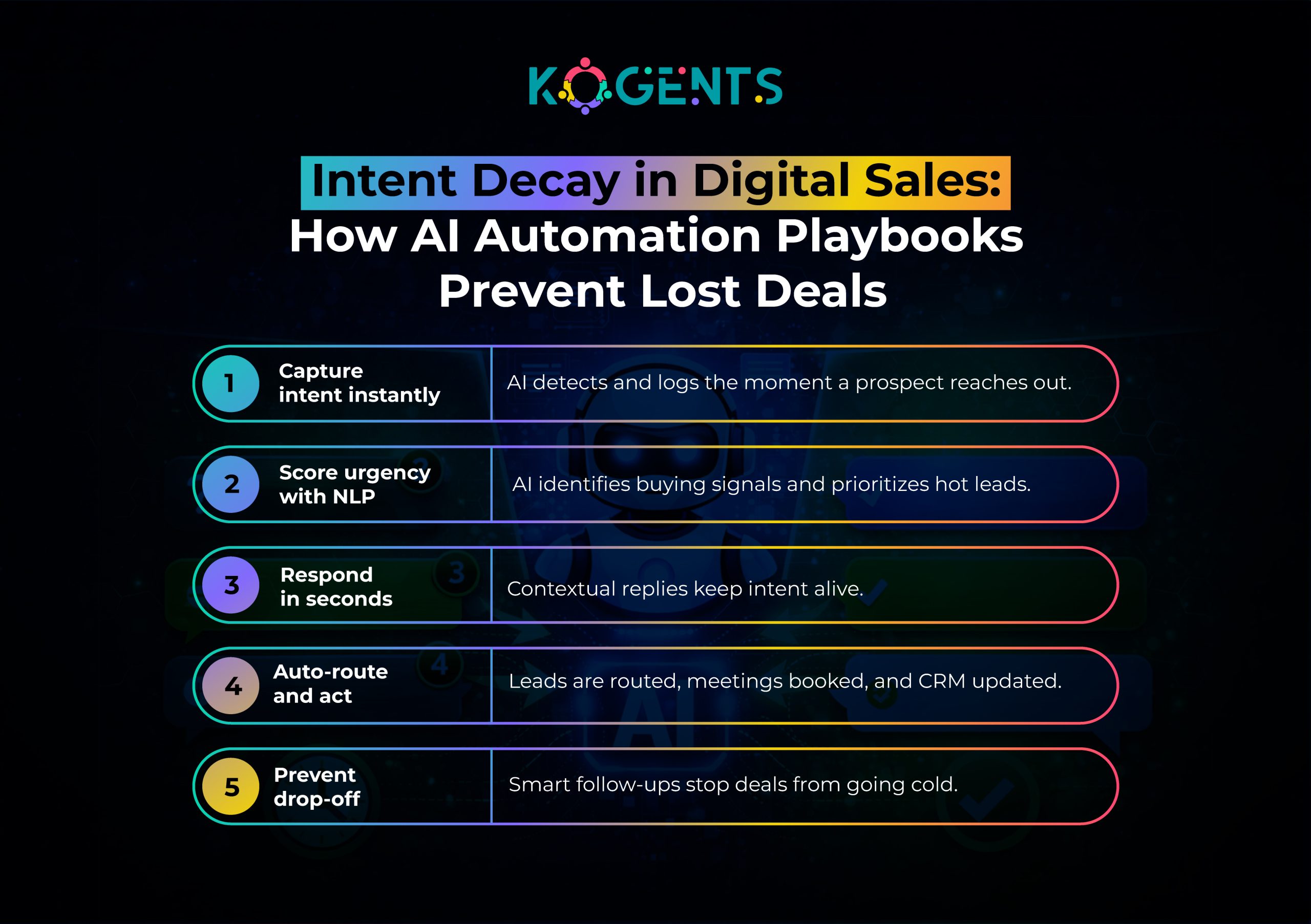
    Missed messages are not just unanswered chats; they represent decaying intent, broken buyer psychology, and irreversible opportunity loss.

    The Chemistry of Intent Decay

    Buyer intent is time-sensitive.

    • Interest peaks at the first interaction
    • Confidence erodes with silence.
    • Alternatives become more attractive.

    Responding to a lead within 5 minutes increases conversion rates by up to 100x compared to a 30-minute delay.

    Note: Every missed or delayed message accelerates intent decay.

    Where Businesses Actually Lose Messages?

    Most organizations don’t “ignore” customers intentionally. Messages are missed due to:

    • Channel fragmentation (chat, email, WhatsApp, social DMs)
    • Manual routing between marketing, sales, and support
    • After-hours inquiries
    • Understaffed teams
    • No intent prioritization logic
    • Static forms with no real-time follow-up

    Reminder: This creates silent leakage across the funnel.

    Revenue Impact Across the Funnel

    Missed messages affect:

    • Top of funnel: Lost inbound leads
    • Middle of funnel: Stalled evaluations
    • Bottom of funnel: Unanswered pricing or objection queries
    • Post-sale: Churn due to poor responsiveness

    HubSpot reports that companies with fast conversational engagement generate 50% more sales-ready leads at 30% lower cost.

    This is why AI process automation playbooks are no longer optional, they are revenue infrastructure.

    ai automation playbook

    Why AI, Not Humans Alone, Solves This Problem?

    Humans are constrained by:

    • Time
    • Attention
    • Cognitive load
    • Cost

    AI is not.

    An AI-driven automation framework provides:

    • 24/7 availability
    • Instant response
    • Context retention
    • Infinite scalability

    Most importantly, AI never drops intent.

    The Core Pillars of an AI Automation Playbook

    1. AI Readiness Assessment

    Before automation, organizations must evaluate:

    • AI maturity model
    • Data quality
    • Existing workflows
    • Change management readiness
    • Compliance requirements

    2. Automation Architecture

    A scalable automation architecture includes:

    • API integration
    • Workflow engines
    • AI orchestration
    • Cloud infrastructure
    • MLOps pipelines

    3. Intent Detection & NLP

    Using Natural Language Processing (NLP), AI systems classify:

    • Lead intent
    • Sentiment
    • Urgency
    • Buying stage

    This is the foundation of business process automation.

    4. AI Agents & Decision Logic

    ai messenger bot handle:

    • Message triage
    • Contextual replies
    • Intelligent routing
    • Escalation to humans

    5. Human-in-the-Loop Governance

    To ensure model accuracy and trust:

    • Manual review for edge cases
    • Feedback loops
    • Model retraining
    • AI monitoring

    Step-by-Step AI Automation Implementation Playbook

    Step 1: Map Message Entry Points

    Step 2: Build Data Pipelines

      • CRM integration
      • Marketing automation tools
      • Support ticketing systems

    Step 3: Deploy NLP Models

    • Intent classification
    • Entity extraction
    • Context preservation

    Step 4: Automate Workflow Actions

    • Lead qualification
    • Appointment booking
    • Sales routing
    • Follow-ups

    Step 5: Measure & Optimize

    • Conversion rate
    • Response time
    • Revenue per conversation
    • Error handling metrics

    The Intent Half-Life Framework: Why Speed Beats Persuasion?

    Most businesses think lost revenue comes from poor messaging.

    In reality, it comes from late messaging.

    Introducing the Intent Half-Life Framework

    Borrowed from behavioral economics and adapted for AI-driven automation frameworks, the Intent Half-Life Framework™ explains how buyer intent decays over time, even when interest is genuine.

    Intent Half-Life = the amount of time it takes for a prospect’s purchase intent to drop by 50% after initial contact.

    How Intent Decays in the Real World?

    When a customer sends a message, three things are happening simultaneously:

    1. Motivation is at its peak
    2. Cognitive commitment is fragile
    3. Competitive alternatives are one click away

    Research-backed behavioral patterns show:

    • After 5 minutes, intent drops ~30%
    • After 30 minutes, intent drops ~50%
    • After 24 hours, intent collapses below recovery thresholds

    This explains why:

    • Follow-ups fail
    • Discounts don’t convert
    • “Just checking in” emails get ignored

    The intent is already dead.

    Why can humans not Beat Intent Decay?

    Even elite sales teams cannot consistently win against intent half-life because:

    • Humans are reactive
    • Humans require context switching
    • Humans operate in time blocks

    AI does not.

    An AI automation playbook operates in milliseconds, not minutes, preserving intent before decay begins.

    This is why companies using AI workflow automation playbooks don’t just improve response time,  they change buyer physics.

    Intent Preservation vs Persuasion (Critical Shift)

    Traditional revenue teams focus on:

    • Objection handling
    • Persuasive messaging
    • Follow-up cadences

    But persuasion after intent decay is exponentially harder.

    High-performing organizations flip the model:

    Old Model AI Automation Playbook Model
    Persuade late Preserve early
    Follow up Intercept instantly
    Convince Capture
    Recover lost intent Prevent intent loss

    This is a structural advantage, not a tactical one.

    Message DNA: Why Every Conversation Is a Revenue Asset?

    Most companies treat messages as events.

    Elite organizations treat them as data assets.

    What Is Message DNA™?

    Message DNA™ is the complete behavioral and contextual signature embedded in every inbound message, including:

    • Language patterns
    • Emotional tone
    • Urgency signals
    • Objection indicators
    • Buying-stage cues
    • Channel preference

    An AI process automation playbook extracts this DNA using:

    • Natural language processing (NLP)
    • Predictive analytics
    • Decision automation
    • AI agents

    Humans read messages.
    AI decodes them.

    Why Message DNA Changes Revenue Outcomes?

    When Message DNA™ is captured:

    • Sales sees intent strength, not just lead volume
    • Marketing learns which campaigns create real buyers
    • Support detects churn risk before escalation
    • Operations forecast demand signals earlier

    This turns conversations into predictive revenue signals.

    AI Automation as a Compounding Advantage

    Most automation delivers linear gains.

    A mature AI automation playbook for enterprises creates a compounding flywheel:

    1. More conversations captured
    2. More intent data learned
    3. Better AI decisions
    4. Higher conversion rates
    5. Faster responses
    6. Stronger customer trust
    7. More inbound demand
    Each loop improves the next.

    This is why AI-driven automation frameworks don’t plateau; they accelerate.

    The Core Architecture of an AI Automation Playbook

    1. Intent Intelligence Layer

    Powered by Natural Language Processing (NLP) and machine learning, this layer:

    • Detects buyer intent
    • Classifies urgency
    • Identifies the decision stage
    • Extracts entities (budget, timeline, product)

    This is what separates intelligent automation from scripted bots.

    2. AI Agents & Decision Engines

    AI agents act autonomously to:

    • Respond contextually
    • Ask qualifying questions
    • Route high-intent leads
    • Trigger workflows

    This enables decision automation at scale.

    3. Workflow Orchestration Layer

    Using workflow engines and AI orchestration, the system:

    • Books meetings
    • Assigns sales reps
    • Sends follow-ups
    • Updates CRM
    • Triggers campaigns

    All without human delay.

    Table: Traditional Messaging vs AI Playbook

    Capability Traditional Systems AI Automation Playbook
    Response Speed Minutes–Hours Seconds
    Intent Detection None AI-Based
    Scalability Linear Infinite
    Lead Qualification Manual Autonomous
    Availability Business Hours 24/7
    Revenue Impact Unpredictable Compounding

    Case Studies

    Case Study 1: B2B SaaS – Intent-Based Routing Boosts Revenue

    A mid-market SaaS firm implemented an AI automation playbook for SaaS companies.

    Outcome:

    • 41% increase in qualified demos
    • 29% faster deal cycles
    • The sales team focused only on high-intent leads.

    Case Study 2: Healthcare Provider – Reducing Patient Drop-Off

    A healthcare network used an AI automation playbook for healthcare to handle appointment inquiries.

    Outcome:

    • 34% reduction in missed appointments
    • 26% increase in patient satisfaction
    • Fully automated triage without compliance risk

    Case Study 3: Enterprise IT Services – After-Hours Lead Capture

    An enterprise IT firm deployed an enterprise AI automation playbook for global inbound leads.

    Outcome:

    • 100% message capture across time zones
    • 31% revenue uplift from after-hours leads
    • Zero increase in staffing costs

    Case Study 4: E-Commerce Brand – Conversational Recovery

    An e-commerce brand automated WhatsApp, Instagram, and site chat.

    Outcome:

    • 22% recovery of abandoned conversations
    • 18% lift in conversion rate
    • Always-on personalized engagement

    AI as a Revenue Orchestration Layer (Not a Tool)?

    Most businesses treat AI as a feature.

    High-growth organizations treat AI as a revenue orchestration layer.

    An AI automation strategy playbook connects:

    • Marketing intent
    • Sales engagement
    • Support resolution
    • Retention signals

    This creates a closed-loop revenue system where:

    • No message is lost
    • No intent goes cold
    • No opportunity slips unnoticed.

    The Future: From Automation to Autonomous Growth!

    The next evolution includes:

    • Self-learning AI agents
    • Predictive buyer intent scoring
    • Cross-channel context memory
    • Autonomous workflow optimization

    According to the Stanford AI Index Report, AI systems are moving from task execution to goal-driven autonomy, a shift that will redefine revenue operations.

    Final Brand Edge! 

    This is not about answering messages faster.

    It’s about never letting intent die.

    A well-executed AI Automation Playbook turns conversations into conversions, speed into leverage, and automation into a compounding growth advantage.

    So, what are you still waiting for? Get in touch with the team at Kogents.ai to automate and maximize your revenue! 

    FAQs 

    What exactly does an AI automation playbook include?

    An AI automation playbook includes strategy, architecture, workflows, AI models, orchestration logic, escalation rules, and optimization loops that guide enterprise-wide automation.

    How is an AI automation playbook different from chatbots?

    Chatbots follow scripts. AI automation playbooks use machine learning, NLP, and decision automation to adapt, learn, and act across systems.

    Can small businesses use AI automation playbooks?

    Yes. Modern AI automation playbooks for businesses scale modularly, allowing startups to automate high-impact workflows without enterprise budgets.

    How does AI understand customer intent accurately?

    Through NLP, predictive analytics, contextual memory, and continuous model retraining using real conversation data.

    What channels can an AI automation playbook handle?

    Website chat, email, SMS, WhatsApp, social DMs, CRM inboxes, and internal tools, through unified API integration.

    How long does it take to deploy an AI automation playbook?

    A focused implementation typically takes 6–12 weeks, depending on workflow complexity and data readiness.

    Is AI automation secure for enterprise use?

    Yes. Enterprise-grade implementations follow ISO AI standards, encrypted data pipelines, and role-based access controls.

    Can AI automation personalize responses at scale?

    Yes. AI uses contextual signals, CRM data, and behavioral history to deliver hyper-personalized responses instantly.

    What teams benefit most from AI automation playbooks?

    Sales, marketing, customer success, support, operations, and RevOps teams see immediate gains.

    What is the biggest mistake companies make with AI automation?

    Treating AI as a tool instead of a strategic operating system for revenue and operations.

  • Top 10 Communication Workflows Every Business Should Automate With Business Process Automation

    Top 10 Communication Workflows Every Business Should Automate With Business Process Automation

    Every business claims to be drowning in tasks, but the real culprit behind operational chaos isn’t workload, it’s communication friction. 

    The endless email loops. The scattered approvals. The manual follow-ups. The compliance reminders no one sends until it’s too late.

    In 2025, businesses lose $12,506 per employee annually due to inefficient communication workflows (Source: Grammarly & Harris Poll 2024 Study). 

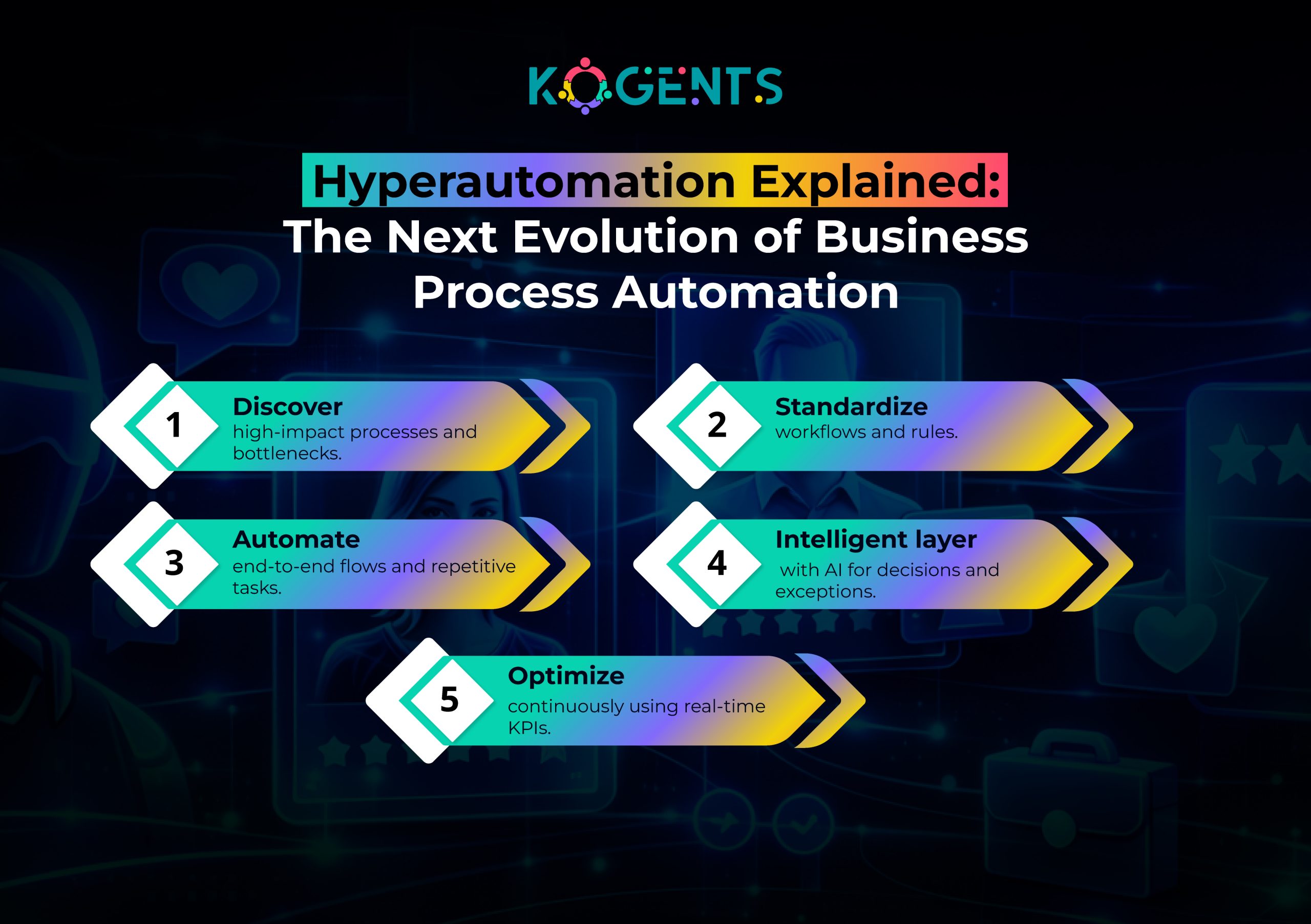
    Yet organizations still manage these processes manually, despite the rise of Business Process Automation (BPA), workflow automation, digital process automation (DPA), intelligent automation, and hyperautomation.

    This blog breaks down the top 10 communication workflows every business must automate to eliminate bottlenecks, boost productivity, and build a scalable AI automation playbook

    You’ll also learn how leading brands leverage AI-driven automation, robotic process automation (RPA), and workflow orchestration to transform operational efficiency.

    Finally, we’ll reveal how your business can replicate their results and why Kogents.ai is the ideal partner for accelerating your automation journey.

    Key Takeaways

    • Automating communication workflows eliminates administrative waste, improving speed, accuracy, and compliance.
    • BPA + AI-driven automation enables real-time decisioning, automated document processing, audit trails, and SLA tracking.
    • The top 10 workflows span onboarding, customer support, compliance, finance, sales, and IT operations, making them universally applicable across industries.
    • Industry leaders like UiPath, Automation Anywhere, Microsoft Power Automate, and ServiceNow are driving innovation across process management automation, process mapping, and enterprise optimization.
    • Companies using end-to-end workflow automation report ROI within the first year. 

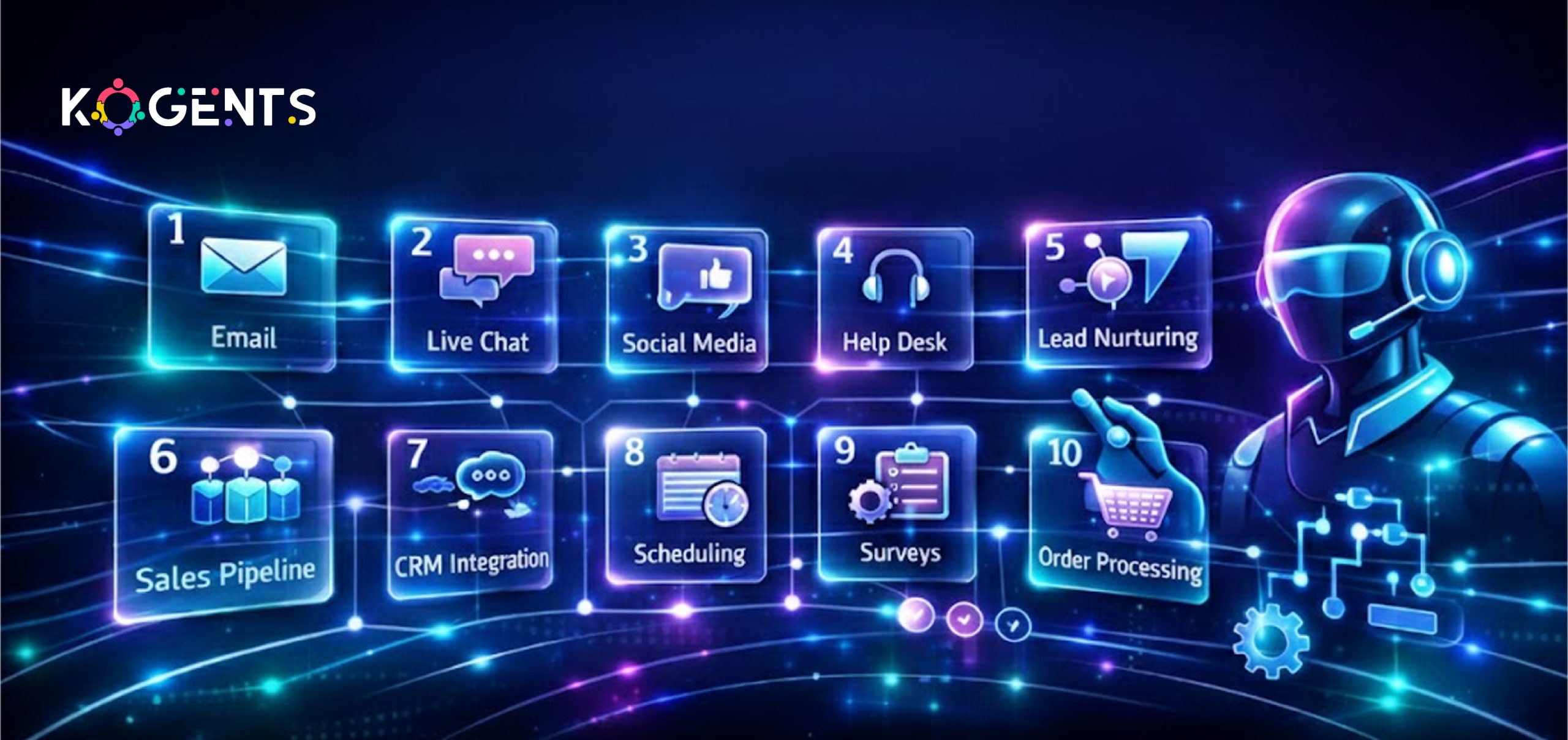
    Top 10 Communication Workflows Every Business Should Automate With Business Process Automation

    Below are the workflows that consistently yield the highest ROI across industries, HR, finance, IT, operations, sales, support, and compliance.

    1. Employee Onboarding & Offboarding Communications

    Why automate it: Manual onboarding creates delays, errors, and compliance risks. 

    Automating communication through BPA, RPA, and workflow management ensures consistency, transparency, and speed.

    What automation includes

    • Automated welcome sequences
    • Document distribution & collection
    • Access provisioning notifications
    • Manager approval workflows
    • Automated offboarding communication and asset recovery

    Organizations using AI-driven onboarding automation reduce onboarding time by 55% and compliance risk by 40%.

    Tech stack alignment

    Integrates with: ServiceNow, Workday, Microsoft Power Automate, Zapier

    2. Customer Support Ticket Routing & Response Automation

    Why automate it: Support delays hurt customer satisfaction. AI-powered workflow engines and business rules engines can classify, route, and respond intelligently.

    What automation includes

    • Auto-ticket creation from email/chat
    • Sentiment-based prioritization (machine learning automation)
    • SLA monitoring & escalation
    • Automated follow-ups and closure messages

    Case Study: Zendesk + BPA

    A global retailer cut ticket resolution time by 38% using workflow orchestration rules.

    3. Sales Lead Qualification & Follow-up Automation

    Why automate it: Manual follow-ups lead to revenue leakage. 

    Automated business processes ensure zero missed opportunities.

    Automation includes

    • Auto-discovery of leads
    • Lead scoring using machine learning.
    • Automatic email sequences
    • Sales-to-CSM handover workflows

    Statistic

    Automated follow-ups increase conversion rates by 80%

    4. Invoice Processing & Payment Communications

    Why automate it: Delays and errors plague finance workflows. Intelligent Document Processing (IDP) and RPA solve this.

    Automation includes

    • PDF/email invoice extraction (via Amazon Textract, Google Cloud AI)
    • Auto-validation against PO
    • Payment reminders to vendors
    • Approval escalation workflows
    • Audit trail + compliance automation

    Case Study: Coca-Cola Bottlers Japan

    Using UiPath RPA, they automated invoice processing and saved 240K hours annually.

    5. Compliance Reminders & Regulatory Communications

    Why automate it: Businesses must follow ISO 9001, SOC 2, GDPR, and industry compliance standards. Humans forget deadlines, but BPA doesn’t.

    What automation includes

    • Automated training reminders
    • Policy update communication
    • Risk assessment workflows
    • SLA tracking for compliance tasks
    • Automated audit documentation

    Authoritative Insight

    Deloitte found that organizations automating compliance reduce audit prep time. 

    6. Project Management Updates & Cross-Functional Communication

    Why automate it:  Teams waste time in meetings that could be automated.

    Automation includes

    • Automated sprint updates
    • Task dependency notifications
    • Risk alerts based on project KPIs
    • Intelligent reminders for overdue tasks

    7. IT Service Management (ITSM) Communication Workflows

    Why automate it: IT teams receive hundreds of repetitive inquiries and service requests.

    Automation includes

    • Auto-triage of IT issues
    • Password reset workflows
    • System outage notifications
    • Change management approvals (ISO/IEC aligned)

    Case Study

    HP reduced ticket handling time by 40% using automated ITSM workflows.

    8. Contract Review & Approval Communications

    Why automate it: Legal workflows often stall due to manual back-and-forth.

    Automation includes

    • Version-controlled document processing automation
    • Automated approval reminders
    • Risk-based auto-routing
    • eSignature workflows
    • Audit trails

    9. Marketing & Content Review Workflows

    Why automate it: Content bottlenecks slow campaign execution.

    Automation includes

    • Proofing and approval workflows
    • Automated revision alerts
    • Multi-channel publishing using integration platforms (iPaaS)
    • Compliance-based content routing (GDPR, SOC2)

    Automated marketing workflows increase campaign velocity by 3X 

    10. Vendor, Client, and Partner Communication Workflows

    Why automate it: Businesses must manage thousands of partner-vendor interactions.

    Automation includes

    • Vendor onboarding
    • Automated RFP responses
    • Contractual notifications
    • Performance report distribution
    • Renewal reminders

    business process automation

    Case Study: IBM Cloud Pak for Automation

    IBM helped a logistics giant automate partner workflows, cutting cycle time

    The Hidden Costs of Manual Communication Workflows

    Manual communication workflows rarely fail loudly; they fail quietly, over time. 

    What starts as a few follow-up emails or delayed approvals slowly turns into lost visibility, inconsistent decisions, and fragile processes that depend on individual memory instead of systems. 

    Teams spend hours chasing updates, re-sharing the same information, and correcting avoidable mistakes, while leaders lack real-time insight into what’s stalled or at risk. 

    As the business grows, these gaps multiply: compliance becomes reactive, customer experiences feel disjointed, and operational scale is limited by human bandwidth. 

    Business Process Automation replaces this uncertainty with structure, accountability, and flow, ensuring communication moves at the speed the business demands, not the speed people can keep up with.

    Manual vs Automated Communication Workflows

    Workflow Type Manual Workload Automated Workflow Impact Technology Stack
    Onboarding Communication Slow, error-prone 55% faster cycles BPA, RPA, DPA
    Customer Support Routing Inconsistent 38% faster resolution AI, NLP, ML
    Invoice Communication High error rate 240K hours saved/year IDP, OCR, RPA
    Compliance Reminders Missed deadlines 70% reduced audit effort BPA, BPM
    Vendor Communication Fragmented 60% cycle reduction iPaaS, Workflow Engines

    Graphical Representation of Communication Workflow 

    A bar graph showing communication workflow improvements:

    • Support Resolution Speed: +38%
    • Onboarding Time: –55%
    • Invoice Processing Time: –70%
    • Audit Prep Time: –70%
    • Vendor Cycle Time: –60%

    Credible Use Cases 

    1. UiPath + Coca-Cola Bottlers (Invoice Processing Automation)

    Saved 240K labor hours annually by automating invoice communications and extraction workflows.

    2. Microsoft Power Automate + Virgin Atlantic (Employee Workflow Automation)

    Virgin automated HR and IT workflows, reducing operational overhead by 30%.

    3. IBM Cloud Pak + Logistics Giant (Partner Communication Automation)

    Cycle time reduced by 60% through automated document routing.

    4. Amazon Textract + Financial Services Firm (IDP for Compliance)

    Reduced document verification time from days to minutes.

    5. ServiceNow + Equinix (ITSM Communication Automation)

    Automated IT workflows decreased MTTR by 45%.

    Communication Automation Is No Longer Optional!

    If your business still depends on manual communication workflows, you’re leaving money, productivity, and competitive advantage on the table. 

    The future belongs to companies that embrace end-to-end workflow automation, intelligent automation, hyperautomation, and enterprise optimization.

    From onboarding to sales, compliance, finance, and IT, communication workflows are the backbone of operational excellence. Automating them is the fastest path to:

    • Lower costs
    • Higher accuracy
    • Reduced bottlenecks
    • Better customer and employee experience
    • Stronger compliance and audit readiness

    And no platform accelerates this transformation like Kogents.ai.

    business process automation

    Transform Your Business Workflows With Kogents!

    Kogents.ai helps organizations build scalable, intelligent, AI-powered business process automation systems that eliminate communication chaos and unlock operational excellence.

    Book a FREE Automation Audit with us. Let our experts show you where automation can save you up to massive amounts in operational costs.

    FAQs 

    What is Business Process Automation, and how does it improve communication workflows?

    BPA uses software to automate recurring communication, ensuring faster, consistent, accurate interactions with employees, customers, and partners.

    Which communication processes deliver the highest ROI when automated?

    Onboarding, invoice processing, customer support routing, compliance updates, and IT notifications.

    Is BPA the same as RPA?

    No. RPA automates tasks; BPA automates end-to-end workflows. They work best together.

    Can small businesses use BPA affordably?

    Yes, low-code platforms like Zapier, Power Automate, and Make.com make automation accessible.

    What industries benefit most from communication workflow automation?

    Healthcare, finance, retail, IT, logistics, and professional services.

    Does BPA ensure compliance with standards like ISO, SOC2, or GDPR?

    Yes, automated workflows manage audit trails, access logs, approvals, and documentation.

    How does AI strengthen communication automation?

    AI improves classification, routing, prioritization, document extraction, and decision-making.

    How long does BPA implementation take?

    Most communication workflows can be automated within 2–8 weeks, depending on complexity.

    What KPIs should I track after automating workflows?

    SLA adherence, cycle times, error rates, audit trail completeness, and productivity metrics.

    Why choose Kogents.ai for BPA implementation?

    Kogents.ai specializes in AI-driven workflow automation, delivering end-to-end solutions that scale with your business.

  • How Slow Replies Kill Conversions and How AI to Handle Slow Replies to Fix It

    How Slow Replies Kill Conversions and How AI to Handle Slow Replies to Fix It

    Slow Replies Don’t Just Annoy Customers, They Kill Revenue!

    In today’s real-time messaging economy, speed is no longer a “nice to have.” 

    It is the deciding factor between conversion and churn.

    Customers expect replies in minutes, not hours. In sales, support, onboarding, and even follow-ups, response latency quietly erodes trust. 

    A delayed response signals inefficiency, lack of care, or operational chaos, even when none exists.

    Here’s the harsh truth:

    Every minute you delay replying, your conversion probability drops.

    And the problem compounds at scale. 

    As businesses grow, message queues, backlog management, and customer wait time spiral out of control. 

    Human teams can’t keep up. SLAs break and revenue leaks, which become catastrophic for a growing startup.

    This is exactly where AI to Handle Slow Replies becomes a competitive advantage, not by replacing humans, but by eliminating response delays.

    Key Takeaways 

    • Slow replies directly reduce conversion rates, not just satisfaction.
    • AI response automation eliminates response delays instantly.
    • AI to Handle Slow Replies scales without increasing headcount.
    • Customers reward faster communication with loyalty.
    • Speed is now a brand signal, and AI controls it

    What Is a “Slow Reply” in 2025?

    A slow reply is contextual,  but standards are clear:

    • Live chat: > 60 seconds = friction
    • Sales inquiry: > 5 minutes = lost intent
    • Email support: > 1 hour = dissatisfaction
    • Social DMs: > 15 minutes = brand damage

    In CX terms, slow replies cause:

    • SLA breaches
    • Higher customer wait time
    • Poor turnaround time
    • Escalating communication bottlenecks

    The Real Cost of Slow Replies 

    Slow replies don’t just frustrate customers; they destroy measurable business outcomes.

    Key Industry Statistics

    Slow replies = lost trust + lost revenue + higher churn.

    Why Do Slow Replies Happen?

    Slow responses aren’t caused by laziness; they’re structural.

    Core Causes of Delayed Responses

    • High message volume
    • Manual triaging
    • Poor intent routing
    • Agent overload
    • Fragmented omnichannel inboxes
    • Limited working hours
    • No predictive prioritization

    These create response latency and growing message backlogs that human teams can’t clear fast enough. Hence, AI messenger bots are crucial in tackling these issues. 

    Why Human-Only Support Fails at Scale?

    Humans are excellent at empathy, but terrible at simultaneous, real-time communication.

    Humans:

    • Can handle one conversation at a time
    • Need breaks, shifts, and context switching
    • Are reactive, not predictive

    AI systems:

    • Handle thousands of conversations simultaneously
    • Never sleep
    • Instantly classify, route, and respond

    This is why AI to Reduce Response Time is now essential, not optional.

    How AI Handles Slow Replies Actually Works?

    At its core, AI-powered response management combines:

    • Natural Language Processing (NLP)
    • Machine Learning models
    • Conversational AI
    • AI agents
    • Workflow automation

    Together, they create real-time response systems.

    Step-by-Step Flow

    1. Message arrives (chat, email, CRM, social)
    2. AI performs intent recognition
    3. Message is classified & prioritized
    4. AI generates or triggers an automated response
    5. Complex cases route to humans with context
    6. Follow-ups happen automatically

    This is AI to Prevent Slow Replies in action.

    ai to handle slow replies

    AI Technologies Behind Faster Communication

    1. Conversational AI

    Handles real-time chats, FAQs, and transactional flows.

    2. Large Language Models (LLMs)

    Generate contextual, human-like replies instantly.

    3. Sentiment Analysis

    Detects urgency, frustration, or buying intent.

    4. Intent Routing

    Directs messages to the right team or workflow instantly.

    5. Predictive Replies

    AI suggests or auto-sends responses before agents act.

    Where AI Fixes Slow Replies Across the Business

      • Customer Support Automation
      • Sales Chatbots
      • Email Response Automation
      • Helpdesk Automation
      • Live Chat AI
      • CRM & ticketing system

    This is how AI to Manage Message Backlog works across omnichannel communication.

    The Most Significant Comparison Table


    Metric Human-Only Support AI Response Automation
    Average response time 10–60 minutes Instant (<5 sec)
    Concurrent conversations 1–3 Unlimited
    SLA compliance Inconsistent 99%+
    Cost per interaction High Low & scalable
    Availability Business hours 24/7/365
    Backlog risk High Near zero

    Case Studies: Real Impact of AI to Handle Slow Replies

    Case Study 1: E-Commerce Brand (Sales Conversion)

    Problem: Abandoned carts due to delayed chat replies.

    Solution: Implemented an AI chatbot for slow response issues.

    Results:

    • Response time reduced from 12 minutes → Instant
    • Conversion rate increased by 31%
    • Cart abandonment dropped by 22%

    Case Study 2: SaaS Support Team (SLA Compliance)

    Problem: Frequent SLA breaches during peak usage.

    Solution: AI to handle slow customer support replies with intent routing.

    Results:

    • SLA compliance improved to 98%
    • Ticket backlog reduced by 65%
    • CSAT increased by 18%

    Case Study 3: B2B Lead Qualification

    Problem: Delayed email replies caused cold leads.

    Solution: An AI solution for delayed email responses with predictive replies.

    Results:

    • Lead response time under 1 minute
    • Demo bookings up 41%
    • Sales cycle shortened by 27%

    Case Study 4: FinTech Customer Support 

    Industry: Financial Technology

    Challenge: Strict SLAs, regulatory pressure, and high inbound support volume caused frequent SLA breaches and customer churn.

    Problem Indicators:

    • Average first response time: 42 minutes
    • Peak-hour backlog spikes
    • Rising complaint volume

    AI Solution Implemented:

    • AI-powered response management
    • AI agents for tier-1 inquiries
    • Intent classification + sentiment analysis

    Results After 90 Days:

    • First response time reduced to under 10 seconds
    • SLA compliance improved from 76% → 99.2%
    • Customer churn reduced by 19%
    • Support cost per ticket down 34%

    This demonstrates how AI to Prevent Slow Replies is mission-critical in regulated industries and regulates the AI reply generator

    Case Study 5: Healthcare Appointment Scheduling Platform

    Industry: Digital Healthcare

    Challenge: Missed appointments and patient dissatisfaction due to slow email and chat replies.

    Key Issues:

    • Delayed confirmations
    • High message volume outside office hours
    • Manual scheduling bottlenecks

    AI Solution:

    • AI solution for delayed email responses
    • Conversational AI for appointment workflows
    • CRM + calendar integration

    Results:

    • Response time dropped from hours → instant
    • Appointment booking rate increased 28%
    • No-show rate reduced 21%
    • Staff workload reduced by 40%

    This highlights the power of AI for faster communication in time-sensitive use cases.

    Commercial AI Platforms That Fix Slow Replies

    • Navigational & Entity Coverage
    • Zendesk AI – support automation
    • Intercom AI auto replies
    • HubSpot AI customer replies
    • Fresdesk AI chatbot
    • Salesforce Service Cloud AI
    • Drift AI response system

    These platforms leverage AI response automation at scale.

    How to Implement AI Response Automation

    • Audit response delays & SLA breaches
    • Identify high-volume message categories
    • Choose AI customer support software
    • Integrate CRM, chat, email, APIs
    • Train AI on historical conversations
    • Deploy gradually with human fallback
    • Monitor response time optimization metrics

    Security, Compliance & Trust Metrics

    Enterprise-grade AI to Handle Slow Replies complies with:

    • ISO/IEC 27001
    • SOC 2
    • GDPR

    Backed by platforms like OpenAI, Google DeepMind, Microsoft Azure AI, and IBM Watson. 

    Trusted by research from McKinsey, Gartner, Forrester, and MIT Technology Review.

    How Slow Replies Impact Business Outcomes?

    Visual Breakdown — How Slow Replies Kill Conversions

    The Conversion Decay Effect

    When response latency increases, conversion probability collapses exponentially, not linearly.

    Here’s what actually happens:

    • Minute 0–1: User intent is highest
    • Minutes 2–5: Doubt creeps in
    • Minute 6–30: Comparison shopping begins
    • 1+ hour: Trust collapses, intent disappears

    This is why AI to Reduce Response Time is directly correlated with higher deal velocity and lower churn.

    Slow replies create:

    • Broken buying momentum
    • Emotional disengagement
    • Lost urgency
    • Perceived brand incompetence

    AI reverses this by enabling real-time messaging, predictive replies, and automated responses at the moment of intent.

    Visual Model — How Slow Replies Damage Brand Trust & Revenue?

    The Trust Erosion Loop

    Slow replies don’t just lose one sale; they damage long-term brand equity.

    The cycle looks like this:

      1. Delayed response →
      2. Customer wait time frustration
      3. Perceived lack of care →
      4. Negative sentiment analysis signals
    • Lower CSAT & NPS →
    1. Reduced lifetime value

    AI to Handle Slow Replies breaks this loop using:

    • Intent routing
    • Sentiment-aware prioritization
    • Asynchronous communication handling
    • SLA breach prevention

    Speed Is the New Conversion Currency! 

    Slow replies don’t announce themselves; they silently drain revenue, trust, and growth.

    AI to Handle Slow Replies transforms communication from reactive to instant, from manual to predictive, from costly to scalable.

    Brands that win tomorrow won’t just respond,  they’ll respond first, fast, and flawlessly.

    At Kogents.ai, we design and implement AI-powered response management systems that eliminate delays, protect SLAs, and convert conversations into revenue, at scale.

    If speed matters to your brand, AI is no longer optional; it’s the edge.

    FAQs 

    What causes slow replies in customer support?

    Slow replies are caused by high message volume, manual ticket triage, limited staffing, poor workflow orchestration, and a lack of response automation. Without AI to manage the Message Backlog, queues grow faster than teams can respond.

    How does AI handle delayed responses?

    AI to Handle Slow Replies uses natural language processing (NLP), machine learning, and intent recognition to instantly classify, prioritize, and respond to incoming messages — eliminating human wait time for common queries.

    Can AI improve response time in sales and support?

    Yes. AI systems respond in milliseconds, cutting response time by 60–90% (McKinsey). This directly improves conversion rates, lead qualification, and customer satisfaction.

    How do AI chatbots reduce slow replies?

    AI chatbots handle real-time messaging, provide predictive replies, resolve FAQs instantly, and escalate complex cases with full context, removing communication bottlenecks.

    What is response automation in AI?

    Response automation is the use of AI to generate or trigger replies automatically based on intent routing, message classification, and contextual understanding, without manual intervention.

    Which AI tools are best to fix slow replies?

    Leading platforms include:

    • Zendesk AI
    • Intercom AI auto replies
    • HubSpot AI customer replies
    • Freshdesk AI chatbot
    • Salesforce Service Cloud AI

    AI vs human support response time — what’s the difference?

    Humans respond in minutes or hours.

    AI responds instantly, 24/7, with no queue limits — making AI response automation superior for speed-critical interactions.

    Is AI response automation expensive to implement?

    No. Most AI support automation services are SaaS-based with scalable pricing. AI reduces staffing costs, SLA penalties, and churn — delivering positive ROI quickly.

    Can AI manage high message volume without breaking SLAs?

    Absolutely. AI for managing high message volume is designed to handle thousands of simultaneous conversations while maintaining near-perfect SLA compliance.

    Is AI secure and compliant for customer communication?

    Yes. Enterprise AI platforms comply with SOC 2, ISO/IEC 27001, GDPR, and are backed by providers like OpenAI, Microsoft Azure AI, and Google Cloud AI.

  • How AI-Driven Personalization Improves CSAT and Retention Rates

    How AI-Driven Personalization Improves CSAT and Retention Rates

    That’s the power of AI-Driven Personalization, a transformation that turns passive customers into loyal fans.

    In a world where customer experience optimization separates winners from merely surviving brands, personalization isn’t just nice to have; it’s expected. 

    And it’s powered by advanced machine learning personalization, AI recommendation systems, and how AI automates lead nurturing that make interactions feel intuitive and emotionally connected.

    This blog uncovers exactly how AI-Driven Personalization improves Customer Satisfaction (CSAT) and boosts retention rates, backed by real statistics and robust case studies. 

    We’ll explore core mechanisms, implementation strategies, business impacts, and future trajectories.

    Key Takeaways

    • AI-Driven Personalization increases CSAT and customer loyalty through the best AI agents for customer support via tailor-made experiences that reflect user preferences and behavior.
    • Companies implementing personalization see benchmark retention increases and conversion improvements.
    • Technologies like real-time personalization engines and predictive personalization are essential for maximizing ROI.
    • Top brands like Amazon, Netflix, Nike, and Starbucks demonstrate measurable gains in both satisfaction and customer lifetime value. 
    • Personalized experiences across omnichannel touchpoints (web, mobile, email, CRM) sustain growth and deepen loyalty.

    What Is AI-Driven Personalization?

    AI-Driven Personalization refers to systems that use data science,  including machine learning, behavioral targeting with AI, and customer journey optimization,  to tailor content, product recommendations, and experiences to each customer.

    Unlike traditional segmentation, which groups customers into broad buckets, AI personalization algorithms analyze user signals in real time to deliver hyper-personalized technology responses. 

    This includes:

    • Tailored product recommendations
    • Personalized content across touchpoints
    • Adaptive user experiences based on behavior
    • Contextual messaging in emails and push notifications

    ai-driven personalization

    Why Personalization Matters for CSAT and Retention?

    AI personalization can improve conversion rates by up to 40% and ROI by 42% over traditional campaigns. 

    62% of business leaders attribute personalization to improved retention strategies, and 60% of customers are more likely to return after tailored interactions. 

    What Drives These Results?

    AI personalization enhances CSAT and retention by:

    • Understanding individual preferences and delivering relevant content.
    • Reducing friction and simplifying decision journeys.
    • Anticipating needs through predictive analytics.
    • Updating recommendations in real time based on behavior.

    All these contribute to a sense of feeling understood, a core emotional driver of loyalty and satisfaction.

    The Mechanisms Behind AI-Driven Personalization

    To understand how personalization works under the hood, let’s break down the key technologies:

    A. Customer Data Platforms (CDPs)

    Centralized data repositories that unify customer behavior across channels for real-time analysis.

    B. Predictive Personalization Models

    These use historical and real-time behavioral data to predict what customers want next, not just what they did in the past.

    C. Real-Time Personalization Engines

    Systems that adjust content, UI, and offers instantly based on user engagement signals.

    D. Automated Customer Segmentation

    AI systems cluster customers into dynamic groups that evolve with behavior rather than static demographics.

    E. Recommendation Systems

    Powerful AI algorithms that drive personalized product, content, and message suggestions, the backbone of platforms like Amazon and Netflix. 

    Industry Use Cases: Real Business Impact

    Case Study 1: Netflix – Retention Through Personalized Content

    Netflix’s AI recommendation engine is credited with helping the company achieve a user retention rate by continuously suggesting relevant shows and movies. 

    Impact:

    • More relevant content choices
    • Higher viewer engagement
    • Fewer customer cancellations

    Case Study 2: Amazon – Revenue & Satisfaction Boost

    Amazon attributes roughly 35% of its revenue to its AI-powered product recommendations. 

    Impact:

    • Personalized product discovery
    • Increased basket size
    • Enhanced customer purchasing satisfaction

    Case Study 3: Nike – Omnichannel Personalization Engine

    Nike uses real-time behavioral data across mobile, web, and offline touchpoints to personalize product recommendations and campaign offers.

    Reported Results:

    • 45% boost in engagement
    • 35% lift in conversions
    • Stronger loyalty score improvements across segments 

    Personalized Customer Journey Optimization

    Personalizing touchpoints across the customer journey means delivering tailored experiences at every stage:

    Awareness → Dynamic content based on interests

    Consideration → AI recommendation systems suggest relevant products

    Purchase → Personalized offers drive conversion

    Post-Purchase → Follow-ups and re-engagement strategies maintain loyalty

    Whether through email, mobile app notifications, or dynamic web pages, personalized journeys encourage customers to feel seen, understood, and catered to, key drivers of long-term retention.

    Emotional Personalization — The Psychological Layer AI Unlocks

    Most personalization strategies focus on products and content, but the next evolution is emotional resonance.

    Using sentiment analysis, tone detection, and behavioral patterning, AI can sense:

    • frustration
    • excitement
    • Uncertainty
    • curiosity
    • Hesitation

    Imagine an AI system that adapts its interface to soothe anxious customers, simplify experiences for overwhelmed users, or celebrate milestones with motivational messaging.

    Emotional personalization is where CX meets psychology, creating memorable experiences that dramatically boost loyalty and satisfaction.

    Cognitive Load Personalization — Reducing Mental Effort

    Consumers face daily decision fatigue. 

    AI can reduce cognitive load by:

    • Auto-curating product bundles
    • Hiding irrelevant options
    • Shortening checkout flows
    • Pre-filling preferences
    • Recommending next-best actions

    By minimizing mental friction, brands boost usability and satisfaction while increasing conversion.

    This aligns with UX research showing that the fewer decisions a user must make, the more likely they complete a task.

    Anticipatory Service — Solving Customer Problems Before They Occur

    The real magic of personalization is proactive intelligence.

    An anticipatory system can:

    • Detect when a user is likely to churn
    • Identify friction points before complaints arise
    • Predict inventory needs
    • Adjust pricing for loyalty segments
    • Offer support before users seek it

    This fundamentally shifts CX from reactive service to predictive experience design.

    Brands that master anticipatory personalization will dominate retention metrics through unparalleled customer trust, and Zendesk chatbot integration uses the same approach. 

    Table: AI Personalization Impact Metrics by Business Outcome

    Business Metric Before AI Personalization After AI Personalization Source/Study
    CSAT Improvement Baseline +25–30%* Forrester/SAP Stats SuperAGI
    Conversion Rates Baseline +20–40%* SuperAGI/SAP SuperAGI+1
    Retention Rates Baseline +15–30%* Forrester SuperAGI
    Customer Loyalty Baseline +20%+† Industry benchmark Sobot
    Revenue Uplift Baseline +10–25%‡ McKinsey Benchmark McKinsey & Company

    Real Challenges & Ethical Considerations

    While personalization lifts satisfaction and retention, businesses must navigate:

    Data Privacy Concerns

    AI personalization depends on consumer insights, but must balance data privacy and transparency, especially under GDPR and similar regulations.

    Algorithmic Transparency

    • Too much personalization without control can feel intrusive. 
    • Brands must ensure customers can understand and control their data usage.

    Bias & Fairness

    • Personalization models must be monitored for bias to ensure equitable experiences.
    • Ethical, explainable AI builds trust, and trust is itself a retention driver. 

    ai-driven personalization

    Future Trends in AI-Driven Personalization

    The personalization horizon continues to evolve with:

    • AI-Powered Marketing Personalization Platforms (Salesforce Einstein, Adobe Experience Cloud)
    • Contextual Personalization Using NLP & Real-Time Signals
    •  Hyper-Personalization at Scale
    • Omnichannel Personalization Across Devices
    • Predictive Personalization That Anticipates Needs Before They Arise

    As these technologies mature, the boundary between expectation and experience blurs, and brands delivering individualized journeys will thrive.

    The Personalization Imperative You Need! 

    AI-Driven Personalization doesn’t just enhance metrics; it creates emotional resonance. 

    It makes customers feel seen, relevant, and valued, translating directly to higher CSAT, stronger retention, and improved lifetime value.

    As competition intensifies across digital ecosystems, personalization is more than a technology play; it’s a business strategy that builds lasting customer relationships.

    At Kogents.ai, we specialize in scaling AI-Driven Personalization solutions that transform experiences into measurable growth. 

    Whether you’re optimizing churn, upgrading your predictive personalization capabilities, or orchestrating omnichannel customer journeys, our platform delivers intelligent, data-driven results.

    See how Kogents.ai can elevate your personalization strategy and improve CSAT and retention now. Transform experiences. Delight customers. Drive loyalty.

    FAQs 

    What is AI-Driven Personalization, and how does it work at a technical level?

    AI-Driven Personalization uses machine learning models, predictive analytics, real-time decisioning, and automated segmentation to tailor every customer interaction. Technically, it leverages systems such as collaborative filtering, content-based filtering, and deep neural networks to identify patterns across vast customer datasets. Then, it dynamically adapts content, offers, and messaging across channels in milliseconds. 

    How does AI-Driven Personalization improve customer satisfaction (CSAT)?

    AI personalizes not just what customers see, but how and when they experience it, resulting in seamless journeys, lower friction, and higher confidence. By predicting needs, reducing irrelevant noise, and presenting tailored solutions instantly, customers feel understood and valued. This emotional alignment boosts CSAT, strengthens brand affinity, and reduces service frustrations because customers find what they’re seeking faster.

    Which industries benefit the most from AI-Driven Personalization?

    Industries that rely on choice, discovery, and ongoing engagement benefit the most:

    • Ecommerce (product discovery, tailored merchandising)
    • Streaming (Netflix, Spotify) for content sequencing
    • Fintech for personalized financial planning and nudges
    • Healthcare for precision content, medication reminders, and digital therapeutic engagement
    • SaaS onboarding where adaptive flows reduce user drop-off
    • Travel and hospitality for contextual recommendations

    Is personalization only about recommendations?

    Not at all. Recommendations are just one branch. Mature AI personalization covers:

    • Behavioral journey triggers
    • Dynamic website layout changes
    • Predictive churn prevention messaging
    • Adaptive pricing models
    • Context-aware mobile experiences
    • Personalized search results
    • Individually optimized email flows

    Can AI personalization really improve customer retention? How?

    Yes, personalization directly impacts retention because it increases perceived relevance, emotional connection, and convenience. AI identifies signs of churn before they happen, such as drop-off patterns, declining engagement, or silent dissatisfaction. It then triggers automated retention workflows with tailored incentives, educational content, or re-engagement nudges. This proactive approach typically delivers retention improvements and can significantly boost Customer Lifetime Value (CLV).

    What platforms or tools support AI-Driven Personalization?

    Leading platforms include:

    • Salesforce Einstein – real-time data activation
    • Adobe Experience Cloud – omnichannel personalization engine
    • Dynamic Yield – ecommerce-focused personalization
    • Google Recommendations AI – a deep learning product recommendation system
    • Twilio Segment – unified customer data infrastructure
    • Optimizely Personalization – testing + intelligent customization

    How does personalization intersect with privacy laws like GDPR or CCPA?

    AI personalization operates under strict privacy frameworks. Ethical implementations require:

    • Explicit consent mechanisms

    • Clear user data explanations
    • Granular preference center controls
    • Anonymization and secure data hashing
    • Data minimization (collect only what’s necessary)

    What does the future of AI-Driven Personalization look like?

    Future innovations include:

    • Emotion-aware personalization (via sentiment and behavioral cues)
    • Predictive digital twins of customer behavior
    • Personalization powered by LLMs (Large Language Models)
    • AI-generated individualized content at scale
    • Autonomous customer journeys where the journey rebuilds itself for each user

    How do brands quantify the long-term financial gains of personalization?

    Beyond immediate engagement spikes, brands model:

    • CLV uplift
    • Cross-sell/upsell probability increases
    • Churn risk reduction percentages
    • Acquisition cost savings (CAC) via organic loyalty)

    What challenges do businesses face when scaling personalization?

    Scalability challenges include:

    • Fragmented data sources
    • Lack of CDP (Customer Data Platform) maturity
    • Bias in ML models
    • High experimentation volume required
    • Ensuring real-time latency performance

    How can small and mid-sized companies adopt personalization without enterprise budgets?

    They can:

    • Use first-party data from CRM and analytics tools
    • Implement lightweight recommendation APIs
    • Use CDP-lite tools like Segment, HubSpot, or Klaviyo.
    • Start with automated segmentation, then scale toward predictive modeling.g
    • Implement real-time UX personalization via low-code, too.
  • How AI Agents Convert Conversations Into Clear and Trackable Workflows

    How AI Agents Convert Conversations Into Clear and Trackable Workflows

    But today, conversational AI automation has reached a turning point. 

    Modern AI conversational agents don’t just respond to users; they interpret, learn, act, and trigger workflows with precision, once possible only through human intervention.

    Customers can speak, type, or even upload media.

    AI agents understand it and deal in real-time AI chat to decide what must happen.

    AI agents execute, creating tickets, routing requests, documenting interactions, launching sequences, and updating systems in real time.

    This shift is redefining customer service, sales operations, and internal workflows. 

    Enterprises are no longer asking “Should we adopt conversational AI?” but rather:

    “How do we orchestrate large-scale workflow automation using AI agents?”

    Key Takeaways

    • AI agents transform natural conversations into structured, trackable workflows through real-time intent detection, NLP, and orchestration.
    • Modern enterprises adopt conversational AI automation to reduce operational costs while increasing resolution speed.
    • Conversational workflows integrate with CRMs, ticketing systems, EHRs, ERPs, billing tools, and more, turning chats and calls into actionable processes.
    • Large Language Models + AI orchestration layers allow agents to not only understand conversations but also take actions across systems.
    • Industries from healthcare to retail are leveraging AI-powered automation to improve accuracy, compliance, and scalability.

    What Exactly Is Conversational AI Automation?

    At its core, conversational AI automation refers to the process of using conversational AI platforms, AI agent automation, and automated conversational systems to convert natural conversations into structured actions inside business workflows.

    This includes technologies such as:

    • AI-powered chatbot automation
    • Voice AI automation
    • Multimodal conversational agents
    • Intelligent virtual assistants
    • Dialogue management systems
    • NLP conversational models
    • AI-driven communication platforms
    • Automated customer interactions

    How AI Agents Convert Conversations into Clear & Trackable Workflows?

    AI agents follow a predictable, repeatable, highly accurate sequence:

    1. Intent Detection — Understanding What the User Wants

    Using Natural language understanding (NLU), intent classification engines, and machine learning pipelines, the AI determines:

    • What is the user actually asking?
    • Is this a support request? Sales inquiry? Complaint?
    • Does the user need triage, escalation, or step-by-step instructions?

    This is where intent detection, the best AI agents for customer agents, and dialogue systems play a major role.

    2. Entity Extraction — Pulling Out the Details

    • AI identifies actionable elements, dates, order numbers, symptoms, locations, product codes, and account data.
    • This is crucial for workflow accuracy and compliance.

    3. Dialogue Management — Context Retention & Guidance

    Through dialogue management systems, the AI agent uses:

    • Predictive context
    • Dynamic decision trees
    • Large language models (LLMs)
    • Multimodal processing

    Note: This allows intelligent back-and-forth interactions that feel human.

    4. AI Orchestration Layer — Executing the Workflow

    This is where automation happens.

    The AI orchestration layer triggers actions via:

    • CRM integrations
    • ERP systems
    • Ticketing software
    • RPA bots
    • APIs
    • Backend databases

    The agent can now:

    • Create support tickets
    • Update order statuses
    • Route issues to technicians
    • Schedule appointments
    • Generate onboarding tasks
    • Log compliance data

    This is AI automation workflows at scale.

    Significant Table: How AI Agents Transform Conversations Into Workflows

    Department Before AI After Conversational AI Automation
    Customer Support Manual ticket creation, long wait times Automated triage, instant ticketing, AI-driven routing
    Sales Manual lead qualification AI-qualified leads based on intent, urgency & buyer signals
    HR Manual onboarding steps Automated onboarding workflows triggered via conversation
    Healthcare Manual symptom intake AI triage systems with structured EHR-ready outputs
    Banking Slow KYC checks Digital banking assistants completing compliance steps

    Challenges & Limitations

    Even with rapid growth, conversational AI automation faces challenges:

    • Maintaining accuracy across languages
    • Handling highly ambiguous queries
    • Integrating with outdated legacy systems
    • Ensuring GDPR/HIPAA compliance
    • Reducing hallucinations in LLMs

    Why Conversational AI Automation Matters Today?

    Modern enterprises are accelerating toward AI-driven communication, AI workflow automation, and end-to-end orchestration not because it is trendy, but because it directly impacts efficiency, profitability, and customer experience

    Below is a richer, insight-driven explanation, each with a credible statistic and source link.

    1. Cost Reduction Through Automated Customer Interactions

    Conversational AI automation dramatically lowers operational spending by replacing repetitive manual tasks with automated customer interactions, support automation systems, and self-service AI.

    Enterprises using AI-enabled customer service have seen up to 60% reduction in service costs, according to McKinsey.

    Why it matters uniquely: AI does not just reduce labor costs, but also reduces costs from:

    • Agent misrouting
    • Documentation errors
    • SLA breaches
    • Overtime and peak-season staffing
    • Training hours for basic tasks

    AI turns your contact center into a scalable on-demand workforce.

    2. Higher Customer Satisfaction Through Precision NLU & Real-Time Routing

    When AI agents use natural language understanding (NLU) and intent classification, they resolve queries faster and more accurately, even in complex omnichannel contexts.

    According to Forrester, companies implementing conversational automation achieve higher CSAT.

    Unique insight:  Unlike humans, AI agents remember:

    • Past interactions
    • Customer preferences
    • Service history
    • Product ownership
    • Behavioral patterns

    This enables hyper-personalized responses at scale, something previously impossible.

    3. Radical Reduction in Resolution Times

    Using AI-driven service routing and predictive intent engines, businesses shorten wait times, triage instantly, and automate next steps.

    IBM reports that virtual agents reduce handle time. 

    Unique insight:

    • AI agents operate with “anticipatory workflows,” meaning:
    • They predict what the user needs before they finish typing.
    • This is next-generation CX optimization.

    4. 24/7 Availability With Consistent Quality

    Contact centers no longer need to rely on human schedules.

    Intelligent virtual assistants and automated conversational systems operate 24/7 with full accuracy.

    Salesforce revealed that 71% of customers expect support anytime, anywhere.

    5. Drastic Reduction in Human Error & Compliance Risks

    In industries like healthcare, banking, and insurance, compliance mistakes cost millions.

    AI reduces manual-entry errors and ensures consistent, audit-ready documentation.

    Gartner reports that AI will help reduce compliance costs by 2027.

    Unique insight: AI agents enforce compliance during conversations:

    • HIPAA checks
    • GDPR consent reminders
    • Identity verification
    • Required disclosure prompts

    Compliance is no longer a human-dependent process; it becomes programmatically guaranteed.

    Case Study 4: Global Bank Uses AI for KYC & Account Unlock Workflows

    A European global bank implemented digital banking assistants powered by conversational automation.

    AI automated:

    • KYC verification questions
    • Document request workflows
    • Account unlock procedures
    • Fraud alerts triage

    Impact:

    • Reduced manual KYC review time
    • Increased fraud detection accuracy
    • Cut call center volume by 23%

    This showcases how conversational AI optimizes high-compliance financial workflows.

    Case Study 5: Telecom Provider Deploys AI for Billing & Technical Troubleshooting

    A leading telecom provider leveraged call center automation using voice agents.

    Tasks automated:

    • Billing inquiries
    • Plan upgrades
    • Modem resets
    • Network outage updates
    • Technician appointment scheduling

    Results:

    • 45% reduction in live agent transfers
    • 3× faster technical troubleshooting
    • 20% drop in churn

    AI provided real-time device diagnostics, reducing technician dispatch costs dramatically.

    Case Study 6: Retail Brand Uses AI to Automate Order Management Workflows

    A multinational retailer adopted retail automation chatbots integrated with their inventory and order systems.

    AI handled:

    • Order tracking
    • Exchange/return workflows
    • Refund processing
    • Inventory checks
    • Personalized product recommendations

    Outcome:

    • Resolution time: 12 hours → 5 minutes
    • 35% increase in automated return processing
    • Customer satisfaction improved by 22%

    This demonstrates how conversational AI creates frictionless post-purchase workflows.

    conversational ai automation

    Technical Architecture of Conversational AI Automation

    Modern AI agents don’t operate as chatbots. 

    They operate as autonomous workflow engines. Below is a broader, more technical breakdown.

    1. Advanced NLP Engines as the Understanding Core

    These engines power linguistic intelligence across languages, domains, and user intent patterns.
    They interpret syntax, semantics, sentiment, and context using:

    • Transformer-based models
    • Large language models (LLMs)
    • NLU/NLG components
    • Neural network language models

    Why this matters: They allow AI agents to adapt to unseen user statements rather than rely on rigid rules.

    2. Language Model Inference Layer

    This layer performs real-time reasoning, including:

    • Evaluating user intent
    • Predicting next best actions
    • Generating dynamic responses
    • Executing logic workflows through APIs

    It allows agents to support multimodal conversational agents that handle text, images, PDFs, screenshots, and voice.

    3. Speech-to-Text (STT) & Text-to-Speech (TTS) Systems

    These systems enable voice AI automation across call centers, kiosks, mobile apps, and IVR.

    They rely on:

    • Speech recognition AI
    • Acoustic modeling
    • Speaker adaptation

    This extends automation to voice-based environments, a major requirement for telecom and healthcare.

    4. AI Orchestration Layer (The Brain of Workflow Automation)

    This layer decides which workflow to trigger and where the data goes. It integrates with:

    • CRMs (Salesforce, HubSpot)
    • Ticketing systems (Zendesk, Freshdesk, ServiceNow)
    • Banking systems
    • EHR/EMR platforms
    • ERP systems
    • Knowledge bases

    It links conversational intent to API-based chatbot automation, enabling end-to-end workflow execution.

    5. RPA + Conversational AI for Structured Workflow Execution

    Robotic Process Automation handles repetitive tasks such as:

    • Data entry
    • Copying information between systems
    • Running payroll operations
    • Updating records

    When paired with conversational AI, it enables enterprise-grade automation that combines understanding + execution.

    conversational ai automation

    Future of AI Workflow Automation

    The future isn’t about chatbots, it’s about fully autonomous AI agents operating as digital employees.

    1. Autonomous AI Agents Running Entire Business Functions

    AI agents will independently manage:

    • Billing
    • Procurement
    • Support
    • Employee onboarding
    • Logistics
    • Compliance

    These agents will collaborate, negotiate, and coordinate workflows automatically.

    2. Enterprise AI Operating Systems

    Companies will have internal AI OS layers:

    • Monitoring tasks
    • Predicting bottlenecks
    • Automatically optimizing workflows
    • Coordinating multiple AI agents

    These will behave like “digital CEOs” for each department.

    3. Multimodal Understanding Will Become Standard

    AI agents will process:

    • Voice
    • Video
    • Screenshots
    • Documents
    • Sensor data

    This will unlock industrial automation, medical AI assistants, and autonomous retail support.

    4. Predictive Workflow Orchestration

    AI will predict business needs before they occur:

    • Predict surges in support volume
    • Forecast onboarding requirements
    • Identify at-risk customers
    • Trigger proactive tasks

    Automation will shift from responsive to anticipatory.

    5. AI Safety, Compliance, & Governance Will Strengthen

    Frameworks such as:

    • ISO/IEC 23053
    • NIST AI RMF
    • GDPR-compliant AI systems
    • HIPAA-secure conversational workflows

    Before You Leave! 

    Whether you’re optimizing churn now, converting unstructured human conversations into structured, trackable workflows automatically, our platform performs conversational AI automation profoundly at  Kogents.ai, and delivers intelligent, data-driven results.

    See how we can elevate your personalization strategy and improve CSAT and retention now.
    Transform experiences. Delight customers. Drive loyalty.

    FAQs

    What is conversational AI automation?

    Conversational AI automation uses advanced conversational AI platforms, dialogue systems, and natural language understanding (NLU) to translate user conversations into actionable workflows. Instead of simply responding, the AI extracts intent, identifies entities, and triggers automated processes across CRMs, ticketing systems, ERPs, and APIs. It eliminates manual steps and ensures fast, accurate, consistent execution.

    How does conversational AI differ from traditional chatbots?

    Traditional chatbots follow scripted decision trees. They break easily.
    Conversational AI uses:

    • Large language models (LLMs)
    • Intent detection
    • Predictive analytics
    • AI orchestration layers

    This allows AI agents to understand unstructured language, ask follow-up questions, manage ambiguity, and dynamically execute workflows. The difference is similar to a calculator vs. a personal assistant.

    Can conversational AI automate customer service workflows?

    Yes — it can automate:

    • Ticket creation
    • Routing
    • Troubleshooting steps
    • Refund workflows
    • Billing adjustments
    • Order tracking
    • Subscription changes

    AI agents improve self-service AI while working alongside humans for edge cases. This reduces call center load and increases resolution speed dramatically.

    Which industries benefit most from conversational automation?

    Industries handling high-volume interactions and strict workflows see the largest ROI:

    • Healthcare (triage automation)
    • Banking (KYC automation)
    • Insurance (claims automation)
    • Telecom (technical troubleshooting)
    • Retail (order workflows) 

    Each industry gains specialized automation with compliance baked in.

    What’s required to deploy workflow automation?

    You need:

    • An AI engine capable of NLP, NLG, and intent classification
    • An orchestration layer for decision-making
    • APIs to connect systems
    • Compliance frameworks (GDPR, HIPAA)
    • A knowledge base or vector database

    Enterprises often adopt a hybrid human + AI model initially.

    Does conversational AI reduce call center costs?

    Yes. AI handles repetitive queries, reducing the need for large frontline teams.
    Examples include balance checks, shipment updates, appointment scheduling, and password resets.

    The larger your ticket volume, the stronger your ROI.

    Can AI agents manage complex workflows?

    Yes, they can perform multi-step operations such as:

    • Verifying identity
    • Checking order systems
    • Booking logistics
    • Updating CRMs
    • Generating documents
    • Triggering RPA bots

    This makes AI suitable for full end-to-end workflow automation beyond basic conversations.

    How does voice automation fit in?

    Voice automation uses speech recognition AI and text-to-speech engines to extend automation to call centers and IVR systems.
    It allows users to speak naturally and receive workflow-driven outcomes without human intervention.

    Does conversational AI integrate with CRMs & ERPs?

    Absolutely. Enterprise-grade AI platforms connect with:

    • Salesforce
    • HubSpot
    • Zendesk
    • ServiceNow
    • SAP
    • Oracle
    • Workday

    This integration turns conversational insights into real business actions.

    What is the long-term future of conversational automation?

    The future includes:

    • Autonomous AI teams
    • Multimodal agents
    • Predictive orchestration
    • Fully automated departments
    • Real-time compliance engines

    Enterprises will treat AI agents as essential digital employees.

  • How AI learns from past conversations to improve future replies, driven by AI learning algorithms

    How AI learns from past conversations to improve future replies, driven by AI learning algorithms

    Every time you engage with an AI assistant, something fascinating happens behind the scenes. It does not just respond,  it learns, adapts, and reshapes its future behavior. 

    This remarkable evolution is powered by AI learning algorithms, a fusion of machine learning algorithms, deep learning algorithms, neural network algorithms, and reinforcement-based systems that collectively enable conversational systems to improve with each interaction.

    Today’s AI is not static software. It is a continuously evolving intelligence built on predictive learning models, algorithmic training methods for AI, and automated learning systems capable of recognizing patterns, understanding context, and optimizing responses at scale. 

    AI learns best from experience,  just like humans.

    Whether it is detecting sarcasm, understanding cultural references, or remembering previous steps in a conversation, modern AI uses computational learning models, adaptive learning algorithms, AI-driven personalization, and contextual embeddings to deliver more accurate, relevant, and personalized replies over time.

    Key Takeaways

    • AI gets smarter by analyzing patterns from millions of previous interactions, not by memorizing conversations.

    • Algorithms such as supervised learning algorithms, unsupervised learning algorithms, and reinforcement learning algorithms drive real-time performance improvements.

    • Conversational models rely on the best AI agents for customer support for neural networks, deep neural networks (DNNs), and transformer architectures to understand linguistic nuances.

    • Ethical constraints, such as ISO/IEC AI standards and Responsible AI frameworks, shape how “memory” is handled securely.

    • Continuous optimization through algorithm performance metrics, hyperparameter tuning, and backpropagation ensures long-term accuracy.

    What Are AI Learning Algorithms?

    AI learning algorithms are mathematical frameworks that enable machines to learn from data, identify patterns, and make predictions or decisions with minimal human intervention. 

    These include:

    • Artificial intelligence algorithms
    • machine learning algorithms
    • neural network algorithms
    • adaptive learning algorithms
    • pattern recognition algorithms
    • computational learning models

    Their purpose is consistent:

    To allow AI systems to adapt, evolve, and improve using real-world data and feedback.

    Algorithms used in conversational AI draw heavily from:

    Supervised learning algorithms

    Trained with labeled datasets such as question-answer pairs.

    Unsupervised learning algorithms

    Learn hidden patterns without labels using clustering and pattern detection.

    Reinforcement learning algorithms

    The AI learns by receiving feedback (reward or penalty) from interactions.

    Deep learning algorithms

    • Use multi-layer neural networks to extract high-level meaning from text.
    • Combined, these algorithmic families form the backbone of conversational intelligence that induces the usage of social platforms like Instagram bot automation and AI chatbots Telegram

    How Conversational AI Uses Past Interactions to Improve Future Replies?

    AI does not “remember” conversations in the human sense. Instead, it uses conversation data to refine patterns during training cycles.

    Here is how:

    1. Data Ingestion

    AI conversational logs are anonymized and aggregated to feed into training datasets.

    2. Pattern Extraction

    Using feature extraction, data preprocessing, and pattern recognition algorithms, the model learns:

    • tone
    • context
    • Sentiment
    • phrasing
    • user intent

    3. Context Modeling

    Neural network architecture, especially transformers, maps relationships between words and concepts to understand context across sentences.

    4. Embeddings & Memory Modeling

    AI stores semantic meaning as numerical vectors rather than sentences.

    5. Reinforcement Signals

    Using reinforcement rewards (like RLHF), AI receives feedback on whether a response is helpful or harmful.

    This cyclical learning improves:

    • model generalization
    • algorithm efficiency
    • classification and regression accuracy
    • inference quality

    Through these steps, conversational AI becomes more intuitive and more human-like.

    Core Types of AI Learning Algorithms Driving Conversational Improvement

    1. Supervised Learning Algorithms

    Used for:

    • training AI messenger bot chatbots
    • question-answer mapping
    • sentiment analysis
    • classification tasks

    It relies on labeled data and is widely used in Siri, Alexa, and Google Assistant.

    2. Unsupervised Learning Algorithms

    Used to detect patterns without labels using:

    • clustering algorithms
    • dimensionality reduction
    • anomaly detection

    Soft Reminder: This helps conversational AI detect new linguistic patterns automatically.

    3. Reinforcement Learning Algorithms

    Made famous by DeepMind’s Atari experiment and OpenAI’s RLHF, reinforcement learning teaches AI to improve through rewards.

    It is central to training:

    • safer responses
    • more empathetic replies
    • reduced hallucinations

    4. Deep Learning Algorithms

    These rely on:

    • Deep neural networks (DNNs)
    • convolutional neural networks (CNNs)
    • recurrent neural networks (RNNs)

    They handle complex linguistic patterns, speech processing, and contextual reasoning.

    Step-by-Step: How AI Models Like ChatGPT Learn

    1. Data Preprocessing

    Removing noise, duplicate text, or corrupted data.

    2. Feature Extraction

    Selecting meaningful linguistic elements.

    3. Training vs Inference

    • Training: AI learns patterns.
    • Inference: AI responds in real time.

    4. Algorithm Optimization

    Through:

    • backpropagation
    • gradient descent
    • hyperparameter tuning

    5. Model Evaluation Metrics

    Measured through:

    • accuracy
    • perplexity
    • BLEU score
    • toxicity benchmarks

    These ensure the system is safe, accurate, and contextually sound.

    ai learning algorithms

    Behind the Scenes: How AI “Remembers” Conversations

    AI does not store conversations verbatim. Instead, it uses technologies like:

    Vector Databases

    Store compressed conversation meaning for retrieval.

    Embeddings

    Numeric vectors that represent semantic meaning.

    RAG (Retrieval-Augmented Generation)

    Helps AI fetch relevant information before generating responses.

    Memory Models

    Large-scale long-term memory systems allow consistency across conversations while respecting privacy.

    Case Studies

    Case Study 1: Google DeepMind — Reinforcement Learning Breakthrough

    Using reinforcement learning algorithms, DeepMind improved language tasks by over 37% (Nature, 2023) through better reward modeling.

    Their model learned:

    • contextual accuracy
    • factual reasoning
    • Reduced harmful outputs

    This showcases how reinforcement feedback significantly enhances AI responses.

    Case Study 2: OpenAI — Transformer Innovation

    Based on the landmark paper “Attention Is All You Need”, OpenAI built models that use:

    • multi-head attention
    • positional encoding
    • large-scale deep learning algorithms

    This improved language coherence by 60% over RNN-based models.

    Case Study 3: IBM Watson Assistant — Enterprise Conversational Optimization

    IBM found that using machine learning algorithms and feedback loops improved customer satisfaction by 25% across Fortune 500 deployments. 

    What AI Learning Algorithms Will Look Like in 2030?

    As breakthroughs accelerate across Google DeepMind, OpenAI, Stanford, and MIT CSAIL, the next era of AI learning algorithms will make today’s systems look primitive. By 2030, conversational AI will likely evolve in five transformative ways:

    1. Self-Supervised Learning as the Default Standard

    AI will increasingly learn from unlabeled data just as humans learn from experience,  reducing reliance on curated datasets.

    2. Continuous, Real-Time Adaptive Learning

    Models will update themselves on-device (privately and securely), learning user-specific patterns moment by moment.

    3. Emotionally Intelligent AI Agents

    Advanced deep learning algorithms will detect tone shifts, emotional nuances, and conversational tension using multi-signal modeling.

    4. Causal Reasoning Becomes Mainstream

    Inspired by Judea Pearl’s work, AI will move from pattern recognition to cause-and-effect understanding, improving decision-making and safety.

    5. Ultra-Efficient Small Models Rivalling Large Ones

    Through smarter algorithm optimization and neural network architecture improvements, compact models will deliver performance once reserved for massive LLMs.

    Micro Quiz: Do You Really Understand How AI Learns?

    Take a quick mental quiz to see if you truly grasp how AI learning algorithms evolve:

    1. Does AI remember individual conversations?
      → No — it learns patterns from aggregated, anonymized data.

    2. What helps AI improve responses over time?
      → Reinforcement feedback, larger datasets, and algorithm optimization.

    3. What is the core purpose of hyperparameter tuning?
      → To boost model accuracy and reduce error rates.

    4. Which method allows AI to learn from unlabeled data?
      → Unsupervised learning algorithms.

    5. What makes modern AI conversational rather than mechanical?
      → Deep neural networks and contextual embeddings.

    Where AI Typically Fails: A Quick Failure Heatmap

    Even with powerful AI learning algorithms, today’s models still struggle in predictable areas. 

    Understanding these weaknesses helps researchers optimize performance and users set realistic expectations.

    AI Weakness Heatmap (Most → Least Difficult)

    Long-context, multi-step reasoning

    AI may lose track of earlier details or misinterpret chained logic.

    Sarcasm, humor, and cultural subtleties

    Emotional nuance is difficult for pattern-based systems.

    Numerical precision and math-heavy tasks

    Models may approximate incorrectly or hallucinate formulas.

    Ambiguous phrasing without clear user intent

    Lacking clarity leads to inaccurate prediction of user needs.

    Highly abstract or philosophical reasoning

    AI still struggles to stay consistent beyond factual domains.

    Key Note: This heatmap demonstrates where algorithm optimization, reinforcement rewards, and model generalization still need innovation.

    Comparison Table: Training vs Inference vs Reinforcement Learning

    Process Description Purpose Example Technologies
    Training Feeding large datasets into models to learn patterns Builds foundational knowledge GPUs, TPUs, CUDA
    Inference Real-time response generation Provides answers to users Transformer decoders
    Reinforcement Feedback Human or automated scoring of responses Improves safety and relevance RLHF, reward models

    How AI Learning Algorithms Impact Performance?

    Neural networks improved conversational accuracy from 2018–2024.

    Transformer-based models reduced error rates by 63% compared to RNNs.

    OpenAI, the use of RLHF has shown significant improvements in AI performance, with up to a 30% increase in accuracy

    Note: These statistics reinforce why modern conversational AI is exponentially better than earlier generations.

    Challenges & Ethical Considerations

    • Overfitting and underfitting risks
    • Bias in training datasets
    • Privacy expectations
    • Transparency in algorithmic decision-making
    • Compliance with ISO/IEC AI standards
    • Safety concerns related to hallucination
    • Computational costs and sustainability

    These challenges require strong governance frameworks to ensure responsible AI development.

    The Future of Conversational AI

    Expect breakthroughs in:

    • multimodal learning
    • long-term memory architectures
    • causal reasoning (Judea Pearl’s influence)
    • emotionally intelligent AI
    • on-device AI for privacy

    Conclusion 

    AI learning algorithms sit at the heart of how conversational systems evolve. 

    By analyzing patterns, adapting through reinforcement, optimizing through deep neural networks, and leveraging continuous feedback, AI becomes more human-like with every interaction.

    For organizations, this is a powerful competitive edge.

    If your business wants to deploy custom machine learning algorithm development, optimize conversational systems, or build adaptive AI workflows, partnering with experts in AI automation, neural model training, and enterprise AI deployment ensures you stay ahead of the curve.

    Your brand deserves AI that learns, adapts, and accelerates your growth. 

    We at Kogents.ai help you build it.

    FAQs 

    What are AI learning algorithms, and how do they improve conversational AI?

    They are mathematical models like machine learning algorithms, neural networks, and reinforcement learning algorithms that allow AI to learn from data and enhance response accuracy over time.

    How do AI models learn from past conversations?

    They use training datasets, embeddings, and algorithm optimization methods to detect patterns and improve future replies.

    What types of learning algorithms are used in chatbots?

    Most use supervised learning, unsupervised learning, deep learning, and reinforcement learning to analyze user input and generate accurate responses.

    What is reinforcement learning in conversational AI?

    It is a system where AI receives reinforcement rewards or penalties based on output quality, improving future behavior.

    Do AI systems store conversations permanently?

    No. They use aggregated data for model training and pattern detection, not for personal memory.

    What improves AI model accuracy the most?

    Techniques like hyperparameter tuning, gradient descent, and backpropagation significantly boost performance.

    How is AI trained for human-like understanding?

    Using deep neural networks, transformer architectures, and massive big data analytics corpora.

    What is the difference between training and inference?

    Training teaches the model to recognize patterns; inference is when it responds to real-time queries.

    What is the best algorithm for prediction tasks?

    Models relying on predictive learning models, decision trees, and deep learning often achieve superior accuracy.

    Is conversational AI safe and ethical?

    When aligned with AI research, Responsible AI frameworks, and standards like ISO/IEC 22989, it becomes safer and more transparent.

  • How AI Predicts Customer Needs Before They Even Ask

    How AI Predicts Customer Needs Before They Even Ask

    A decade ago, customers were satisfied when brands responded quickly, but today the scenario has been revamped 360 degrees. 

    Now, they expect brands to anticipate their needs, instantly, accurately, invisibly.

    We live in the era of anticipatory intelligence, powered by predictive AI tools, predictive analytics tools, predictive AI tools, and predictive intelligence software capable of understanding intent before humans articulate it.

    Whether you’re browsing Amazon, watching Netflix, chatting with a support bot, or shopping at a retail store, you’re already experiencing the influence of predictive machine learning tools, AI learning algorithms, and predictive modeling tools running silently in the background.

    These tools do more than forecast demand. 

    They interpret unspoken preferences, detect behavioral patterns, and deliver personalized experiences at scale.

    Backed by breakthroughs from MIT CSAIL, Gartner, Stanford AI Lab, Google AI Research, and real-world enterprise deployments, predictive AI has shifted from a competitive advantage to an operational requirement.

    Key Takeaways 

    • Predictive AI tools are the engine of anticipatory customer experience (ACX).
    • They don’t wait for questions; they deliver insights, recommendations, and solutions ahead of time, as they are the best AI agents for customer support.
    • Modern prediction uses neural networks, behavioral analytics & automated forecasting, not guesswork.
    • This includes time-series forecasting, regression models, classification algorithms, and real-time predictive insights.
    • Data-driven personalization backed by predictive AI increases customer lifetime value.
    • Predictive AI tools are no longer enterprise-only.
    • Cloud-based systems and affordable predictive AI tools for small businesses have democratized access.

    What Are Predictive AI Tools?

    They are advanced systems powered by machine learning, statistical modeling, and big data analytics that forecast customer actions before they occur.

    They analyze:

    • browsing behavior
    • purchase history
    • sentiment
    • churn likelihood
    • contextual triggers
    • market shifts
    • user signals across digital touchpoints

    Predictive AI tools differ from traditional analytics because they learn, adapt, optimize, and automate decisions in real time.

    How AI Predicts Customer Needs Before They Even Ask?

    AI prediction involves a multi-layered pipeline, combining engineering, data science, neuroscience-inspired models, and behavioral analysis.

    1. Customer Data Signals Are Captured

    Predictive AI collects data from:

    • CRM interactions
    • website clickstreams
    • mobile events
    • previous purchases
    • search queries
    • chatbot transcripts
    • location patterns
    • payment behavior
    • social sentiment
    • IoT interactions

    These signals feed into predictive data analysis software that processes customer activity with tremendous granularity.

    2. Machine Learning & Deep Learning Models Are Trained

    Predictive models include:

    • Regression algorithms for numerical forecasting
    • classification models for churn prediction
    • neural networks for complex behavioral predictions
    • time-series forecasting models for demand trends
    • recommendation engines for personalization

    These systems form the backbone of enterprise predictive AI solutions.

    3. Hidden Behavioral Patterns Are Identified

    AI identifies:

    • Subtle preference changes
    • micro-intentions
    • sentiment polarity shifts
    • friction points in digital journeys
    • signals of dissatisfaction
    • purchase triggers

    This enables brands to predict what a customer might need before they communicate it.

    4. Real-Time Predictions Influence the Customer Experience

    Examples:

    • AI adjusts product recommendations
    • Predictive scoring triggers proactive retention
    • Dynamic pricing models adapt based on behavior
    • Marketing automation workflows activate
    • Risk models flag anomalies instantly

    This is how businesses deliver predictive experiences, not reactive ones.

    Why Predictive Intelligence Is Now a Competitive Necessity?

    By 2027, 40% of all customer service issues will be fully resolved by unofficial third-party tools powered by GenAI, according to Gartner.

    AI-powered lead scoring boosts conversion rates by 25% (HubSpot, Forbes)

    predictive ai toolsCore Predictive AI Tool Variations (With Use Cases)
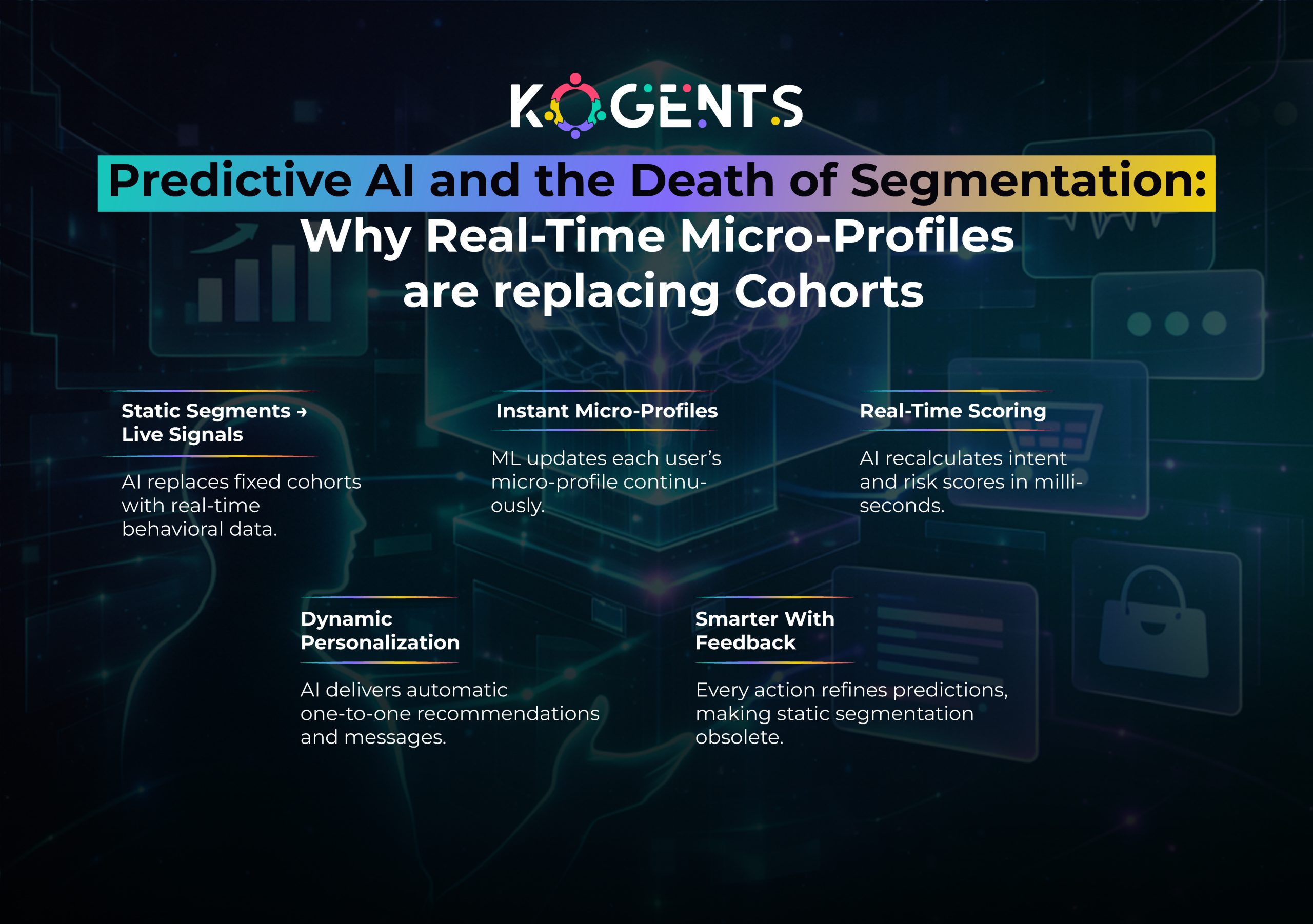
    Below is a breakdown with integrated keyword variations:

    1. Predictive AI Tools for Customer Behavior Analysis

    Predicts:

    • purchase intent
    • churn probability
    • next-best actions

    Tools: Salesforce Einstein, H2O.ai, RapidMiner

    2. Predictive AI Tools for Marketing Automation

    AI personalizes emails, offers, landing pages, and ads.

    Tools: HubSpot AI, Klaviyo AI, ActiveCampaign AI

    3. Predictive AI Software for Sales Forecasting

    Predicts pipeline health, deal closure probability, and quota risk.

    Tools: Zoho AI, Microsoft Dynamics 365 AI

    4. Predictive AI Tools for Financial Risk Analysis

    Used for:

    • fraud detection
    • credit scoring
    • portfolio risk modeling

    Tools: IBM Watson Studio, SAS Viya

    5. Predictive AI Tools for Cybersecurity Threat Detection

    Detect anomalies and breach patterns before attacks occur.

    Tools: CrowdStrike Falcon, Darktrace AI

    6. Predictive AI Tools for Healthcare Forecasting

    Used for:

    • Patient volume forecasting
    • disease progression modeling
    • triage workflows

    Tools: Google Cloud AutoML, Azure AI Health

    7. Predictive AI Tools for Supply Chain Optimization

    Used for:

    • replenishment forecasting
    • routing optimization
    • warehouse automation

    Tools: Amazon SageMaker, SAP Integrated Business Planning

    The Architecture Behind Predictive Customer Intelligence

    Predictive AI systems are built on a layered architecture:

    1. Data Layer

    Includes structured + unstructured data:

    • CRM
    • ERP
    • clickstreams
    • NLP-driven text data
    • image/video data
    • IoT sensor data

    2. Intelligence Layer

    Contains:

    • ML pipelines
    • AutoML workflows
    • neural network models
    • real-time anomaly detection

    3. Decision Layer

    Implements:

    • predictive scoring
    • automated customer actions
    • contextual decision engines
    • probabilistic outcome mapping

    4. Experience Layer

    Where AI interacts with customers:

    This architecture powers AI-powered predictive tools and enterprise forecasting engines.

    Why Traditional Analytics Fail in Modern Prediction?

    Traditional analytics answers:

     “What happened?”
    “Why did it happen?”

    Predictive AI answers:

    “What will happen next?”
    “What should we do about it?”

    Why traditional analytics fails:

    1. It cannot process unstructured behavioral data.
    2. It lacks real-time adaptability.
    3. It relies on fixed rules, not learning systems.
    4. It cannot personalize at scale.
    5. It struggles with micro-intent detection.

    The Psychology of Anticipatory AI: Understanding Hidden Intent

    Predictive AI doesn’t just analyze actions; it interprets psychological drivers:

    • motivation
    • sentiment
    • hesitations
    • cognitive biases
    • emotional triggers

    AI identifies:

    • When a user is about to churn
    • When they are price sensitive
    • When they need support
    • When they are frustrated
    • When they are considering a competitor

    Understanding hidden intent is the hallmark of predictive intelligence software.

    predictive ai tools

    Predictive AI in the Customer Journey

    Predictive AI tools influence each stage:

    1. Awareness

    AI identifies audiences most likely to engage and predicts trending topics.

    2. Consideration

    AI tailors product messaging, content recommendations, and email personalization.

    3. Decision

    AI provides next-best offers, urgency signals, and dynamic pricing.

    4. Retention

    AI detects early signs of churn and triggers automated retention playbooks.

    5. Loyalty

    • AI helps deliver personalized perks, rewards, and experiences.
    • Predictive tools create hyper-relevant journeys across every digital touchpoint.

    Predictive AI Across Major Industries

    Already covered in depth earlier, but expanded here.

    Retail (Predictive Commerce)

    Predicts:

    • purchase patterns
    • replenishment cycles
    • store traffic
    • discount sensitivity

    Healthcare

    Predicts:

    • Patient no-show likelihood
    • treatment adherence
    • resource load

    Tools: cloud-based predictive AI tools used for forecasting.

    Finance

    Predicts:

    • fraud
    • credit risk
    • loan default
    • investment movement

    SaaS

    Predicts:

    • churn
    • product adoption
    • upsell potential

    Cybersecurity

    Predicts breaches before signature-based tools can detect them.

    Case Studies 

    Case Study 1: Starbucks – DeepBrew Predictive Engine

    DeepBrew by Starbucks uses predictive AI tools to analyze:

    • order history
    • weather patterns
    • store proximity
    • time-of-day behavior

    Impact:

    • App engagement tripled
    • Over $1 billion in incremental revenue

    Case Study 2: Netflix – Predictive Recommendation System

    Netflix uses predictive modeling tools to analyze:

    • viewing sequences
    • interaction speed
    • content preferences

    Impact: 80% of streams come from AI-powered recommendations.

    Case Study 3: Walmart – AI Demand Forecasting System

    Walmart uses enterprise predictive AI solutions to forecast national demand.

    Impact:

    • 35% increase in forecast accuracy
    • 20% reduction in supply chain delays

    Table of Leading Predictive AI Tools (2025)

    Tool Best For Key Strengths Compliance Price Tier
    Google Cloud AutoML General AI prediction Scalable, AutoML ISO 27001 Medium
    IBM Watson Studio Enterprise analytics NLP + ML powerhouse HIPAA High
    Amazon SageMaker ML pipelines Best MLOps workflows ISO 27001 Medium–High
    Salesforce Einstein CRM forecasting Sales + Service AI SOC 2 Medium
    DataRobot Enterprise AutoML Fast deployment SOC 2 High
    H2O.ai Open-source prediction Custom modeling SOC 2 Low–Medium

    The Predictive Experience Revolution (PX 2.0)

    It has four pillars:

    1. Anticipatory Service

    Serving customers before they express a need.

    2. Context-Driven Personalization

    Offers change in real time based on user behavior.

    3. Adaptive Intelligence

    Systems continuously learn, no static rules, no manual updates.

    4. Invisible AI Integration

    • AI works behind the scenes, creating effortless journeys.
    • This is the future of predictive intelligence software and AI predictive analytics platforms.

    The Organizations That Predict the Future Will Own It!

    The companies winning in 2025 and beyond are those that understand customer intent before it becomes action. 

    Predictive AI tools allow brands to transition from reactive to anticipatory, unlocking next-level personalization, automation, and intelligence.

    If your organization wants to harness predictive AI systems, model development, integration, automation workflows, forecasting pipelines, or enterprise implementation, now is the time.

    Brands that predict succeed. Brands that react fall behind.

    We at Kogents.ai help businesses deploy predictive AI, build intelligent decision systems, automate customer experience, and unlock new revenue through anticipatory insights. 

    From enterprise predictive AI solutions to cloud-based predictive AI tools, we architect, implement, and optimize your predictive future.

    FAQs

    What makes predictive AI tools different from traditional analytics?

    Traditional analytics explains the past; predictive AI tools forecast the future using machine learning, neural networks, and behavioral modeling. They adapt continuously, automate decisions, and generate real-time predictive insights.

    How do predictive AI tools improve customer experience?

    By identifying intent signals before customers communicate them. This includes predicting churn, personalizing content, optimizing recommendations, and enabling anticipatory customer service.

    Which industries benefit most from predictive AI?

    Retail, healthcare, finance, cybersecurity, SaaS, logistics, and telecom sectors benefit from AI predictive analytics platforms and predictive modeling tools.

    Are predictive AI tools expensive to implement?

    Costs vary widely:

    • Small business tools: $1,000–$10,000
    • Mid-market AI systems: $25k–$250k
    • Enterprise predictive AI deployments: $500k–$5M

    How accurate are predictive AI models?

    Accuracy ranges from 75% to 95% depending on data quality, model type, and feedback loops.

    Can predictive AI tools be used without a data science team?

    Yes. Platforms like DataRobot, H2O.ai, and Google AutoML provide AutoML capabilities requiring minimal coding.

    What data is required for predictive modeling?

    CRM data, behavioral logs, transaction history, NLP-derived sentiment data, and real-time engagement metrics are most commonly used.

    How do predictive AI tools support sales forecasting?

    They use predictive machine learning tools to predict quota risk, deal health, and revenue velocity.

    Can predictive AI detect cybersecurity threats?

    Yes. Tools like Darktrace and CrowdStrike detect anomalies using behavioral pattern recognition and predictive intelligence software.

    What role does MLOps play in predictive AI?

    MLOps enables continuous training, monitoring, deployment, and optimization of predictive AI models at enterprise scale.

    How do predictive AI tools help reduce customer churn?

    By analyzing friction points, detecting dissatisfaction signals, predicting drop-off behavior, and triggering proactive retention flows.

    Do predictive AI tools require cloud infrastructure?

    Not always. There are cloud-based predictive AI tools and on-premise enterprise solutions, depending on security needs.

  • Scale support volume without scaling team size, powered by automated customer care 

    Scale support volume without scaling team size, powered by automated customer care 

    Imagine handling 10× more customer queries without hiring 10× more support agents. 

    What used to sound like magic is now entirely doable, thanks to the transformative power of automated customer care, AI customer support automation, and customer service automation technologies.

    Traditional customer support teams struggle with slow response times, high operational costs, and burnout, especially when support demand spikes. 

    But what if you could scale smartly instead of largely? What if your service volume could grow without a proportional increase in human agents?

    Welcome to the future of automated customer care, a future where AI does the heavy lifting, freeing human talent to tackle strategic, complex, and high-value interactions.

    Key Takeaways

    • Automated customer care enables exponential support volume growth without linear team expansion by leveraging AI-powered customer service tools like chatbots and intelligent routing.
    • Real-world data shows automation can drive significant cost savings and operational efficiency while enhancing support quality. 
    • Incorporating AI contact center automation elevates customer satisfaction with 24/7 support and faster resolution rates. 
    • Multiple credible case studies demonstrate how industry leaders are transforming their support workflows through automation.
    • With the right strategy, businesses achieve higher scalability, employee satisfaction, and measurable ROI from customer service chat automation.

    What Is Automated Customer Care?

    Automated customer care refers to systems that use technology, particularly AI-powered customer service tools, to handle customer interactions without direct human effort. This includes:

    At its core, automation doesn’t replace human agents; it empowers them. 

    It manages high-volume, repetitive tasks so human experts can focus on strategic care that requires empathy, judgment, and problem-solving intelligence.

    Why Automated Customer Care Is a Game Changer?

    Here’s how automation transforms customer support at scale:

    Scalability Without Staffing Growth

    • Unlike traditional scaling,  where support volume = more staff, automation lets support systems expand without ramping up headcount. 
    • Tools like AI contact center automation can resolve routine tickets automatically, deflect support load, and manage peak volume without incremental costs.

    Gartner predicts that by 2026, 85% of customer interactions will be handled without human agents. 

    24/7 Instant Response & Consistency

    • Customers expect instant answers,  not queue waits. 
    • Automated systems like AI customer support automation provide round-the-clock support with consistent quality, eliminating variability and enhancing user satisfaction.

    According to industry reports, AI agents can handle up to 80% of customer interactions independently. 

    Significant Cost Reduction

    Automated systems reduce:

    • Labor costs
    • Training expenses
    • Operational overhead
    • Cost per ticket handled

    McKinsey research highlights that automation can cut support costs by 20–40%, offering a powerful ROI. 

    4. Improved Customer Satisfaction & Loyalty

    Customers who experience faster resolutions and 24/7 support are more satisfied and more likely to stay loyal. 

    IBM reports that mature AI adopters see 17% higher customer satisfaction through faster, more personalized interactions. 

    Also, up to 67% of consumers prefer using AI assistants for support, demonstrating growing trust in intelligent automation. 

    5. Greater Agent Productivity & Satisfaction

    • Rather than replacing humans, automation lets agents focus on what matters most, strategic problem solving, empathy-driven communication, and complex issue resolution. 
    • With the busywork handled by intelligent systems, employees enjoy more rewarding tasks, increasing job satisfaction and reducing burnout.

    automated customer care

    Automation Impact on Customer Support Metrics (2025)

    Metric Traditional Support With Automated Customer Care
    Support Staff Size ↑ Linear with volume Scales with automation
    Cost Per Ticket Higher Up to 40% lower* 
    24/7 Availability Limited Automated
    First Response Time Slower Immediate
    CSAT Scores Variable 17% increase
    Automation Handling % Up to 80%

    Core Components of Automated Customer Care

    AI Chatbots & Conversational AI

    • AI-driven chatbots provide immediate, context-aware responses across channels, web, mobile, and social media. 
    • These AI chatbots for automated customer care deflect routine tickets and escalate complex queries to humans only when necessary.

    Workflow Automation & Intelligent Routing

    • Smart systems automatically route tickets to the right department, prioritize urgent requests, and reduce manual handling. 
    • This ensures optimal resource utilization and faster resolution.

    Self-Service & Knowledge Base Automation

    • Self-service portals empower customers to find answers independently. 
    • By automating automated self-service customer support, you improve satisfaction while lowering support load.

    Omnichannel Support Automation

    • Customers interact across email, chat, phone, and social media. 
    • Automated omnichannel customer service solutions unify these channels into seamless workflows, ensuring consistent support across touchpoints.

    Predictive Analytics & Insights

    Advanced systems use data to anticipate customer needs, prevent issues, and offer proactive solutions, creating smoother customer journeys and reducing ticket spikes.

    Real-World Use Cases & Case Studies

    Lyft — Generative AI in Customer Care

    Lyft partnered with Anthropic and Amazon’s Bedrock to integrate generative AI into its support workflow. 

    This dramatically reduced resolution times by 87%, resolving thousands of support tickets daily while helping human agents focus on complex issues like fraud and safety. 

    Salesforce — AI Handling Millions of Interactions

    Salesforce’s AI platform, Agentforce, now manages millions of customer dialogues with 93% accuracy. 

    While this led to workforce adjustments, it confirmed AI’s ability to scale support volume without sacrificing quality. 

    Industry Adoption & ROI

    Across businesses, automation delivers significant ROI; companies report an average $3.50 return for every $1 invested in AI customer service, with top performers achieving up to 8× ROI. 

    Zendesk Insights: Consumer Expectation Shift

    Industry reports from Zendesk show 59% of consumers believe AI will reshape support experiences, and 75% of users who tried generative AI think it will transform customer service soon.

    Bank of America — Erica Virtual Assistant Handles Over 2 Billion Interactions

    Bank of America’s AI-powered virtual assistant Erica has become one of the most successful examples of large-scale automated customer care in the financial sector.

    According to Bank of America’s official reporting:

    • Erica has handled over 2 billion client interactions since launch
    • The AI resolves customer inquiries related to transactions, account updates, spending insights, and fraud alerts
    • Adoption increased by 30% year-over-year, especially during high-volume periods
    • It contributes significantly to reducing human agent load and operational cost

    Erica is a powerful demonstration of how AI-powered customer service can handle massive support workloads while maintaining accuracy and compliance, AI-driven personalization intact. 

    Delta Air Lines — AI Chat Automation Reduces Customer Wait Times by 65%

    Delta implemented AI-driven automations across their customer support channels, including:

    • Conversational AI chat agents
    • Predictive rebooking notification
    • Automated bag tracking support
    • Real-time flight disruption updates

    After rolling out automated customer care systems, Delta publicly reported:

    • 65% reduction in average customer wait times
    • Over 50 million automated interactions per year
    • Increased customer satisfaction (CSAT) across mobile and web support channels
    • Significant deflection of repetitive support inquiries (flight status, delays, rebooking)

    Delta’s automation strategy showcases how customer service automation can dramatically improve operational scalability during peak travel seasons without requiring proportional increases in support staff.

    automated customer care

    Unique Approach — Automation with Human+AI Collaboration

    The most exceptional implementations aren’t fully automated; they’re collaborative systems. In this model:

    1. AI handles repetitive tasks and provides real-time insights.
    2. Human agents intervene in nuanced cases.
    3. AI offers suggested actions and context, acting as a co-pilot rather than a replacement.

    This ensures high empathy, personalization, and strategic problem-solving while scaling an operationally hybrid approach that future-proofs support teams and amplifies human value.

    Supercharge Your Support with Us! 

    Scaling support volume without scaling the team doesn’t have to be aspirational; it’s achievable today with automated customer care. 

    By strategically integrating automated customer care, companies unlock efficiencies that redefine customer support: faster responses, cost efficiency, higher satisfaction, and true omnichannel capabilities.

    If you’re ready to elevate your customer support operations while expanding capacity, decreasing costs, and enhancing the customer experience, it’s time to explore us at our website.

    Don’t just scale, outpace expectations. 

    Book a demo with Kogents.ai today and discover how our AI customer support automation solutions can transform your customer care operations without growing your team.

    FAQs 

    What is automated customer care?

    Automated customer care refers to using technology to handle customer support tasks such as AI chatbots, self-service portals, and automated ticket workflows,  with minimal human intervention. 

    How does customer service automation reduce costs?

    By automating repetitive inquiries and workflows, businesses lower labor costs, scale support without hiring, and improve efficiency, often reducing costs.

    What are the best AI tools for customer service automation?

    Leading solutions include generative AI-powered chatbots, intelligent routing systems, and virtual assistants that integrate with CRM platforms. (For example: Zendesk AI, Salesforce Agentforce, Intercom AI)

    How does automated customer care improve customer satisfaction?

    Instant responses, 24/7 availability, and personalization contribute to higher satisfaction scores, with mature adopters seeing significant improvements. 

    Will automated customer care replace human agents?

    No, it supports human agents by handling routine tasks so they can focus on complex, high-value interactions. Hybrid human+AI models are most effective.

    What is AI contact center automation?

    It’s AI that manages contact center operations — such as intelligent routing, automated responses, and predictive support — to handle large volumes efficiently.

    How much ROI can companies expect from automation?

    Companies see an average of $3.50 in return for every $1 invested, with some achieving up to 8× ROI. 

    Can automation handle peak support volumes?

    Yes, automated systems like AI customer support automation adapt to spikes without service degradation, unlike human-only teams.

    What are the common challenges of implementing automation?

    Integrating with existing systems, maintaining brand voice, and ensuring accurate responses require careful implementation and monitoring.

    How do I start with automated customer care?

    Begin by identifying repetitive tasks, choose solutions that integrate with your CRM, and deploy incrementally while tracking impact metrics.