Author: admin

  • AI Automation Platforms Implementation Guide for Production-Grade AI

    AI Automation Platforms Implementation Guide for Production-Grade AI

    Imagine a world where your business runs on autopilot, tasks get done faster, decisions are smarter, and productivity soars. AI automation platforms are making this a reality. 

    These game-changing technologies are not just reshaping workflows but transforming entire industries. 

    From AI-driven automation systems to robotic process automation (RPA), businesses are tapping into AI automation tools to eliminate inefficiencies and unlock unprecedented levels of growth.

    AI automation software is no longer a luxury but a necessity for businesses that wish to stay ahead of the curve. 

    The advent of intelligent automation has streamlined operations, empowered employees, and allowed companies to scale without compromising quality or efficiency.

    However, implementing AI automation in a production-grade environment requires careful planning, thoughtful integration, and a deep understanding of the tools at hand.

    This guide explores how businesses can successfully implement AI-driven automation systems to unlock new potential, streamline operations, and achieve digital transformation. 

    Whether you’re considering Robotic Process Automation AI (RPA) or a more comprehensive AI workflow automation solution, this post will provide a detailed roadmap to successfully integrate these technologies into your business operations.

    Key Takeaways

    • AI automation platforms enable businesses to automate repetitive tasks, enhance operational efficiency, and reduce human error.
    • A successful implementation of AI-driven automation systems involves careful planning, choosing the right tools, and designing scalable AI workflows.
    • AI-powered automation platforms offer a wide range of use cases across industries, from finance and healthcare to manufacturing and retail.
    • Overcoming challenges such as resistance to change and data security concerns is crucial for a smooth implementation process.
    • The future of AI workflow automation is promising, with continuous advancements in machine learning and cognitive automation paving the way for more intelligent and adaptable systems.
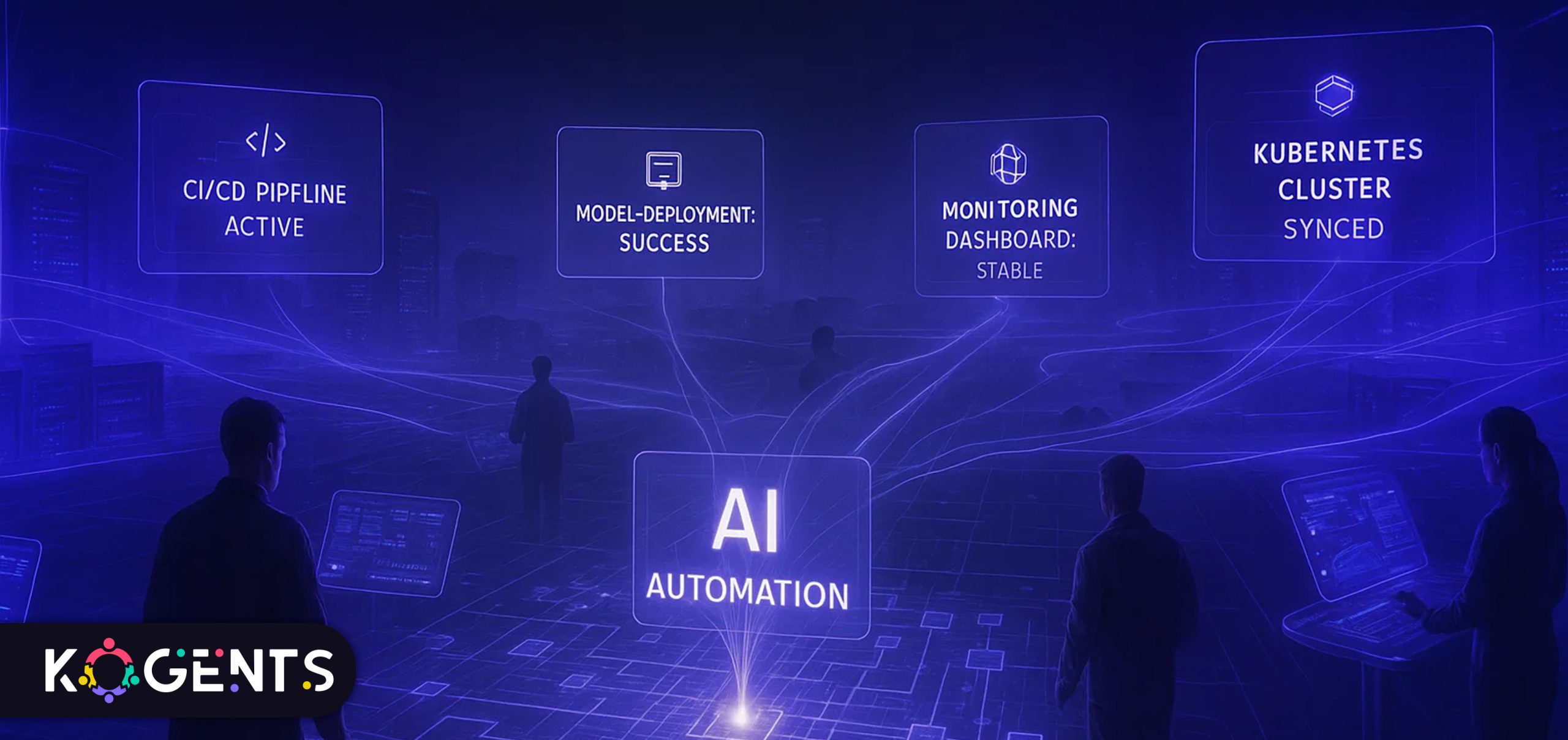
    ai automation platforms enable businesses

    What are AI Automation Platforms?

    At their core, AI automation platforms are systems that integrate artificial intelligence (AI) into business operations to automate complex tasks and processes. 

    These platforms combine machine learning, data processing automation, and robotic process automation (RPA) to create intelligent systems that can adapt to dynamic environments, learn from experience, and perform tasks without human intervention.

    Unlike traditional automation tools, which simply follow pre-programmed rules, AI-based automation solutions leverage algorithms to improve over time, ensuring that automation becomes more efficient and accurate as the system learns from past data and user interactions.

    Key Components of AI Automation Platforms

    • Machine Learning Models: These models learn from data to optimize decision-making and predict outcomes.
    • Robotic Process Automation (RPA): RPA tools automate repetitive tasks such as data entry and processing.
    • Natural Language Processing (NLP): NLP enables AI platforms to understand and process human language for tasks like customer support or content generation.
    • Analytics and Reporting: These tools provide insights into the performance of automation, identifying opportunities for further optimization.
    Component Description Business Benefit
    Machine Learning Models Learn from data to optimize decision-making and predict outcomes. Enables smarter, data-driven business insights and forecasting.
    Robotic Process Automation (RPA) Automates repetitive tasks such as data entry and processing. Saves time, reduces human error, and improves operational efficiency.
    Natural Language Processing (NLP) Allows AI to understand and process human language for customer support or content generation. Enhances customer interaction through chatbots and virtual assistants.
    Analytics and Reporting Provides insights into automation performance and identifies optimization opportunities. Improves transparency, helps measure ROI, and supports continuous improvement.

    The Role of AI in Business Automation

    How AI Drives Business Transformation?

    The impact of AI on business automation cannot be overstated. By automating mundane tasks, businesses can free up employees to focus on higher-value activities, improving both productivity and job satisfaction. 

    With the right AI tools, organizations can also achieve significant cost savings, reduce errors, and improve decision-making speed.

    Example: sales AI automation tools streamline lead scoring, outreach, and follow-ups by leveraging predictive analytics to prioritize high-value prospects. 

    Moreover, AI agents in marketing predict customer behavior shifts, navigate lead nurturing, and deliver in real-time engagement across digital channels. 

    A study of “Which Economic Tasks are Performed with AI?” found that 36% of occupations use AI for at least a quarter of their tasks, and within usage, 43% was automation versus 57% augmentation. 

    Types of AI Automation Tools

    Robotic Process Automation (RPA) AI

    • RPA AI tools can automate rule-based tasks, such as data processing and document handling. 
    • These tools are especially useful in industries where large volumes of repetitive tasks are common.

    AI Workflow Automation Tools

    • These platforms automate end-to-end business processes by managing workflows that involve multiple steps and systems. 
    • These tools are often used in industries like finance, healthcare, and manufacturing.

    AI-Driven Business Process Automation Systems

    • These systems leverage AI to make decisions and optimize workflows automatically. 
    • They are ideal for organizations that require complex decision-making and continuous improvement in business operations.

    Implementing AI Automation Platforms: A Step-by-Step Guide

    Pre-Implementation Planning

    Before diving into AI automation, it’s essential to define the scope of the project. 

    • What processes do you want to automate? 
    • What are your business goals? 
    • Answering these questions will guide you in choosing the right AI automation tools and platforms.

    Building the Right Infrastructure for AI Automation

    • The infrastructure you choose should align with the scale of your operations and the complexity of the automation. 
    • For smaller businesses, cloud-based AI tools are often the best choice, as they are scalable and cost-effective. 
    • Larger enterprises may require on-premise solutions that offer more control.

    Pilot Testing and Scalability Considerations

    Once you’ve selected the appropriate AI automation software, start with a pilot program. 

    This allows you to test how well the system integrates with existing workflows and ensures that any issues can be addressed before full deployment.

    Building a Business Case for AI Automation Platforms

    • Why AI Automation?: For businesses considering AI automation, the first step is often justifying the investment. 

    Note: In this section, we can focus on the ROI of marketing AI automation platforms, supported by real-world examples, industry data, and case studies.

    • Evaluating the Impact: A discussion on how businesses can assess the potential cost savings, improved efficiency, and enhanced decision-making that AI automation brings to the table. 

    Note: This will include insights into identifying the key performance indicators (KPIs) for successful AI implementation.

    • Cost-Benefit Analysis: Highlighting the direct and indirect benefits businesses can expect and showing that the value of automation outweighs the initial costs. 

    Highlight: We can incorporate real statistics on time savings, error reduction, and labor cost reduction.
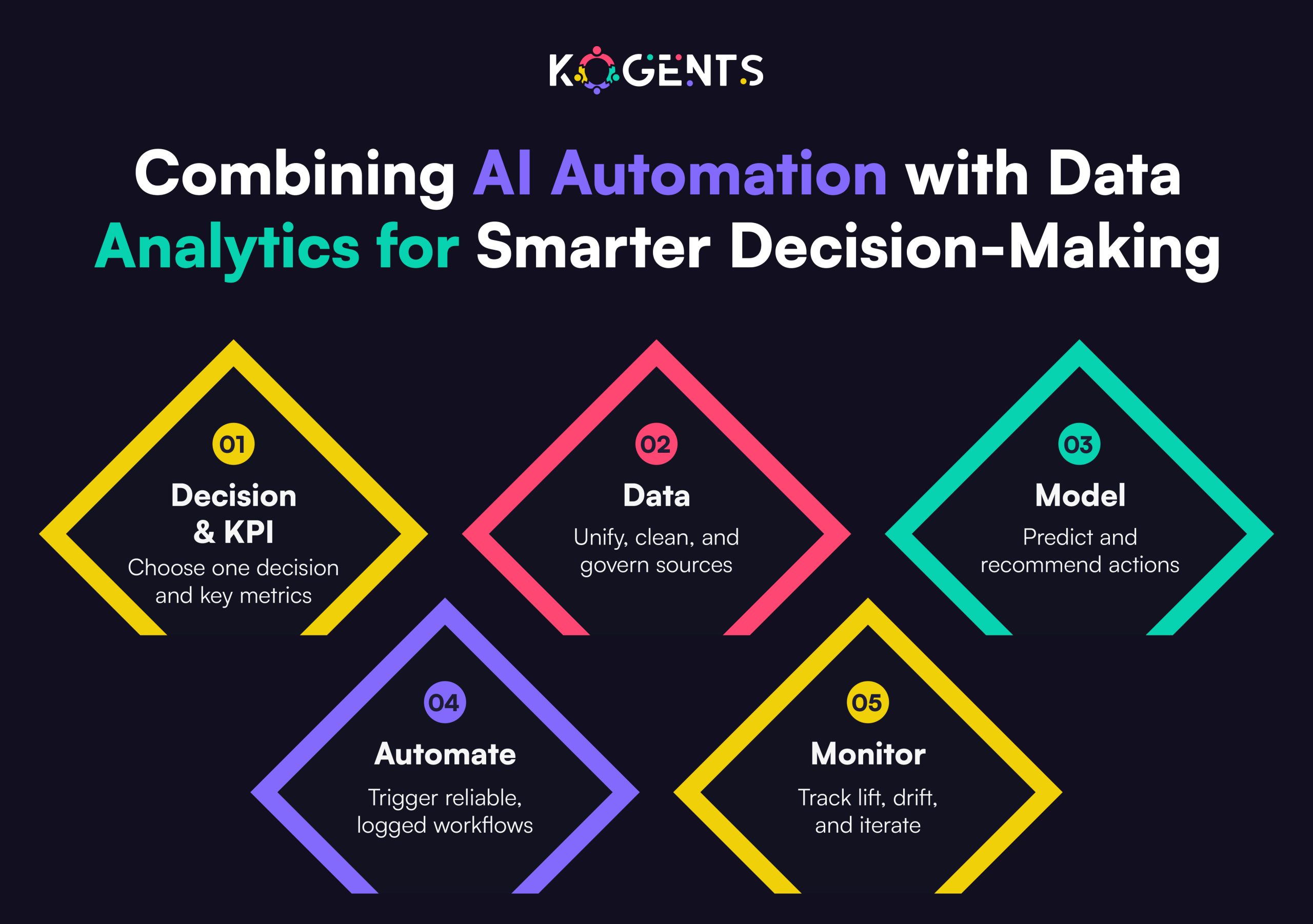
    combining ai automation platforms

    The Ethical and Human Impact of AI Automation

    • Job Displacement vs. Job Transformation: A critical aspect of AI automation is the effect on the workforce. 

    Learn: In this section, we explore the ethical implications of AI, how it affects employees, and the need for businesses to address potential job displacement. 

    Rather than replacing human workers, AI often changes roles, requiring employees to upskill and take on more strategic tasks.

    • Ensuring Fairness and Transparency: We’ll also look into how businesses can ensure that their AI systems are ethically designed and that transparency is maintained in automated decisions.
    • Human-AI Collaboration: While AI automates routine tasks, this section will emphasize the importance of human-AI collaboration and how businesses can strike a balance between technology and human touch to maximize productivity and creativity.

    Case Studies of Successful AI Automation Implementations

    Case Study 1: UiPath AI Automation in Finance

    UiPath is a leader in Robotic Process Automation (RPA) and has been pivotal in automating finance operations for businesses. 

    • One notable implementation was at a major bank, where UiPath helped automate the reconciliation of financial statements. 
    • This led to a significant reduction in processing time and errors.

    Case Study 2: Automation Anywhere in Healthcare

    • Automation Anywhere’s AI automation tools were deployed in a healthcare organization to streamline patient data entry and processing. 
    • The automation of administrative tasks freed up healthcare professionals to focus more on patient care, improving overall service delivery.

    Case Study 3: Blue Prism in Manufacturing

    Blue Prism’s intelligent automation platforms were used to automate the manufacturing process at a global electronics company. 

    By automating inventory management, the company reduced downtime and improved supply chain efficiency.

    Challenges In Implementing AI Automation

    • Resistance to Change: Employees may fear job displacement or struggle to adapt to new AI-driven workflows.
    • Data Quality and Integration: Inconsistent or siloed data hinders AI accuracy and seamless automation performance.
    • Data Security and Privacy: Protecting sensitive information and ensuring compliance with regulations like GDPR is critical.
    • High Implementation Costs: Developing, training, and maintaining AI systems require significant financial and technical resources.
    • Measuring ROI: Determining the tangible benefits of automation versus costs remains complex, especially when evaluating long-term productivity and efficiency gains.

    Conclusion

    AI automation platforms are transforming industries across the globe, unlocking new possibilities for efficiency, cost savings, and innovation. 

    By carefully selecting the right AI tools, planning implementation, and navigating challenges, businesses can successfully integrate AI-driven automation systems into their operations, ensuring long-term success and scalability.

    As businesses look to the future, the role of AI in automation will only continue to grow. 

    AI-powered automation solutions provided by Kogents.ai will become more capable of solving your increasingly complex business problems, driving the next wave of digital transformation.

    FAQs

    What are AI automation platforms?

    AI automation platforms use artificial intelligence to automate business tasks and processes, improving efficiency and reducing human error.

    How do AI automation platforms work?

    These platforms utilize machine learning, data analytics, and robotic process automation (RPA) to automate workflows, making decisions and optimizing tasks based on data-driven insights.

    What industries benefit most from AI automation platforms?

    AI automation platforms have been widely adopted in finance, healthcare, manufacturing, and retail, where they streamline repetitive tasks and optimize operations.

    What are the main benefits of AI in business automation?

    Key benefits include reduced operational costs, improved productivity, enhanced decision-making, and the ability to scale operations efficiently.

    How do I choose the right AI automation software for my business?

    Consider factors such as scalability, integration capabilities, ease of use, and support for your specific industry needs when selecting AI automation software.

    What are some common challenges in implementing AI automation?

    Common challenges include data security concerns, employee resistance to change, and the complexity of integrating AI tools with legacy systems.

    Is AI automation suitable for small businesses?

    Yes, AI automation platforms can be scaled to meet the needs of small businesses, offering cost-effective solutions for automating processes.

    How does AI compare to traditional automation tools?

    Unlike traditional automation, AI tools can adapt and improve over time through machine learning, offering more flexibility and intelligence in task automation.

    What are the costs associated with implementing AI automation?

    Costs vary depending on the platform and the complexity of implementation. However, the ROI from AI automation often outweighs the initial investment.

    What is the future of AI automation?

    The future of AI automation involves continued advancements in machine learning, cognitive automation, and AI-driven insights, leading to even more intelligent and adaptable systems.
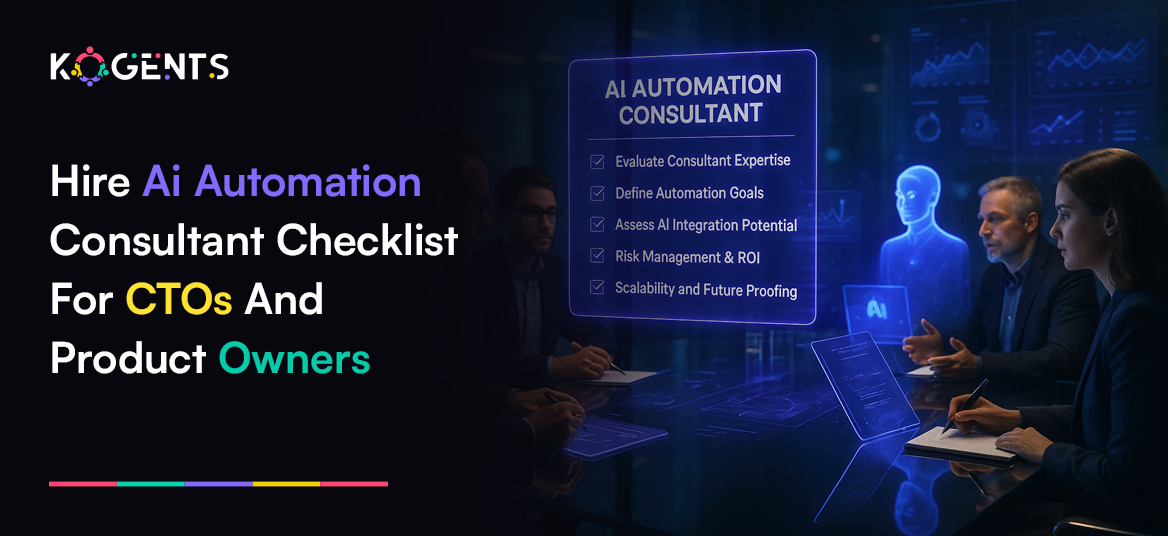
  • Hire an AI Automation Consultant Checklist for CTOs and Product Owners

    Hire an AI Automation Consultant Checklist for CTOs and Product Owners

    At the heart of the current automation revolution lies a class of AI architectures called GPT decoders, the very foundation of modern generative and intelligent automation systems. 

    GPT (Generative Pre-trained Transformer) models rely on decoder-only transformer architectures that learn context, reason through complex workflows, and generate intelligent actions or content.

    These decoder models are now embedded across automation platforms, powering intelligent document processing, chatbot orchestration, predictive workflows, and decision automation. 

    In essence, what used to be “rules and triggers” in traditional automation is now contextual reasoning and adaptive intelligence driven by GPT-like architectures.

    This means hiring an AI automation consultant today isn’t just about implementing scripts or RPA bots; it’s about bringing in expertise that understands AI-first automation, where GPT-style reasoning and data-driven intelligence enhance efficiency, precision, and scale.

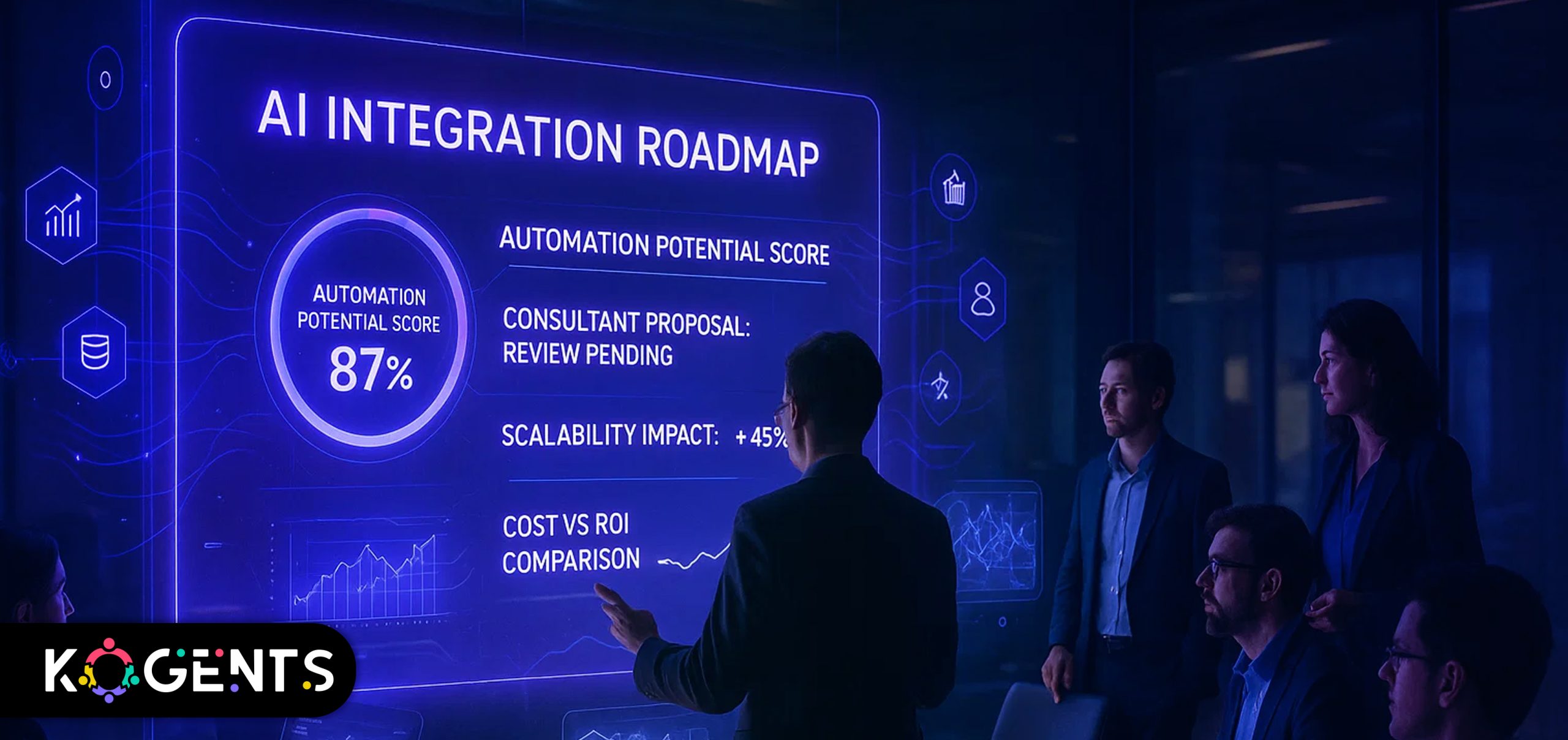
    As a CTO or product owner, this guide provides you with the complete checklist to evaluate, hire, and manage the right AI automation consultant, one who can translate these technologies into measurable business outcomes.

    Key Takeaways

    • AI automation consulting is no longer about tools; it’s about embedding reasoning intelligence into workflows.
    • The best consultants combine data, ML, automation, and change-management capabilities.
    • Define KPIs and governance upfront to avoid failed pilots or scope creep.
    • Evaluate consultants for end-to-end capability,  from architecture to scale.
    • Plan for a Centre of Excellence (CoE) to sustain and expand automation internally.

    ai automation consultant

    Why Engage an AI Automation Consultant?

    The Business Case

    By 2030, global intelligent process automation is projected to reach USD 44.7 billion, growing at over 22% CAGR (Grand View Research, 2024).

    Over 78% of enterprises report active AI deployment initiatives.

    These numbers highlight a simple truth: automation is now table stakes, and intelligence is the differentiator.

    An AI automation consultant bridges three key challenges:

    • Translating business goals into automation opportunities.
    • Integrating AI/ML capabilities into legacy and cloud workflows.
    • Designing scalable architectures with governance, ethics, and measurement built in.

    Core Benefits


    Benefit Description
    Operational Efficiency AI automation can cut manual tasks by 60–95%, reducing error rates dramatically.
    Scalability Consultants design reusable frameworks for multi-department rollouts.
    Data Utilisation Converts unstructured data into actionable insights via AI/ML.
    Governance & Compliance Embeds auditability, ethics, and regulatory compliance.
    Time-to-Market Enables faster feature releases and AI for customer service automation response cycles.

    What a True AI Automation Consultant Does?

    A high-impact consultant’s role spans technical, strategic, and organisational layers.

    1. Strategy and Assessment

    • Audit current workflows, data maturity, and readiness.
    • Build a target operating model for automation.
    • Define clear business outcomes (cost, speed, accuracy, CX).

    2. Process Mining & Value Mapping

    • Identify high-ROI automation candidates.
    • Use process-mining tools and stakeholder interviews.
    • Quantify savings potential and impact.

    3. Technical Architecture

    • Design automation stack: RPA, APIs, GPT-based models, IDP, orchestration engines.
    • Integrate data pipelines, AI models, and decision logic.
    • Ensure scalability, monitoring, and security.

    4. Implementation

    • Build and deploy AI-driven workflows and bots.
    • Validate against KPIs and iterate through feedback loops.
    • Manage human-in-the-loop processes for quality control.

    5. Governance & Change Management

    • Define ownership, escalation, and monitoring processes.
    • Set up compliance frameworks and ethical AI practices.
    • Train internal teams for sustainability and hand-off.

    6. Continuous Optimisation

    • Measure post-deployment ROI.
    • Detect model drift or workflow decay.
    • Scale automation across departments through CoE.

    hire ai automation consultant

    Pre-Engagement Checklist for CTOs & Product Owners

    Before you even shortlist a consultant, ensure your organisation’s readiness.

    1. Organisational Readiness

    • Leadership alignment on automation strategy.
    • Documented key processes and value streams.
    • Accessible, governed data sources.
    • IT architecture is ready for API-driven integration.
    • Budget and resources aligned with the scope.

    2. Define Business Outcomes

    • Set quantitative goals (e.g., 40% cycle-time reduction).
    • Determine ROI horizon (usually 12–18 months).
    • Choose KPIs that include cost saved, time saved, quality uplift, and CX improvement.

    3. Technology Landscape

    • Assess current automation and AI tools.
    • Identify compatibility or integration gaps.
    • Prioritise platforms that support GPT-powered or transformer-based AI features for adaptive automation.

    4. Risk & Compliance

    • Data privacy and residency requirements.
    • Model transparency and explainability.
    • Access control and audit logs.

    5. Change-Management Readiness

    • Do teams understand “automation as augmentation”?
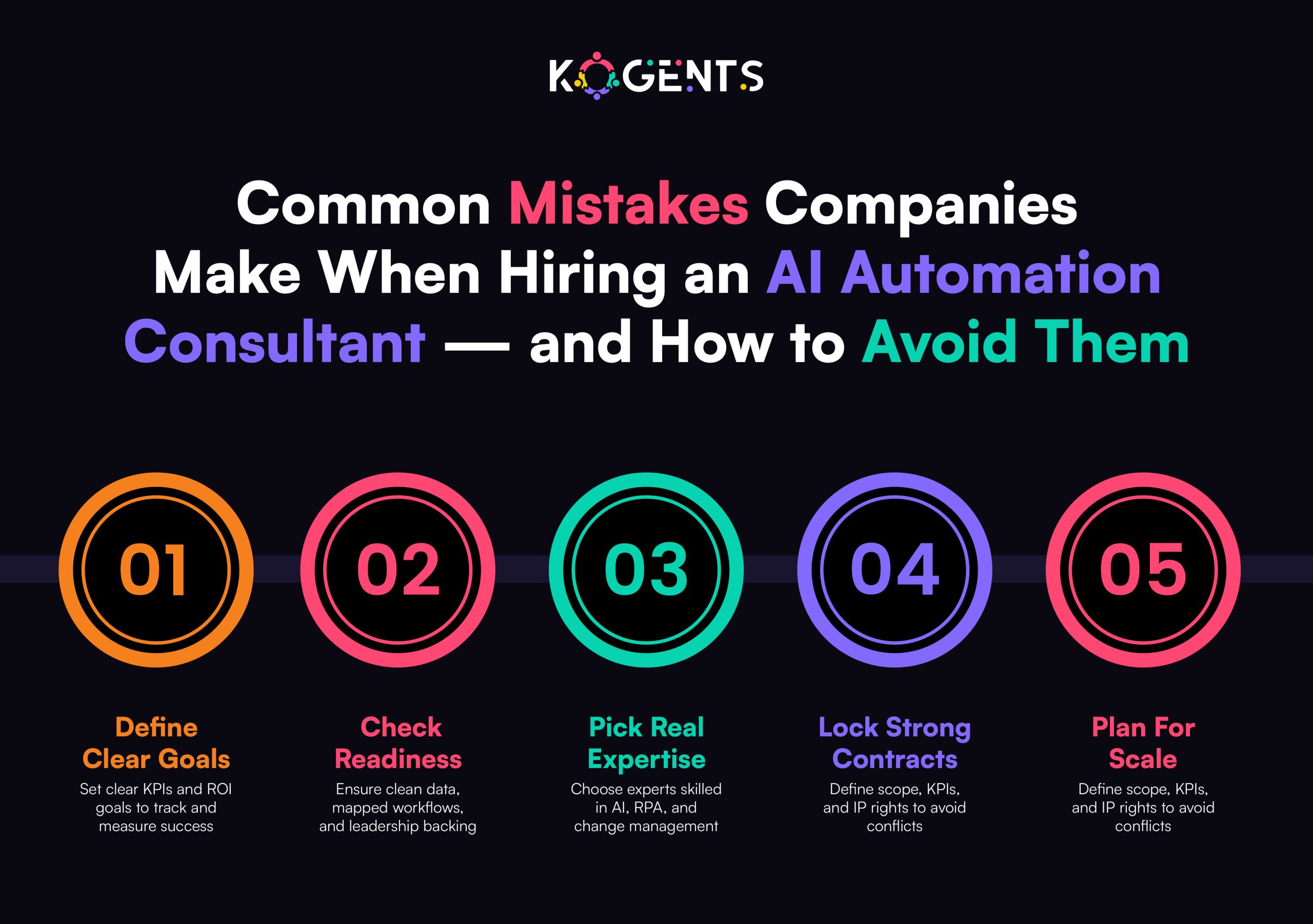
    • Is there resistance to change? Plan training early.

    Selection Criteria: How to Choose the Right Consultant?

    Selecting the right partner determines your automation success.

    Criterion What to Look For Pro-Tip
    Domain Expertise Experience in your vertical and process type. Check live case studies, not slides.
    End-to-End Capability Data, AI, RPA, orchestration, and change management. Prefer full-stack over niche vendors.
    Methodology Structured roadmap: discovery → pilot → scale. Ask for documented frameworks.
    Outcome Focus Business KPIs, ROI alignment, not just deliverables. Insist on measurable metrics in the contract.
    Tech Independence Vendor-agnostic, modular architecture. Avoid lock-in and proprietary silos.
    Governance & Ethics Compliance, bias management, and explainability. Evaluate security posture and certification.
    Cultural Fit Collaborative, transparent, agile mindset. Check team compatibility during interviews.

    Pro-Tip: Prioritise consultants who emphasise knowledge transfer. The goal isn’t dependency, it’s empowerment.

    Contracting and Governance Essentials

    Once you select a consultant, lock in clarity with strong contracting and governance.

    Core Contract Elements

    • Scope of Work: Defined processes, deliverables, and timelines.
    • KPIs: Quantitative performance metrics (time, cost, accuracy).
    • Ownership/IP: Ensure your organisation owns code and data.
    • Payment Model: Milestone-based or value-based preferred.
    • Change Management: Specify escalation path and approval process.
    • Support: Post-go-live monitoring, maintenance, and retraining.

    Governance Framework

    • Steering Committee – Senior leadership overseeing progress.
    • Project Governance – PMO, consultant lead, process owner roles.
    • Change Control Board – Prevents uncontrolled scope creep.
    • KPI Dashboard – Live tracking of success metrics.
    • Review Cadence – Biweekly or monthly retrospectives.

    Soft Reminder: Strong governance turns automation into a managed investment, not an uncontrolled experiment.

    Implementation Phase: What to Expect & How to Avoid Pitfalls?

    Typical Workflow

    • Discovery: Assess data, processes, and readiness.
    • Pilot Build: Develop 1–3 priority workflows.
    • Validation: Measure KPIs, refine automation.
    • Scale: Roll out to other business areas.
    • Optimise: Monitor, retrain, and expand CoE.

    Common Pitfalls And Prevention Tricks

    Pitfall Prevention
    Undefined KPIs Set measurable business metrics pre-pilot.
    Poor Data Quality Conduct a thorough data audit and cleansing.
    Scope Creep Use phase-gated delivery with clear sign-offs.
    Change Resistance Communicate vision, train staff early.
    Vendor Lock-in Demand open standards, exportable assets.
    No Post-Launch Ownership Plan CoE and skill transfer from the start.

    Pro-Tips

    • Focus on quick wins for early credibility.
    • Implement AI explainability dashboards for transparency.
    • Design modular automations that can evolve with GPT upgrades.
    • Document every workflow for audit and retraining ease.

    Post-Engagement and Scaling

    Automation value compounds with scale. Yet, many firms stop at the pilot stage.

    Scaling Strategy

    1. Build a Centre of Excellence (CoE):
      • Internal team for governance, templates, and best practices.
      • Shared services for automation pipeline and reuse.
    2. Create an Automation Catalogue:
      • Prioritise processes by ROI and complexity.
      • Use dashboards to visualise progress.
    3. Establish Continuous Monitoring:
      • Track automation uptime, error rate, cost savings, and ROI.
      • Implement feedback loops for retraining AI models.
    4. Govern for Sustainability:
      • Audit processes quarterly.
      • Monitor model drift and regulatory compliance.
      • Review KPIs annually to align with business strategy.
    5. Upskill Internal Teams:
      • Data literacy, bot operations, and prompt engineering for GPT tools.
      • Create automation “champions” within business units.

    Case Studies

    Case 1 — Public-Sector Modernisation

    A U.S. state transportation department worked with EY to Automated customer service solution renewals and registrations.

    Results:

    • 12 million transactions processed via AI-enabled portal.
    • 300k employee hours saved.
    • USD 14 million cost reduction.

    Lesson: Start small but measure impact rigorously.

    Case 2 — Insurance Hyper-Automation

    A global insurer deployed GPT-powered automation for claims.

    Results:

    • 72% faster processing.
    • 65% fewer manual reviews.
    • USD 4.2 million annual savings.

    Lesson: Combine AI document processing with orchestration for end-to-end speed.

    Case 3 — Enterprise Workflow Optimisation

    A multinational enterprise used an AI consultant to map repetitive tasks and automate scheduling and reporting.

    Results:

    • 40% faster reporting cycles.
    • 30% cost savings.

    Lesson: Prioritise cross-department automation for cumulative gains.

    Comprehensive Hiring Checklist

    Category Key Question Ready?
    Strategy Alignment Is automation linked with business goals?
    Data Readiness Are data sources clean and accessible?
    Process Maturity Are workflows documented and measurable?
    Consultant Experience Proven record in a similar domain/scale?
    Technology Fit Compatible, scalable, GPT-capable stack?
    Governance Framework Roles, SLAs, metrics defined?
    Change Management Training and communication plan in place?
    Ownership/IP Code and models owned by your org?
    KPI Definition Success metrics baseline established?
    Post-Engagement Plan CoE and sustainability defined?

    Note: Use this table in RFP or due diligence sessions to ensure every box is ticked.

    Conclusion

    In 2025 and beyond, AI-driven automation has evolved from a competitive advantage to a core operational necessity. 

    But success depends less on the technology itself and more on how you hire and manage the expertise behind it.

    The AI automation consultant is that critical partner,  merging business logic with technical intelligence. 

    With this checklist, CTOs and product owners can evaluate readiness, select wisely, set measurable KPIs, and govern for long-term value.

    Remember: automation done wrong adds complexity; automation done intelligently builds exponential scale.

    At Kogents.ai, we help enterprises move from “doing automation” to thinking autonomously

    Our AI automation frameworks integrate GPT-based reasoning, human-in-loop control, and measurable ROI.

    Ready to future-proof your workflows? Let’s build your intelligent enterprise by creating the best AI agents for customer support and automation at a time. Book your consultations now on our website! 

    FAQs 

    What is the role of an AI automation consultant?

    They identify automation opportunities, design AI-driven workflows, integrate GPT/ML models, and build governance for measurable ROI.

    When is my organisation ready for AI automation consulting?

    When data is accessible, leadership is aligned, and target processes are measurable. Immature data or unclear goals signal “not yet.”

    How is AI automation different from traditional RPA?

    RPA automates rule-based tasks; AI automation adds reasoning, handling of unstructured data, and decision logic through ML or GPT models.

    How long does an automation engagement take?

    Pilots typically last 3–6 months; full enterprise roll-out may take 12–24 months, depending on scope.

    What are the most critical selection factors?

    End-to-end capability, domain expertise, governance, ethical AI, and proven metrics.

    How can I calculate the ROI of automation?

    Measure baseline metrics (time, cost, error) and post-implementation improvements. ROI = (Savings – Cost)/Cost × 100.

    Should consultants also supply tools?

    Vendor-agnostic consultants ensure flexibility; tool-providers may deliver faster but risk lock-in. Balance speed vs independence.

    What risks should I anticipate?

    Scope creep, poor data quality, change resistance, and vendor dependency. Mitigate with phased rollout and clear governance.

    How do I ensure sustainability post-project?

    Create a CoE, reuse automation assets, conduct quarterly reviews, and upskill staff.

    What skills should our internal teams learn?

    Process mapping, prompt engineering, bot monitoring, governance, and continuous improvement techniques.

  • AI-Powered Business Solutions Evaluation Framework and Acceptance Criteria for UAT

    AI-Powered Business Solutions Evaluation Framework and Acceptance Criteria for UAT

    Every decade brings a technology that separates the visionary from the merely competent.

    In the 21st century, technology is AI-powered business solutions, tools that promise to automate operations, decode customer behavior, and drive data-driven decision-making faster than any executive meeting ever could.

    Yet, most companies still fail to turn AI-driven business solutions into measurable business outcomes.

    Why? Because they deploy AI without a disciplined evaluation framework or rigorous User Acceptance Testing (UAT) criteria.

    Today’s business leaders don’t need another AI tool; they need AI that works, ethically, predictably, and profitably.

    This guide will show you how to evaluate and validate AI systems using a strategic, outcome-based framework designed to ensure your next AI deployment isn’t just innovative, it’s invaluable.

    Key Takeaways

    • AI success is strategic, not accidental, but without a clear evaluation, most implementations underperform.
    • UAT is business validation, not IT testing, and it must measure value, governance, and usability.
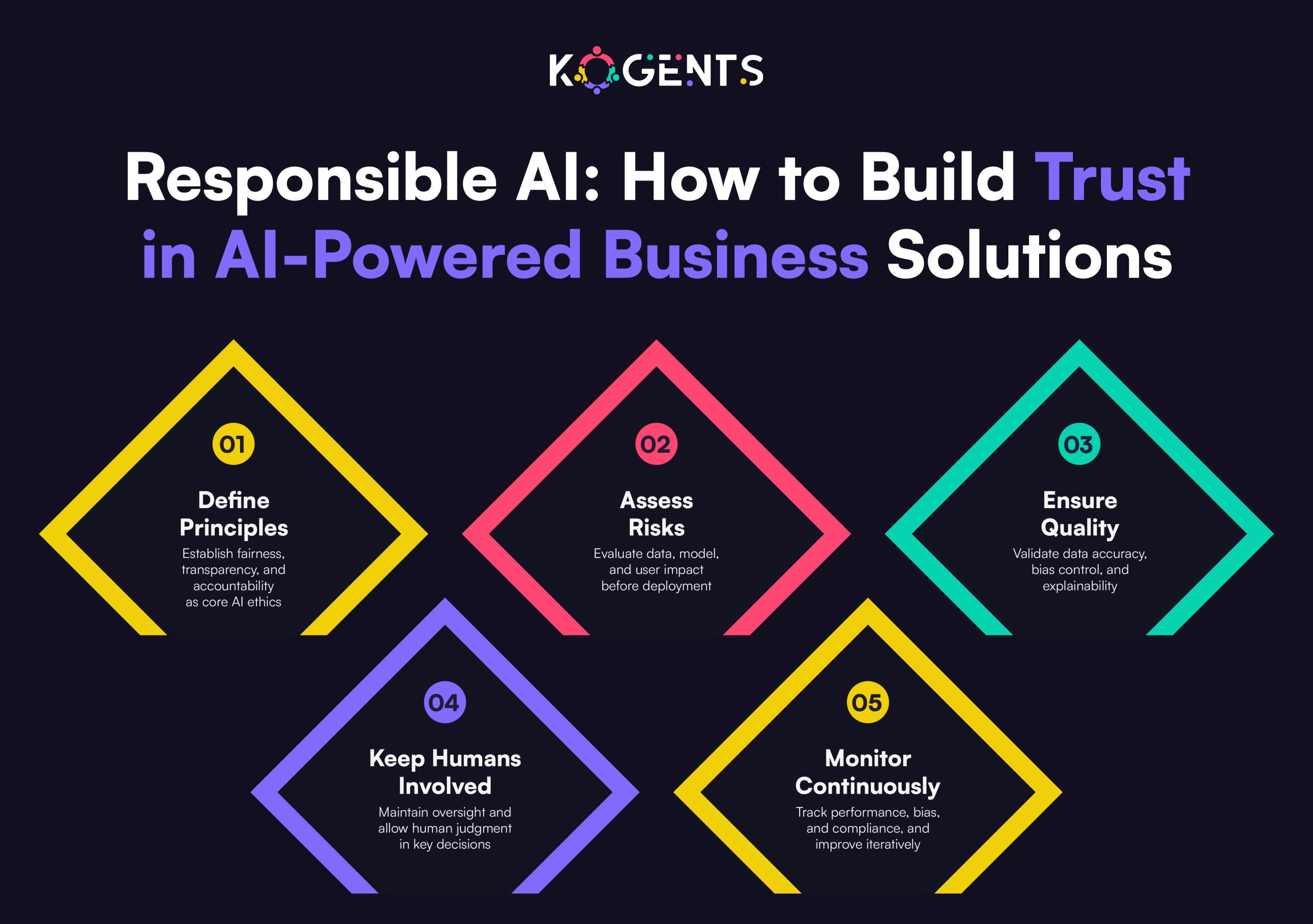
    • Ethical readiness equals operational readiness, and every bias, compliance, and explainability matter.
    • Frameworks create accountability as AI projects succeed when they are measurable and monitored.

    matters of ai powered business solutions

    Why an Evaluation Framework Matters for AI-powered Business Solutions?

    Adopting AI-powered business tools or AI-driven business solutions, whether enterprise platforms or customer-facing systems like the Best Shopify AI chatbot or Shopify virtual assistant, is a strategic move, not just a software purchase.

    Several research findings highlight the urgency:

    According to the latest McKinsey & Company Global Survey, 65% of respondents say their organisations are regularly using generative AI in at least one business function. 

    Yet, less than a third of companies are following all AI-adoption best practices.

    Only about 5% of companies in a recent Boston Consulting Group (BCG) study are achieving measurable value from their AI investments (revenue growth, cost savings, workflow improvement). 

    What does this tell us? Adoption of artificial intelligence for business, AI business transformation tools, and intelligent enterprise solutions is accelerating, but meaningful value and reliable outcomes are far from guaranteed.

    That means when you select, implement, and accept an AI solution, you must be rigorous. 

    You need a framework that assesses vendor claims, data readiness, algorithm transparency, business alignment, governance, change management, and more. 

    Key Note: From this foundation, you can design UAT criteria that ensure the solution doesn’t just “work” technically, but delivers the right business impact, integrates into workflows, is maintainable, ethical, and trusted.

    Building the Evaluation Framework for AI-Powered Business Solutions

    Implementing AI-powered business tools requires a holistic assessment that blends technology with business outcomes. 

    The framework below distills what leading enterprises (IBM Watson, Google Cloud AI, Microsoft Azure AI, Salesforce Einstein) use to evaluate readiness and fit.

    1. Strategic Alignment

    • Business Objectives: Does the solution directly serve a core KPI, cost reduction, customer growth, or operational agility?
    • Use-Case Fit: Are you solving a high-value problem with machine learning business solutions, or chasing hype?
    • ROI Projection: Can benefits be quantified (e.g., 20 % reduction in manual hours)?
    • AI Strategy Integration: Does it align with your enterprise’s digital transformation roadmap?

    2. Data & Infrastructure Readiness

    • Data Quality & Governance: Availability, bias, privacy, and lineage must be established.
    • Architecture Compatibility: Fit with current cloud/on-prem ecosystems.
    • Security & Compliance: Adherence to GDPR, ISO/IEC 42001, and ethical AI standards.
    • Scalability: Ability to expand with growing datasets and users.

    3. Model & Algorithmic Evaluation

    • Algorithmic Fit: Are machine learning algorithms appropriate (classification, forecasting, NLP)?
    • Transparency: Explainability for decisions, critical for regulated industries.
    • Performance Metrics: Accuracy, recall, and latency benchmarks defined and met.
    • Bias Mitigation: Fairness audits completed; human review processes defined.
    • Lifecycle Management: Retraining, monitoring, and drift detection protocols in place.
    1. Implementation & Operational Readiness
    • Deployment Plan: Phased rollout (POC → Pilot → Scale) with milestones.
    • Change Management: User engagement, workflow redesign, training.
    • Vendor SLAs: Support, updates, uptime, and maintenance guaranteed.
    • Cost Transparency: Clear total cost of ownership (software + data + talent + governance).

    5. Business Value & Governance

    • KPI Measurement: Track value realization, revenue, efficiency, and CX improvement.
    • Governance Framework: Assign roles for model oversight and ethical accountability.
    • Risk Management: Procedures for audit, failure response, and regulatory reporting.
    • Continuous Improvement: Feedback loops for post-deployment optimisation.

    Pro Tip: Treat evaluation as a business design exercise,  not a technology audit. The outcome should be a decision framework that executives can defend in boardrooms.

    Acceptance Criteria for UAT of AI-Powered Business Solutions

    Once you’ve selected a solution via the evaluation framework, the next major step is User Acceptance Testing (UAT) before going live. 

    Given the layered complexity of AI, traditional UAT criteria need to evolve. 

    Below are acceptance criteria tailored to AI-powered business solutions/UAT.

    Functional Criteria

    • The solution executes all defined business workflows end-to-end under real-world conditions.
    • All specified use cases (user stories) are covered and mapped to business outcomes.
    • No critical defects remain (bugs, performance issues, blocking flows).
    • Integration with existing systems (CRM, ERP, BI dashboards) works as expected.
    • Data flows, imports/exports, user permissions, roles, and security checks function.

    Performance & Scalability Criteria

    • Response times meet performance SLAs under expected load.
    • Model inference or analytics results are returned within acceptable latency.
    • Solution handles peak loads, concurrent users, and large data volumes.
    • System-wide performance does not degrade other systems or workflows.

    Accuracy, Reliability & Algorithmic Criteria

    • Model-led decisions meet predefined accuracy thresholds (precision, recall, error rate).
    • Outputs from AI align with business expectations and historical baselines.
    • Edge cases, missing data, and anomalies are handled gracefully (warnings, fall-backs).
    • The system demonstrates reliability over time, including for incremental data updates and scenario variations.

    Usability, Adoption & Workflow Criteria

    • Users (business stakeholders, operators) can use the system with minimal friction and training.
    • The user interface, dashboards, reports, and alerts are intuitive and deliver actionable insights.
    • Change management has been successful when users understand the new workflows, and the thought process is embedded.
    • The system supports customer intelligence, data-driven decision-making, and improves user productivity.

    Governance, Ethics & Risk Criteria

    • The system meets all data governance, privacy, and regulatory compliance requirements.
    • Algorithmic transparency/explainability is demonstrated; audit logs, traceability exist.
    • Bias and fairness controls have been tested and passed.
    • There is a risk-management plan for model drift, incident response, and fallback operations.
    • Monitoring, alerting, and oversight capabilities have been validated.

    Business Value & Outcome Criteria

    • The solution delivers the KPIs defined in the strategic alignment phase (e.g., cost reduction, revenue uplift, improved AI-driven customer experience, and satisfaction).
    • Baseline vs. post-deployment performance metrics show expected improvement.
    • The value tracking mechanism is live, and business stakeholders validate reports.
    • The rollout plan for full deployment is approved, including scaling, operations, and optimisation.

    Exit & Maintenance Criteria

    • The vendor or implementation partner provides a maintenance plan, an update schedule, and version control.
    • Backup, recovery, and rollback processes exist and are validated.
    • Documentation (user manuals, admin guides, model logs, test results) is complete and reviewed.
    • The business is ready for post-go-live support, governance, and enhancement cycles.

     trust in ai powered business solutions

    Table of Acceptance Criteria

    Dimension Key Criteria Typical Measure / Sign-off
    Functional End-to-end workflows, integration, and no blocking defects All user stories (100 %) passed
    Performance & Scalability Load/time response, concurrency handling Latency < Xms; concurrent users = Y
    Accuracy & Reliability Model accuracy thresholds, reliability over time Precision/recall > Z; uptime > 99.5%
    Usability & Adoption User satisfaction, minimal training needed SUS score, training completion rate
    Governance & Risk Compliance, explainability, bias controls Audit logs, risk mitigation plan
    Business Value & Outcome KPI achievement, baseline improvements KPI delta ≥ target
    Exit & Maintenance Support plan, documentation, and rollback procedures SLA in place, docs approved

    Case Studies — Where Evaluation Made the Difference

    A. FinTech UAT Reinvented with Agentic AI

    A major FinTech platform faced repetitive, slow UAT cycles for its mobile app. By integrating agentic AI to simulate real-world user scenarios, the firm cut UAT time by 70 % and expanded coverage by 50 %.

    Key lessons:

    • Automated test-case generation improved coverage dramatically.
    • Real-time analytics identified regression risks before release.
    • Compliance teams trusted the AI because audit trails were auto-generated.

    Outcome: The project succeeded because the UAT criteria went beyond pass/fail; they measured governance, reliability, and explainability.

    B. Global Enterprise — AI Test Automation Transformation

    A global manufacturer replaced manual testing with AI-driven self-healing automation for its enterprise resource system. 

    Results

    • Faster execution: 30 % shorter testing cycles.
    • Lower maintenance: Tests are self-updated after code changes.
    • Improved accuracy: False-positive rate dropped 

    Its evaluation framework required that each new model be explainable, auditable, and measurable against KPIs. 

    C. Large-Scale AI for Supply-Chain Optimisation

    A Fortune 500 logistics firm adopted an AI-based business platform for predictive demand and procurement. 

    Evaluation prioritized data readiness, model explainability, and workflow automation. 

    Results:

    • Forecast accuracy up 18 %.
    • Inventory holding cost down 22 %.
    • UAT approval was achieved only after explainability dashboards made decisions transparent to planners.

    Key Note: Across these cases, the common denominator was evaluation maturity

    Turn Evaluation into Enterprise Confidence With Kogents!

    The future of AI-powered business solutions belongs to organisations that combine innovation with intention.

    Evaluation frameworks provide the architecture for trust; UAT acceptance criteria provide the evidence of value. 

    Together, they create a feedback loop that transforms experimentation into excellence.

    Here’s what separates AI leaders from laggards:

    1. They treat AI as a strategic capability, not a tool.
    2. They embed governance and explainability from day one.
    3. They define success in business terms, not technical ones.
    4. They monitor and optimize continuously, making UAT a living process.

    In an age when every company claims to be data-driven, the real differentiator is decision discipline. 

    So, apply this framework with the help of Kogents.ai  and make your enterprise move beyond assessment to true evaluation, accountability, and transformation.

    FAQs 

    What are AI-powered business solutions, and why are they important?

    AI-powered business solutions refer to enterprise applications that leverage artificial intelligence (AI), such as machine learning algorithms, predictive analytics, NLP, computer vision, and automation, to optimise business operations, enhance customer intelligence, improve decision-making, automate workflows, and drive digital transformation

    How do I evaluate AI-powered business tools before purchase?

    Evaluation requires a structured framework: assess strategic alignment, data readiness, model/algorithm capability, implementation/operations readiness, and business value realisation. Ensure the vendor delivers transparent metrics, integration capabilities, governance, and is aligned with your business KPIs. 

    Which platforms are leading in AI for business?

    Some leading AI platforms for business include IBM Watson, Microsoft Azure AI, Google Cloud AI, and Salesforce Einstein. These provide enterprise-grade AI software for business optimization, integration with data ecosystems, and support for intelligent enterprise solutions. 

    What criteria should be in UAT for AI-driven business solutions?

    UAT criteria must include:

    • Functional correctness: workflows perform as expected.
    • Model performance: accuracy, latency, reliability.
    • Integration and scalability: the system works end-to-end at volume.
    • Usability/adoption: Business users can adopt with minimal friction.
    • Governance & ethics: compliance, explainability, risk controls.
    • Business value: measurable improvement in targeted KPIs.
    • Exit/maintenance: documentation, rollback, and operational readiness.

    How can AI simplify and accelerate user acceptance testing (UAT)?

    AI can enhance UAT by generating test cases based on requirements and historical data, simulating realistic user behaviour, predicting high-risk change areas, and providing continuous validation through the development lifecycle. 

    What are the typical risks and challenges of deploying AI business solutions?

    Key risks include: poor data quality or lack of data, model bias/unexplainability, integration issues, change-management problems, security/compliance gaps, lack of organisational readiness, and talent shortage. 

    What business value can organisations expect from AI business transformation tools?

    Value includes cost reduction (via automation, fewer manual tasks), revenue growth (via predictive insights, personalised customer experiences), improved productivity, faster decision-making, better customer intelligence, and workflow automation.

    What is the difference between standard business automation and smart business automation with AI?

    Standard business automation uses rule-based workflows and repetitive task automation (e.g., RPA). Smart business automation with AI incorporates learning algorithms, predictive analytics, adaptive systems, and decision-making capability, allowing true workflow automation, optimisation, and continuous improvement. It moves beyond “automate what we already do” to “transform how we do business”.

  • Shopify Virtual Assistant Performance Benchmarking and Latency Optimization

    Shopify Virtual Assistant Performance Benchmarking and Latency Optimization

    With the rampant advent of the e-commerce industry, running a thriving store on Shopify means more than good products and slick marketing but means flawless execution behind the scenes. 

    Here, we see a Shopify virtual assistant: the remote pro who handles everything from product uploads and inventory sync to customer support and store optimization. 

    Yet simply having a VA is not enough. If you want growth, scale, and smooth performance, you must measure, benchmark, and optimize latency in all the operations your Shopify VA supports.

    In this blog, we’ll explore how to turn your “Shopify VA” into a high-performing store operations powerhouse: how to set meaningful benchmarks, how to measure the right latency and throughput metrics, and how to optimize for speed, quality, and scalability. 

    Whether you’re looking to hire a Shopify VA or you already have one and want them performing like clockwork, this deep dive will give you actionable clarity.

    Key Takeaways

    • Benchmarking your Shopify VA’s throughput and latency is essential to know where you stand and where you must go.
    • Latency (delay in tasks) is as harmful as low throughput; operational delays cost sales and satisfaction.
    • Define clear SLAs, track metrics, and hold your VA accountable to them live time, response time, error rate).
    • Use automations, standard workflows, and proper tooling to reduce manual delays and errors.
    • Continuously monitor, refine, and scale your VA operations so your store growth is smooth, predictable, and high-quality.

    hire shopify virtual assistant

    Understanding the Role of a Shopify Virtual Assistant

    A Shopify virtual assistant is a remote professional specialising in operations of a Shopify store: product listing management, order fulfilment, customer support, inventory management, and even marketing support. 

    Because the role is so varied and touches many parts of your store operations, measuring performance becomes more complex, but also more important.

    It’s especially critical because your Shopify store’s user experience, conversion rate, order accuracy, and customer satisfaction all depend on how well these operational tasks are handled. And when tasks drag, or latency creeps in, you lose sales and time.

    Why Performance Benchmarking Matters for a Shopify Virtual Assistant?

    Why bother benchmarking your Shopify Virtual assistant? Because without data, you’re flying blind. 

    You may have a very capable VA, but you might not know where the bottlenecks or inefficiencies are, and you may not be able to scale effectively.

    Here’s why benchmarking matters:

    • Clarity & Accountability: When you set clear performance metrics, your VA knows what “good” looks like.
    • Identification of Latency & Bottlenecks: You can measure how long tasks take, where delays occur, and how to optimize.
    • Continuous Improvement: By tracking performance over time, you can see if improvements are happening and where.
    • Cost-Effectiveness: With benchmarks, you can assess the OI of having a VA (and the cost per hour/ task) and decide whether outsourcing, upskilling, or tooling is needed.
    • Scalability: If you plan to scale your store, you need operations that perform predictably and efficiently; benchmarked operations are repeatable.

    Key Performance Indicators (KPIs) for a Shopify VA


    Metric Category What to Track Why It Matters
    Task Throughput Number of product listings uploaded per day/week/month Indicates VA productivity and capacity.
    Latency – Listing Live-Time Time from product ready (images/descriptions complete) to live on the store Delays here can postpone the sales opportunity.
    Order Processing Time Time from order placement to fulfilment/shipping (or tracking update) Impacts customer satisfaction and returns.
    Customer Response Time Average time for customer inquiry (chat/email) to first response Fast responses enhance trust & conversion.
    Error Rate % of listings with errors (wrong image, mis-tags, out-of-stock) Quality issues reduce sales and increase complaints.
    Conversion Impact Conversion rate on products handled by VA vs others Measures operational effectiveness tied to listings.
    Return/Refund Rate % of orders managed by VA that end in return or refund May indicate downstream problems (listing mismatch, fulfilment).
    Cost per Task / Hour Hourly cost of VA relative to output Helps ROI and cost-benchmarking.
    Growth Scalability Metric % increase in tasks handled or listings processed month over month Shows ability to scale operations without loss of quality.

    Latency & Efficiency in Shopify Store Operations: What Does That Mean for a Virtual Assistant? 

    When we talk about latency in this context, we’re referring to delay times in key operational workflows, the time from “task ready” to “task completed/live,or from “order placed” to “fulfilled”, that the Shopify VA directly influences.

    Why does this matter in a Shopify store?

    • Time to market: If product listings aren’t live fast, you lose days of potential sales.
    • Customer expectations: Longer fulfilment/response times reduce trust and increase complaints.
    • Inventory synchronisation: Latency in stock updates can lead to overselling or stockouts.
    • Scale & backlog: Latency grows non-linearly when volume increases—what was fine at 50 orders/day may become chaos at 500 orders/day if latency isn’t managed.
    • Competitive edge: In fast-moving niches (dropshipping, trending products), speed is a differentiator.

    Shopify reports that 93% of merchants have first contentful paint (FCP) loading times under 1.8 seconds when the store is optimized. 

    The good news: with a well-trained Shopify AI assistant, you can optimize for low latency, and your operations become smoother, faster, and more predictable.

    shopify virtual assistant support

    Benchmarking the Shopify VA – Methods, Metrics, and Tools

    To benchmark your Shopify VA’s performance and latency metrics effectively, here is a step-by-step methodology.

    1. Define Task Categories

    Break down the VA’s role into major categories, e.g.:

    • Product listing & optimization
    • Inventory management
    • Order fulfilment & tracking
    • Customer support (first response)
    • Store maintenance & tool integration

    2. Measure Baseline Metrics

    For each category, capture current performance/latency. 

    Example: product listings/day, average listing live-time, customer first response time, order processing time.

    3. Define Benchmark Targets

    Based on industry data, your store size, and growth plan, set targets. 

    1. Use Tools & Workflow Tracking

    To capture data:

    • Use your project management/task tracking tool (Trello, Asana, ClickUp) to timestamp tasks “ready” and “done”.
    • Use Shopify analytics and the order timeline to measure order-processing time.
    • Use the helpdesk/chat tool to capture the customer’s first response time.
    • Use spreadsheets or dashboards for error-rate tracking.
    • Log hours worked vs tasks completed to compute cost per task/hour.

    5. Analyse Latency & Throughput

    • Compare your baseline to targets. 
    • Look for latency bottlenecks: e.g., listing ready to live time too high, or customer response time creeping up.

    6. Benchmark Against Industry or Peer Data

    While specific published data for “Shopify VA latency” is scarce, you can use general remote work productivity studies and e-commerce operations benchmarks. 

    A report on remote work found that every 1% increase in workers working remotely was associated with a 0.08 percentage-point increase in total factor productivity. 

    1. Visualise & Report Regularly

    Track monthly/weekly metrics, visualise trend lines of latency reduction, throughput growth, and error rates dropping. Use dashboards to monitor.

    Latency Optimization Strategies for Shopify-Store Virtual Assistants

    Here are the best practices and strategies.

    Strategy 1: Workflow Standardisation & Documentation

    • Create standard operating procedures (SOPs) for every category of task your VA handles. 

    Example: product listing process from receipt of assets → description → image editing → upload → QA → live. 

    • Include timestamp checkpoints to monitor latency. 
    • This ensures clarity and reduces delays caused by uncertainty.

    Strategy 2: Use Tool Automation & Integrations

    Equip the VA with Shopify apps and automations:

    • Use bulk upload tools for product listings.
    • Use inventory management apps to automate low-stock alerts.
    • Use chatbots or helpdesk automations to triage customer support and route to VA for complex cases.
    • Use workflow tools (Zapier, Integromat) to automate notifications, task handoffs. 

    The goal: reduce manual delays, waiting times, and hand-offs with the help of the best Shopify AI chatbot

    Strategy 3: Time-Zone & Capacity Planning

    • If your VA is remote and you’re operating in another timezone, use AI-powered business solutions to automate task handoffs. 
    • Also, to ensure overlap hours with clear protocols, since latency often creeps in when work waits for the next shift.

    Optimize by: assigning tasks before the end of one shift, ensuring hand-off documents, and setting SLA for response times.

    Strategy 4: Prioritisation & Task Queuing

    • Not all tasks are equal. 
    • Help your VA prioritise latency-critical tasks.
    • Use a queue system with SLAs so that tasks with the highest impact and shortest deadlines get processed first.

    Strategy 5: Regular Latency Tracking & Feedback Loop

    • Use dashboards that show real-time/weekly latency statistics: average times, backlog, and delayed tasks. 
    • Highlight tasks that exceeded thresholds. 

    Provide feedback to your VA and refine the workflow: ask “why did this take 12 hours?” and fix the root cause.

    Strategy 6: Quality Monitoring & Error Reduction

    • Latency may decrease, but if quality drops.
    • Track error rate as a latency-adjusted metric. 
    • Use QA checklists. 
    • If a listing is rejected for errors, that adds delay. 
    • Training and regular review sessions help.

    Strategy 7: Scaling Without Latency Creep

    • As your store grows (more SKUs, more orders), latency tends to increase unless processes scale too. 
    • You must revisit your benchmarks regularly, adjust tools, and increase capacity, but only when data shows you’re hitting your latency limits. 

    Soft Reminder: Otherwise, you risk bottlenecks.

    Strategy 8: Establish Clear SLAs & KPIs with the VA

    • From the outset, set clear SLAs for each task category.  

    Example: listings ready → live within 4 hrs 90% of the time; first customer response within 2 hrs, >95%. 

    • Monitor and reward performance. 
    • Treat the VA like an operational team member who must meet targets.

    Strategy 9: Use Analytics Feedback to Optimize Tasks

    • Bring your e-commerce analytics into the loop: which listings are converting best? 
    • Are listings uploaded faster, performing better? 
    • Are customer responses faster, leading to fewer refunds? 
    • Use this data to refine which tasks the VA focuses on, or which listings get priority.

    Strategy 10: Continuous Training & Upskilling

    • As your operations evolve, ensure your VA is trained. 
    • Reduced latency comes from familiarity and efficiency. 
    • Investing in up-skilling pays off in lower errors, faster processing.

    Case Studies – Real-World Examples

    Case Study A: Mid-Size Fashion Accessories Brand

    A fashion accessories brand generating around US$40,000 monthly revenue was handling everything manually: product sourcing, website uploads, customer service, and marketing. 

    They faced order processing delays of 3–5 days, overselling due to inventory mismatch, and customer responses that took 24+ hrs. 

    They engaged a Shopify virtual assistant through an agency: one VA to manage product operations (20 h/week) and another for customer service/order processing (25 h/week). Within eight weeks:

    Outcome: Order processing dropped to under 24 hrs, inventory accuracy hit 97%, response time fell to 4 hrs, satisfaction rose to 4.7 stars, and revenue grew 45% to $58 monthly.

    Case Study B: Small E-commerce Dropshipping Store

    A smaller dropshipping store on Shopify struggled with late product listings, customer complaints about shipping times, and high return rates. 

    They hired a dedicated Shopify e-commerce virtual assistant on a part-time basis (10 h/week), specialised in product listing and order fulfilment tasks. 

    They implemented benchmark tracking: new product listing live-time target ≤6 hrs (baseline was ~18 hrs), order fulfilment target ≤24 hrs (baseline ~36 hrs). 

    Within 6 weeks, they reported 13% sales growth due to faster listings and improved customer satisfaction.

    Wrapping Up!

    Today, just having a Shopify store is only the start. To truly scale and succeed, you need operations that are fast, accurate, and scalable

    That’s why performance benchmarking and latency optimization matter for your Shopify virtual assistant, because your VA is the engine behind your store’s operational reliability.

    When tasks happen quickly and smoothly, your customers experience faster listings, quicker fulfilment, and better support,  which means higher conversion, lower returns, and stronger retention.

    If you’re ready to hire or optimize a Shopify virtual assistant, treat this as an operational transformation, not just a hiring decision. 

    Consider contacting Kogents.ai; we specialise in training dedicated Shopify store virtual assistants to operate with performance metrics, SLA-driven workflows, and latency-aware processes. 

    FAQs

    What is a Shopify virtual assistant?

    A Shopify virtual assistant (or Shopify VA) is a remote professional with expertise specifically in the Shopify platform who supports the daily operations of a Shopify store, from product listings and inventory to order fulfillment and customer support. They specialise in tasks like product upload, listing optimization, customer messaging, and store maintenance.

    How to hire a Shopify virtual assistant?

    Start by documenting your store’s tasks and which you want to outsource. Look for experience with Shopify (ideally Shopify Partners or certified), evaluate previous work, check references, and trial for a short period. Ask about their hourly rate (“Shopify virtual assistant hourly rate”), turnaround time, timezone overlap, tools used, and process for reporting/metrics.

    Shopify virtual assistant cost per hour — what is typical?

    Rates vary widely by region, experience, and tasks. For example, outsourcing to the Philippines or India might offer lower hourly rates compared to the US/UK. Some estimates suggest you can save up to 67% in operating costs by using virtual assistants rather than in-house staff. 

    What does “latency optimization” mean in the context of a Shopify VA?

    In this context, latency means the delay between when a task is ready or triggered and when it’s completed. Latency optimization means reducing those waiting times, making workflows faster and smoother, and eliminating bottlenecks.

    How do I benchmark the performance of a Shopify store’s virtual assistant?

    You define tasks and metrics (throughput, latency, error-rate, cost per task), measure baseline, set targets/benchmarks (see table above), track regularly, compare to industry or internal goals, identify bottlenecks, and iterate. Use dashboards, SOPs, and analytics to monitor.

  • Shopify AI Chatbot Interoperability Patterns for Shopify and Headless Stacks

    Shopify AI Chatbot Interoperability Patterns for Shopify and Headless Stacks


    In the high-stakes world of online retail, entrepreneurs and solopreneurs in the world are constantly seeking ways to scale smarter, not harder. 

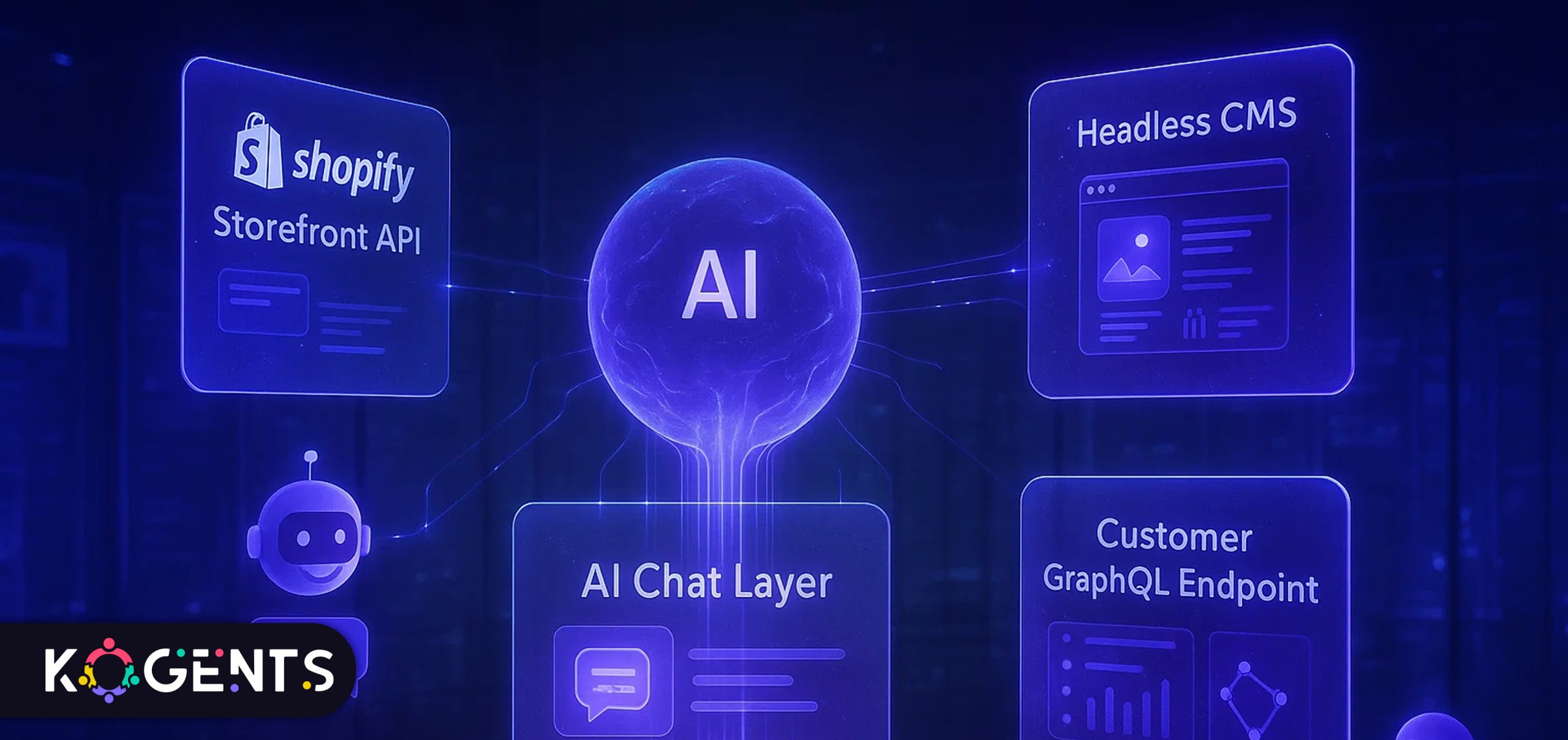
    Just step up in the era of Shopify Inbox and other “Shopify AI chatbot” solutions that blend conversational AI, machine learning (ML), and natural language processing (NLP) to deliver real-time support, drive conversions, and automate repetitive workflows. 

    But for merchants using a traditional Shopify setup or advancing into a more flexible headless stack, the question becomes: how do you architect interoperability in a way that preserves data integrity, supports omnichannel flows, and maintains the agility that solopreneurs need?

    This post dives deep into Shopify AI chatbot interoperability patterns for Shopify and headless stacks, customized for e-commerce entrepreneurs and solo founders. 

    Key Takeaways

    • True interoperability for a Shopify AI chatbot means connecting to live store data, knowledge bases, and support systems, not just a simple chat widget.
    • When moving toward a headless stack, the architecture expands: you’ll need robust API layers, event-driven messaging, and a single source of truth across front-end and backend systems.
    • For merchants, localization, compliance (based on region and compliance laws), and trust signals are critical when deploying AI chatbots for customer support and sales automation.
    • The commercial value of a best Shopify AI chatbot includes improved conversion rates, reduced support ticket volume, stronger brand voice, and round-the-clock availability.
    • Solopreneurs must balance simplicity and sophistication: a turnkey Shopify-app approach may suffice early on, but as ambitions grow (headless, omnichannel), you’ll need more architecture and governance discipline.

    best shopify ai chatbot

    Know and Comprehend Interoperability Patterns

    Interoperability for a Shopify AI chatbot refers to how the chatbot integrates and works across multiple systems (storefront, backend, headless layers, live-chat, CRM, knowledge-base) coherently. 

    It’s more than just “installing a chat widget”. It means real-time data flow, context awareness, hand-off mechanisms, and scalable architecture.

    Why does it matter for e-commerce and headless stacks?

    • Customer expectations are high: instant answers, personalized service, 24/7 availability. A rudimentary chatbot that cannot check order status or know cart details falls short.
    • When using a headless stack (separating front-end presentation from backend data), interoperability becomes more complex. You might have a custom front-end (React, Next.js, Nuxt, etc.), plus APIs for products, orders, and inventory. The chatbot must span those layers.
    • E-commerce automation and AI-driven Shopify virtual assistant capabilities thrive when the bot can trigger workflows (e.g., cart abandonment recovery, product recommendations, upsells) and feed into analytics and flow builders.
    • For solopreneurs or small teams, building the right pattern early means you avoid technical debt, reduce support loads, and create higher-impact automation.

    Primary Interoperability Patterns

    Here are several patterns you’ll find when deploying a Shopify AI chatbot in various stacks:

    1. Embedded Shopify App Pattern
      • The chatbot is installed as an app from the Shopify App Store and runs within the standard Shopify theme/cart experience.
      • Pros: Quick to set up, minimal developer work, good for solopreneurs.
      • Cons: Less flexible for headless, may be limited in custom workflows.
    2. API-Driven Integration Pattern
      • The chatbot connects to Shopify’s Admin/API endpoints (orders, AI-driven customer experience, products) to retrieve real-time information.
      • Pros: Good for both Shopify and headless stacks, supports personalized responses, and dynamic data.
      • Cons: Requires API knowledge, security & access management.
      • Use case: Mid-sized merchants, solopreneurs who are comfortable with more advanced integration.
    3. Headless / Decoupled Stack Pattern
      • The storefront is decoupled (React/Vue/Gatsby, etc.), and the chatbot lives as a service that integrates across your headless frontend API, plus Shopify backend, plus possibly other systems (CRM, helpdesk).
      • Pros: Maximum flexibility, omnichannel support, full control.
      • Cons: More complex, needs architecture governance, and development resources.
      • Use case: Proven brands or entrepreneurs scaling rapidly, U.S. market presence across web, mobile app, and even voice.
    4. Omnichannel Unified Bot Pattern
      • The chatbot sits at the centre of multiple channels: web chat widget, mobile app, messaging platforms (WhatsApp, Facebook Messenger), voice assistants, all linked back to Shopify or your backend.
      • Pros: Future-proof, broad audience reach, consistent experience.
      • Cons: High complexity, requires a strong data flow architecture.
    5. Knowledge-Base / AI-Assist Hybrid Pattern
      • The chatbot not only interacts with the storefront but also integrates the knowledge base, FAQs, and helpdesk system to escalate when needed. See, for example, detailed how-to guides.
      • Pros: Improves support deflection, personalization, and automates handovers.
      • Cons: Requires knowledge-based governance, alignment between bot and human agents.

    Interoperability Patterns at a Glance

    Pattern Name Ideal For Complexity Key Technologies Considerations
    Embedded Shopify App Solopreneurs, simple stores Low Shopify App, chat widget Fast install, limited customization
    API-Driven Integration Growing stores on Shopify Medium Shopify Admin API, Webhooks Must secure data/API keys, comply with CCPA
    Headless / Decoupled Stack Scaling brands with a custom front-end High Headless CMS, GraphQL/REST API, chatbot service More dev cost, higher flexibility
    Omnichannel Unified Bot Multi-channel U.S. brands Very high Messaging APIs, chat widget, voice assistant More channels = more rules + governance
    Knowledge-Base / AI-Assist Hybrid Support-intensive stores Medium/High Knowledge base software, hand-off logic Ensures consistent brand voice, reduces tickets

    designing a shopify ai chatbot

    Architecture Blueprint for “Shopify AI Chatbot + Headless Stack”

    Let’s outline a high-level architecture blueprint.

    1. Front-end Layer
      • Choice: Classic Shopify theme or headless front-end (React/Next.js, Vue/Nuxt) using Shopify Storefront API.
      • Chat widget is embedded or served as a micro-frontend.
    2. Chatbot Engine / Conversational Layer
      • Conversational AI service (in-house or SaaS) leveraging NLP/ML, able to handle intents like “track my order”, “what size is available”, “recommend alternatives”, “I want to return”.
      • Integration with the knowledge base and fallback to a human agent.
    3. Backend / Commerce Platform
      • Shopify Admin API (orders, customers, products), Webhooks for events (order placed, cart abandoned), and Inventory API.
      • If headless, may have separate microservices for products, customers, and a datastore.
    4. Integration & Orchestration Layer
      • API gateway or middleware to standardize calls between front-end, chatbot engine, Shopify, support systems, and CRM.
      • Event-driven architecture: for example, when a cart abandonment event is triggered → chat proactively engages the user.
      • Data syncing: customer profile, conversation history, chat transcripts stored for analytics and personalization.
    5. Knowledge Base / Support Layer
      • FAQs, help articles, product instructions, policy pages, and chatbot searches this to answer complex queries.
      • Live-chat handoff: if the user screams “speak to a human”, the bot transfers context and data to a human agent.
    6. Analytics & Monitoring
      • KPIs: chat resolution rate, conversion rate uplift, support ticket volume reduction, and average response time.
      • Compliance logs, user consent records (especially important for U.S. consumer protection).
      • Model monitoring (if using ML) for drift.
    7. Compliance & Privacy Layer
      • Store consent, anonymize personal data as needed. Consider data protection (CCPA) and ensure the third-party SaaS used for chatbot is compliant.
      • Accessibility (WCAG) for chat widget.

    Interoperability Patterns in Action: Case Studies

    Case Study 1: Small U.S. boutique – Embedded Shopify App

    A solo founder in California sells handcrafted gifts via a standard Shopify store. 

    She installed a no-code chatbot app labelled “AI chatbot Shopify US market” from the Shopify App Store. 

    The bot integrated with her product catalog and could answer product questions and alert shoppers about limited editions. 

    With minimal setup (less than 2 hours), she activated the chat widget, set simple triggers (cart > $75 => free shipping chat), and saw a 15 % lift in conversion in the first month. 

    Case Study 2: U.S. mid-sized brand – API-Driven Integration

    A U.S. apparel brand with circa USD 500k annual revenue decided to deploy an AI chatbot for post-purchase support (order tracking, returns) and pre-sale recommendations. 

    They used a framework described by Kore.ai: create a custom Shopify app, generate API credentials, connect the chatbot engine to Shopify scopes (read_orders, read_products, read_customers), and install prebuilt templates. 

    The bot reduced support tickets by 30 % and improved customer satisfaction (CSAT) by 20 %. They built the bot in-house but used a SaaS engine for NLP.

    Deployment Roadmap for Solopreneurs & Entrepreneurs

    Solopreneur Roadmap

    1. Select a ready-made Shopify App labelled “AI chatbot for Shopify”,  install from the Shopify App Store.
    2. Configure basic flows:
      • Order status lookup (22 % of chats often ask this).
      • FAQ automation (returns, shipping time).
      • Cart abandonment prompt (e.g., “see something in your cart? Can I help you decide?”).
      • Product recommendation micro-flow (e.g., “looking for something under $50?”)
    3. Embed chat widget on your Shopify theme (header or bottom-right).
    4. Track metrics: Chat start, chat to checkout conversion, support ticket deflection.
    5. Iterate weekly: Review chat transcripts, refine FAQs, adjust greetings, test new flows.

    Entrepreneur Roadmap 

    1. Define target use-cases: e.g., pre-sales product discovery, 24/7 post-purchase support, cart recovery, multilingual U.S. support.
    2. Choose architecture: API-Driven or Headless/Omnichannel, depending on your growth goals.
    3. Data mapping & integration:
      • Connect chatbot to Shopify Admin API (customers, orders, products).
      • Connect to the knowledge-base system (helpdesk).
      • Connect to CRM or tagging system for lead capture and follow-up.
    4. Define governance: Version control for chatbot flows, escalation rules, compliance review, and analytics dashboard definitions.
    5. Pilot phase: Launch with limited flows (order lookup, FAQs) in the U.S. region, monitor performance, and refine.
    6. Scale phase: Add proactive flows (cart abandonment, product recommendations, multilingual support), embed across channels (web, mobile app, Messenger), and monitor ROI.
    7. Continuous improvement: Use ML/NLP to classify new intents appearing, train the bot accordingly, monitor the fallback rate, track conversion uplift, and support cost savings.

    Example: According to Shopify, “businesses that reply quickly with Inbox see conversion rates jump by as much as 69%.” 

    Conclusion 

    The era of the Shopify AI chatbot is no longer optional; it is rapidly becoming expected.

    Whether you’re a solopreneur launching your first Shopify store or an entrepreneur architecting a headless stack with omnichannel ambitions, the key is interoperability: how your bot connects across data, front-end, backend, live-chat, and support workflows. 

    Choose the pattern that fits your current scale (Embedded App, API-Driven, Headless, Omnichannel), then build in the architecture and governance needed to grow.

    By leveraging conversational AI, natural language processing, and machine learning, your AI chatbot doesn’t just answer questions; it becomes a growth engine: automating support, guiding shoppers, and driving sales.

    At Kogents.ai, we help. E-commerce solopreneurs and small teams design scalable chatbot strategies, choose the right architecture for Shopify + headless stacks, and implement ROI-driven automation. 

    If you’re ready to move from “installing a chat widget” to “deploying an intelligent 24/7 AI-driven sales assistant”, let’s connect! 

    FAQs

    How does a Shopify AI chatbot work for e-commerce?

    It works by connecting to your Shopify store (via APIs or the Shopify App), retrieving real-time data (orders, inventory, customers), understanding user intents via NLP, responding to queries in natural language, potentially handing off to live agents, and executing actions such as sending discount codes or updating the order. Integration with knowledge base and support systems enhances it.

    What are the benefits of using an AI chatbot in Shopify for merchants?

    Benefits include 24/7 chat support (reducing after-hours support burden), higher conversion rates, lower support costs, improved customer satisfaction, reduced cart abandonment (via proactive chat), and access to new channels (messaging apps, voice commerce) in the U.S. market.

    How to set up an AI chatbot on a Shopify U.S. store?

    Steps: choose a chatbot solution (Shopify App or custom integration); install or connect it to your store; define intents and responses; integrate with your product, order, and customer data; embed chat widget on site; test scenarios (product search, order status, returns); monitor performance; iterate. For headless stacks, include the API layer and event integration.

    What technologies power Shopify AI chatbots (NLP, ML)?

    Technologies include: NLP engines that parse user language, ML models that classify intents and suggest responses, chatbot platforms (no-code or custom), API connectors (Shopify Admin API, Webhooks), integration with knowledge base and support systems, and analytics platforms to monitor performance and refine the model.

    What is the cost / pricing & features of a Shopify AI chatbot integration?

    Pricing varies widely: basic chatbot apps may start free or low monthly fee, but may charge per chat or per resolution. Enterprises might pay more for headless integrations and omnichannel capabilities. Evaluate based on volume, features, and tax/commerce demands.

    What about legal/privacy considerations for a Shopify AI chatbot in e-commerce?

    Yes, merchants must consider data privacy. Under the CCPA, customers may request data deletion, opt out of the sale of personal data, and expect disclosures. If your store engages minors, consider the Children’s Online Privacy Protection Act (COPPA). Chatbot vendors should support privacy features, ensure data retention policy, and secure data (SOC 2/ISO). Always provide user consent and transparent practices.

  • Building an AI Customer Experience Platform for Scalable Business Growth

    Building an AI Customer Experience Platform for Scalable Business Growth

    Today, it has become a challenge to provide standout service; it’s not a “nice-to-have”, it’s a growth engine. 

    Whether you’re a solopreneur or an entrepreneur leading a startup or small business, leveraging the right technology can help you punch above your weight. 

    A bold AI customer experience platform offers that edge: it enables smarter interactions, deeper personalization, improved operational efficiency, and ultimately scales your business growth.

    Let’s dive deep into how to build a customer experience AI platform from the ground up, what it is, why it matters, how to architect it, and how to deploy it in a way that empowers both solopreneurs and entrepreneurs. 

    Key Takeaways

    • Implementing a customer experience platform with AI is not just a tech initiative; it’s a strategic shift in how you manage the customer journey analytics, omni-channel customer experience, and real-time customer engagement.
    • For solopreneurs, focus on personalisation at scale, automation in CX operations, and affordable tools; don’t over-engineer.
    • For entrepreneurs (leading growing teams), you’ll need an enterprise mindset: cloud AI customer experience platform, AI-driven customer support experience platform architecture, data governance, scalability, integration with your CDP, and existing tech stack.
    • Core features to look for: conversational AI for customer experience, agent-assist AI for customer service, AI-based customer feedback analysis, sentiment analysis in customer experience, and machine-learning customer experience improvements.
    • Don’t forget trust, privacy, and ethics: building a human-centric AI experience matters, especially when collecting rich data for personalization and automation.

    customer experience AI platform

    What is an AI Customer Experience Platform?

    A customer experience platform with AI is a software solution that combines traditional CX management tools with artificial intelligence capabilities (machine learning, natural language processing, sentiment analysis, automation, conversational AI, predictive analytics).

    The market for AI in customer service is projected to hit $47.82 billion by 2030, with a growth rate (25.8% CAGR) from 2024-2030. 

    The Business Impact

    • Personalized experiences increase loyalty and lifetime value. For example, 86% of buyers say they’d pay more for a better experience. 
    • Automation of repetitive service tasks frees up your time (if you’re solo) or your team’s time (if you’re an entrepreneur) to focus on growth, innovation, and relationship-building.
    • Real-time insights from AI (via sentiment analysis, predictive analytics, journey analytics) allow you to intervene proactively rather than reactively, shifting from support to strategic growth.

    How to Build an AI Customer Experience Platform: Step By Step

    Step 1 – Define your vision & strategy

    • Clarify the business growth objective: Are you looking to increase retention, reduce service cost, improve NPS/CSAT, drive upsell, or personalise at scale?
    • Map the customer journey analytics: Understand key touchpoints, pain points, and moments of truth from awareness → purchase → support → loyalty.
    • Decide on scope: Start small (pilot) or go big (enterprise rollout). For solopreneurs, a minimal viable version is smart; for entrepreneurs, build a scalable platform from day one.
    • Establish success metrics: CSAT, NPS, CES (customer effort score), first-contact resolution (FCR), time to resolution, churn rate.
    • Keep trust, ethics, and privacy central: compliance with GDPR, ethical-AI frameworks; build a human-centric AI experience.

    Step 2 – Choose your technology stack

      • Cloud infrastructure: A cloud AI customer experience platform gives flexibility, scalability, and global reach.
      • Customer data platform (CDP): Unified profile, segmentation, AI enrichment.
      • AI modules:
    • Conversational engine (chat/voice)
    • Sentiment/feedback analysis
    • Predictive analytics & next-best-action
    • Agent assist tools
    • Orchestration and workflow engine: To automate across channels.
    • Integration layer: CRM (e.g., Salesforce), marketing tools, service desk (e.g., Zendesk), e-commerce, chat systems.
    • Analytics dashboard: Real-time insights, KPIs, journey visualisation.
    • Security & governance: Data encryption, role-based access, audit logs, compliance certifications.

    Step 3 – Design architecture & data flows

    • Data ingestion: Customer interactions (chat, voice, email, social), behavioural data, purchase history.
    • Data storage: Clean, centralised, structured/unstructured.
    • AI layer: Model training (ML/NLP), inference (real-time chat/voice bot), feedback loops.
    • Workflow/orchestration: Trigger next-best action, routing, escalation, feedback loop.
    • Front-end channels: Web portal, mobile app, chat widget, voice bot, social messaging.
    • Reporting & monitoring: Journey analytics, model performance, KPI dashboards.

    Step 4 – Build & deploy a minimum viable component.s

    • For solopreneurs: Start with one or two channels (e.g., website chat + email AI triage). Integrate with your CRM and CDP. Deploy AI chatbots for customer service with NLP and AI-based feedback classification.
    • For entrepreneurs: Begin pilot in one customer segment; deploy agent-assist AI, sentiment analysis, and journey analytics dashboards. 
    • Establish integrations and governance frameworks.
    • Train your AI models with your data: Deploy for routing, next-best-action, and automated responses.
    • Roll out gradually, channel by channel. 
    • Monitor metrics.

    Step 5 – Monitor, iterate, scale

    • Use analytics: Track CSAT, NPS, CES, FCR, resolution time, and churn improvement.
    • Use machine-learning feedback loops: Improve your models as more data comes in.
    • Expand channels: Add social, voice-bot, mobile app.
    • Scale infrastructure: Ensure architecture supports higher volume and global reach.
    • Maintain governance and ethics: Regularly audit AI models for bias, review data collection, and maintain transparency.
    • Automate operations further: The goal is to convert routine service into self-service or AI-driven service; humans then focus on high-value engagement.

    31% of CX leaders say their top goal for AI-driven customer experience is personalization.

    ai customer experience platform architecture

    Case Studies: Real-world Examples of AI CX Platforms in Action

    Case Study 1: Verizon’s use of Google AI for customer service

    In 2025, Verizon deployed a large-scale AI assistant (based on Google’s Gemini model) that leverages ≈15,000 internal documents. 

    The result: Nearly 40% sales increase via its 28,000-agent service team once the AI platform is fully implemented. 

    This demonstrates how an enterprise AI customer experience platform can shift service teams into growth engines, not just cost centers.

    Case Study 2: Platform vendor accuracy claim

    Salesforce’s AI platform handles customer inquiries with 93% accuracy, according to  CEO Marc Benioff. 

    While this is vendor-specific, it shows that major players are delivering real accuracy and value, and underscores that as you select a customer experience platform with AI, performance matters.

    Know The Challenges & How to Mitigate Them

    Even the best-planned platform can falter without attention to key risks. Let’s cover them:

    • Data silos & integration issues: As noted in research, many companies struggle because systems are fragmented.

    Mitigation: Prioritise CDP and data layer first; ensure your AI models can access all relevant customer data.

    Mitigation: Start small, measure metrics, and build a business case before scaling.

    • Trust, privacy & ethics: Customers may be skeptical of automation or AI decisions.

    Mitigation: Be transparent about AI use, allow human override, and audit your models for bias

    • Change management & adoption: For teams (and even solo operators), moving from manual to automated workflows is a shift.

    Mitigation: Provide training, create early wins, celebrate efficiency gains, and involve users early.

    • Over-reliance on AI and losing human touch: The data shows that ven though automation grows, many customers still value human interaction. 

    Mitigation: A Hybrid model in AI handles routine, humans handle empathy, complex cases, and brand relationship building.

    • Model performance & maintenance: AI models degrade if not updated; sentiment, language, and channel trends change.

    Mitigation: Establish monitoring, feedback loop, retraining process, KPIs for model accuracy and business outcomes.

    Implementation Roadmap Table

    Here’s a table summarising a phased roadmap for building your AI customer experience platform, with key milestones, deliverables, and success metrics.

    Phase Deliverables Success Metrics
    Phase 1 – Foundation Select CDP + chatbot/AI tool; integrate 2 channels; set up basic analytics Chatbot deflection rate > 20%; CSAT ≥ 80%; setup cost under budget
    Phase 2 – Expansion Add voice/phone channel, sentiment/feedback analysis, and agent-assist AI First-Contact-Resolution (FCR) improves by 15%; Average Handling Time (AHT) reduces by 10%; agent satisfaction increases
    Phase 3 – Orchestration Full omni-channel orchestration, predictive analytics, next-best-action workflows, and  generative AI capabilities Churn rate reduces by 10%; Upsell rate increases by 12%; AI handles > 40% of interactions
    Phase 4 – Scale & Optimise Global deployment (if relevant), multi-language bots, advanced models, governance & ethics audit, continuous learning ROI > 3x investment; NPS increases by 20 points; new-customer acquisition cost reduces

    Conclusion

    Building an AI customer experience platform is one of the most powerful strategic moves an entrepreneur or solopreneur can make, if done thoughtfully. 

    Rather than simply automating service, it transforms how you design, deliver, and scale customer experience by leveraging artificial intelligence, automation, and orchestration across the full journey.

    For solopreneurs, the opportunity is enormous: you can deliver high-touch, personalized service at scale, stand out from competitors, and free time to focus on growth. 

    For entrepreneurs scaling teams, the platform becomes the backbone of a growth engine: from predictive insights to omni-channel orchestration, from inbound service to outbound growth.

    With a well-designed customer experience platform with AI, you’re not just keeping up, you’re setting new standards, driving loyalty, and delivering growth. 

    Need help with that? Contact the team of the best AI agents for customer support at Kogents for further assistance.

    FAQs

    What is an AI customer experience platform?

    An AI customer experience platform is a solution that combines traditional CX capabilities (ticketing, CRM, multi-channel engagement) with AI features such as conversational AI, predictive analytics, sentiment analysis, automation, and experience orchestration, enabling smarter, more personalized, and scalable customer journeys.

    How does an AI-powered CX platform work?

    It ingests data across channels (web, chat, email, voice, social), uses a CDP to unify customer profiles, applies AI/ML for tasks like routing, chatbots, feedback analysis, next-best-action, then orchestrates workflows across channels to automate or assist human agents, thus delivering real-time, personalized, omni-channel engagement.

    What are the benefits of a customer experience platform with AI?

    Benefits include: faster response times, higher CSAT/NPS, lower cost per interaction, personalized customer interactions at scale, proactive engagement (via predictive analytics), improved agent productivity (via agent-assist AI), and higher retention and upsell.

    What are the key features to look for in an AI CX platform software?

    Key features: omni-channel support, conversational AI (chat/voice), virtual assistants, agent-assist modules, CDP + AI enrichment, journey analytics, predictive analytics, sentiment & feedback analysis, workflow/orchestration engine, automation, integration capabilities, scalability and cloud readiness, data governance and ethics.

    What challenges face deploying an AI CX platform?

    Challenges: data silos/integration, cost and ROI uncertainty, tool adoption by teams, trust/privacy/ethics, maintaining human touch, model maintenance, and accuracy drift. 

    Best AI customer experience platforms 2025 – what should I compare?

    If you’re evaluating vendors, compare: channel coverage (chat, voice, social), AI capabilities (agent-assist, generative AI, predictive analytics), integration with CDP/CRM, scalability (cloud readiness), governance/security certifications (SOC 2, ISO 27001), pricing model, ease of use, and reported ROI/accuracy metrics. 

    What differences exist between a traditional CX platform and an AI customer-experience platform?

    Traditional CX platforms focus on ticketing, case management, basic routing, and reporting. An AnAI-enabled platform goes beyond: it uses ML/NLP for chat/voice bots, sentiment analysis, predictive analytics, next-best-action, orchestration, automation, and personalization at scale. It transforms CX from reactive to proactive, from human-only to hybrid human+AI.

  • Automated Customer Service Solutions to Scale Your AI Infrastructure

    Automated Customer Service Solutions to Scale Your AI Infrastructure

    Imagine you run a solo digital-services business, or a lean startup, and you’re scaling, not just in terms of revenue, but in customers, support tickets, inquiries, and expectations

    Now imagine the enquiries flooding in at odd hours, across chat, email, phone, and social DMs. 

    Without the right infrastructure, you’ll quickly drown in repetitive questions, your support quality will drop, your customer-effort score will soar, and your growth will stall.

    That’s where automated customer service systems come in. 

    They let you respond 24/7, reduce average response times, triage queries intelligently, deploy chatbots and AI virtual assistants for businesses, automate knowledge-base interactions, and free you to focus on growth and high-value work.

    According to industry data, mature adopters of AI-powered customer service solutions report roughly 17% higher customer satisfaction.

    For a solopreneur/entrepreneur, that’s a game-changer.

    This blog is designed to help you architect your support automation infrastructure with clarity, depth, and context so that you can scale confidently.

    Key Takeaways

    Before we dive into the meat of the article, here are five core insights to carry forward:

    • Scalability first: Automated solutions allow even small teams to handle large volumes of inquiries without linear cost increases.
    • Customer experience (CX) enhancement is not sacrificed for automation; when done right, you can improve first-contact resolution (FCR) and reduce customer effort.
    • Omnichannel and workflow automation are essential: leveraging chatbots, voice bots, IVR automation, ticket-routing, and self-service portals in concert.
    • Human‐agent augmentation remains critical: complementing automated systems with knowledgeable live agents adds trust and handles complexity.
    • Metrics matter: to demonstrate ROI, you must measure things like cost-reduction in customer service, automated resolution rate (ARR), CSAT, CES, and agent productivity. 

    automated customer service systems

    What Are Automated Customer Service Solutions?

    Automated customer service solutions combine artificial intelligence (AI), machine learning (ML), and workflow automation to streamline customer interactions. 

    These tools handle repetitive inquiries, reduce response times, and free human agents, or founders themselves, to focus on high-value tasks.

    Core Components:

    • Chatbots & Virtual Assistants: conversational AI for customer service tools that resolve common issues, guide self-service, and route complex requests.
    • Knowledge Base & Self-Service Portals: Interactive FAQs and wizards that let customers solve problems independently.
    • Voice & IVR Automation: Voice bots handle phone-based support with natural language processing (NLP).
    • Workflow Automation: Automatically categorize and prioritize tickets, triggering the right responses or hand-offs.
    • Proactive Support: Predictive AI detects potential issues (like failed payments) and reaches out before they escalate.

    Why Now? The Case for Automated Customer Service Solutions 

    1. Rising Expectations

    • Customers now expect rapid, personalized support on every channel, at any time. 
    • Studies show nearly nine out of ten consumers will switch brands after a single poor experience. 
    • Automation ensures responsiveness and consistency even when your team is small.

    2. Operational Efficiency

    AI automation reduces manual workload by handling repetitive tasks, freeing human capacity for high-complexity or emotionally sensitive cases. 

    An IBM report shows that chatbots can handle up to 80% of routine inquiries, cutting customer support costs by 30%.

    3. Nonlinear Scalability

    • Traditional scaling, hiring more agents, is expensive and slow. 
    • Automated solutions let you grow without expanding headcount, making your customer service infrastructure as scalable as your software stack.

    4. From Reactive to Proactive

    • Predictive analytics turns support into a forward-looking function. 
    • By analyzing behavior patterns and past tickets, AI can resolve issues before they occur, improving loyalty and reducing churn.

    5. Competitive Edge

    • Most small businesses still rely on manual service. 
    • Early adopters of automation build reputations for speed, precision, and reliability, gaining both trust and differentiation.

    How Automation Intersects with AI Infrastructure? 

    Automation can’t function in isolation; it relies on a well-structured AI infrastructure underneath. Think of it as the “digital backbone” that connects your automation tools, data, and models into one cohesive system.

    According to one study, almost two-thirds of customer service tasks and up to 70% of contacts can be automated with an AI-powered system. That means lower labor cost per ticket and higher throughput.

    1. Data Pipelines & Integration

    • At the core of scalable automation lies clean, connected data. 
    • Every chat, email, or call becomes structured input that trains machine-learning models. 
    • Robust data pipelines ensure that this information flows seamlessly from your CRM, support desk, and analytics tools into the AI layer.

    2. Model Deployment & Orchestration

    • When a chatbot answers a question or a virtual assistant routes a ticket, it’s powered by language models hosted on scalable cloud environments. 
    • Automated infrastructure enables continuous deployment, load balancing, and latency management so responses remain instant and reliable, even under surge conditions.

    3. API and Microservice Architecture

    • Automation solutions plug into APIs that connect systems like Salesforce, HubSpot, or Zendesk. 
    • A microservice-based infrastructure allows each component, chatbots, ticketing, and analytics, to evolve independently, reducing downtime and simplifying upgrades.

    4. Continuous Learning & Feedback Loops

    • Each interaction becomes training data. 
    • Feedback loops capture whether an AI response satisfied the customer or required escalation, allowing the model to improve over time. 
    • Over weeks and months, automation becomes smarter and more aligned with your brand voice.
    1. Infrastructure as a Multiplier
    • In essence, automation scales as effectively as the infrastructure beneath it. 
    • Businesses that invest early in flexible, API-driven, cloud-native systems see exponential efficiency gains, because AI thrives on connectivity, not isolation.

    Building the Right AI Infrastructure

    Once your automation strategy is in place, the next step is strengthening the technical foundation that supports it. Here’s what to prioritize:

    1. Cloud vs. On-Premise vs. Hybrid

    • It offers speed and scalability without upfront hardware costs, ideal for small teams. 
    • Hybrid models, combining local control with cloud compute, suit businesses handling sensitive customer data.

    2. Data Foundations

    • Clean, labeled, and compliant data pipelines are essential. 
    • Data should be anonymized, encrypted, and organized by intent and category. 

    Note: Poor data leads directly to poor automation outcomes.

    3. Model Lifecycle Management

    Your automation tools rely on continuously trained models. 

    MLOps frameworks ensure smooth cycles of training, deployment, and monitoring, keeping your systems adaptive to real-world changes.

    4. Observability & Monitoring

    • Set up metrics dashboards for latency, ticket resolution rates, and user satisfaction. 
    • Monitor model drift to ensure the system doesn’t degrade over time.

    5. Security & Compliance

    • Choose vendors compliant with SOC 2, GDPR, or ISO 27001
    • Automation handles sensitive data; security should scale with functionality. 

    6. Practical Scaling for Solopreneurs

    Use managed APIs and infrastructure from providers like AWS, OpenAI, or Google Cloud AI. 

    Learn It: They handle compute scaling, uptime, and data redundancy, so you focus on customer experience, not server maintenance.

    Common Pitfalls & How to Avoid Them

    Even with strong technology, implementation missteps can limit results. Avoid these traps:

    • Over-automation: Don’t automate empathy. Keep human escalation for complex or emotional cases.
    • Poor data hygiene: An outdated knowledge base or unclean data pipeline ruins customer trust.
    • Siloed channels: Ensure chat, email, and phone systems share customer context.
    • Ignoring analytics: Without measuring ARR, CSAT, and cost per interaction, you can’t scale intelligently.
    • Neglecting training: As automation grows, train your human support to handle edge cases and reinforce the AI loop.

    Trends on the Horizon: Unravel Now!

    Here are four trends reshaping customer service for small businesses:

    • Generative & Agentic AI – AI agents can now reason, personalize, and act across workflows, handling not just questions but entire processes.
    • Predictive & Proactive Support – Systems will soon reach out before a customer even reports an issue.
    • Human-AI Orchestration – Instead of replacing people, automation will coordinate them, assigning tasks dynamically based on skill and workload.
    • Ethical & Transparent AI – Customers increasingly demand clarity about AI involvement and data use. Trust will be a defining competitive edge.

    fully automated customer service solutions

    Case Studies: Real-World Evidence

    Case Study 1: Enterprise-Scale Automation at IBM

    In their “The Future of AI in Customer Service” report, IBM noted that mature AI adopters, organisations operating or optimising AI-powered customer service solutions, reported 17 % higher customer satisfaction. 

    IBM While this is enterprise scale, the principles apply to smaller businesses: deploying automation pays off in improved customer experience.

    Case Study 2: Chatbot Automation Gains

    According to Answer Connect, the market for AI customer service technologies was valued at US $308 million in 2022, with expectations of nearly US $3 billion by 2032.

    Startups Leveraging Generative AI

    A 2023 study on generative AI in customer support found that AI-assisted agents were 14–34% more productive, depending on experience level. 

    companies using automated customer service solutions


    Feature / Capability Basic Self-Service Portal Chatbot / Virtual Assistant Full Omnichannel Automation Platform
    Routine query resolution Knowledge base + FAQ Automated answers + hand-off + predictive routing, ML, voice bots
    Live agent escalation Manual Logical hand-off Seamless human-agent integration
    Multichannel support Usually, one channel (web) Chat + web Chat, email, voice/IVR, social, mobile
    Workflow automation Very limited Basic routing Advanced routing, SLA automation, analytics
    Human-agent augmentation Minimal Some suggestion features Full AI assist: suggestion, auto-categorisation, analytics
    Scalability Moderate Good Excellent—designed for high volume
    Suitability for a solopreneur Good entry point Strong for a small team More suited when volume scales (but can be used modularly)
    Typical investment Low Moderate Higher—but many vendors offer modular/usage-based pricing

    Before You Leave!

    For entrepreneurs and solopreneurs, deploying automated customer service solutions is not just about cost-cutting; it’s about enabling growth, freeing your time to focus on the core business, and delivering a superior customer experience (CX) even as volume and expectations ramp up.

    By investing early in a lean, scalable self-service customer support automation infrastructure, one that leverages chatbots, a knowledge base, workflow automation, and seamless human hand-offs, you set yourself apart from competitors stuck in purely manual support.

    Over time, you can layer in predictive customer service, voice bots, omnichannel automation, and analytics.

    We’ve shown you the path, the technologies, the metrics, and the pitfalls; it’s now your decision to act.

    With the right automated customer service platform and strategy, you can scale without sacrificing quality. So, partner up with Kogents.ai for the best AI agents for customer support now!

    FAQs

    What are automated customer service solutions?

    These are software and systems (chatbots, virtual assistants, workflow automation, self-service portals) designed to automate customer service for. Businesses, enabling faster, 24/7 support, and reducing cost and manual intervention.

    What are the benefits of automated customer support solutions for US businesses?

    Benefits include faster response times, lower cost per interaction, improved first-contact resolution, higher customer satisfaction, better scalability, and enabling support teams to focus on higher-value tasks.

    What trends are shaping the US customer service automation market in 2025?

    Rising adoption of generative AI, voice bots, predictive support, omnichannel automation, and human-agent orchestration.

    What are the differences between chatbots and human support in contact centres?

    Chatbots handle high-volume, routine queries quickly and consistently; human agents handle complex, emotional, or high-impact issues requiring empathy and judgment. Optimal systems integrate both via escalation workflows.

    What is the pricing for customer service automation platforms?

    Pricing varies widely: simple chatbot tools for solopreneurs might cost a few dollars per month; enterprise platforms can run thousands per month. Many vendors offer usage-based or modular pricing to scale with you.

    For a solopreneur, which automated customer care solutions USA are most suitable?

    Focus on lightweight tools that integrate with your website/chat, automate your top three routine queries, provide a fallback to live support, and scale as your business grows. Prioritize cost-effectiveness and ease of setup.

  • How AI Virtual Assistants Revolutionize Business Operations in Customer Service

    How AI Virtual Assistants Revolutionize Business Operations in Customer Service

    Imagine a world where routine inquiries vanish, where your human agents have more time for meaningful conversation, where your CRM, ERP, and knowledge base coordinate behind the scenes and deliver answers before a customer has to press ‘’1’’.

    That’s what an enterprise-ready AI-driven business virtual assistant can do, and organizations are already staking a competitive advantage on it.

    In this deep dive, I’ll walk you through what these systems really are, how they transform business operations in customer service, why they matter now more than ever, and how you can put one to work in your organization, complete with credible case studies, best practices, pitfalls, and a comparison table to help the decision-makers. 

    Strap in: the virtual assistant revolution is not just coming, it’s already here.

    Key Takeaways

    • A properly implemented AI virtual assistant for businesses can handle routine inquiries and dramatically reduce support costs.
    • The core technologies, conversational AI, natural language processing (NLP), and machine learning, enable these assistants to evolve beyond simple chatbots.
    • Integration with CRM/ERP, omnichannel support, and workflow automation are critical differentiators for enterprise-grade solutions.
    • ROI is realistic: many companies see improved first-contact-resolution, shorter wait times, cost reductions, and higher CSAT scores within 6-18 months.
    • Implementation is not plug-and-play: success depends on change management, data readiness, continuous training, human-AI collaboration, and privacy/compliance safeguards.

    ai virtual assistant for business

    What is an AI virtual assistant for businesses?

    At its core, a business AI virtual assistant is a software agent powered by artificial intelligence that interacts with customers via chat, voice, or messaging, performing tasks traditionally handled by human agents, from simple FAQ responses to guided workflows, scheduling, transaction processing, and escalation logic.
    Here’s a breakdown of terminology and how it fits:

    • Virtual assistant powered by AI for enterprises = the overarching concept: a digital helper that uses AI to support business operations.
    • AI-driven business virtual assistant = emphasises the intelligence and automation layer.
    • AI virtual assistant for business operations / virtual AI assistant for business productivity = shifts focus to internal workflows, not just external customer queries.
    • AI-powered virtual assistant for corporate use / intelligent virtual assistant for business = emphasises large-scale, enterprise readiness.
    • An AI virtual assistant for business customer service = highlights the customer support domain.
    • An AI virtual assistant in business workflow = emphasizes process integration, task automation, and internal efficiency.

    How the technology works – behind the scenes

    A business-grade AI virtual assistant blends several technologies and components; here’s a breakdown:

    Conversational AI & NLP

    At the foundation is natural language processing (NLP), enabling the system to convert human language (text or voice) into machine-readable input, identify intent, parse entities (customer name, account number, product), and craft a relevant reply. 

    Over time, machine learning models train on past interactions, improving accuracy. 

    According to IBM, by analysing customer data and behaviours, AI can deliver highly personalised recommendations, responses, and support journeys.” 

    Machine learning & deep learning

    Behind the scenes, data from prior interactions, knowledge bases, ticket histories, and CRM are used to train models that predict the best response, escalate when needed, route to the correct agent, or trigger workflows. 

    According to Grand View Research, the machine-learning & deep-learning segment led the AI for customer-service market in 2024 (43.5% share) with chatbots & virtual assistants leading application share (28.1%). 

    Integration with business workflows

    The virtual assistant doesn’t operate in isolation. It needs to plug into your:

    • CRM (customer history)
    • Ticketing system (escalation workflows)
    • Knowledge base (answers, guides)
    • ERP/back-office systems (refunds, order status, billing)
    • Omnichannel channels (web chat, voice, mobile app, social media)

    Integration enables the assistant to access context (“John Smith, order #123”) and perform actions, not just answer questions.

    Automation & workflow management

    Beyond conversation, the assistant triggers backend automation: e.g., ticket creation, routing, proactive outreach, scheduling callbacks, and self-service resolution. 

    Some systems use intent detection, sentiment analysis, and contextual cues to decide when to escalate vs remain automated customer service solutions

    Omnichannel & real-time capabilities

    A modern AI business virtual assistant supports channels seamlessly, whether a customer is on a mobile app, website chat, voice call, or social media message, delivering a consistent experience and capturing the full conversation history.

    Analytics & continuous learning

    Finally, analytics feed back into the system: tracking first-contact-resolution (FCR), escalation rate, customer-effort scores, CSAT/NPS, and cost per interaction. 

    These KPIs inform model retraining and process optimisation. 

    Core business operations impacted in customer service

    When implemented effectively, the AI virtual assistant for businesses touches multiple facets of customer-service operations and broader business workflows. Let’s walk through the key impact areas.

    3.1 Workflow automation & routine task deflection

    One of the strongest business cases: the best AI agents for customer support and virtual assistants deflect routine inquiries (order status, password reset, shipping info) so human agents focus on higher-value work.

    By automating these tasks, you:

    • Reduce average handling time (AHT)
    • Free up human resources for complex cases
    • Scale support without a linear increase in headcount
    • Improve consistency of responses across channels

    3.2 24/7 support & self-service

    Customers expect responsiveness around the clock. An AI virtual assistant enables continuous availability (unlike human-only staffing), thereby increasing customer satisfaction, reducing abandonment, and enabling self-service. 

    According to one study, “95% of customer interactions expected to be AI-powered by 2025.” 

    Self-service is a key pillar: many customers prefer to solve problems themselves if given the right tools. 

    The assistant acts as the front-line self-service layer and escalates only when necessary.

    3.3 Omnichannel & unified experience

    Today’s customers may engage via web chat, mobile app, voice call, social media, or messaging. 

    A true enterprise virtual AI assistant for business productivity ensures seamless hand-offs, remembers context, and gives a unified experience across channels. 

    This integration enhances brand consistency, data coherence, and customer satisfaction.

    3.4 Personalisation & proactive engagement

    Because the system accesses CRM and customer history, the assistant can deliver personalised responses (“Hi Sarah, your order is on its way”), can proactively trigger outreach (shipping delay alert), upsell opportunities, and recommend next steps. 

    3.5 Agent-assist & human-machine collaboration

    Rather than fully replacing human agents, many deployments elevate human-agent capability. The assistant serves as an “agent-assist” tool: summarising prior conversation, suggesting next steps, and routing intelligently. 

    This reduces agent workload, increases resolution speed, and improves job satisfaction. 

    3.6 Cost-reduction & operational efficiency

    Automating routine interactions, reducing escalation loops, and improving handling times all drive down cost per interaction.

    3.7 Data insights & continuous improvement

    Because all interactions are digital, the assistant provides rich data: which queries are common, where are bottlenecks, sentiment trends, and agent performance.

    These insights feed continuous improvement, enabling smarter staffing, knowledge-base improvements, and strategic decisions.

    Benefits & ROI

    When you map out metrics, adopting an enterprise AI virtual assistant solution yields tangible business and CX benefits:

    Case studies

    Case study 1: Global energy provider — internal IT service desk

    An energy sector leader engaged Cognizant to implement a virtual assistant powered by AI for customer service automation and their internal IT service desk (22,000 employees). 

    The assistant (WorkNEXT) leveraged an AI virtual assistant for business operations, handling chat queries, integrating into the intranet, knowledge base, routing, and self-help. 

    Results: user-satisfaction increased by 60%; 100% of chat-channel queries handled via VA; 58% of user queries resolved; 36% of emails deflected to VA/live chat. 

    Why it matters: demonstrates the internal productivity impact (employee self-service) rather than just external customer service.

    Case study 2: Telecom provider – example from literature

    According toAI Customer Service Case Studies Driving Change in 2025”, companies saw up to 77% reduction in request processing time, up to 30% operational-cost reduction, and FCR improvements of ~40%. 

    Why it matters: Shows broad-based industry benchmark improvements and makes the business case for investment.

    These case studies show reproducible benefits across industries — internal operations, retail, telecom.

    how an ai virtual assistant for businesses

    Challenges & limitations

    Even the best AI virtual assistant for business customer service implementations comes with caveats. Some of the common challenges and how to mitigate them:

    Human-touch vs automation

    While automation is powerful, customers still expect empathy and human support for complex or emotional issues. A pure bot-only approach can lead to frustration. According to a WSJ/Forrester survey, although 71% of companies use chatbots, only 16% of consumers say they use them often.

    Mitigation: Always provide a smooth hand-off to human agents; let AI handle routine and let humans handle nuance.

    Data readiness and quality

    If you don’t have clean, structured data, your AI assistant will struggle with accuracy. Many firms report that data assets aren’t ready.

    Mitigation: Invest time upfront in data preparation, knowledge base building.

    Integration complexity

    Integrating with legacy CRM/ERP, ticketing systems, and multiple channels can be tricky and require change management.

    Mitigation: Use phased rollout, API-first design, vendor support, and pilot the easiest use-cases first.

    Cost and ROI expectations

    While ROI is real, unrealistic expectations can derail projects. Fullview reports ROI materialises typically in 12-18 months.

    Mitigation: Set realistic KPIs, communicate expected timelines, and monitor regularly.

    Ethics, bias, security & compliance

    AI assistants process sensitive customer data; ensuring privacy, avoiding bias, and providing transparency is critical.

    Mitigation: Apply data safeguards, audit AI outputs, build governance frameworks, and ensure SOC 2/ISO 27001 (or equivalent) compliance.

    Over-automation and customer push-back

    Over-reliance on automation may annoy customers if the assistant is poorly designed or cannot escalate. A poor experience will undermine trust.

    Mitigation: Focus on design, monitor user satisfaction, and keep human backup.

    Virtual assistant vs traditional support vs simple chatbot

    Feature Traditional human-agent only Simple chatbot (rule-based) Enterprise AI virtual assistant for businesses
    Task handling All tasks by humans Limited to defined rules/FAQ Handles complex & routine via NLP/ML, escalates when needed
    Response time Varies (minutes to hours) Fast for simple flows (seconds) Instant for many, human hand-off for complex
    Scalability Linear cost with volume Good, but limited logic High scalability, handles peak load, multiple channels
    Personalisation Depends on agent memory/CRM Minimal Deep personalisation via integrated CRM, past context
    Omnichannel consistency Varies by agent/channel Often single channel Unified across chat, voice, app, web, social
    Automation of backend tasks Manual Very limited Automates workflows, ticketing, escalation, and data logging
    Continuous learning Dependent on training Static unless reprogrammed Learns via ML, improves responses over time
    Cost per interaction Relatively high Lower but limited benefit Significantly lower cost per interaction over time
    24/7 availability Difficult/expensive Possible but limited logic True 24/7 support with a human escalation route
    Human-agent collaboration Human does all Minimal fallback Assistant + human agent collaboration (agent-assist)

    Conclusion 

    Adopting an AI virtual assistant for businesses is no longer a nice-to-have; it’s a strategic imperative.

    From automating mundane tasks to enabling personalised, real-time engagement, from 24/7 availability to scaling cost-effectively, the benefits are compelling and measurable.

    As we have seen through technology-explainer, operational-impact, benefits, case-studies, and best-practices, a well-designed and integrated virtual assistant powered by AI transforms how organizations deliver customer service, manage workflows, and gain business intelligence. 

    If you’re an entrepreneur, solopreneur, or healthcare provider looking to revolutionise your business operations and customer-service workflows, now is the time to act. 

    The brand edge belongs to those who adopt, integrate, and optimise smart assistants today.

    Ready for the next step? See how Kogents.ai  empowers entrepreneurs, solopreneurs, and healthcare providers.

    FAQs

    How does an AI virtual assistant work in a company?

    It works by receiving customer (or employee) input, using conversational AI and natural language processing (NLP) to interpret the intent, retrieving data from backend systems (CRM/ERP/knowledge-base), performing an action or response, and learning over time via machine learning. Integration into workflow automation means tasks like ticket creation, routing, and escalation happen automatically.

    What are the benefits of using a business AI virtual assistant?

    Key benefits include: faster response times, 24/7 availability, improved first-contact resolution, cost reduction, higher customer satisfaction and employee productivity, scalability, and rich analytics for continuous improvement.

    What’s the difference between an AI virtual assistant for business customer service and a simple chatbot?

    A simple chatbot typically handles rule-based questions (FAQs) and requires numerous scripts. An enterprise-grade AI virtual assistant for business operations uses conversational AI, learns over time via machine learning, integrates with CRM/ERP, automates workflows, supports multiple channels, and provides analytics. Essentially, it’s a much more capable, adaptive tool.

    What features should a virtual AI assistant for business productivity have?

    Important features include: advanced NLP, machine-learning capability, omnichannel support (chat/voice/app/social), CRM/ERP integration, workflow automation (ticketing, routing, escalation), analytics/BI dashboard, agent-assist tools, human-agent hand-off, data privacy and compliance (ISO 27001/SOC 2), and multilingual support.

    How to implement an enterprise AI virtual assistant solution in customer service?

    Steps include: assess readiness (data, workflows), define KPIs, clean and structure data, choose the right solution, pilot high-volume use-cases, integrate systems (CRM/knowledge-base), train the assistant, deploy at scale, monitor and optimise, manage change (human-agent collaboration), and ensure privacy/compliance governance.

    What are the trends in AI virtual assistants for business in 2025?

    Trends include: increased adoption of generative-AI assistants, 24/7 omnichannel service, deeper personalisation via customer data, predictive/proactive support, agent-assist tools (human-machine collaboration), unified platforms combining chat/voice/knowledge, and a greater focus on data privacy/ethics.

  • AI for Customer Service Automation: A Game-Changer for Enterprise Operations

    AI for Customer Service Automation: A Game-Changer for Enterprise Operations

    This age where customers expect instant responses, 24/7 availability, and truly personalised interactions, traditional service desks simply can’t keep up. 

    AI for customer service automation is the silent revolution that’s turning enterprise support teams into high-velocity engines of delight and efficiency.

    From chatbots that instantly resolve routine issues, to intelligent workflow automation that frees human agents to handle the tricky stuff, and finally to predictive analytics that anticipate problems before they arise, this isn’t just incremental improvement. It’s a game-changer. 

    For entrepreneurs, solopreneurs, and healthcare providers alike, investing in customer service automation with AI means getting access to scalability, boosting client satisfaction, slashing costs, and carving out a competitive edge. 

    Let’s dive deep into how this transformation works, why it matters, and how you can ride the wave.

    Key Takeaways

    • Automation of routine support tasks via AI can free up human agents for higher-value work.
    • Speed, availability, and consistency are major advantages of AI-driven customer service workflow automation.
    • Entrepreneurs and healthcare providers can scale AI-driven customer support without linear headcount growth.
    • The success of AI in service lies in blending machine efficiency with human empathy (human-in-the-loop).
    • Real-world data show strong ROI and performance improvements when organisations adopt chatbots & AI automation for customer support.

    term ai for customer service automation

    What is AI for Customer Service Automation?

    The term AI for customer service automation (and its variations: artificial intelligence for customer service automation, AI-powered customer service automation, automated customer service with AI) describes the use of machine learning, natural language processing (NLP), conversational AI, intelligent virtual assistants (IVAs), and workflow automation to handle customer support tasks that were traditionally manual.
    These tasks include:

    • Ticket creation and triage (incoming queries via chat, email, and voice are classified and routed)
    • Automated responses (chatbots provide instant answers from a knowledge base)
    • Sentiment and intent analysis to escalate high-priority cases and personalise responses
    • Workflow orchestration (ticket updates, cross-department coordination, follow-ups)
    • Self-service portals empowered by AI (reducing dependency on live agents)
    • Predictive analytics to anticipate peaks in support demand and pre-empt issues. 

    According to IBM, mature adopters of AI in customer service reported 17% higher customer satisfaction.  

    Why Enterprises Are Embracing It? 

    Benefits & Statistics

    Strategic Impact for Enterprises

    • Entrepreneurs and large firms alike can handle spikes in inquiries (e.g., during product launch or seasonal surge) without hiring dozens of extra agents.
    • Support becomes a differentiator rather than a cost centre: speed, personalization, and reliability are all deliverables.
    • Data-driven insights: AI collects rich support interaction data, feeding into product improvement, proactive outreach, and loyalty.
    • Risk mitigation and compliance: With proper safeguards (data privacy, human audit, transparency), AI can support industries like healthcare or regulated sectors.

    How does Customer Service Automation Using AI Operate in Practice? 

    Underlying Technologies

    1. NLP / NLU (Natural Language Understanding): deciphers customer intent, extracts entities, and triggers workflows.
    2. Conversational AI (chatbots/voice bots): handles dialogue in natural language on chat, voice, social, and SMS.
    3. Machine Learning and Predictive Analytics: learns from past tickets, predicts ticket volume, and recommends responses.
    4. Knowledge-Graphs & FAQ automation: AI links customer questions to existing knowledge base articles and gives instant answers.
    5. Workflow Automation & Orchestration: automating ticket routing, status updates, agent hand-offs, escalation workflows.
    6. Sentiment & Emotion Detection: chooses human escalation when frustration or risk is detected.

    Workflow Example

    • Customer initiates a chat on the website → AI chatbot greets and asks the nature of the request.
    • NLP engine identifies the intent (e.g., “return request”, “billing query”) and routes accordingly.
    • If it’s routine, the chatbot answers with a knowledge-base article; if complex or negative sentiment, the ticket is escalated to a human with full context.
    • Behind the scenes, analytics monitor volume, flag peaks, allocate extra human resources, or deploy self-service flows.
    • After interaction ends, AI captures feedback, sentiment, and updates the knowledge base with new insight for future automation improvements.

    Use Cases for Entrepreneurs, Solopreneurs & Healthcare 

    For Entrepreneurs & Solopreneurs

    Small business owners often wear many hats: sales, marketing, support, and operations. With limited resources, every minute counts. Deploying AI customer service bots and automation enables:

    • 24/7 availability: Even when you’re offline (sleeping, meeting, on the road), your AI chatbot handles common queries like order status, returns, and product info.
    • Lead qualification: The automation engages website visitors, asks qualifying questions, routes high-value prospects to you personally, while lower-level leads are nurtured via automated messages.
    • Cost-effective scaling: As your customer base grows, you don’t need to hire a support team. The AI handles volume, you handle relationships.
    • Personalised experience: AI uses dynamic data (previous purchases, browsing behaviour) to customise responses.

    For Healthcare Providers

    In healthcare, support automation must balance efficiency with empathy, privacy, and compliance. Using conversational AI for customer service automation in this sphere yields:

    • Patient inquiries handled instantly: appointment scheduling, medication queries, and general guidance without waiting on human admin staff.
    • Multilingual and multi-channel reach: patients can message via WhatsApp, web portal, or voice bot, thus widening accessibility.
    • Triage and routing: AI can ask preliminary questions and direct patients to an appropriate specialist/human agent, reducing busy-line calls and improving first-touch resolution.

    Benefit: Healthcare teams can focus less on administrative burden and more on patient care, outcomes, and satisfaction.

    AI Agents vs Traditional Tools

    Feature Traditional Customer Service Tools AI-Driven Automation & Intelligent Customer Service Automation
    Response Time Human agents only; limited hours; slower FRT Instant responses via chatbot/voice bot 24/7
    Scalability Linear scaling with head-count Elastic scaling: cover peaks without linear cost
    Consistency & Availability Variability across agents/channels Uniform responses, consistent tone, omnichannel
    Data Utilisation Often, siloed data, manual analytics Real-time analytics, sentiment, intent, knowledge graphs
    Cost Efficiency High fixed cost (agents + infrastructure) Lower cost per interaction via automation
    Personalisation Limited; depends on agent memory/workload High-volume personalisation via ML & data
    Human–Machine Collaboration Agents do most; limited tool support AI handles routine; humans focus on high-value tasks
    Deployment Complexity Manual setup, heavy training Many low-code/no-code platforms exist
    Compliance & Risk Human oversight is needed; errors are more frequent Requires guardrails, but scalable and auditable

    Challenges, Risks & Ethics of AI-Driven Customer Service Automation

    While the benefits of intelligent customer service automation are compelling, implementing it in enterprise operations must take into account:

    • Bias & fairness: AI models can inadvertently perpetuate bias in responses or escalation if training data is skewed.
    • Privacy & compliance: For healthcare and regulated sectors, AI must align with standards such as ISO/IEC 27001, HIPAA, GDPR, and maintain secure data handling.
    • Human-in-the-loop: Even the best AI agents for customer support aren’t meant to replace humans entirely, as empathy, complex judgment, and trust still require a human touch. IBM emphasises combining the speed and data insights of AI with the empathy of people.
    • Change management: Agents may feel threatened or uncertain; training and cultural readiness are key.
    • Integration complexity: Aligning AI-bots with existing CRM, knowledge-base, and ticketing systems can be non-trivial.
    • Maintenance & drift: AI models degrade over time if not monitored and updated; continuous feedback loops are necessary.
    • Transparency & accountability: Customers must understand when they’re interacting with AI, and human escalation must be available when needed.
    • Over-automation risks: Pushing too much automation without fallback can frustrate customers who want human interaction. 

    Future Trends: Intelligent Customer Service Automation

    Looking ahead, the domain of AI in customer support automation is evolving rapidly:

    • Generative AI for customer service automation: LLMs are increasingly used to generate responses, summarise interactions, and provide contextual answers.
    • Conversational AI for customer service automation across voice and chat, multilingual, multimodal interactions.
    • Predictive analytics & proactive service: AI anticipates customer issues (e.g., delayed shipment) and proactively reaches out.
    • Omnichannel support: AI platforms will unify voice, chat, email, social, and mobile-app interactions seamlessly.
    • Human-agent assist and co-pilot models: Instead of full automation, AI will guide agents in real time, boosting agent efficiency and accuracy.
    • SME and solopreneur adoption surging: Tools and platforms are lowering cost and complexity, enabling small players to harness customer support automation AI.
    • Ethical AI and responsible automation frameworks: Enterprises increasingly focus on AI ethics, transparency, bias mitigation, and explainability.
    • Embedded AI in CRM/ERP workflows: AI becomes built-in to customer service suites rather than bolt-on.

    role of ai for customer service automation

    Wrapping Up!

    By embracing AI for customer service automation, enterprises can deliver faster, smarter, more personalised support at scale, while empowering human agents to focus on what matters most: building relationships, solving complex problems, and driving growth. 

    If you’re an entrepreneur, solopreneur, or healthcare provider ready to elevate your support ecosystem, now is the moment to collaborate with Kogents.ai and know it all!

    FAQs

    What is AI for customer service automation?

    It refers to the use of artificial intelligence for customer service automation — tools like chatbots, intelligent virtual assistants, NLP, and workflow automation that handle support tasks traditionally done by humans.

    How does AI automation work in customer service?

    The system uses technologies like NLP/NLU to understand customer intent, triggers automated responses, routes tickets automatically, uses sentiment analysis, and integrates with knowledge bases and workflows. This is the essence of customer service automation using AI.

    What are the benefits of using AI in customer support automation?

    Benefits include faster response times, 24/7 availability, scalability without linear cost, improved agent productivity, consistent multichannel service, and data-driven insights — all advantages of AI-powered customer service automation.

    What are the use cases of customer service automation with AI?

    Use cases include chatbots answering FAQs, virtual agents handling voice calls, automated ticket routing, self-service portals, sentiment detection, and proactive support. These are examples of automated customer service with AI.

    What are the challenges of implementing AI for customer service automation?

    Challenges include data privacy/compliance, integration complexity, ensuring human fallback, bias, update/maintenance of models, change management, and preserving human empathy while using AI in customer support automation.

    AI vs traditional customer service automation: what’s the difference?

    Traditional automation might use rule-based macros and workflow tools; AI customer service bots and automation bring learning, natural-language understanding, scalability, and data-driven decision-making—far more advanced.

    What is conversational AI for customer service automation?

    It’s the branch of AI that enables natural-language dialogue (chat, voice) between the customer and the machine. It powers conversational AI for customer service automation, enabling near-human-style interactions.

    What statistics exist on AI in customer service automation?

    For example, up to 70% of customer contacts could be automated with AI. AI-driven automation has led to ~30% operational cost reduction. These underscore the potency of customer service automation tools using AI.

    How do I select an AI solution for customer service automation?

    Evaluate the capability to integrate with your CRM/knowledge base, support for conversational AI/chatbots, multichannel reach, learning/maintenance overhead, vendor support, and cost/ROI. These are key considerations when choosing AI-customer-service-workflow automation tools.

    Can small businesses use AI for customer service automation?

    Absolutely. Recent trends show SMEs and solopreneurs adopting 24/7 customer service automation via AI through affordable platforms and chatbots, enabling a level of service previously reserved for large enterprises.

  • AI-Driven Customer Support Systems for Seamless Enterprise Integration

    AI-Driven Customer Support Systems for Seamless Enterprise Integration

    What if your customer support system could think, learn, and adapt, becoming an extension of your enterprise brain? 

    Imagine a setup where every question, chat, or call is handled intelligently across channels, chat, voice, social, or email, and every answer draws from unified company knowledge, predictive analytics, and customer history.

    This isn’t a futuristic dream, but a tangible reality of AI-driven customer support, systems fueled by machine learning (ML), natural language processing (NLP), and conversational AI, seamlessly integrated into enterprise ecosystems. 

    These systems transform customer experience (CX) from fragmented to frictionless, workflow automation from isolated to connected, and support desks from cost centers to value engines.

    The real power of AI in customer support doesn’t lie in building smarter chatbots; it lies in achieving seamless enterprise integration, where CRM, helpdesk, ERP, analytics, and communication platforms operate in synchrony. 

    When customer data, context, and sentiment flow effortlessly between these systems, support becomes predictive, proactive, and profoundly human-like in understanding.

    This post dives deep into how AI-enabled customer support achieves that integration, the architecture behind it, real-world case studies, and a practical playbook for implementation.

    Key Takeaways

    • Seamless enterprise integration, linking CRM, helpdesk, voice/chat channels, and analytics, is the differentiator between incremental efficiency and transformational support capability.
    • Entrepreneurs and solopreneurs can leverage AI-driven customer support even on lean budgets by starting with top intents, a single channel, and building outward.
    • In regulated environments like healthcare, governance, privacy, and human-in-loop workflows must be baked into the design of the intelligent customer support system.
    • Measuring key KPIs (deflection rate, first-response time, resolution time, CSAT) and linking them to business outcomes (retention, upsell, churn) enables a clear ROI story.
    • Use a structured implementation playbook: align goals, audit data, select vendor, design integration, pilot, scale, optimise. Continuous improvement is non-negotiable.

    Seamless Enterprise Integration: The Core of AI-Driven Customer Support

    Integration is the backbone of any modern AI-powered customer service strategy. Without it, AI becomes another siloed tool; with it, it becomes the central nervous system of enterprise support.

    1. Data Unification Across Systems

    • Enterprises typically manage fragmented systems, CRM (like Salesforce), helpdesk (Zendesk, Freshdesk), marketing automation, and analytics platforms. 
    • AI-driven support systems unify these silos by establishing API-based connectors that sync data in real-time. 
    • When a customer contacts support, the AI already knows their purchase history, sentiment trend, and past issues, enabling a personalized, context-rich response.

    2. Workflow Automation and Orchestration

    • The next step after unification is orchestration
    • With AI-based customer support platforms, tasks like ticket categorization, routing, escalation, and resolution follow automated workflows. 

    Example: a virtual assistant detects issue urgency through sentiment analysis, assigns high-priority cases to senior agents, and generates a summary using generative AI for faster handoff.

    3. Predictive & Proactive Support

    Integrated systems powered by the best AI agents for customer support don’t just react but anticipate customer needs.

    Using predictive analytics, they analyze recurring behavior patterns (e.g., subscription downgrades, cart abandonment) to trigger;

    • proactive support interventions
    • reducing churn 
    • boosting customer retention.

    4. Governance, Compliance & Security

    • Seamless integration introduces compliance complexity. 
    • Ethical AI design ensures data flow adheres to standards like GDPR, CCPA, and ISO/IEC 42001

    Key Point: Privacy-preserving models using federated learning and differential privacy enable secure, compliant data handling, even in sensitive sectors like healthcare.

    ai driven customer support meets the metaverse

    Traditional vs. AI-Driven Support Integration

    Aspect Traditional Customer Support AI-Driven Customer Support (Integrated)
    Data Flow Fragmented, manual inputs between CRM & helpdesk Unified, real-time sync between CRM, ERP, and AI systems
    Response Time Reactive (minutes–hours) Predictive, proactive (seconds)
    Workflow Static rules, manual routing Automated customer service solutions support using AI, dynamic routing, and contextual prioritization
    Scalability Human resource-dependent Machine-augmented scalability; 24/7 omnichannel
    Customer Experience (CX) Disjointed, repetitive Personalized, continuous experience across all touchpoints
    Insights & Reporting Historical, delayed Data-driven insights, predictive analytics, live dashboards
    Cost per Interaction High ($6 avg) Low ($0.50 avg) 
    Compliance Manual auditing Automated, logged, AI-audited workflows

    Why does this table matter? It distills the operational difference; traditional systems are reactive; AI-integrated systems are predictive, cohesive, and proactive.

    Know Why Integration Matters? 

    Without integration, AI is little more than automation. With it, it becomes an ecosystem. Integration ensures:

    • Contextual continuity: every interaction starts informed, not from scratch.
    • Real-time escalation: urgent cases move instantly between chatbots, agents, and systems.
    • Unified analytics:  metrics like first-response time, resolution time, and CSAT update dynamically.
    • Feedback loops: human corrections feed AI retraining for continuous improvement.
    • Enterprise agility: new products, regions, and channels can be onboarded rapidly.

    “Service and support leaders are looking to AI for a wide variety of goals – efficiency, better CX, lead generation, and delivering other value back to the business,” said Keith McIntosh, Sr. Principal, Research in the Gartner Customer Service & Support practice. “

    Case Study Spotlight: Unified AI Integration Across Industries

    Forethought (Enterprise IT & SaaS)

    Challenge: Disparate CRM, email, and chat systems slowed response time.

    Solution: Forethought integrated AI across Salesforce, Zendesk, and internal knowledge bases, enabling an AI-driven support desk with generative summaries and routing intelligence.

    Results:

    • 55 % improvement in first-response time
    • 90 % automated ticket classification
    • ROI > 15× through deflection and agent productivity

    Key Insight: Seamless CRM + knowledge-base integration creates exponential gains; AI for customer service automation learns from agent feedback loops. 

    Yellow.ai (Banking & Healthcare)

    Challenge: UnionBank of the Philippines had low chatbot engagement and high operational costs.

    Solution: Deployed Yellow.ai’s conversational AI customer support with multilingual NLP and CRM integration.

     Results:

    • Chatbot usage rose from 28k → 120k users/month
    • 51 % cost reduction
    • 4.9 / 5 CX score

    Key Integration: Connected CRM, ticketing, and social channels, ensuring an omnichannel experience.

    Healthcare Impact: For Good Doctor Technology, Yellow.ai’s 24/7 virtual assistant integrated EHR and WhatsApp APIs, cutting wait time by more than half and resulting in patient satisfaction. 

    Telecom Voice-AI Deployment

    Challenge: Latency in voice interactions across regions.

    Solution: Integrated voice bots, ASR, and CRM using real-time AI pipelines.

     Outcome:

    • Real-time response (RTF < 1.0)
    • 20 % higher first-call resolution
    • Seamless CRM handoff for billing and service queries

    Insight: Gen AI adoption doubled to 65% and companies that moved early saw clear returns with each dollar invested in Gen AI delivering $3.70 back. 

    Overall Lesson: In all sectors, banking, SaaS, healthcare, telecom, the success factor wasn’t the chatbot itself but its integration depth across enterprise systems.

    Use Cases Across Sectors

    After understanding integration and case evidence, it’s clearer where these systems add value:

    Entrepreneurs & Solopreneurs

    • Deploy AI customer service assistants for tier-1 queries while focusing personally on strategic clients.
    • Automate billing, onboarding, and feedback loops through connected CRM-AI workflows.
    • Use data-driven insights to identify upsell signals or customer churn risk.

    Healthcare Providers

    • Provide multilingual patient engagement via chat and voice.
    • Ensure human-in-loop for sensitive cases while automating routine scheduling and insurance verification.
    • Use predictive AI customer service to anticipate follow-ups or medication reminders.

    Enterprises

    • Integrate AI directly into ITSM, ERP, and contact-centre environments.
    • Enable support workflow automation that scales globally.
    • Drive customer satisfaction (CSAT) improvements through personalization and proactive intervention.

    Implementation Playbook: From Strategy to Execution

    Here’s your guided roadmap to building enterprise-integrated AI support systems.

    1. Define Vision and Metrics

    Start with clarity. 

    What does success mean: reduced cost per ticket, faster resolution, improved CSAT, or higher self-service adoption?

    Identify measurable KPIs like:

    • Ticket deflection %
    • First-response and resolution times
    • CSAT/NPS uplift
    • Cost per interaction

    2. Map Data and Systems

    • List every system touching support, CRM, helpdesk, ERP, analytics, telephony, chat, and voice. 
    • Identify silos. 
    • Determine what can be connected via API or middleware.

    3. Select Vendor or Build Stack

    Choose a platform offering:

    • Omnichannel AI (chat, email, voice, social)
    • CRM/helpdesk connectors
    • NLP & LLM foundation for language understanding
    • Human-in-loop & agent-assist modules
      Predictive analytics for issue prevention
    1. Integration & Governance
    • Establish secure data-exchange standards.
    • Enforce role-based access, data encryption, and compliance (GDPR/CCPA).
    • For healthcare, ensure HIPAA alignment.

    5. Pilot and Scale

    • Launch with high-volume intents (billing, password reset, appointment scheduling).
    • Measure, refine, and progressively integrate more systems and languages.

    6. Continuous Improvement

    • Adopt feedback-loop analytics, where a human agent edits and trains the model.
    • Regularly retrain, expand knowledge-base content, and audit performance.

    reality of ai driven customer support

    Key Notes

    • The global AI in customer support market will surpass $47.8 billion by 2030. (Fullview, 2025)
    • Up to 95 % of support interactions will involve some AI component by 2025.
    • Mature AI adopters report 17 % higher CSAT than peers. (IBM Think, 2025)
    • Data readiness remains a blocker: 61 % of companies admit to incomplete integration readiness.
    • Ethical compliance, bias detection, explainability, and audit logging drive brand trust and regulatory approval.

    Let’s Sum Up! 

    The age of reactive support is ending, as you can witness that AI-driven customer support has redefined how businesses serve, scale, and succeed. 

    It’s about intelligent systems that unify data, automate workflows, and deliver empathy through context.

    For entrepreneurs and solopreneurs, it means appearing enterprise-ready. 

    For healthcare providers, it means trust, privacy, and accessibility. 

    For global enterprises, it means a unified, predictive customer engagement model.

    Now is the time to integrate, not just automate. So, begin with one system, and partner up with Kogents.ai to connect your data, train your model, and watch how AI turns your support desk into your growth engine.

    FAQs

    What is AI-driven customer support?

    AI-driven customer support uses machine learning, NLP, and automation to understand, predict, and respond to customer needs across multiple channels like chat, voice, and email.

    Why is enterprise integration important for AI support systems?

    Integration connects CRM, ERP, helpdesk, and analytics tools, enabling seamless data flow and predictive, context-aware customer interactions.

    How can small businesses or solopreneurs adopt AI support affordably?

    They can start small—focusing on top intents and one channel—then expand gradually as ROI and efficiency improve.

    What metrics define success for AI-driven support systems?

    Key performance indicators include ticket deflection rate, first-response time, resolution time, CSAT/NPS, and cost per interaction.

    How do AI systems ensure compliance and data security?

    Through ethical AI design, encrypted data exchange, and adherence to global standards like GDPR, CCPA, and HIPAA, we use privacy-preserving models.